Introduction: Why the Right Printer Matters
Short answer: Most tattoo artists need a thermal stencil printer — it's inkless, nearly maintenance-free, and handles linework, black-and-grey, and bold traditional styles with zero fuss. If you specialize in photorealism or portraits, pair it with an inkjet-based stencil system for smooth gradients. Our pick for 2026: the INKSOUL T08FD — touchscreen controls (designs load once via USB drive or the companion app, then mirroring, cropping, and density adjustments all happen on the machine’s touchscreen), built for heavy daily shop use.
In the evolving world of professional tattooing, the transition from hand-drawn stencils to digital precision is complete. Every modern artist faces the critical question: what printer do I need for tattoo stencils? A stencil is the roadmap for your art; if the lines are blurry, inconsistent, or smudge-prone, the final tattoo will suffer. High-performance printers ensure that complex geometric patterns, fine-line realism, and intricate micro-tattoos are transferred to the skin with 100% accuracy.

As we move through 2026, the technology has shifted toward portable, wireless, and high-resolution devices. Choosing the wrong hardware can result in wasted expensive transfer paper and frustrated clients. This article breaks down the technical requirements, the best models currently available, and how to integrate them into your workflow.
Table of Contents
- Introduction: Why the Right Printer Matters
- INKSOUL Tattoo Supply: Your Complete Solution
- What's New in Late 2026
- Thermal vs. Inkjet: Understanding the Technology
- Top Thermal Printers for Tattoo Stencils
- Inkjet Stencil Systems: The High-Detail Choice
- Key Features to Look For in 2026
- Stencil Paper Compatibility and Setup
- Maintenance: Preventing Jams and Cleaning the Print Head
- Printer Comparison Table
- Frequently Asked Questions
- References & Industry Standards
INKSOUL Tattoo Supply — Your Complete Tattoo Solution
Welcome to INKSOUL. We are committed to empowering tattoo artists with reliable, high-performance supplies. Serving retail and wholesale customers worldwide, INKSOUL supplies everything a modern tattoo studio needs — from precision needles to advanced stencil printers and studio lighting.
What's New in Late 2026
The stencil printer market moved fast this year. If you bought your last printer in 2024 or early 2025, here's what changed:
- Large-format arrives: Phomemo's TA81 (Aug 2026) prints oversized stencils for sleeves and back pieces — no more taping multiple A4 sections together and hoping the seams align.
- Touchscreens go mainstream: Phomemo's L85 (Aug 2026) put a smart touchscreen on a portable thermal printer. On-device controls — mirror, scale, reprint — without reaching for your phone every time.
- Resolution race: The TATTMUSE 2026 pushes 600 DPI with AI-assisted design tools, while Brother's PJ-883 targets high-end portraiture at 300 DPI. For most shop work, 203 DPI remains the sweet spot between speed and detail.
- Value tier holds: Phomemo's M08F Plus (≈$140, 745 g, Bluetooth + USB-C) proves you don't need to spend big for reliable daily printing.
The trend is unmistakable: touchscreens, bigger formats, higher DPI. Our buying advice for late 2026 hasn't changed in spirit — get a printer with on-device controls and enough resolution for your style — but the bar for "good" keeps rising. That's why our T08FD remains our top recommendation: touchscreen workflow, standalone operation, and shop-tough reliability while competitors are still catching up.
Thermal vs. Inkjet: Understanding the Technology
When determining what printer do I need for tattoo stencils, you must choose between two dominant technologies: Thermal and Inkjet. Both have their place in a professional studio, but they function very differently.
Thermal Printers (The Industry Standard)

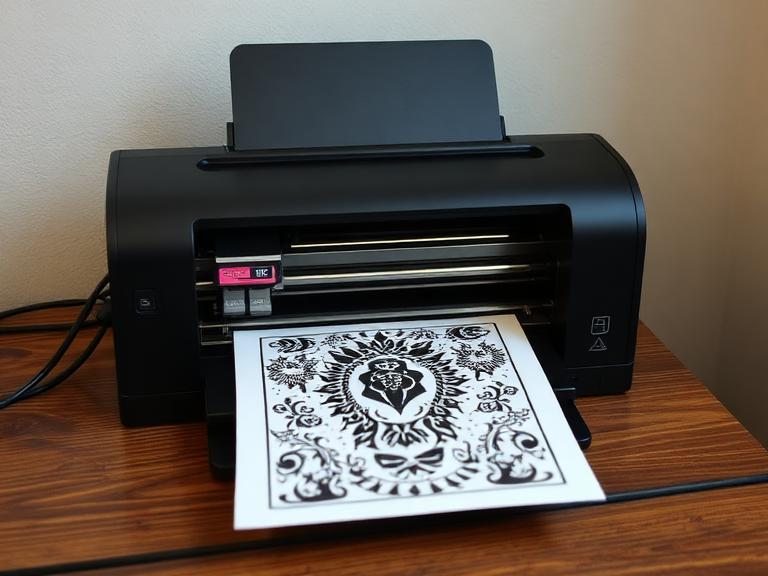
Thermal printers use heat to transfer carbon from a donor sheet (the stencil paper) onto the master sheet. They require no ink or toner, making them incredibly low-maintenance. These are the workhorses of the industry, known for producing bold, high-contrast lines that are easy to follow. They are ideal for traditional, neo-traditional, and bold illustrative styles.
Inkjet Stencil Systems (The Realism Choice)
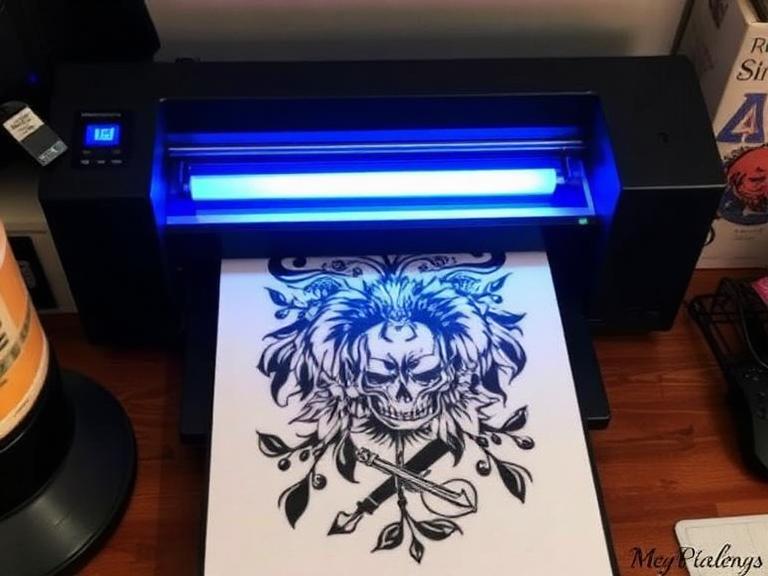
Inkjet systems use a specialized "stencil ink" (like Methyl Violet based liquids) in a modified standard printer. Instead of heat, they print the stencil directly onto the paper using ink. The main advantage here is resolution. If you are doing hyper-realism or portraits, inkjet systems can capture subtle gradients and shadows that thermal printers sometimes struggle to reproduce.
Top Thermal Printers for Tattoo Stencils
If you want reliability and portability, thermal is the answer. Within the INKSOUL catalog, several models stand out for the current year.
INKSOUL T08FD Tattoo Transfer Printer Touch Screen

This is a premium choice for artists who want a standalone experience. Once your design is loaded via USB drive or the companion app, the integrated touch screen handles mirroring, scaling, and density adjustments directly on the device — no need to keep a phone or tablet tethered at the station for every single print, which streamlines the bench-side workflow. It is optimized for heavy-duty daily use in busy shops.
🏆 Our Pick for 2026 — INKSOUL T08FD. Touchscreen controls keep the station workflow on the device: after a one-time design transfer via USB drive or app, mirror, scale, adjust density, and print directly on the touchscreen. INKSOUL-exclusive colorway, engineered for high-volume studio use with a far lower failure rate than older wireless models. If you buy one printer this year, buy this one. See the T08FD →
INKSOUL T08FS Wireless Tattoo Transfer Stencil Printer
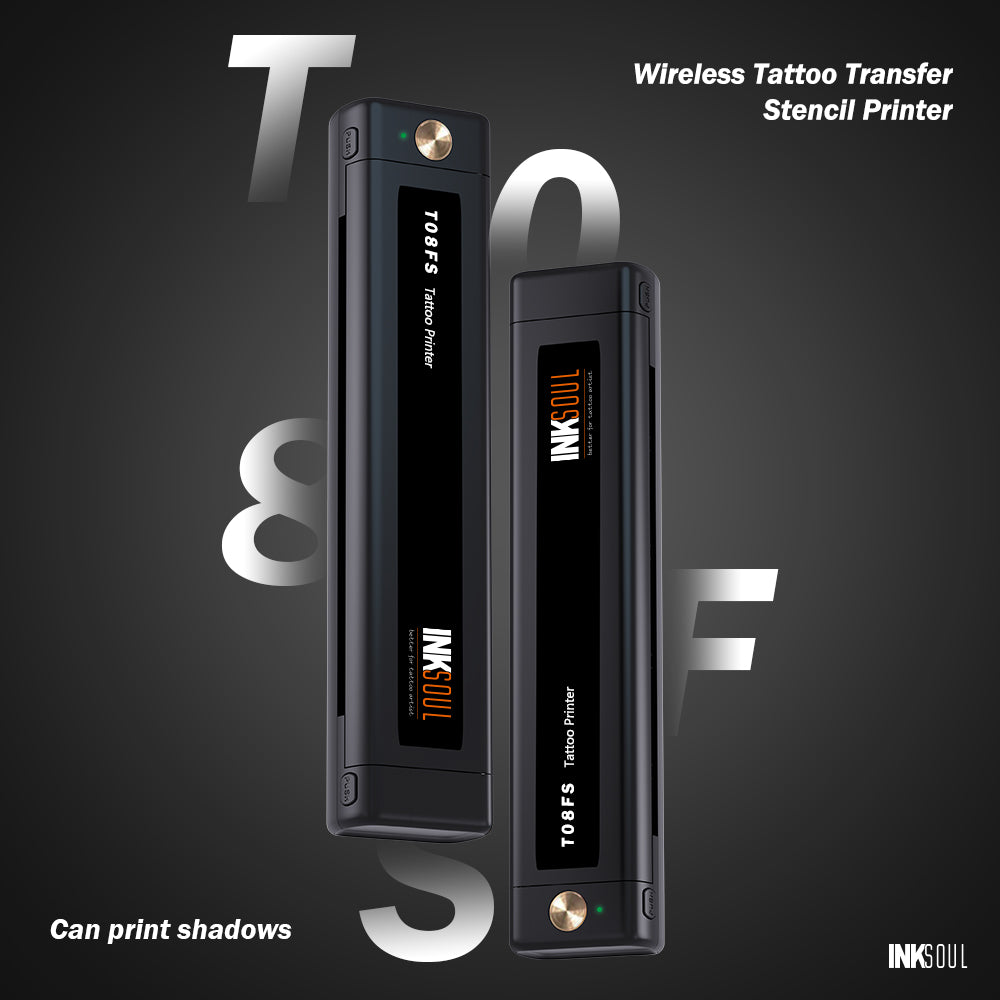
The T08FS is the wireless classic — a game-changer for guest spots and conventions. Being wireless, it connects via Bluetooth to your phone or iPad. Both the T08FS and the T08FD print realistic shading and shadow gradients by modulating heat intensity — a "halftone" (dithering) effect that is a massive help for artists who do soft black-and-grey shading. The difference between the two models is the workflow, not the shading capability (see the FAQ comparison below).
XIRU XR3 and Phomemo TP31
These compact units are highly sought after for their small footprint. The XIRU XR3 is known for its consistent heat distribution, preventing the "skipping" or light spots often found in cheaper, generic thermal copiers. The Phomemo TP31 offers a high-DPI output, making it one of the sharpest portable thermal printers on the market.
Related reading: 9 Best Wireless Tattoo Stencil Printers 2026 — an expert industry guide.
Inkjet Stencil Systems: The High-Detail Choice
When the question is what printer do I need for tattoo stencils for realism, the answer usually involves a dedicated inkjet setup. Unlike thermal printers, these require specific ink refills. Brands like InkJet Stencils and Electrum Eco Stencils provide the violet stencil ink that makes this possible. (Stencil Stuff, by contrast, is known for its transfer cream/gel — a product used to apply the stencil to skin, not a printer ink.)
The cost per print is often lower with inkjet systems once the initial investment in the ink is made, but they require more frequent cleaning to prevent the specialized ink from drying in the print heads. For artists who spend hours on a single portrait stencil, the precision is worth the extra maintenance.
How Thermal Printers Fake Grey: Halftone Dithering
A thermal print head is binary — each dot is either fired (dark) or not (blank). There is no "50% heat" grey. So how do modern thermal stencil printers reproduce soft shading? Through halftone dithering: firmware-level algorithms that vary the density of fired dots to trick the eye into seeing gradients. Tightly clustered dots read as dark shadow; sparse, scattered dots read as light grey.
This is why heat modulation matters more than raw DPI for black-and-grey work. A printer with fine density control (both the T08FD and T08FS render realistic shading and shadow gradients) lays down smoother transitions than a cheaper unit that only does on/off dots. Practical tip: when a stencil’s shading looks blotchy, the culprit is usually the source image — a low-contrast photo with crushed shadows gives the dithering algorithm nothing to work with. Bump the contrast and clean up the midtones in your design app before printing, and the halftone output improves dramatically.
Cost Per Stencil: Thermal vs. Modified Inkjet
Back-of-envelope math, with the usual caveats (prices vary by brand and region): a sheet of thermal stencil paper typically runs about $0.20–$0.50, and that is your total consumable cost — no ink, no toner, no maintenance kits. A modified inkjet/EcoTank setup lands around $0.05–$0.10 per print in ink once you are up and running, which looks cheaper until you factor in the printer itself, periodic head cleanings, and the occasional clogged nozzle that eats an afternoon.
For most shops, thermal wins on total cost of ownership: zero maintenance, zero wasted prints from dried heads, and no learning curve. Inkjet only pulls ahead if you print very high volumes of portrait/realism stencils where the per-sheet savings compound — and even then, many artists keep a thermal unit as the daily driver and reserve the inkjet for hero pieces.
Key Features to Look For in 2026
As you evaluate what printer do I need for tattoo stencils, ensure your choice ticks these four boxes:
- Bluetooth/Wireless Connectivity: In 2026, wires are a clutter. Modern printers should support AirPrint or dedicated apps for seamless printing from Procreate or Photoshop.
- Mirroring Capabilities: The printer or its app must be able to automatically mirror the image. If you forget to mirror, the stencil will be backwards on the skin.
- Adjustable Heat/Density: Not all stencil paper is the same. A printer with adjustable settings allows you to prevent "over-burning" thin paper or "under-printing" on thick, high-quality sheets.
- Portability: Even if you don't travel, a small printer keeps your station clean and professional.
Printing from iPad and Procreate
Most artists design in Procreate and want the shortest path from canvas to stencil. The standard workflow: export your design as a high-contrast black-and-white image (PNG or JPG), send it to the printer’s companion app over Bluetooth, then print. Both the T08FD and T08FS connect to phones and tablets via Bluetooth (a PC connects via USB cable); the T08FS relies on the app for every print, while the T08FD only needs the app — or a USB drive — for the initial transfer, after which everything happens on its touchscreen.
Two honest caveats. First, companion app names and iOS/Android compatibility change with firmware updates — check the product page and manual for the current app before you buy, and confirm your tablet’s OS version is supported. Second, always mirror in the app (or on the T08FD’s screen) rather than trusting your memory: an un-mirrored stencil prints backwards on skin, and it is the most common rookie mistake we see in support tickets.
Battery Life: What to Expect
The T08FD runs on a built-in rechargeable battery, so it works unplugged at guest spots, conventions, or a station far from an outlet. Real-world runtime depends on print volume, heat/density settings, and ambient temperature — judge it by full-charge working time in your own workflow rather than any single number, since heavy back-to-back large-format jobs drain it far faster than occasional linework prints.
Treat battery claims the way you would treat DPI claims: as a starting point, not a promise. Charge fully before conventions, carry the USB-C cable as backup, and top up between clients rather than running it to zero — lithium batteries last longer when they are not deep-cycled daily. If you print exclusively at a fixed station, just leave it plugged in; the battery is there for freedom, not as a daily constraint.
Stencil Paper Compatibility and Setup
A printer is only as good as the paper you feed it. Using the wrong paper is a common reason why artists think their printer is faulty. Thermal printers require 4-ply thermal transfer paper (the kind with the yellow backing, the carbon sheet, the protective tissue, and the master sheet). Before printing, peel away and discard the thin protective tissue sheet sandwiched between the carbon and the master sheet — printing with it still in place is the #1 cause of faint, patchy stencils. Inkjet systems require specialized inkjet-ready paper, which is usually thinner and designed to absorb the liquid violet ink without bleeding.
At INKSOUL, we recommend using our high-contrast, smudge-resistant transfer paper. It is formulated to react precisely to the heat pulses of the T08FD and T08FS models, ensuring that the carbon transfers cleanly without creating "ghost lines."
Maintenance: Preventing Jams and Cleaning the Print Head
Thermal stencil printers are low-maintenance, not no-maintenance. Two habits keep yours printing crisp for years.
Clearing jams. If paper stalls mid-feed, power the printer off before pulling anything — yanking paper through a powered feed mechanism can damage the rollers. Remove the paper tray (or open the feed cover on portable models), ease the sheet out along the feed direction, and check for torn scraps or curled edges before reloading. Nine times out of ten, the cause is paper loaded crooked or a sheet with a bent corner; trim the damaged edge and re-feed straight.
Cleaning the thermal head. Carbon and paper dust build up on the heating elements over time, showing up as faint vertical streaks. Power off, let the head cool, then wipe it gently with a lint-free cloth or cotton swab dampened with isopropyl alcohol (90%+). Let it dry fully before printing. A quick clean every few weeks of daily use prevents most "my printer is fading" complaints — which are almost never a dying printer, just a dirty head.
Printer Comparison Table
| Printer Model | Type | Key Feature | Best For |
|---|---|---|---|
| INKSOUL T08FD | Thermal | Touch Screen Controls | High-volume studio use |
| INKSOUL T08FS | Wireless Thermal | Shadow/Gradient Printing | Black & Grey / Realism |
| Phomemo TP31 | Portable Thermal | High Resolution / Compact | Conventions & Travel |
| XIRU XR3 | Thermal | Heat Consistency | Traditional / Bold Lining |
| Modified Epson/EcoTank | Inkjet | High Detail / Ink Based | Portraits & Hyper-Realism |
| Phomemo TA81 (2026) | Thermal, large-format | Oversized prints, no section-taping | Sleeves / Back pieces |
| Phomemo L85 (2026) | Thermal | Smart touchscreen, portable | On-device control on the go |
| Phomemo M08F Plus | Thermal | 203 DPI, ≈$140 value pick | Daily shop use on a budget |
Frequently Asked Questions
Can I use a regular office printer for tattoo stencils?
No. Standard office printers use toner or standard ink that will not transfer to human skin and is not skin-safe. You must use a thermal printer with carbon paper or an inkjet printer modified with specific tattoo stencil ink.
Why is my stencil coming out blurry?
This is usually due to "over-heating" in thermal printers. If the temperature is too high, the carbon bleeds. Try lowering the density setting on your INKSOUL printer or ensure you are using high-quality paper.
Do I need a computer to print stencils?
Not necessarily. Models like the INKSOUL T08FS connect directly to smartphones and tablets via Bluetooth, allowing you to print directly from apps like Procreate.
Do tattoo stencil printers need ink?
No — thermal stencil printers are completely inkless. The print head uses heat to activate the dye layer in thermal transfer paper. No cartridges, no toner, no dried-out print heads, ever. (Inkjet-based stencil systems are the exception: they use a specialized violet stencil ink.)
What's the difference between the INKSOUL T08FD and T08FS?
The T08FD is our flagship: touchscreen controls — designs load once via USB drive or app, then mirror, crop, and density adjustments happen on the machine itself — engineered for high-volume studio use with a far lower failure rate. The T08FS is the wireless classic: Bluetooth to your phone or iPad for every print. Both print realistic shading and shadow gradients; the choice is about workflow, not shading capability. Rule of thumb — T08FD for the station, T08FS for guest spots and conventions.
Can I print large designs like full sleeves or back pieces?
Standard A4 thermal printers cover most work, but for large-scale pieces you have two options: print in sections and align them (the classic workflow), or step up to a large-format printer like the Phomemo TA81 (released August 2026). Either way, use quality stencil paper — cheap paper wastes more in reprints than it saves.
What warranty comes with a stencil printer?
Warranty terms vary by brand and model — and they change. Before buying, check the T08FD product page for the latest warranty policy, and keep your order confirmation. Practical advice for any printer: buy from an authorized seller (grey-market units often carry no valid warranty) and register the product if the brand offers it.
How long do thermal printers last?
With proper care (cleaning the thermal head with alcohol periodically), a professional printer like those from INKSOUL can last for several years of daily use.