
News
buyer guide
Why Does My Tattoo Look a Different Color Under Studio Lights?
It's not your eyes — it's your lamps. Warm, low-CRI studio LEDs shift how ink reads on skin, so a piece that looks perfect in your chair can come back muddy or off-hue in daylight. The fix isn't a brighter bulb; it's two specs: CRI 90 or higher (95+ is ideal) and a daylight-balanced 5000–6500K. Get those right and what-you-see is what heals.
Why this happens: Kelvin and CRI are two different jobs
Most artists shop lamps by "warm or cool" and stop there. That's only half the story.
Color temperature (Kelvin) is the light's warmth or coolness. 2700K looks amber and cozy; 6500K looks like noon daylight.
CRI (Color Rendering Index) is how truthfully the light renders colors, on a 0–100 scale against sunlight. It's a measure of the objects, not the light itself.
Here's the insider detail most product pages won't tell you: these two numbers are independent. A 5000K LED can have a CRI of 70 or a CRI of 95 — same "cool white" label, completely different color truth on skin. Buying by Kelvin alone is like buying a machine by its weight: a real number that tells you almost nothing about what you actually care about.
Worse, the standard CRI score (Ra) is averaged across pastel test colors — it doesn't even include saturated red. That deep red (listed separately as R9) is tested on its own, and two lamps with the same CRI can render reds very differently. If your reds heal brownish or your magentas look dusty under your studio LEDs, a weak R9 channel is a prime suspect. This is why experienced color-packers ask about CRI and red rendering, not just Kelvin.
Why tattooing is a worst case for bad lighting
Three things stack the deck against you:
Skin is translucent, not paper. Ink sits under a layer of living tissue, so the light you judge it under is filtered twice — once going in, once coming back. Any gap in the lamp's spectrum gets amplified.
Vaseline and tissue fluid add glare. During a session the skin is a wet, reflective surface. That glare doesn't just annoy you — it washes out the very color differences you're trying to read, and it hides needle marks. (More on the fix below.)
Your client sees the result in daylight. The classic complaint — "it looked different in the shop" — is a lighting failure, not a skill failure. If your station light is 3000K and CRI 80, you mixed and packed under a lie.
What to actually check before buying a studio lamp
CRI 90+ minimum, 95+ if you do color work. For black-and-grey you can be a little forgiving; for color packing and realism, treat 95+ as the bar. Art galleries and Hollywood sets light at CRI 95–100 for exactly this reason.
Adjustable color temperature, not fixed. One number for everything is a compromise. You want roughly 2700–3200K for client consultations (flattering, like a living room), 4500–5000K for general work, and 5500–6500K for fine line and color packing. Lamps with 3-step color switching beat "dimmable but fixed-warm" every time.
Dimmable, with flicker-free dimming. Dimming that introduces PWM flicker will fatigue your eyes over a six-hour session and make phone footage shimmer. Test it: film the lamp on slow motion before you commit.
Glare control at the source. Diffused, edge-lit panels or a polarized system beat bare bulbs. Glare on the skin surface is color information lost — no amount of CRI can recover what a hotspot blows out.
Positioning matters as much as the lamp. A single overhead source creates a shadow of your own hand over the line you're pulling. Side or dual-point lighting at arm's length is the standard working setup for a reason.
Quick scenario guide: match the light to the task
Task
Best color temperature
Why
Fine line / single needle
5600–6500K
Cool daylight maximizes contrast on thin lines
Color packing / realism
5000–5500K + CRI 95+
Daylight-balanced, high truth — what you mix is what heals
Black-and-grey shading
4500–5000K
Neutral; avoids warm-light wash that flatters gradients falsely
Client consult / healed check
2700–3200K or actual daylight
How the piece will look "in the wild"
Photos / reels
Match your camera white balance
Fix it in the light, not in the edit
The glare layer: why polarized light exists
CRI and Kelvin solve color truth. There's a second, separate problem: surface glare. Vaseline and tissue fluid turn skin into a mirror during a session. That mirror glare competes with the actual pigment signal — you end up re-poking the same spot because you can't tell whether you laid the color down, which is how you get overworked, chewed-up skin.
A polarized light source plus polarized glasses cuts that reflection at the physics level: the glare simply doesn't reach your eyes, while the diffuse light from the ink underneath passes through. The result is that you can see needle marks clearly under bright light instead of fighting a shiny smear. It's the same principle as polarized sunglasses on water — except the "water" is your client's skin, mid-session.
This is the one feature worth paying attention to in a market full of generic LED panels. ProTeam artist Li Lu runs her entire detail workflow on a polarized setup precisely because of it: when you're packing color for hours, seeing exactly what you deposited — instead of guessing through glare — is the difference between one clean pass and a touch-up appointment.
INKSOUL's X5 Anti-Glare Polarizing Half-Moon Desk Clamp Lamp is built around this: a 40W dimmable panel with three switchable color temperatures (2700K / 4500K / 6500K) paired with anti-glare glasses, so you get the scenario-switching from the table above and the polarized glare cut in one unit. If you work off a wall or a station, the X5 foldable wall-mounted version and the floor-stand shading light run the same system, and there's a polarized headlight + glasses kit if you want the glare cut to move with your head. Browse the full lighting range in the Magic Lights collection.
One honest note: we publish the X5's power and color temperatures because those are real, measured specs. We don't print a CRI number for it because the figure we have isn't from an independent lab test, and a self-certified CRI on a product page is exactly the kind of number this article warns you not to trust blindly. If CRI 95+ on paper is your non-negotiable, buy the lamp that publishes a lab-backed figure — then add polarized glasses to it anyway.
How the common options compare
Lamp
Published CRI
Color temperatures
Glare control
Dimmable
X5 desk clamp (INKSOUL)
— (not lab-verified)
2700K / 4500K / 6500K
Polarized system + glasses
Yes
NEEWER BH40B
98+
3200–5600K stepless
—
Yes
Lume Cube Flex Light Pro
96+
— (not published)
Edge-lit diffused panels
Yes
The honest takeaway: buy the highest verifiable CRI you can for color truth, and treat glare control as a separate feature on top. No single lamp on this list wins both columns, which is why the polarized-glasses combo exists as an add-on strategy.
FAQ
Does CRI matter more than lumens for tattooing?
Yes — for judging color, by far. Lumens tell you how much light hits the skin; CRI tells you whether the colors you see are the real ones. A dim high-CRI lamp will show you truer color than a blazing low-CRI one. Get CRI 90+ first, then make sure it's bright enough for your working distance.
What color temperature is best for tattooing?
There's no single answer, which is why adjustable lamps win: use 5600–6500K for fine line, 5000–5500K for color packing, and a warmer 2700–3200K for client consultations. If your lamp is fixed at one temperature, 5000K daylight-balanced is the least-bad compromise.
Why do my reds look brown under my LED panel?
Almost certainly a weak R9 (saturated red) channel. Standard CRI averages pastel test colors and skips deep red entirely, so a lamp can score "CRI 90" and still murder your reds. Look for a published R9 value — high R9 is what keeps reds red and magentas from going dusty.
Can I just use a brighter bulb instead of buying a new lamp?
No. Brightness can't fix a broken spectrum. A brighter low-CRI bulb gives you more of the wrong light — it actually makes the problem worse by blowing out highlights through Vaseline glare. Fix the spectrum (CRI) and the surface (glare control) before you chase lumens.
Will changing my lighting really cut down touch-ups?
It cuts down the avoidable ones: re-poked spots from misread saturation, and color choices that looked right at 3000K but healed wrong in daylight. Lighting won't fix technique, but it stops your lamp from lying to you — and a surprising number of "technique problems" are lighting problems in disguise.
Related reading: our broader Tattoo Studio Lighting Guide covers positioning and setup in more depth.
buying guide
Thermal Tattoo Transfer Printer vs Transfer Paper: Which Gives Sharper Lines?
Ask a room of working tattoo artists whether the printer or the paper decides stencil sharpness and you'll start an argument. Here's the short answer: the printer sets the ceiling, and the paper decides how much of it survives onto the skin. A great printer feeding cheap, thin paper gives you soft lines. Great paper through a worn-out print head gives you the same. If you can only fix one thing this week, fix the paper first — it's the cheaper half of the equation, and it's the half most artists get wrong.
Shopping for the hardware half? Browse our full lineup of tattoo transfer printers, from pocket portables to large-format machines.
How a sharp stencil is actually made
A stencil line passes through four handoffs before it ever touches skin, and it can only get softer at each one:
The file. Your line art becomes a grid of black dots. A line thinner than the head's dot pitch simply can't resolve — at 203 dpi, one dot is about 0.13 mm, so anything drawn finer than that risks dropping out entirely. Export at 100% scale; resizing inside the print app re-samples your edges and softens them.
The thermal head. A row of heated elements melts the dye layer dot by dot. Too little heat and the dots never fully form — ghost-pale lines. Too much heat and every dot bleeds into its neighbors — your 3RL-width line prints like a 9RL.
The paper. The dye sheet has to release its pigment cleanly and densely onto the master sheet. Thin, unevenly coated dye gives you patchy lines even when the print itself was perfect.
The skin. Primer choice and application decide whether that crisp line survives four hours of wiping or smears by hour two.
The printer owns exactly one of those four steps. That's why "printer vs. paper" is the wrong question — but it's the question buyers actually ask, so here's the honest breakdown of what each side really controls.
What the printer controls
The resolution ceiling. Nearly every thermal stencil printer in this class prints at 203 dots per inch — roughly 8 dots per millimeter — including the INKSOUL T08FD, which shares its print engine platform with the Phomemo M08F. Your crispest possible line is bounded by that dot grid, and no paper on earth can add detail the head never laid down.
Heat control. This is where printers actually differ in daily sharpness. The darkness or deepness setting is the single most misused control on any stencil printer: too low and fineline work comes out unreadable, too high and everything fattens. The T08FD's touchscreen earns its keep here — nudge heat up or down on the machine itself between prints instead of digging through an app menu while a client waits.
Head condition — the detail nobody lists on a spec sheet. A thermal head wears out. After thousands of prints the heating elements pit and widen, and lines come out progressively fatter no matter what paper you feed it. If your stencils were crisp six months ago and now everything prints bold, that's the head, not the paper. Wipe it with an alcohol pad when it's cool — never scrub it wet and hot — and accept that heads are consumables with a lifespan, not lifetime parts.
Feed and alignment. Paper fed in crooked stretches one side of the image — sharp along one edge, wavy along the other. That's a feed problem, not a paper problem, and a new printer won't fix it.
What the paper controls
Dye density and release. Thermal stencil paper is a four-layer sandwich: the white master sheet on top, a protective tissue, the purple dye (hectograph) layer, and the yellow backing sheet. When the head fires, it melts dye off the dye sheet onto the master. Budget paper cuts its costs in the dye layer — less pigment, uneven coating — and the result is lines that look printed at half darkness even with the heat cranked to maximum.
Line vs. shadow formulation — the part most guides skip. Not all thermal paper is the same recipe. Paper tuned for line work, like our INKSOUL LP100, is formulated to hold a hard edge on fine lines. Paper tuned for shadows, like our SP100, is formulated to release smooth gradients without banding. Print a fineline piece on shadow paper and your hairlines look soft. Print a black-and-grey sleeve on line paper and the gradients stripe. Match the paper to the job and half the "sharpness" problem disappears.
Sheet stability. Thin backing sheets curl in humidity and feed unevenly; a sheet that shifts mid-print smears the line it just laid down. This boring physical property causes a shocking share of "my printer is broken" complaints. The printer is fine. The sheet curled.
Printer vs. paper: the honest scorecard
Thermal printer
Transfer paper
Maximum detail
Sets the ceiling (203 dpi dot grid)
Can't exceed the ceiling
Line edge crispness
Heat setting decides: too hot fattens, too cool fades
Dye density and coating decide: thin dye = patchy lines
Consistency sheet to sheet
Stable until the head wears
Varies by batch on budget paper
Shadow and gradient quality
Depends on the engine (true shadow printing vs. outline-only)
Shadow-formulated paper prevents banding
Fine-line survival
Lines below dot pitch drop out regardless
Line-formulated paper holds the edge
Cost to upgrade
$168–$189 for a real step up
$38.88 per 100 sheets — the cheap experiment
Blame it when…
Everything printed bold that used to print fine (worn head); one side wavy (feed)
Patchy or pale lines at correct heat; problems that follow the paper batch
The blurry-stencil diagnostic: check in this order
When a stencil comes out soft, work through this list before spending money. It isolates the culprit in about two minutes:
Print a test strip first. Run a 2–3 cm section of the design before committing a full sheet. Adjust heat one notch at a time — most "blurry printer" cases are just the wrong deepness setting, and the strip costs you a corner of a sheet instead of a whole one.
Check the file. Confirm you're printing at 100% scale with no app-side resizing, and that your thinnest lines aren't finer than the head can resolve. Fineline artists: if your 0.5 pt hairlines keep vanishing, that's physics, not a defective printer — thicken the stencil lines slightly and let the needle do the delicate work.
Swap one sheet of paper. This is the step that saves people money. Print the same file on one sheet of paper you trust. If the problem vanishes, it was never the printer — it was the paper batch. A $0.39 sheet just answered a $189 question.
Clean the head. Alcohol pad, head completely cool, gentle single-direction wipe. If lines were gradually fattening over months, this is your culprit, and cleaning only buys time — plan for head wear as a consumable cost.
Watch the feed. Watch a full sheet go through. Any skew, hesitation, or curling mid-feed smears lines no setting can fix — flatten curled sheets under a book for ten minutes first.
Check the skin step. If the stencil looks razor-sharp on paper but soft on skin within the hour, the print was never the problem — your primer layer was too thick, too wet, or never went tacky. Sharp on paper and smeared on skin is an application failure.
Our pick: the sharpest combination we sell
For line work — fineline, script, geometric, anything where the edge is the artwork — the sharpest setup on our shelf is the INKSOUL T08FD ($188.88) paired with LP100 line paper ($38.88 for 100 sheets). The printer gives you on-machine heat control, true shadow printing, and the lowest failure rate of any printer we carry; the paper is formulated specifically to hold a hard line edge. It's the combination I'd hand to an artist who earns a living on crisp lines.
For black-and-grey and realism, keep the same printer and switch the paper to SP100 ($38.88 for 100 sheets) — same 203 dpi engine, different dye release, smooth gradients instead of banding. Printing full backs and sleeves? The 210 mm roll paper ($42.88 a box) removes the sheet-length limit entirely.
On a tighter budget, the classic T08FS ($168.88) runs the same shadow-capable print engine — you give up the touchscreen and the lower failure rate, not the sharpness. Pair it with the right paper and it prints every bit as crisp.
One thing this debate always misses: the sharpest stencil is worthless if it slides off the skin mid-session. A thin, even layer of stencil primer ($8.88), left to go tacky before you lay the stencil down, is what carries that crisp line through hour four. If you want the full application walkthrough, our five-step transfer paper guide covers it — and if you're still choosing a printer, start with our stencil printer buying guide.
FAQ
Will a better printer fix blurry stencils if I'm using cheap paper?
No. A printer can only melt the dye the paper actually contains — thin, unevenly coated dye gives patchy lines at any heat setting. Upgrade the paper first; it's a $38.88 experiment versus a $188.88 gamble, and it answers the question either way.
Why are my lines faint even with the heat turned all the way up?
Three usual suspects, in order: the dye layer on that paper batch is thin (swap one trusted sheet to test), the file's lines are below the head's dot pitch and can't resolve, or the print head is worn and no longer reaching full temperature. Cranking the heat on a worn head just fattens what little prints.
Do I really need different paper for line work and shading?
If you do both styles, yes. Line-formulated paper (LP100) holds a hard edge on fine lines; shadow-formulated paper (SP100) releases gradients without banding. Using one paper for everything means compromising one of the two — most artists keep both and grab per piece.
How do I know my print head is wearing out versus just dirty?
Clean it first — alcohol pad, completely cool, one gentle pass. If lines were sharp months ago, have been gradually fattening, and cleaning changes nothing, the elements are pitted and widening with age. That's wear, and it's normal: heads are consumables, not lifetime parts.
Does transfer paper go bad on the shelf?
It degrades, yes. Heat, humidity, and light break down the dye layer over time — old stock prints pale and patchy even on a perfect printer. Store it flat, cool, and dark, and don't hoard a two-year supply to save a few dollars; stale paper costs more in reprints than it saved.
buying guide
Vortex Mixer vs Magnetic Stirrer for Tattoo Ink — Which Should I Buy?
Short answer: Buy a vortex mixer if you mix ink inside the bottle — it re-suspends settled pigment in seconds and nothing ever touches your ink. Buy a magnetic cup stirrer if you pre-pour ink cups and want several colors kept moving hands-free during setup. They solve two different halves of the same problem, and busy color artists often end up owning both.
Why this choice even matters: settled ink lies to you
Tattoo ink is pigment suspended in a carrier, and suspensions settle. The heavier the pigment load, the faster it drops — whites and yellows are the worst offenders. A bottle that sat overnight pours thin, carrier-heavy ink first and sludge by the end of the session.
That is not a cosmetic issue. Saturation, layering, and healed results all depend on every drop carrying the same pigment concentration as the first. Hand-shaking helps, but it is inconsistent — thirty seconds of wrist work after a long day is not the same as thirty seconds in the morning, and everyone knows the temptation to skip it by mid-session.
So the real question is not "mixer or no mixer." It is where your bottleneck lives: in the bottle before you pour, or in the cup after. Vortex and magnetic machines attack different bottlenecks.
How each one actually works
Vortex mixer: shake the bottle, touch nothing
A vortex mixer has an off-center spinning cup on top. Press a bottle down into it and the base vibrates in a tight circular motion, creating a whirlpool inside the liquid that pulls pigment off the bottom and folds it back into suspension by sheer agitation.
The defining trait: nothing enters the liquid. No stir bar, no stick, no magnet. The bottle stays sealed until you open it to pour. Mixing is violent and fast — a few seconds for a recently used bottle, up to 10–15 seconds for one that has sat for weeks.
Magnetic stirrer: stir the cup, never stop
A magnetic stirrer hides a rotating magnet in its base. Drop a small magnetic mixing ball into your ink cup, set the cup on a station, and the ball spins with the magnet — a tiny whirlpool keeps the ink moving hands-free for as long as you leave it on.
The defining trait: it maintains, rather than rescues. It keeps poured ink homogeneous while you work, and multi-station units keep a whole row of colors ready at once. But something does live inside your ink: the ball itself.
Side-by-side: vortex vs magnetic for tattoo ink
Vortex mixer
Magnetic cup stirrer
What it mixes
Sealed bottles, tubes, small containers
Open ink cups you have already poured
Anything touching the ink?
No — sealed system
Yes — a magnetic mixing ball sits in the cup
Time to ready
Seconds per bottle, on demand
Continuous — always ready while running
Thick, settled pigment
Strong — high-RPM agitation breaks up sediment
Weak point — the ball can decouple and spin out in viscous ink
Hands-free?
One press per bottle; you hold it for a few seconds
Fully hands-free, multi-cup
Classic failure mode
Noise and vibration at high RPM; won't fit oversized bottles
Ball ejected off-center; cup "walking" across the station
Consumables
None
Mixing balls (replacements should be cheap and stocked)
INKSOUL examples
VM-300, 10,000 RPM, $55.88; INKSHAKER S100, 7,000 RPM, $48.88
8-site cup mixer kit, $128.88 (balls refill $6.66/216pcs)
Best for
Bottle-first artists, greywash pre-mixing, heavy pigments
Cup-first color work, long sessions, multi-color setups
The three failure modes nobody prints on the box
1. Magnetic decoupling: thick ink defeats weak magnets
A magnetic stir ball only spins while it stays coupled to the magnet under the station. Lab guidance on magnetic stirring is blunt about the limit: in thick, viscous liquids the bar decouples — it stops following the magnet, rattles to one side, and stirs nothing. Dense white and heavily loaded pigments are exactly the inks that live near that limit. If your palette is mostly thin lining blacks and washes, you will never see this. If you pack solid white all day, test any magnetic unit with your thickest ink before trusting it.
2. The ejected stir ball (and the walking cup)
The most repeated complaint in real-world mixer reviews is the stir ball being flung off-center or out of the cup entirely, sometimes taking ink with it. It happens when the ball starts off-center, speed ramps too fast, or the cup is not seated in a recess. The fixes are boring but real: start slow, center the ball before you walk away, and prefer a station with a defined cup seat over a flat plate. One artist's review of ink ending up on the floor — "100mls of juice on the floor" — is the extreme version of the same physics.
3. Vortex noise is the price of vortex speed
Every seller in this category claims "quiet operation," because noise is the universal complaint. Be honest with yourself: a 10,000 RPM vortex is a speed tool, not a silence tool. Our VM-300 is positioned exactly that way — the fastest way we know to bring a settled bottle back, and it will hum while it does it. Five press-to-mix seconds bother nobody; a low-RPM unit buzzing for a full minute to half-mix a bottle of white is the worse deal. Judge vortex mixers on seconds to a uniform bottle, not decibel claims nobody measures the same way.
The magnet-in-your-ink question
Some artists simply do not want anything sitting in their ink — a real preference that surfaces whenever magnetic stirring comes up. With a cup stirrer, the ball contacts every drop in that cup. In practice, the cups and balls in a kit like ours are single-session consumables (the 8-site kit ships with 20 cups; 216-ball refills cost $6.66), so nothing carries between clients. If your line is "nothing touches the ink, ever," go vortex and never look back — the sealed-bottle workflow removes the question entirely.
Decide by workflow, not by spec sheet
You pour from bottles as you go: vortex. Five seconds on the base before each pour, every color, every time. The INKSOUL VM-300 (10,000 RPM, built-in rechargeable battery, $55.88) is the speed-first option; the INKSHAKER S100 (7,000 RPM, $48.88) covers the same job for less if your inks are not heavily settled.
You pre-pour a full palette and work for hours: magnetic. An 8-site cup mixer keeps eight colors in suspension on an aluminum frame while you tattoo — no re-shaking between passes, no settling in the cup during a long black-and-grey or color session.
You pre-mix greywash sets: vortex, in the bottle, before you ever pour. Wash values are ratios; if the black going into the mix is half-settled, your "25% wash" is not 25%. Mix the parent bottle first, then dilute.
Conventions and guest spots: a compact rechargeable vortex travels better than a multi-station frame and works with whatever bottles you brought. The cup mixer earns its luggage space only if your guest setup is cup-based all day.
You want mixing to just disappear: the third option is a rotating ink rack that keeps bottles slowly turning on display — our 48-bottle rotating ink rack doubles as storage and anti-settling insurance. It maintains; it does not rescue a bottle that has sat for a month. Pair it with a vortex and the problem is covered at both ends.
Both mechanisms: INKSOUL Mixing Equipment.
Buying checklist (either mechanism)
Test with your thickest ink. White or your densest pigment is the audition. If it mixes that, it mixes everything.
Seconds-to-uniform beats RPM claims. RPM is a motor spec; uniformity is the outcome. A stronger vortex that finishes in 5 seconds beats a weaker one running four times longer.
Check the consumable math before you buy. For magnetic systems: are balls and cups in stock, in what quantity, at what price? A $6.66 refill pack of 216 balls is what healthy consumable pricing looks like. If refills are vague, the machine is a countdown timer.
Seating and stability. Cup seats for stirrers; a non-slip, weighted base for vortex units. Both sit next to open ink — staying put is a feature.
Power that matches your station. Rechargeable if your bench is cable-hostile or you travel; corded if the unit never moves.
One honest limit check. Vortex cups have a max bottle size; magnetic balls have a max viscosity. Know which limit your palette hits first.
FAQ
Can a magnetic stirrer handle white tattoo ink?
Sometimes. White is the highest-load, fastest-settling pigment most artists own, and it is the classic decoupling case: the ball loses the magnet and stops stirring. If white is central to your work, either audition the unit with your own bottle of white first, or vortex-mix the bottle and let the stirrer merely maintain the poured cup.
Why does my stir ball keep flying out of the cup?
Usually one of three causes: the ball started off-center, speed ramped too fast for the ink's viscosity, or the cup sits on a flat surface with nothing keeping it located. Center the ball, start slow, use a station with a defined cup seat. If it still ejects with thin ink at low speed, the magnet coupling is simply weak — a product flaw, not user error.
Does vortex mixing put bubbles in the ink?
Briefly, yes — aggressive agitation introduces micro-bubbles. Mix the bottle, then pour, then let the cup sit a moment while you set up; the bubbles rise and clear quickly. Do not pour mid-vortex and start lining immediately.
How long should I vortex a bottle that has sat for weeks?
Start with 10–15 seconds, then check the bottle against the light: uniform color, no sediment layer at the bottom, no watery top. Add five-second bursts until uniform. If a bottle stays gritty or separated after a full minute, that is an expired-ink conversation, not a mixer problem.
Can I vortex 2oz or 4oz bottles, or only 1oz?
Press-down vortex cups are built around standard 1oz (30ml) bottles and similar small containers. Larger bottles may not seat properly, and an unseated bottle mixes poorly and walks. If most of your stock is 2oz+, check the cup diameter against your biggest bottle before ordering — or decant working colors into 1oz bottles, as most high-volume artists end up doing anyway.
Bottom line
Vortex mixers rescue bottles; magnetic stirrers maintain cups. If your ink lives in bottles until you pour, a vortex unit — the faster the better — is the buy. If you pour a palette and live in cups for hours, a multi-site magnetic stirrer does its job all session. Cannot decide? Your studio probably does both: start with the vortex, add the cup stirrer when long color sessions become your normal.
buying guide
How to Choose a Tattoo Needle Washer: 6 Things That Actually Matter
Short answer: A needle washer is a mid-session color-change tool, not a sterilizer. If you change colors a lot during a session, an electric washer pays for itself in speed and cleaner transitions. Judge one on six things: adjustable water flow, replaceable cleaning nozzles, cartridge-and-traditional compatibility, splash control, a base that won't tip, and consumables you can actually reorder. Mostly black-and-grey? A rinse cup does the job.
The moment that sells every needle washer
You're three hours into a color sleeve. Yellow, then orange, then red — and by the fourth color change, your rinse cup looks like pond water. You swirl the cartridge, wipe it, dip into the new color, and the first line comes out muddy. You know exactly what happened: your "clean" rinse wasn't clean. You spend the next ten minutes re-laying color you already laid down.
That pond-water moment is the entire business case for a tattoo needle washer. Not hygiene theater, not a shelf gadget — a small electric unit that fires a jet of clean water through your cartridge tip every time you change colors, so every new color starts clean. Most units rinse a tip in two to three seconds, hands-free, the moment the sensor detects your needle.
But not all washers are built equal, and the category has real duds. Here's how to buy one without learning the hard way.
First, understand what it is — and isn't
A needle washer rinses ink off your needle between color changes. It does not sterilize anything, and it is not a replacement for your ultrasonic cleaner or autoclave — those belong to a different workflow (deep-cleaning reusable tubes and tools between clients, not between colors). One honest reviewer of a popular unit put it well: the washer is a supplement to deep cleaning, not a substitute. Anyone selling you "sterilization" from a rinse jet is selling you fiction.
Cartridge needles are single-use and EO-sterilized in sealed packaging — you open a fresh one per client regardless. The washer's job is narrower and, frankly, more useful: keeping color transitions clean within a session.
Your three options, honestly compared
Rinse / dip cup
Electric needle washer
Ultrasonic cleaner
What it does
Manual swirl in water between colors
Sensor-triggered water jet, 2–3 seconds, hands-free
Cavitation deep-cleans reusables
Mid-session?
Yes — but the water gets dirty fast
Yes — fresh water every rinse
No — too slow, and it's a different job
Typical cost
Practically free
~$50–130
~$100–300+
Weakness
Ink soup by the fourth color; inconsistent
Needs power and replacement nozzles
Not a color-change tool at all
Best for
Black-and-grey, beginners, travel kits
Color artists, busy studios
Reusable tubes and tools, between clients
Most artists asking "washer or ultrasonic?" are comparing the wrong things — they do different jobs. The real mid-session choice is dip cup vs. electric washer.
6 things to check before you buy
1. Adjustable water flow — non-negotiable
This is the number-one complaint in real buyer reviews across the category: water pressure that's either too weak to rinse properly or so aggressive it sprays ink across the station, plus sensors that misfire. A flow knob turns a finicky gadget into a reliable tool. If a unit has one fixed pressure and no adjustment, walk away — your station's water pressure, ink viscosity, and needle groupings all vary, and the washer has to vary with them.
2. Replaceable cleaning nozzles — and refills that actually exist
The cleaning nozzle (or bag) is a wear part. It meets ink every few minutes, all day. The question isn't whether you'll replace it, it's whether you can — and at what price. Before buying any washer, find the refill: is it in stock, what's the pack size, what's the price? A washer whose consumables get discontinued is a paperweight with a sensor. (We sell 10-packs of disposable accessories for our PRO washer at $6.66 — the refill math should always be this boring.)
3. Cartridge AND traditional needle compatibility
Some washers are cartridge-only. If you still run traditional needle-bar-and-tube setups for any of your work, check that the opening fits both. Buying a cartridge-only washer is perfectly fine if you're all-cartridge — just make it a conscious choice, not a surprise on delivery day.
4. Splash control and a base that won't tip
A washer lives on a crowded, wet workbench next to ink caps, machines, and your client's arm. Two things matter: a base heavy or magnetic enough to stay put when you dock the machine one-handed, and a nozzle design that doesn't mist ink onto everything nearby. Straight-tube nozzles splash less than angled ones — a small design detail with outsized consequences for how clean your station stays.
5. Corded vs. rechargeable
Rechargeable units are genuinely convenient — no cable hunting, and they travel well to guest spots and conventions. The tradeoff is the obvious one: a dead battery mid-session. Corded units never die but tether you to an outlet. If you go rechargeable, check the real battery life against your longest session, not the marketing number.
6. Use distilled water, not tap
No product page leads with this, but mineral deposits from tap water build up in sensors, valves, and nozzles over time — the slow version of the "inconsistent water pressure" complaints you see in reviews. Distilled water is cheap and extends the unit's life noticeably. Keep a bottle at your station; it's the lowest-effort maintenance you'll ever do.
When you should NOT buy one
Honest answer: plenty of great artists never touch a washer.
Black-and-grey specialists. If your sessions are greywash, black, and the occasional white highlight, a rinse cup handles your two or three "color changes" just fine.
Beginners on a budget. Your money goes further into needles, ink, and practice skin. A washer is a workflow upgrade, not a skill upgrade.
Travel and guest-spot kits. Every extra device is weight and setup time. Disposable rinse cups win on the road.
If that's you, disposable dip foam cups ($12.88 for 20) are the low-tech answer: a fresh cup per session, zero maintenance, toss when done.
What we carry
Same rule as our other guides: we only recommend what we actually sell and support — no sponsored placements, no review-unit fluff. Prices below are from our store at the time of writing.
INKSOUL Tattoo Needle Washer PRO — $118.88. The standalone unit: sensor-activated rinse, works with standard cartridge needles, replacement nozzle packs available so it stays in service for years. Buy this if you already have rinse cups and just want the washer. See the Needle Washer PRO
Needle Washer Kit — $128.88. The washer plus dip cup caps and a 10-pack of disposable accessories — the full station setup in one box. See the Needle Washer Kit
Dip Foam cups, 20-pack — $12.88. Disposable rinse cups for cartridge needles — the travel, guest-spot, or budget option. See Dip Foam cups
FAQ
Does a needle washer sterilize my needles?
No. It rinses ink off the tip between color changes — that's cleaning, not sterilization. Cartridge needles are single-use and come EO-sterilized; you still open a fresh one per client. Deep cleaning of reusable tools is a separate workflow (ultrasonic cleaner, then autoclave).
Can I use a needle washer with traditional (non-cartridge) needles?
Depends on the unit. Many washers accept both cartridge tips and traditional needle groupings, but some are cartridge-only. Check the opening size and the product's compatibility list before buying — don't assume.
How often do I replace the cleaning nozzles or bags?
They're wear parts: expect to swap them regularly if you tattoo full days. The real question is refill availability and price — a $6.66 ten-pack you can reorder beats a proprietary nozzle that's out of stock everywhere.
Do I need distilled water, or is tap water fine?
Distilled is better. Tap water leaves mineral deposits in sensors, valves, and nozzles over time, which is behind many "inconsistent water pressure" complaints. A bottle of distilled water at your station is the cheapest maintenance you'll do.
Is a needle washer worth it for a beginner?
Probably not yet. If you're still building fundamentals, put the money into needles, ink, and practice skin — a rinse cup covers your color changes. A washer earns its keep once you're doing multi-color sessions regularly and every muddy transition costs you real time.
1oz ink bottles
What Is the Best Tattoo Ink Rack for Organizing 1oz Bottles?
The short answer
The best ink rack for 1oz bottles is one built around the 1oz bottle itself: slots sized for the standard 30 ml bottle, not "universal" slots that let it rattle and tip. For a working studio, our pick is the INKSOUL 48-Bottle Rotating Ink Rack ($228.88) — eight rows of six slots with continuous drum rotation that fights pigment settling, and it works on a desk or mounted on the wall.
Why 1oz bottles deserve their own rack
The 1oz (30 ml) bottle is the working unit of a tattoo studio. It is what Eternal, Intenze, Dynamic, World Famous, and most other brands sell as their standard size, and it is the bottle you reach for a dozen times a session. A typical 1oz bottle is roughly 1.1 to 1.25 inches in diameter and short enough to disappear into slots designed for taller bottles.
That is exactly the problem with most "universal" racks. A slot cut to accept 2oz and 4oz bottles is a slot a 1oz bottle rattles around in. It tips when you grab the bottle next to it. Its label sits below the rim, so you end up lifting bottles to read colors — the exact friction a rack is supposed to eliminate. And if the slots are deep enough for 2oz bottles, short 1oz bottles sit in a well you have to fish them out of with two fingers.
A rack made for 1oz bottles solves this with one decision: the slot diameter matches the bottle. Snug, not tight. The bottle slides in with one hand, stands plumb, and the label faces you. Everything else — capacity, mounting, materials — is secondary to that fit.
What to check before you buy
Slot fit, not just slot count. Ask whether the slots are sized for 1oz (about 1.1–1.25" diameter). "Fits 1oz to 4oz" usually means "fits none of them well."
Row spacing vs. bottle height. Tiered desktop racks need enough clearance between tiers for you to grip a 1oz cap. Shallow tiers look sleek and work terribly.
Loaded weight. A full 48-bottle rack weighs a real amount. If it wall-mounts, check that the bracket — not just the screws — is rated for it, and mount into a stud, not drywall.
Settling is the hidden tax. Pigment settles. White, yellow, and any bottle that has sat for weeks needs shaking before every use. A rack that keeps bottles moving between sessions earns its price in saved shake time alone.
Cleanability. Ink drips are inevitable. Non-porous surfaces — nylon, sealed metal, silicone — wipe clean. Raw wood and unfinished 3D prints absorb pigment and stain permanently.
Growth path. Your palette will grow past the first rack. Stackable or modular designs mean the second purchase extends the first instead of replacing it.
The picks, by use case
Best for busy studios: INKSOUL 48-Bottle Rotating Ink Rack — our pick
This is the rack that treats storage and mixing as one job. The drum holds 48 1oz bottles — six per row, eight rows around the cylinder — and rotates continuously, so pigment stays in suspension instead of packing into the bottle's shoulder between sessions. It is the "electric replaces manual" idea taken seriously: the machine does the shaking you would otherwise do by hand, all day, for every bottle at once.
The bottles sit in matte black silicone rings, which matters more than it sounds: silicone grips without scratching and wipes clean when (not if) a bottle drips. The housing is matte orange nylon, the drum is painted metal, and the support frame is black metal — nothing porous for ink to stain. It works as a desktop unit or wall-mounted — the base bracket fixes to the wall while the housing stays perpendicular — and single units stack for larger collections. Single is $228.88; the double (two drums) is $428.88.
It currently carries nearly a hundred verified owner reviews on our store, and it ships free in the US on orders over $159 with 30-day returns. See the rotating rack here, or browse the full tattoo ink rack collection.
Best for tight stations: a wall-mounted slot rack
If your station is a folding table at a convention or a two-foot corner of a shared shop, counter space is the binding constraint. Wall-mounted slot racks — 3D-printed designs from makers like TheTattooStation, typically $85–$100 on Etsy for 26–39 slots — put bottles at eye level with zero footprint. Look for three mounting points and angled, honeycomb-pattern slots; single-keyhole designs sway when you pull bottles. These are display racks, not mixers: you still shake by hand.
Best budget start: stackable hex modules
Modular hexagonal-grid sections (sellers like MarkvickaDesigns list 24-bottle sections from around $20 on Etsy) are the cheapest honest way to start. Buy one section for your working palette, add sections as it grows. The tradeoff is manual everything — no mixing, no rotation — and 3D-printed PLA stains over time, so wipe drips the same day.
Best for 100+ bottles: a large rotating wheel
Past roughly a hundred bottles you are running inventory, not a palette. Large rotating wall wheels — TattooInkWheel's 103-bottle wheel runs about $320 on Etsy — give you one spinning wall of color. They are the right answer for high-volume shops and the wrong answer for everyone else: they dominate a wall and they do not mix.
Side by side
Rack
1oz capacity
Slot fit
Fights settling
Mount
Price
INKSOUL 48-Bottle Rotating (our pick)
48 (96 as double)
Sized for 1oz
Yes — continuous rotation
Desktop or wall
$228.88 / $428.88
Wall-mounted slot rack (3D-printed)
26–39
Sized for 1oz/2oz
No
Wall only
~$85–$100
Stackable hex modules
24 per section
Sized for 1oz
No
Desktop or wall
~$20+ per section
Large rotating wall wheel
~103
Varies
No
Wall only
~$320
What the product page won't tell you
Three things we learned from real customers unboxing the rotating rack — the kind of detail only after-sales tickets teach you:
1. If a silicone ring is "missing," shake the drum. The black silicone bottle rings occasionally work loose in transit and drop inside the drum housing. Before reporting a missing part, give the drum a shake — if you hear rattling, the ring is in there. Fish it out and press it back into its seat.
2. The screw holes are tight on purpose — widen them first. The double-layer frame is powder-coated, and the coating makes the screw holes snug. Thread each screw through its hole once on its own to clear the paint before you mount the bracket. Trying to force the screw through the hole and the bracket at the same time is how threads get chewed.
3. Rotation reduces shaking; it does not replace judgment. A bottle that has sat for months with hard-packed sediment needs a real shake (or a vortex mixer) before it goes back on the rack — and if the pigment still will not re-suspend after shaking, that is the manufacturer's discard signal, not a mixing problem. StarBrite says it plainly: sediment that survives a shake means the bottle is done.
Frequently asked questions
Will a rack made for 1oz bottles also hold my 2oz bottles?
No — and that is the point. Slots sized for 1oz bottles will not accept 2oz bottles, which run wider. If your collection is mixed, either dedicate the 1oz rack to your working palette and keep 2oz bottles on a separate shelf, or choose a rack with swappable inserts. Do not buy a "universal" rack and accept rattling 1oz bottles as the price.
How many 1oz bottles does a working artist actually keep on the rack?
A black-and-grey artist might run 10–15 bottles; a full-color artist typically works from 30–60. Forty-eight is the sweet spot for most working palettes with room to grow — which is why stackable 48-count designs keep showing up in studios.
Should 1oz bottles be stored upright or on their sides?
On a static rack: upright, caps up. Bottles stored on their sides or upside down let pigment pack into the cap and nozzle — the fastest route to a clogged tip mid-session. A rotating drum rack answers the question differently: the bottles continuously cycle through orientations as the drum turns, which is itself the anti-settling mechanism. Just make sure each bottle is fully seated in its silicone ring before you walk away.
Does the rotating rack really mean less hand-shaking?
For daily-use bottles, yes — continuous slow rotation keeps pigment in suspension far better than sitting still on a shelf. For white ink and bottles that have sat untouched for weeks, give them a proper shake before the session anyway. The rack handles maintenance; it is not a resurrection device.
When does the double ($428.88) make sense over the single?
When your working palette genuinely exceeds 48 bottles and you would otherwise buy a second, different rack. Two matching drums stack into one footprint and one look; a mismatched second rack is how stations turn into clutter. If you are under 40 bottles, the single is the right buy.
The bottom line
Buy the rack around the bottle you actually use. For 1oz bottles that means slots cut for 1oz bottles, a non-porous surface you can wipe, and — if you tattoo full-time — a drum that keeps pigment moving so you are not shaking forty bottles before every session. That is the short list, and it is why the INKSOUL 48-Bottle Rotating Ink Rack is our pick.
For the full system — color-wheel layout, cap labeling, FIFO rotation — see our tattoo ink rack buying guide.
buying guide
What Is the Best Tattoo Stencil Printer for Professional Use?
Five stencil printers compared, from a $78.99 pocket unit to a $699 A3 machine. Our professional pick: the INKSOUL T08FD ($188.88) — touch screen, true shadow printing, lowest failure rate we carry.
guide
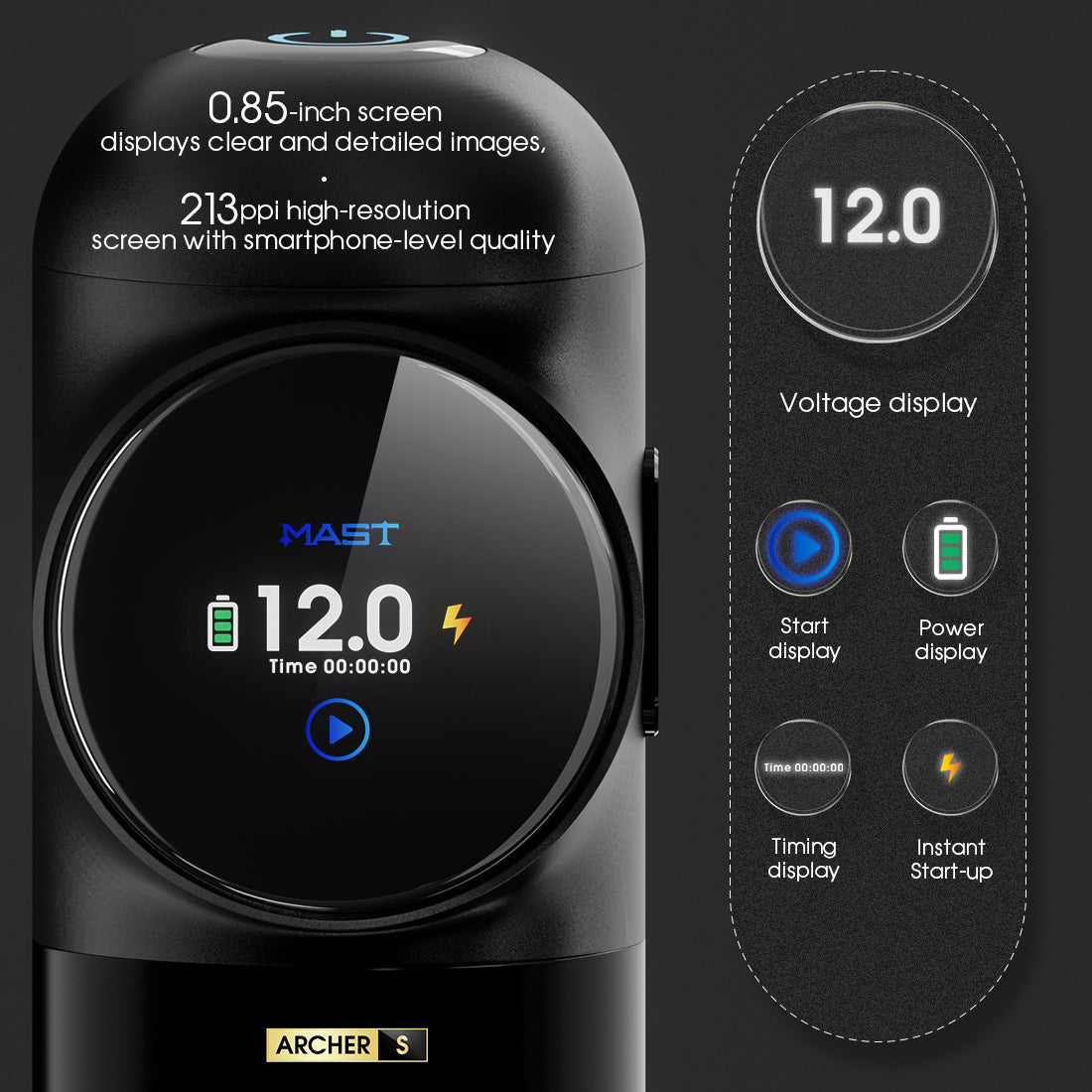
Wireless Tattoo Pen Guide 2026: Battery & Power Tips
How to choose a wireless tattoo pen in 2026: battery life, swappable packs, charging, voltage stability, and which wireless pens from authorized brands are actually worth it.
guide
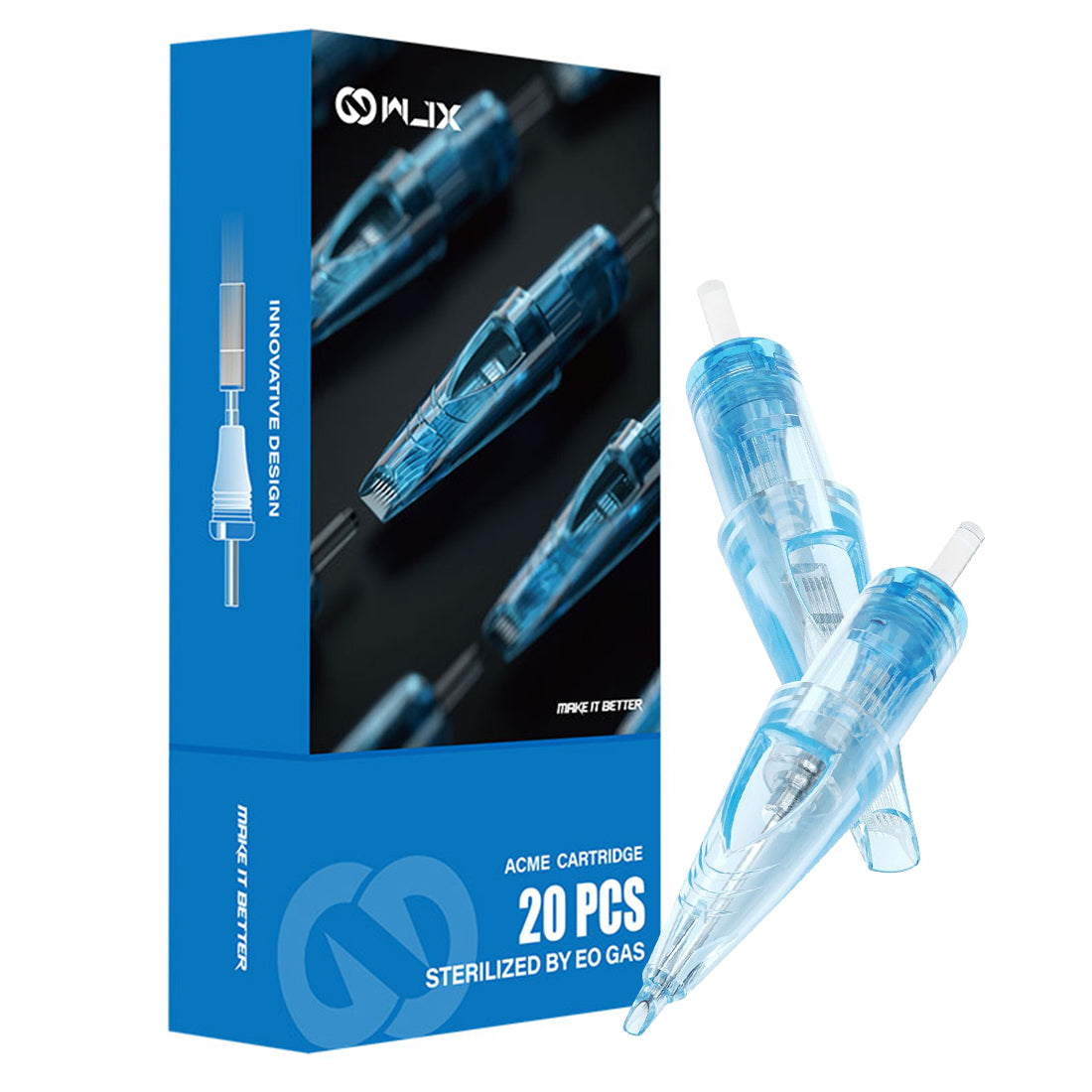
Tattoo Needles Guide: Types, Sizes & How They Work
Tattoo needles explained: bar vs cartridge needles, RL/RS/magnum types, gauges (#8/#10/#12), tapers, sterilization basics, and how professional artists actually choose.
buying guide
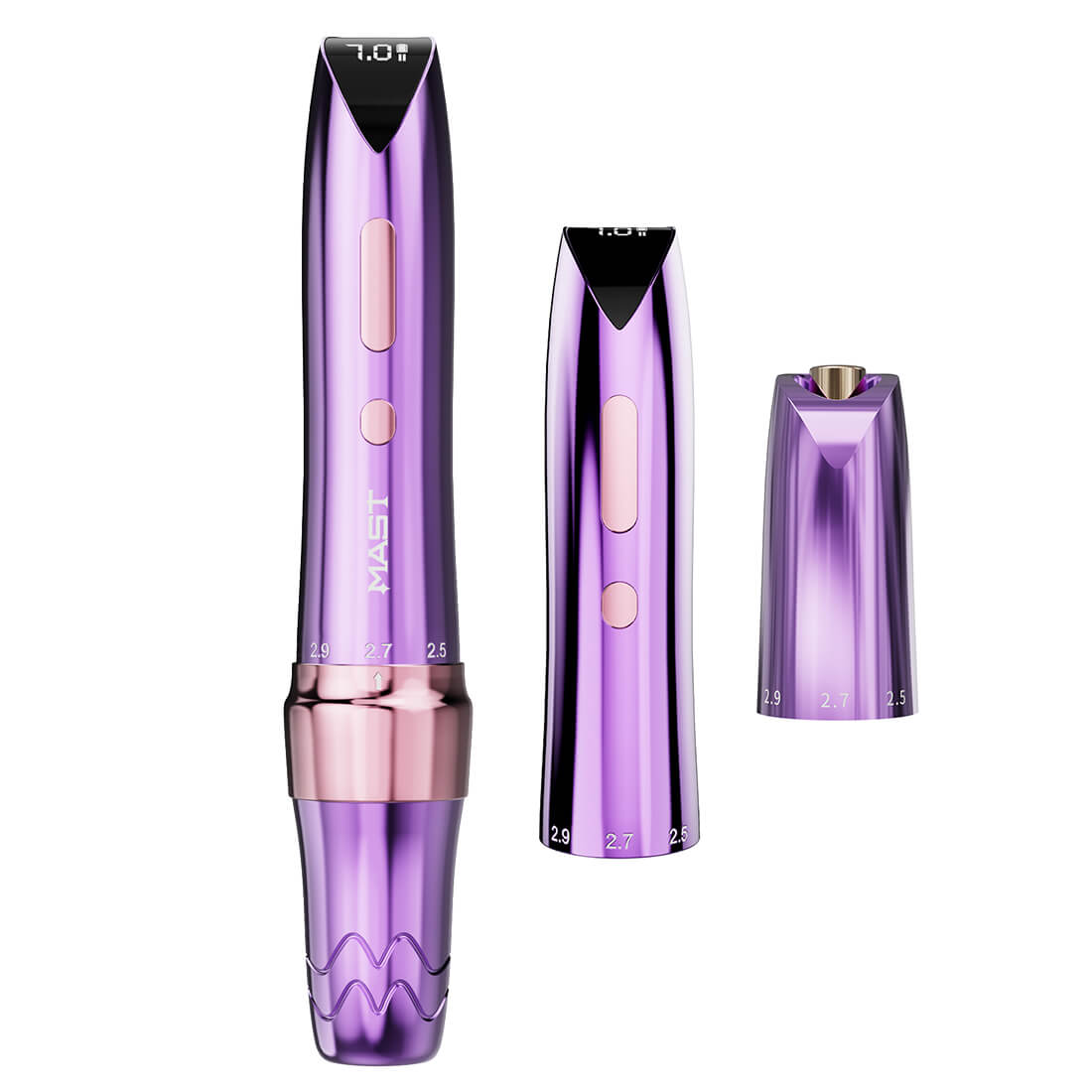
Tattoo Pen Buying Guide 2026: Choose the Right One
How to choose a tattoo pen machine in 2026: wireless vs wired, stroke length, motor types, beginner vs pro picks, and how to spot genuine machines from an authorized dealer.