
뉴스
Ambition
Best Tattoo Pen Machines 2026
Short answer: For most working artists in 2026, the best tattoo pen machine is the INKSOUL HV6 PRO at $298.88 — a 4.2mm stroke, two 2000mAh batteries and two autoclavable grips in the box. The best budget brand-name pen is the MAST Archer 2 at $189, and the most flexible adjustable-stroke option is the EZ P6 Turbo at $299, covering 1.0–5.0mm. All prices below were checked live on our store on 11 November 2026 — no inflated specs, no invented review counts.
How we compared the pens
Every machine below is a genuine tattoo pen sold by an authorized dealer on INKSOUL — no grey-market stock, no unbranded clones. We scored each pen on four things that actually change how a tattoo comes out: stroke length and whether it adjusts, battery setup (swappable packs beat sealed batteries on a long day), motor type where the maker publishes it, and price. Where a spec is not published by the maker, we say so instead of guessing. Prices are the store's live prices as of 11 November 2026; where a pen has several variants, we give the range.
Best tattoo pen machines 2026 at a glance
Machine
Stroke
Standout feature
Price
INKSOUL HV6 PRO — Our Pick
4.2mm
Two 2000mAh batteries + two grips, V-mode & HZ-mode
$298.88
MAST Archer 3 Ultra
4.2mm
Flagship MAST pen, proven daily workhorse
$359.00
MAST Archer 2
3.5mm
Brushless motor, color screen
$189.00
Dragonhawk Fold Pro
7 stroke lengths
Folding design, one pen for lining to packing
$249.00–$279.00
EZ P6 Turbo
1.0–5.0mm adjustable
Direct drive, widest stroke range here
$299.00–$389.00
EZ P3 Pro
Not published
Proven wireless workhorse
$249.00–$319.00
BRONC X2 NEO
2.5–5.0mm adjustable
7.1 mNm torque, Swiss DC motor, 7–9 h runtime
$498.00
Ambition Seher Plus
2.2–4.2mm (6 strokes)
Six stroke settings, lowest-priced adjustable pen here
$199.99–$249.99
Ambition Soldier 270
Not published
Budget wireless entry from Ambition
$199.99–$239.99
Our Pick: INKSOUL HV6 PRO — $298.88
The HV6 PRO is the pen we put our own name on, and it is the one we recommend first for a simple reason: nothing you need for a full working day is sold separately. The box includes two TRUE 2000mAh batteries, so one charges while the other runs, and two autoclavable aluminum grips — 33mm and 38mm — so you can switch diameter between sessions instead of buying a second grip. The 4.2mm stroke sits in the all-rounder zone: firm enough for lining, smooth enough for shading. Two working modes are built in: V-mode for standard voltage control and HZ-mode, which holds a fixed frequency. At $298.88 (list $399.00) it sits in the middle of this list on price and at the top on what comes in the box. If you want one pen that covers a whole day of mixed work without extra purchases, this is it.
Best value: MAST Archer 2 — $189.00
The Archer 2 is the cheapest genuine brand-name pen on this list, and it does not feel like a compromise. The 3.5mm stroke is the classic all-round length, the brushless motor runs quieter and cooler than the brushed motors in most budget pens, and the color screen shows voltage at a glance instead of making you count button presses. At $189.00 (list $499.00) it is the easiest recommendation for an artist buying their first serious pen, or for a second pen that lives as a backup. The trade-off is a fixed stroke: if you do a lot of bold traditional lining or heavy color packing, you will eventually want an adjustable-stroke pen alongside it.
Best all-rounder: MAST Archer 3 Ultra — $359.00
The Archer 3 Ultra is MAST's flagship pen, and the 4.2mm stroke makes it the do-everything option in their lineup: crisp lining, smooth shading and solid color packing without swapping machines mid-session. It costs $170 more than the Archer 2, and what that buys is the longer, harder-hitting stroke and the current-generation build. Artists who already know they like MAST's feel and want one pen for the whole day should start here. If you are still finding your style, the Archer 2 saves you $170 for the same brand reliability.
Best adjustable stroke: EZ P6 Turbo — $299.00–$389.00
Stroke length is the single biggest lever on how a pen behaves, and the P6 Turbo moves it further than anything else here: 1.0mm to 5.0mm on a direct-drive motor, adjustable without tools. That range covers fine-line work at the short end and bold traditional lining at the long end, so one machine genuinely replaces two or three fixed-stroke pens. Direct drive also means the needle responds instantly to voltage changes, with no dampening from a flexible drive. The price range ($299.00–$389.00) depends on variant. If your work jumps between styles in a single session, this is the pen that keeps up.
Best premium build: BRONC X2 NEO — $498.00
The X2 NEO is the most expensive pen on this list, and it is also the most thoroughly specified: a Swiss DC motor, 7.1 mNm of torque, 2.5–5.0mm adjustable stroke, two 2000mAh batteries, 7–9 hours of runtime, an IPS color display, 0.1V voltage steps and overload and short-circuit protection, all in a 255g body. Torque is the number that matters here — 7.1 mNm is what lets the pen push large mag groupings into saturated skin without bogging down. This is the pen for artists who already know exactly what they want and are paying for refinement and headroom, not for a first pen.
Best budget adjustable: Ambition Seher Plus — $199.99–$249.99
The Seher Plus gives you six stroke lengths from 2.2mm to 4.2mm for $199.99–$249.99 — the cheapest way onto this list to get a genuinely adjustable pen. That range covers PMU and fine shading at the short end and general lining and shading at the long end. Ambition is an authorized brand on our store, so the warranty and parts support are real, which is the difference between a cheap pen and a cheap pen you can keep using. If your budget is around $200 and you want stroke flexibility, start here rather than with a no-name pen at the same price.
Also worth a look
Dragonhawk Fold Pro ($249.00–$279.00). Seven stroke lengths in a folding body — the most versatile fixed-format pen here for artists who switch styles constantly. Read our wireless vs wired guide if you are still deciding whether to cut the cord at all.
EZ P3 Pro ($249.00–$319.00). The proven wireless workhorse in EZ's lineup — less stroke range than the P6 Turbo, but the same brand reliability at a lower price. A safe pick if you want EZ without paying for the Turbo's full 1.0–5.0mm range.
Ambition Soldier 270 ($199.99–$239.99). Ambition's budget wireless entry. Stroke length is not published by the maker, so we will not guess — but at this price it is a genuine brand-name starter pen with real warranty support, which is more than most pens at this price can say.
How to choose: the 7-point checklist
Stroke matches your style. Short strokes (2.5–3.2mm) for shading, black-and-grey and PMU; medium strokes (3.5–4.2mm) as all-rounders; long strokes (4.5mm+) for bold traditional lining and color packing. Adjustable-stroke pens cover all three in one machine.
Battery: swappable beats sealed. Two batteries minimum for a full day — one runs while the other charges. Ask whether the pen also runs wired via RCA, so a dead battery never ends a session.
Motor: brushless where you can get it. Brushless motors run quieter, cooler and longer than brushed ones. Direct drive gives the most immediate needle response.
Grip diameter and weight. You hold this for hours — 32–38mm grips fit most hands, and a pen over 250g with battery gets heavy by the end of a long session.
Voltage control. Fine steps (0.1V) and a readable display matter more than a big voltage range; you will live between 5V and 9V.
Warranty and parts. Buy from an authorized dealer. A pen with no spare parts and no one answering when it breaks is a disposable pen, whatever the price.
Price. $189–$500 covers every serious pen on this list. Below $100 you are usually buying a gamble; above $500 you are buying refinement, not better tattoos.
Still torn between cheap and expensive? Our cheap vs expensive tattoo pen machine guide breaks down exactly what the premium buys — and what it does not.
FAQ
What stroke length should I choose for lining vs. shading?Short strokes (2.5–3.2mm) cycle faster and shallower, which suits crisp lining, fine shading, black-and-grey and PMU. Medium strokes (3.5–4.2mm) are the all-rounders for lining and general work. Long strokes (4.5mm and up) hit harder and deeper, which suits bold traditional lining and color packing. An adjustable-stroke pen covers all three in one machine.
Is a wireless tattoo pen machine worth it?Yes, for most working artists. No cord dragging across the client means freer movement, and swappable battery packs mean a dead battery costs you thirty seconds instead of a session. Keep a wired backup or an RCA option for very long sessions, and carry a spare pack the way you carry spare needles.
How much should I spend on a good tattoo pen machine?Between $189 and $500 buys a genuine brand-name pen with a real warranty — the MAST Archer 2 at $189 is the floor of that range on our store, and the BRONC X2 NEO at $498 is the ceiling. Below $100 you are usually buying a pen with no warranty and no spare parts. Above $500 you are paying for refinement and headroom, not for better tattoos.
Which tattoo pen machine is best for beginners?The MAST Archer 2 at $189 or the Ambition Seher Plus from $199.99. Both are genuine brand-name pens with real warranty support, cheap enough to learn on and good enough to keep using once your work improves. Avoid no-name pens at the same price — when they break, there is nobody to call.
HV6 Pro
How Do I Choose a Wireless Rotary Tattoo Machine?
How Do I Choose a Wireless Rotary Tattoo Machine?
Buy for the way you actually tattoo, not the spec sheet. A good wireless rotary pen holds its stroke when the needle meets skin, runs a full session on one battery — or swaps to a spare in seconds — and changes stroke length without a second machine. The rest is comfort and convenience.
Every listing claims the same three things — long battery, powerful motor, smooth shading. Here are seven checks separating a pen you will still use in a year from one in a drawer by Christmas.
First, untangle the words: wireless, rotary, pen
Listings mash three words together. Rotary is how the machine moves the needle: a small motor drives it up and down. Wireless is how it gets power: a rechargeable battery instead of a cord. Pen is the shape: a straight body gripped like a marker.
Almost every modern wireless pen is a wireless rotary machine: the battery just replaces the cable. So "wireless rotary" on a listing is mostly the default, not a special technology. The real question is which rotary, which battery, and which stroke range.
The 7-point checklist
1. Stroke consistency under load, not RPM on a box
Every listing quotes a motor speed — 6,500, 10,000, 10,500 RPM — measured with no needle and no skin pushing back. It says almost nothing about the line you will pull. What matters is what happens when the needle meets resistance: a weak drive slows the moment you push a 25-magnum into tough skin, showing up as patchy packing and second passes. A strong coreless motor holds its speed — which is why motor type beats the RPM figure: coreless motors like the MCore-C1 in the Fold 2 Pro stay consistent, while cheap brushed motors fade fast and wear out. Look for reviews mentioning large groupings: a pen handling big mags without hesitation passes the load test.
2. Stroke length: adjustable beats fixed unless you know your number
Stroke length — how far the needle travels each cycle — decides what the machine is good at. Short strokes around 2.4–3.0mm suit soft shading, fine detail, and PMU work; longer strokes around 3.5–4.2mm hit harder for bold lining and solid color packing, and 3.5mm is the forgiving all-rounder most artists learn on. If you only ever tattoo at one stroke, a fixed-stroke pen is cheaper. But most artists' work changes week to week, so an adjustable pen covers both without a second purchase: seven settings from 2.4mm to 4.2mm in 0.3mm steps on the Fold Pro and Fold 2 Pro cover lining, shading, and color packing.
3. Battery life: read the hours as a range, and plan for the low end
Battery claims are the most inflated numbers in this category: "8–10 hours" usually means one battery, at low voltage, with a small grouping, on a fresh battery — not your session. Read battery life as three numbers: capacity — the Fold Pro's 1500mAh battery is rated 4 to 6 hours, the Fold 2 Pro's 2000mAh pack 5 to 7 hours; charge time — USB-C in about 1.5 to 2 hours; and the hidden one, whether the battery is replaceable and what a spare costs. Batteries age: after months of daily charging, a pack holds less charge and eventually will not take a full charge. Then a swappable battery needs a $60 spare, not a new machine; a sealed one is done. Two batteries in rotation never stop a session — the INKSOUL HV6 Pro ships with two true 2000mAh batteries in the box.
4. Weight and balance: count the whole setup, not the bare pen
Listings quote the lightest weight — pen only, no battery, no grip. You never tattoo that way. The Fold Pro weighs 200g with its battery fitted, 199g with the RCA connector, on a 32mm grip — heavy for a wireless pen, and you feel it on a long lining session. Some artists like the extra weight; others get wrist fatigue by hour four. The mistake is discovering which one you are after you have paid. Balance matters too: a battery pack on the back shifts the center of gravity toward your palm, so compare the complete setup with a pen you own — 30g or more is noticeable.
5. The grip: check you can take it off and clean it
This is the check that saves machines from the bin. A wireless pen lives in ink, blood, and green soap — the grip has to come off for proper cleaning. On cheap pens it often does not, or it does until the tiny screw holding it strips and it never comes off again. Artists have thrown away three machines for exactly this: the screw wore out, the grip would not come off, the machine could not be cleaned. Before you buy, confirm the grip is removable and replacements are sold. The HV6 Pro ships with two autoclavable aluminum grips, 33mm and 38mm — one to sterilize, one spare. All three pens take standard cartridge needles. Check the membrane inside each cartridge before loading: a torn one lets ink flow back into the drive bar. Maintenance on a sealed pen is external only: wipe the grip, keep the battery contacts and RCA dock clean, and never open the pen to oil it — the motor is factory-lubricated and opening it voids the warranty. One grip and no spares is a countdown, not a purchase.
6. A wired fallback: the RCA connector is cheap insurance
The best wireless pen still works when the battery dies mid-session: pens with an interchangeable RCA connector — the Fold Pro and Fold 2 Pro both have one — plug into a standard power supply and keep going while the battery charges. Wireless-only with no fallback is a gamble: fine for short sessions, risky as your only machine. Bluetooth pedals are separate: the Archer S bundle pairs its pen with a Bluetooth foot pedal.
7. Support, parts, and the real total cost
Add up everything first: pen, spare battery, spare grip, charger. A $249 pen with a $60 spare is a $309 setup; a cheaper pen with no spares is a pen you replace whole. Also ask who answers when something breaks — a dead pen is a cancelled day of appointments. Ask what the warranty covers before you pay — motor and battery cover matters most. Get it in writing. A seller stocking spares and answering support the same day beats a $30 saving from a listing that goes quiet after the sale.
Three pens, three answers
Specs side by side:
Spec
Fold Pro
Fold 2 Pro
HV6 Pro
Stroke
7 settings, 2.4–4.2mm
7 settings, 2.4–4.2mm
Fixed 4.2mm
Motor
Coreless, 8V / 6500 RPM
MCore-C1 coreless, 8V / 6500 RPM
Not published
Voltage
4 to 12V
4 to 12V
Not published
Battery
1500mAh, 4 to 6 hours
2000mAh, 5 to 7 hours
Two 2000mAh batteries
Charging
USB-C, ~1.5 hours
USB-C, ~2 hours
Not published
Screen
LED: battery, time, voltage
Color display
Not published
Weight / size
200g, 128mm, 32mm
~250g, 140mm, 32mm
Not published
Wired fallback
RCA connector
RCA connector
Not published
Standout
Widest stroke range, lightest body
Bigger battery, color screen, MCore-C1
Two batteries, two autoclavable grips
For one pen covering lining, shading, and color packing, the Fold Pro's seven strokes are the argument — buy the two-battery version for full days, since 4 to 6 hours per battery is honest but not generous. Want longer runtime and a color screen? The Fold 2 Pro is the same idea with a bigger battery. If 4.2mm is already your stroke, the HV6 Pro's two-battery, two-grip box is the most complete box of the three — INKSOUL's own machine, so parts and support come from the same place as the rest of your order.
One warning on the Fold Pro: not every pen sold under that name is the same configuration. Check three numbers before you pay — battery capacity, length, and weight. The classic version is 1500mAh, 128mm, 200g; a listing showing 3000mAh or 245g is a different edition, even though the name matches.
Three mistakes buyers keep making
Buying on headline hours. "8–10 hours" is a lab number. Plan on the low end, keep a charged spare, and you will never apologize to a client at hour five.
Ignoring the grip screw. A two-dollar part decides whether a $250 machine is cleanable in a year. Removable grip, replaceable grip, spare in stock — check all three.
Buying a fixed stroke, then outgrowing it. A 3.5mm pen is the right first machine for most artists — and the one most replace within a year, when work splits into fine lining and heavy packing. Adjustable now beats a second pen later.
Related reading
Still deciding between drive types? Start with What Is a Rotary Tattoo Machine? (Buyer's Guide). Battery anxiety your main worry? How to Choose a Battery Tattoo Pen Machine That Won't Die Mid-Session goes deeper on runtime planning.
Frequently asked questions
Are wireless rotary tattoo machines as powerful as wired ones?
Yes, for most work. A modern coreless motor holds its speed under load, battery or wall supply. Wired still wins at the very top end: all-day sessions with large mags at high voltage, where a battery's output sags as it drains. If that is your daily work, buy a pen with an RCA fallback.
How long does a wireless tattoo machine battery actually last?
Less than the listing says. The Fold Pro's 1500mAh battery is rated 4 to 6 hours, the Fold 2 Pro's 2000mAh pack 5 to 7 hours — plan on the low end, since voltage, grouping, and battery age all pull the number down. A spare on rotation turns "about five hours" into "the whole day."
Can I use a wireless tattoo machine while it charges?
Usually not — most pens cannot run and charge at the same time. That is why the RCA fallback matters: the Fold Pro and Fold 2 Pro swap the battery for an RCA connector and run off a standard power supply while the battery charges. Check for that connector before you buy, not after the battery dies mid-appointment.
What stroke length should I start with?
3.5mm if you are buying one fixed-stroke pen: the forgiving middle for lining and shading, without forcing stroke decisions before you understand them. If you buy adjustable, start at 3.0mm for shading and 3.5–3.6mm for lining, then move in 0.3mm steps until the machine stops fighting you.
Do wireless rotary machines work with standard cartridge needles?
Yes. Modern wireless pens accept standard cartridge needles — check the pen takes the cartridges you stock, and that the grip comes off for cleaning. Cartridge fit is boring until it is wrong.
Dragonhawk
Should I Buy a Wireless Tattoo Machine With a Replaceable Battery?
Short answer
Yes — if you tattoo full days, buy a wireless setup with a second battery in the box or an RCA fallback, not just a longer headline runtime. A single built-in battery suits short sessions, but when it fades, a sealed machine leaves no backup plan. Buy the backup plan, not only the pen.
What "replaceable battery" actually means
Artists use the phrase loosely. Three different things hide under it, and they are not equal.
1. A swappable battery pack. The pack clicks off and a charged one clicks on, mid-session, in seconds. This is the real version. You keep working while the flat pack charges on the desk.
2. An RCA fallback. The pen can also run wired through an RCA connector. The battery is not swappable in the same sense, but a dead battery does not end the session — you plug in and finish the piece. The Dragonhawk Fold Pro works this way: it lists an interchangeable RCA connector alongside its wireless mode, so a flat or ageing battery is an inconvenience, not a cancelled appointment. That rescue needs a bench power supply, pedal and RCA cord you already own — a wireless-only starter will not have them.
3. A sealed built-in battery. Nothing comes off. When it no longer holds a charge, the whole pen goes back for service or gets replaced. Some sealed pens are excellent machines. They are still a single point of failure, and you should price them that way.
Some pens take standard off-the-shelf lithium cells instead of a maker-specific pack. That removes maker lock-in, but confirm the exact cell size and type the maker specifies before buying spares. Before you buy, ask the listing which system it is. If it does not say, assume sealed, and assume no spare pack is available.
Why batteries fade first — and why headline runtime misleads
Ask working artists what goes wrong after a few months, and the story repeats: it no longer lasts a full session, the percentage drops faster, or one day it will not take a charge. The motor is rarely the culprit. This is a battery story, not a motor story.
Headline runtime makes it worse. A quoted "4–6 hours" is not a promise at your voltage, with your needle grouping, for your whole day. High voltage and large magnum groupings draw more current than low-voltage lining with a small liner, cartridge membrane tension adds load too, and heat, age and running the pack flat all shorten what you actually get. Two artists can own the same pen and report different battery life — they are not running the same session.
The practical test is not "how many hours does the maker claim?" It is "what happens on the day the battery underperforms?" "Swap the pack" or "plug in the RCA" means a working studio tool; "wait for it to charge" means a scheduling risk.
Buying checklist: 7 things to check before you pay
Spare-pack availability, today. Can you buy a matching spare pack right now, from the same seller? A swappable system with no spare in stock is a sealed system with extra steps. Buy the spare with the pen, not when the first pack starts fading. Also ask how the spare charges — on a dock or by cable — and whether that charger is in the box.
RCA fallback. Does the pen run wired if the battery dies? This single feature rescues more sessions than any extra milliamp-hours on the spec sheet.
Charging time vs session gap. A pack that charges in about 1.5 hours over USB-C, like the Fold Pro, can turn around between clients. A slow-charging pack cannot.
Weight and balance, not just weight. A battery sits at the tail, so it changes balance as well as total grams. The Fold Pro is listed at 200g with its battery and 32mm in diameter. A pen that feels fine for twenty minutes can feel top-heavy at hour five.
Stroke range for the work you actually do. A fixed 4.2mm stroke covers a lot of lining and shading, but if you switch between fine lining, soft shading and colour packing in one day, an adjustable stroke saves you a second pen. The Fold Pro offers seven strokes from 2.4mm to 4.2mm; the HV6 PRO below is fixed at 4.2mm.
What the screen actually shows. Battery percentage, voltage and session time on the pen itself — the Fold Pro shows all three — let you spot a fading pack before it surprises you mid-line.
Proprietary-pack risk. If the pack is unique to one model, ask what happens when it is discontinued, and check the spare pack's price before you lock in — proprietary packs vary widely, and a cheap pen with an expensive pack is not cheap. An RCA fallback or a widely stocked pack is insurance against the maker moving on.
Two in-store setups that solve this differently
INKSOUL HV6 PRO — the two-battery system. This is the house push pen, and its battery answer is blunt: it ships with two TRUE 2000mAh batteries, two grips (33mm and 38mm, autoclavable), a fixed 4.2mm stroke, and two modes — V-mode for standard voltage adjustment and HZ-mode for fixed-frequency work. One pack works while the other charges. What it does not do is change stroke — if you need 2.4mm one hour and 4.2mm the next, that is the Fold Pro's job, not this pen's.
Dragonhawk Fold Pro — the adjustable, RCA-backed option. Seven strokes (2.4 / 2.7 / 3.0 / 3.3 / 3.6 / 3.9 / 4.2mm), 4–12V, a coreless motor, a 1500mAh pack rated at 4–6 hours, USB-C charging in about 1.5 hours, and that interchangeable RCA connector. If you want one pen across lining, shading and packing, with a wired escape hatch when the battery fades, this is it.
What to compare
Dragonhawk Fold Pro
INKSOUL HV6 PRO
Battery answer
1500mAh pack + RCA wired fallback
Two TRUE 2000mAh batteries included
Working time (maker figure)
4–6 hours
No headline figure published — compare by rotation
Charging
USB-C, about 1.5 hours
Not published on the listing checked
Stroke
7 settings, 2.4–4.2mm
Fixed 4.2mm
Voltage
4–12V
Not published on the listing checked
Weight / grip
200g with battery; 32mm diameter
Two grips, 33mm and 38mm, autoclavable; weight not published
Best for
One pen across lining, shading and packing, with wired rescue
Full days needing a second charged pack on the desk
Blank cells mean the listing checked did not publish that figure.
When the battery starts fading: diagnose before you blame the motor
Artists junk good pens over dead packs. Run this order before you write the pen off:
Swap the pack. If a fresh or second pack restores normal power, the motor was never the problem. Replace the pack, not the pen. Re-barrier the pen after any mid-session swap — a bare-hand pack change breaks your barrier film, so re-sleeve before you resume.
Drop to RCA, if you have it. If the pen runs normally wired but fades wireless, you have isolated the fault to the battery system.
Check the load, not just the percentage. A pack that dies early on a big magnum at high voltage may still be fine for lining. That is a capacity-and-load story, not a sudden motor failure.
Look at charging habits. Packs left flat for weeks, or always run to zero, age faster. Rotate two packs and keep the spare charged.
For the wider choice, see Wireless vs Wired Tattoo Pen Machine (whether to cut the cord) and How to Choose a Battery Tattoo Pen Machine That Won't Die Mid-Session (choosing on runtime). This article answers the narrower question they leave open: what kind of battery system should it be?
FAQ
How long does a wireless tattoo machine battery last before it needs replacing?
There is no single number worth trusting, because lifespan depends on voltage, needle load, heat and charging habits, and makers rarely publish a cycle rating. Judge by behaviour instead: if a pack no longer holds a charge, its percentage drops sharply under load, or it will not charge at all, the pack is done even if the pen itself is fine. That is different from how long one charge lasts in a session: one is total lifespan over months of use, the other is runtime on a single charge.
Can I keep tattooing while a wireless machine charges?
Do not plan to tattoo while a USB-C cable charges the pen. Even where a pen technically allows pass-through charging, the cable drags, strains the port and adds heat, so it is a poor working method. A pen with an RCA fallback, like the Fold Pro, can keep working wired while the battery issue is dealt with separately. A sealed pen with no wired mode cannot, so check the listing for a wired option before you assume you can charge and tattoo at the same time.
Is one battery enough for a full day of tattooing?
For short sessions and guest spots, usually yes. For a full day of back-to-back clients, no — plan on a second charged pack already on the desk, or a pen that ships with two batteries like the HV6 PRO. One battery plus hope is not a full-day system.
Does a bigger mAh number always mean longer runtime?
No. Motor efficiency, voltage setting and needle load matter as much as capacity, so a larger pack on an inefficient pen can still lose to a smaller pack on an efficient one. Compare maker runtime figures only between similar voltages and similar work, and treat any single headline number as a starting point, not a promise.
What should I do if my wireless machine dies mid-session?
Swap to a charged pack if you have one, or switch to RCA wired mode if your pen supports it, and finish the piece before diagnosing anything. Only after the client is done, test whether a fresh pack, a different voltage or a different needle load changes the result — that tells you whether the fault is the pack, the load or the pen.
Bottom line
Buy the battery system first and the pen second. Full days mean two packs in rotation or an RCA fallback you can actually use — the HV6 PRO gives you the two-pack rotation out of the box, the Fold Pro gives you the fallback and adjustable stroke. Short sessions can live with a single sealed battery, if you chose that trade-off knowingly. Before checkout, ask not just "how long does it last?" but "what do I do on the day it doesn't?"
dragonhawk
What Is the Best Tattoo Machine for Lining?
The best tattoo machine for lining is one that holds a steady hit from the first line of the session to the last: low vibration, no slowdown when the needle meets skin, and a stroke length matched to the lines you actually draw. For most working artists, that means an adjustable-stroke pen such as the Dragonhawk Fold Pro — short strokes for fine lines, longer strokes for bold work — rather than a fixed-stroke machine that only suits one style.
Why lining exposes a weak machine first
Shading forgives a lot. Lining forgives nothing. A shading pass can hide a wobble; a line cannot. Every inconsistency shows up as a line that goes thick-thin-thick, a start that blows out, or a tail that fades before the stroke ends.
Three things go wrong first: the motor slows under load, so the line lightens mid-stroke; vibration moves the needle sideways, so one pass reads as two faint lines; and the battery sags late in a session, so the last hour's lines differ from the first hour's. A good liner deals with all three first.
The 5 things that actually decide line quality
1. Stroke length — matched to your lines, not to a spec sheet
Stroke is how far the needle travels on each hit. Short strokes hit faster and softer. Long strokes hit harder and drive more ink per pass.
Fine line and single-needle work: shorter strokes, around 2.4–3.0mm, give you control and less trauma. You are placing ink exactly, not punching it in.
Bold traditional lining and large round liners: longer strokes, around 4.0–4.2mm, carry the hit through thicker groupings without bogging down.
Mixed work: an adjustable-stroke pen covers both. The Fold Pro adjusts across 2.4, 2.7, 3.0, 3.3, 3.6, 3.9 and 4.2mm, so you can line fine at one setting and switch to a longer stroke for packing without swapping machines.
There is no single best stroke for lining. The right question is: what size lines do you draw most days?
2. A hit that does not fade under load
This is the test most spec sheets skip. A motor can spin fast with no needle in it and still slow down the moment a large round liner meets real skin. On a rotary pen, that slowdown shows up as a line that starts solid and goes grey halfway through a long pull.
Before you trust a machine, run a long, slow pull on practice skin with the largest grouping you use. If the line thins out, the motor is not holding up, whatever the RPM number says. Direct-drive pens tend to hold up better here, because less sits between motor and needle to flex or lag.
3. Low vibration and a locked stroke
Vibration is not a comfort issue on a liner. It is a line-quality issue. A needle that shakes sideways draws a blurred band, not a line.
Two checks matter more than any "low vibration" claim. Grip the pen as you actually tattoo and run it at your lining voltage — if buzz reaches your fingers, clients will see it in the line. And on any adjustable-stroke pen, check the stroke lock before every session: a lock that works loose changes your stroke silently, and lines jump in depth and width. Tighten it, then tug it. If it moves, fix it before skin, not during.
4. Grip, weight and balance you can hold for a full session
Lining sessions run long, and a pen that feels fine for ten minutes can wreck your hand by hour three. Weight alone does not tell you this — balance does. A pen heavy at the battery end pulls your hand down on long pulls; one balanced over the grip stays put.
The Fold Pro weighs 200g with its battery, grip 32mm. The HV6 Pro ships with two aluminium, autoclavable grips, 33mm and 38mm, so you pick the diameter your hand likes instead of adapting to one. If you have finished a session with a cramped hand, grip diameter is not a detail — it is the reason.
5. A battery that does not change your lines
Wireless lining lives or dies on the battery — not paper capacity, but whether voltage stays steady as charge drops. The classic failure is subtle: last-hour lines look lighter, and the artist blames their hand. Often it is the battery sagging.
Two batteries beat one big battery: you swap before the sag starts. The HV6 Pro ships with two 2000mAh batteries for that reason, with a 4.2mm stroke for bold lining and packing. The Fold Pro runs 4–6 hours on 1500mAh at 4–12V, USB-C in about 1.5 hours — do not start a long session on a half charge.
Comparison: four pens artists actually buy for lining
Machine
Stroke
Motor / drive
Battery
Weight / grip
Best for lining
Dragonhawk Fold Pro
2.4–4.2mm, 7 settings
Coreless motor, direct drive
1500mAh, 4–6 hours, USB-C ~1.5 hours
200g with battery, 32mm grip
Mixed lining: fine one minute, bold the next
INKSOUL HV6 Pro
4.2mm fixed
Not stated on the product page
Two 2000mAh batteries included
Two grips: 33mm and 38mm aluminium, autoclavable
Bold lining and packing, long sessions with a swap
Dragonhawk Mast Archer 2
3.5mm fixed
Brushless motor, colour screen
Not stated on the product page
Not stated on the product page
All-round lining at a middle stroke
Dragonhawk Mast Wing
4.0mm fixed
Frequency-adjustable
Not stated on the product page
Not stated on the product page
A longer hit with frequency control
Where a spec is not stated on the product page, the table says so — do not let a retailer fill the gap with a guess.
What to buy for the lining you actually do
Fine line, single needle, delicate script. Short stroke, low vibration, light hand. An adjustable pen at 2.4–3.0mm lets you find your setting without a second machine. Keep voltage moderate: fine lines blow out when the hit is too hard, not too soft.
Bold traditional and large round liners. Long stroke, 4.0–4.2mm, and a motor that holds under a big grouping. Do not force bold lines from a short-stroke fine-line setup — you will go over the line twice, and double passes are where blowouts and scarring start.
A bit of everything, one machine. Adjustable stroke, full stop: 2.4mm for fine work, 4.2mm for bold work, the steps in between for the rest. The compromise is checking the stroke lock — a fixed pen has nothing to work loose.
Already own a good pen and still getting wobbly lines? Check the needle first. Lining lives or dies on the grouping as much as the motor — our lining-needle guide covers round liner sizes and their uses.
The 10-minute test before you commit
Do this on practice skin, not on a paying client, with the needle grouping you use most:
Draw a straight 10cm line in one slow pass. Thickness changes halfway through mean motor slowdown.
Draw a tight curve and a small circle. Double lines or a blurred edge mean vibration.
Draw the same line at the start of the battery and again when the battery is low. If the second line is lighter, you have a sag problem, not a technique problem.
Hold the pen for ten minutes at your working voltage without putting it down. If your hand cramps, the grip or balance is wrong for you, whatever the reviews say.
Mistakes that ruin lines (that are not the machine's fault)
Voltage too high for the line. High voltage does not make a line darker; it makes it wider, deeper, and more likely to blow out. Start lower than you think, and only go up if the line is genuinely not holding.
Hand speed and machine speed out of sync. Move too slowly for your voltage and you overwork the skin; move too fast and the line skips. Change one variable at a time when dialling in a new pen.
Going over the line twice to "fix" it. A second pass rarely lands exactly on the first. It widens the line and doubles the trauma. Fix the setup — stroke, voltage, needle — instead of chasing the line.
Skipping the stroke-lock check. On an adjustable pen, a loose lock is a moving target. Check it every session.
Blaming the pen for a needle problem. A bent or hooked needle tip drags and skips no matter how good the motor is. Swap the cartridge before you swap the machine.
FAQ
What stroke length is best for tattoo lining?
It depends on the line. Fine lines and single-needle work suit shorter strokes around 2.4–3.0mm. Bold traditional lines and large round liners suit longer strokes around 4.0–4.2mm. If you do both, an adjustable-stroke pen covering 2.4–4.2mm is the practical choice.
Is a wireless pen good enough for lining, or do I need a wired machine?
A good wireless pen is good enough, provided the battery holds voltage steady. The risk with wireless lining is not the missing cable — it is the battery sagging late in a session and lightening your lines. Two batteries, swapped before the charge gets low, remove that risk.
Why do my lines look good at the start of a session and worse later?
Three suspects, in order: battery sag, a tired hand from the wrong grip or balance, and a loose stroke lock. Check battery first, then lock, then grip.
Do I need a different machine for lining and shading?
No, not if your pen has an adjustable stroke. Set a shorter stroke for lining and a longer stroke for shading and packing. A fixed-stroke pen can be excellent at one job, but you will either compromise on the other or own two machines.
What voltage should I line at?
There is no universal lining voltage — it depends on the machine, the needle grouping, and the skin. Start moderate, test on practice skin, and raise it only if lines are not holding in a single pass. If lines are blowing out or widening, voltage is usually too high, not too low.
Bottom line
Buy the stroke range your lines need, a motor that holds under load, and a battery setup that does not change your lines mid-session. The rest — screens, modes, extras — is secondary. Mixed fine and bold work with one pen: the Fold Pro's 2.4–4.2mm range is the flexible buy. Bold lining all day: the HV6 Pro's 4.2mm stroke and two batteries are built for that.
battery tattoo pen machine
How to Choose a Battery Tattoo Pen Machine That Won't Die Mid-Session
Buy for the battery system, not the battery spec. A swappable pack you can hot-swap mid-session beats any mAh number on a listing — and two packs in the box means you never stop to charge. Our pick: the INKSOUL HV6 PRO ($298.88), a 4.2mm pen that ships with two TRUE 2000mAh packs — one charges while you work with the other.
Why "mAh" Alone Won't Tell You the Runtime
Every battery pen listing shouts a milliamp-hour number. Here's what that number doesn't tell you: how hard you're running the machine. A 2000mAh pack at 6V pushing 3RL liners sips power; the same pack at 9V driving a 49-mag through color packing drinks it. Real artists report roughly 4 hours of real session time from popular single-pack pens — and then the advice is always the same: bring a second battery.
Voltage sag is the other thing the spec sheet hides. Cheap packs lose punch as they drain — the machine feels softer in hour three than hour one, and you compensate by cranking voltage, which drains the pack even faster. A pen with well-regulated output circuitry holds its hit consistent until the pack cuts out, instead of fading on you mid-fill. That regulation lives in the power electronics, not in the mAh rating — which is why two pens with identical battery specs can feel completely different in the last hour of a session.
Battery Checklist: What Actually Prevents a Mid-Session Death
Swappable pack, not built-in. This is the whole game. A sealed battery means the session ends when the charge does. A pack that pops off in seconds means you lose seconds, not minutes.
Two packs from day one. One on the machine, one on the charger. Dual-battery rotation is how working artists get zero downtime — it's the single most-repeated piece of advice in artist communities.
Fast charging (USB-C, ~2 hours is the bar). The premium end of the market charges a pack in about two hours over USB-C. If a pen still uses a proprietary dock that takes all afternoon, your "spare" is never ready when you need it.
How the swap works with your barrier setup. You can't grab a bare battery with contaminated gloves mid-tattoo. Check how the pack mounts: a top-mounted pack you can slip a fresh barrier bag over (without stripping and re-bagging the whole pen) is the workflow-friendly design. If swapping means degloving, sanitizing, and re-bagging everything, that "two-second swap" costs you ten minutes.
RCA backup. Batteries get dropped on concrete studio floors. Packs brick. Ask whether the pen accepts an RCA converter module so you can plug into a standard power supply and finish the session on a cord — the difference between an inconvenience and a cancelled appointment.
Treat the battery as a consumable. Real user reports are blunt: packs that won't hold a charge after a few months, percentage meters that lie, packs that eventually won't charge at all. Batteries age — that's chemistry, not a defect. Before you buy any pen, ask where you get a replacement pack in 12–18 months. A tired battery should cost you a pack, not a whole machine.
One working habit that costs nothing: put the spare pack on the charger the moment your session starts, not when the first pack dies. With USB-C charging you can also top up from a power bank between clients — no wall outlet hunt in a guest spot. The artists who never think about batteries are the ones running this rotation on autopilot.
Machine Checklist: The Pen Still Has to Tattoo Well
Motor that holds speed under load. The trust test at every price tier is whether the needle keeps its speed when it touches skin. A pen that bogs down on contact gives you inconsistent lines no matter how good the battery is.
Brushless vs. coreless motor — this is also a battery question. Coreless motors draw more current under heavy load (magnum packing) and run hotter; brushless motors hold torque at lower draw and stretch battery life noticeably. For a guide about batteries dying mid-session, motor efficiency belongs on the checklist. (The EZ P3 Pro runs a brushless motor — it's listed right on its product page.)
Stroke matched to your work. Around 3.5mm is the all-rounder; 4.0–4.5mm suits bold lining and color packing. Adjustable stroke is a genuine plus, but only if the adjustment locks solid — a stroke dial that drifts mid-session is a safety problem, not a feature.
Jump-start for low-voltage work. Running stiff cartridges at 5.5–6.5V for stippling or dotwork, direct-drive pens can stall on startup. Pro-grade battery pens include a jump-start circuit that surges voltage for a fraction of a second to kick the cam over, then settles back to your set voltage. If you do a lot of low-voltage detail work, check for it.
A grip that comes off for cleaning. Sealed unibody grips can't be properly cleaned between clients — and a pen you can't clean is a pen with a short career. Look for grips that unscrew or slide off. The HV6 PRO ships two aluminum grips (33mm and 38mm), listed as autoclavable on its product page — follow the manual's sterilization guidance for the exact protocol.
Weight and balance, honestly stated. The battery lives in the tail, so every wireless pen is tail-heavy by design — where the balance point sits matters more than the raw gram number for wrist fatigue. We don't publish lab-verified weights for every pen in this lineup, so treat any "lightweight" marketing copy (ours included) as a claim to verify in hand, not a spec.
Three Battery Pen Machines Compared
These are three battery pens we actually sell — no straw men, no brands we don't carry. All prices are our current store prices.
Model
Price
Stroke
Motor
Battery setup
INKSOUL HV6 PRO
$298.88
4.2mm
Not published
Two TRUE 2000mAh packs included — swap mid-session
EZ P3 Pro
$249.00
Adjustable
Brushless
Swappable pack — artists recommend buying a spare (users report ~4h real-world runtime)
Mast Archer Ultra
$599.00
4.5mm
Not published
Swappable pack (check product page for pack specs)
Our pick: the HV6 PRO — for the machine first, the batteries as the clincher. 4.2mm is the stroke most working artists actually live at for lining and packing, and the pen ships with two grips (33mm + 38mm aluminum) instead of one compromise. The dual 2000mAh packs then answer this article's question directly: the "what if it dies mid-session" scenario is handled before you ever plug in. It also runs two drive modes — standard voltage mode plus an Hz mode that regulates by needle frequency, for artists who think in hits-per-second rather than volts.
The honest counter-argument: the EZ P3 Pro at $249 plus a ~$50 spare pack lands at roughly the same total as the HV6 PRO — with an adjustable stroke the HV6 doesn't offer. If adjustable stroke matters more to you than having the second pack in the box on day one, that's a legitimate call, and the brushless motor is a genuine efficiency plus. The Mast Archer Ultra at $599 is Dragonhawk's premium pen with the longest stroke here (4.5mm) — the pick if you want that extra throw and the top of their lineup.
Still deciding between wired and wireless at all? Read Wireless vs Wired Tattoo Pen Machine: Which Should You Buy? — and if you're weighing price tiers, Cheap vs Expensive Tattoo Pen Machine: What Are You Actually Paying For? breaks down where the money goes.
FAQ
How long does a battery tattoo pen machine actually last on one charge?
It depends on voltage, needle grouping, and how hard you're pushing. Working artists report around 4 hours of real session time from popular single-pack pens; heavy color packing at high voltage drains faster, fine lining slower. The honest answer is that no single pack covers a full day — which is why dual-battery rotation (one on the machine, one on the charger) is the standard advice.
Can I swap the battery mid-session without stopping?
Yes — on pens with swappable packs, the mechanical swap takes seconds. The real question is your barrier workflow: you can't touch a bare pack with contaminated gloves, so check whether the pack can take a fresh barrier bag without stripping and re-bagging the whole pen. Top-mounted packs are the workflow-friendly design here. The HV6 PRO ships two packs in the box, so the spare is already on the charger from your first session.
Do wireless pens lose power as the battery drains?
Cheap packs do — voltage sag makes the hit feel softer as charge drops, and cranking the voltage to compensate just drains the pack faster. Pens with well-regulated output circuitry hold their power delivery flat until cutoff. That's a power-electronics question, not a battery-capacity question — two pens with identical mAh ratings can behave very differently in hour three.
Is a battery pen strong enough for lining and color packing?
Yes, with a good motor. The test is whether the machine holds needle speed when it touches skin — direct-drive pens are built specifically for this. A 4.2–4.5mm stroke handles bold lining and packing; the pens in the table above all cover professional lining and shading work. Brushless motors hold torque at lower current draw, which also stretches battery life under heavy loads.
How do I make the battery pack last longer?
Don't deep-discharge it to zero every session, don't leave it baking in a hot car, and store it at partial charge if the pen sits unused for weeks. Even with perfect care, packs are consumables — capacity fades over months of cycling. That's normal chemistry. Before buying, ask the seller where you get a replacement pack down the line; a tired battery should cost you a pack, not a whole machine.
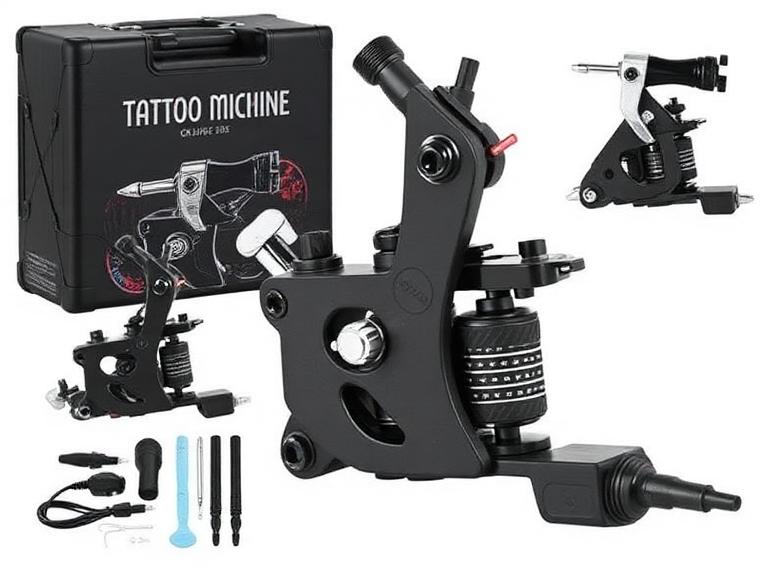
beginner tattoo machine
2026년 초보자를 위한 최고의 타투 머신 스타터 키트 10선
2026년 최고의 타투 머신 입문기를 고르는 일은 몇 년 전보다 쉬워졌지만, 돈을 낭비하기도 그만큼 쉬워졌다. 시장은 온라인에서는 전문적으로 보이지만 실제 피부에 타투를 시작하면 일관성, 배터리 지속 시간, 니들 안정성이 부족한 저가 무선 타투 펜으로 넘쳐난다.
타투 아티스트, 견습생, 스튜디오 오너들과 함께한 경험을 바탕으로 보면, 초보자는 학습 효율보다 가격에 집중하는 경우가 많다. 올바른 입문용 머신은 정확한 테크닉, 라인 컨트롤, 자신감을 키우는 데 도움이 되어야 한다. 잘못된 머신은 성장을 늦추고 나중에 고치기 어려운 나쁜 습관을 만들 수 있다.
최고의 타투 머신 입문기를 찾고 있다면, 이 가이드는 마케팅 문구가 아닌 실제 성능을 기준으로 실용적인 구매 결정을 내리는 데 도움이 될 것이다.
빠른 답변
2026년 최고의 타투 머신 입문기는 안정적인 전압 출력, 편안한 인체공학적 설계, 조절 가능한 스트로크 옵션, 연습 세션을 위한 충분한 배터리 지속 시간을 갖춘 신뢰할 수 있는 무선 타투 펜이다.
종합 최고의 입문용 머신: INKSOUL® HV6 PRO
최고의 조절식 스트로크 머신: Dragonhawk Fold Pro
최고의 가성비 옵션: Dragonhawk Mast Tour
견습생에게 최적: FK Irons EXO
미래의 전문가를 위한 선택: Bishop Power Wand
대부분의 초보자에게는 전통적인 코일 머신보다 품질 좋은 무선 펜으로 시작할 것을 권장한다. 학습 곡선이 짧고 유지 관리가 쉬우며 머신 컨트롤이 훨씬 뛰어나다.
목차
빠른 요약표
타투 머신 입문기란?
작동 원리
최고의 타투 머신 입문기 10선
장점과 단점
비교표
구매 가이드
초보자의 흔한 실수
전문가 추천
결론
자주 묻는 질문
참고 자료
빠른 요약표
순위
머신
추천 대상
가성비 점수
1
INKSOUL® HV6 PRO
종합 초보자 가성비
9.8/10
2
Dragonhawk Fold Pro
스트로크 다양성
9.6/10
3
Bishop Power Wand
전문가 성장
9.4/10
4
FK Irons EXO
견습생
9.3/10
5
Dragonhawk Mast Tour
저예산 학습
9.1/10
6
Cheyenne Sol Nova
프리미엄 사용자
9.0/10
7
Mast Archer
무선 연습
8.9/10
8
Ambition Soldier
저예산 무선
8.8/10
9
Stigma Force
부드러운 쉐이딩
8.7/10
10
CNC Q2
입문 아티스트
8.6/10
타투 머신 입문기란?
타투 머신 입문기는 새로운 아티스트가 복잡한 세팅 지식 없이도 라인 작업, 쉐이딩, 패킹, 머신 핸들링을 배울 수 있도록 설계된 초보자 친화적 타투 머신이다.
2026년 현재 대부분의 타투 머신 입문기 옵션은 로터리 무선 타투 펜이다. 이러한 머신은 전통적인 코일 머신보다 부드러운 작동, 적은 진동, 간단한 유지 관리를 제공한다.
초보자에게 입문용 머신은 순수한 파워보다 일관성을 우선해야 한다. 목표는 속도를 최대화하는 것이 아니라 올바른 타투 기본기를 익히는 것이다.
현대 타투 머신의 작동 원리
현대 타투 펜은 회전 운동을 니들의 직선 운동으로 변환하는 모터 구동 로터리 시스템을 사용한다.
이 움직임을 통해 타투 카트리지가 제어된 속도와 깊이로 피부에 삽입된다. 고품질 머신은 세션 내내 일정한 출력을 유지하여 더 깔끔한 라인과 예측 가능한 회복 과정을 만든다.
머신 성능을 이해하는 것은 전체의 일부일 뿐이다. 초보자는 실제 피부에 작업하기 전에 품질 좋은 초보자용 타투 잉크를 사용해 올바른 색소 선택도 배워야 한다.
2026년 최고의 타투 머신 입문기 10선
1. INKSOUL® HV6 PRO – 종합 최고의 타투 머신 입문기
INKSOUL® HV6 PRO 무선 타투 펜
4.2mm 스트로크, 듀얼 그립, 듀얼 배터리, 두 가지 작동 모드, 초보자 친화적 플랫폼에 담은 전문가급 성능.
제품 보기
우리의 경험상 HV6 PRO는 현재 구할 수 있는 제품 중 최고의 가성비를 제공한다. 포함된 여분 배터리와 듀얼 그립 구성으로 긴 연습 세션은 물론 향후 전문 작업에도 적합하다.
2. Dragonhawk Fold Pro – 최고의 조절식 스트로크 머신
Dragonhawk Fold Pro
7단계 조절식 스트로크 길이로 현존하는 가장 다재다능한 입문용 머신 중 하나.
제품 보기
하나의 머신으로 라이닝, 쉐이딩, 컬러 패킹을 실험해 보고 싶은 초보자에게 Fold Pro는 훌륭한 선택이다.
3. Bishop Power Wand
뛰어난 밸런스와 정밀도를 갖춘 프리미엄 머신. 비싸지만 전문가 커리어 전체를 지원할 수 있다.
4. FK Irons EXO
신뢰할 수 있는 모터 시스템과 전문적인 평판 덕분에 견습생들 사이에서 인기가 높다.
5. Dragonhawk Mast Tour
초보자 수준에서 준수한 결과를 낼 수 있는 가장 저렴한 머신 중 하나.
6. Cheyenne Sol Nova
독일 엔지니어링과 뛰어난 신뢰성으로 숙련된 아티스트들에게 사랑받는다.
7. Mast Archer
연습용 스킨에서 실제 고객 작업으로 전환하는 아티스트를 위한 실용적인 무선 솔루션.
8. Ambition Soldier
경쟁력 있는 가격에 뛰어난 배터리 성능.
9. Stigma Force
긴 세션을 위한 부드러운 작동과 편안한 인체공학.
10. CNC Q2
필수 기능을 희생하지 않는 입문급 가격.
타투 머신 입문기가 필요한 사람
타투를 시작하는 아티스트
타투 견습생
인조 스킨으로 연습하는 아티스트
반영구 메이크업 수강생
코일 머신에서 전환하는 아티스트
입문용 머신이 필요 없는 사람
이미 자리 잡은 전문 타투 아티스트
프리미엄 장비로 업그레이드하는 스튜디오 오너
다양한 스트로크 구성에 이미 익숙한 아티스트
초보자용 타투 머신의 장점과 단점
장점
단점
배우기 쉽다
고급 기능이 제한적
부담 없는 투자
일부 저가 모델은 출력이 부족
유지 관리가 간단
배터리 품질 편차가 큼
가벼운 디자인
향후 업그레이드가 필요할 수 있음
무선의 편리함
프리미엄 모델은 가격이 높음
비교표
머신
무선
스트로크 옵션
추천 사용자
HV6 PRO
예
4.2mm
대부분의 초보자
Fold Pro
예
7단계 옵션
여러 스타일 학습
Bishop Power Wand
예
다양한 버전
전문가
FK EXO
예
다양한 버전
견습생
Mast Tour
아니오
고정
저예산 사용자
구매 시 고려 사항
항목
권장 사항
중요도
배터리 지속 시간
6시간 이상
높음
무게
220g 이하
높음
스트로크 길이
3.5mm–4.2mm
높음
전압 안정성
일정한 출력
매우 중요
그립 편의성
인체공학적 설계
높음
대부분의 전문 작업 환경에서 머신 성능만으로 결과가 결정되지는 않는다. 보조 장비도 중요하다. 적절한 타투 조명 장비는 가시성과 라인 정밀도를 크게 향상시킨다.
아티스트는 전용 타투 잉크 디스플레이 랙으로 색소를 효율적으로 정리하고, 전문 타투 믹서 장비로 적절한 색상 일관성을 유지해야 한다.
초보자의 흔한 실수
가장 저렴한 머신을 사는 것
저가 머신은 일정하지 않은 니들 깊이와 불안정한 전압 출력을 만드는 경우가 많다.
위생 장비를 간과하는 것
많은 초보자가 예산 전부를 머신에 쓰고 타투 니들 세척 용품 같은 필수 위생 제품을 잊는다.
너무 일찍 실제 피부에 시작하는 것
연습용 스킨이 존재하는 데는 이유가 있다. 먼저 근육 기억을 만들어라.
머신 스펙에만 집중하는 것
최신 머신보다 테크닉이 더 중요하다.
전문가 추천
초보자에게는 현실적으로 최소 1~2년은 사용할 수 있는 머신을 선택할 것을 권장한다. 장비를 계속 바꾸면 실력 향상이 늦어진다.
우리의 경험상 INKSOUL® HV6 PRO는 신규 아티스트를 위한 신뢰성, 가성비, 편의성, 장기 사용성의 가장 강력한 조합을 제공한다.
최대한의 유연성을 원하는 사용자에게는 조절식 스트로크 시스템으로 다양한 타투 스타일을 실험할 수 있는 Dragonhawk Fold Pro가 여전히 최고의 타투 머신 입문기 중 하나다.
기본기 학습이 최우선이어야 한다. 타투 회복 단계를 이해하고, 적절한 고객 상담과 전문 타투 가격 가이드를 통한 현실적인 기대치를 갖는 것이 장비 트렌드를 좇는 것보다 장기적 성공에 더 기여한다.
아직 반영구 타투를 시작할 준비가 되지 않은 예비 아티스트라면 임시 타투 아이디어를 실험하고, 임시 타투 펜 리뷰를 읽고, 임시 타투 만드는 법을 배우거나, 글리터 타투 가이드를 탐색하며 값진 예술적 연습을 쌓을 수 있다.
결론
2026년 최고의 타투 머신 입문기가 반드시 가장 비싼 머신은 아니다. 효율적으로 배우고, 꾸준히 연습하고, 바로 교체하지 않고도 전문 작업으로 성장할 수 있게 돕는 머신이 최고의 머신이다.
대부분의 초보자에게 INKSOUL® HV6 PRO는 전문가급 성능, 초보자 친화성, 배터리 편의성, 장기적 가치를 고루 갖춰 우리의 최우선 추천이다.
다재다능함이 우선이라면 조절식 스트로크 시스템과 넓은 활용 범위를 갖춘 Dragonhawk Fold Pro가 근소한 차이의 2위다.
품질 좋은 장비에 한 번 투자하고 테크닉에 집중하라. 새 장비를 계속 좇는 초보자의 흔한 함정에 빠지지 마라.
자주 묻는 질문
초보자에게 가장 좋은 타투 머신 입문기는?
신뢰성, 무선 설계, 전문가급 성능 덕분에 INKSOUL® HV6 PRO가 우리의 최우선 초보자 추천이다.
초보자는 코일 머신과 로터리 머신 중 무엇을 써야 하나?
대부분의 초보자는 컨트롤이 쉽고 유지 관리가 적은 로터리 타투 펜으로 시작해야 한다.
무선 타투 머신이 가치가 있나?
그렇다. 현대 무선 머신은 뛰어난 성능과 더 큰 움직임의 자유를 제공한다.
초보자는 타투 머신에 얼마를 써야 하나?
품질 좋은 초보자용 머신은 기능과 브랜드 평판에 따라 대부분 $100~$400 사이다.
입문용 머신으로 전문 타투가 가능한가?
많은 현대 입문용 머신은 올바른 테크닉과 함께라면 전문 작업이 충분히 가능하다.
품질 좋은 타투 머신은 얼마나 오래 쓸 수 있나?
잘 만들어진 머신은 적절한 유지 관리와 배터리 관리로 수년간 안정적으로 사용할 수 있다.
이제 시작하는가? 정체불명의 키트는 건너뛰어라. 타투 펜 키트 컬렉션에는 한 박스에 모든 것이 들어 있는 정품 풀 스타터 세트가 있다.
참고 자료
FK Irons 기술 자료
Allied Health Schools 타투 아티스트 교육 가이드
산업안전보건청 (OSHA)