
ニュース
grip diameter
What Tattoo Grip Diameter Should I Choose?
If your hand cramps halfway through a session, the problem is probably not your technique. It is the diameter of the grip in your palm. Most artists land between 30mm and 33mm — slim enough for line control, thick enough that you are not pinching all day. Go under 28mm for fine line and PMU, or over 35mm for shading, color packing, and long sessions. Test two sizes on real work before you commit to a pen.
Why grip diameter matters more than the machine's spec sheet
A grip is the only part of the machine your hand actually negotiates with, hour after hour. Too thin, and your fingertips curl deep and pinch. That pinch feels precise for twenty minutes — more fingertip contact means finer feedback — and then it turns into a cramp. Too thick, and your fingers stretch around a barrel they cannot close on, and your wrist starts compensating for the lost steering.
The right diameter fills your hand without forcing it. In a relaxed hold, your fingers should make secure contact without overlapping deeply or reaching. That is the whole test, and it is personal: two artists with the same hand span can prefer different diameters because one holds the pen like a pencil and the other rests it across the palm.
The diameter bands, and who each one is for
Diameter
Feel
Best for
25–28mm
Slim, fingertip-driven
Fine line, single needle, PMU, detail work, smaller hands
30–33mm
Balanced, the safe middle
General lining and shading, mixed styles, most hands
35–38mm
Full, less pinching
Color packing, soft shading, long sessions, larger hands
40mm and up
Extra-wide, full palm contact
Extended sessions, heavy color work, very large hands
Most standard pen grips fall between 25mm and 38mm. The 32mm figure you see quoted everywhere is not a magic number — it is simply the middle of the balanced band, which is why so many pens ship on it. The Mast Fold 2 Pro ($169) runs a 32mm grip for exactly that reason. But the middle is a starting point, not an answer: mostly fine line, and it will feel fat; mostly color packing, and it will feel thin by hour four.
Diameter is not the whole story: taper, texture, and weight
Two grips can share a diameter number and feel nothing alike.
Taper. Many popular grips are tapered or ergonomically contoured, not straight cylinders — one grip can measure 33mm at the top and narrow toward the cartridge. The number on the listing is usually the widest point. What matters is the diameter where your fingers actually rest, so measure there.
Texture. A smooth anodized aluminum grip at 32mm feels slimmer — and demands a harder squeeze — than a deeply knurled 32mm grip or a 32mm foam disposable, which gives your fingers something to bite into. If a grip feels too thin, texture may be the cheaper fix than a size up.
Weight and balance. A thicker metal grip adds weight at the front of the pen and shifts the balance point forward. A 38mm or 40mm aluminum grip can make a light pen feel front-heavy by the end of a session, even if the diameter itself feels good. When you size up, judge the whole setup — grip plus battery — not the diameter alone.
How to find your size in ten minutes
Run this check before you spend anything:
The relaxed-hold test. Hold the pen the way you actually tattoo, with your normal gloves on and your usual barrier sleeve fitted. Your fingers should close around the grip without overlapping deeply and without stretching to reach. Fingertips digging into your palm means go thicker; fingers that cannot meet the grip mean go thinner.
The tape rule. A plastic barrier sleeve adds almost nothing — about 0.05mm, effectively zero. What changes diameter is grip tape: each wrap adds roughly 1–2mm, so three to four layers adds about 3–6mm. Test the way you will actually work.
The two-week rule. A grip that feels fine for ten minutes can still cramp you at hour three. If you can, run each size through a full session before committing. The difference between 33mm and 38mm is obvious by the end of a long day and invisible in a five-minute shop test.
Measure your hand, roughly. Wrap a tape around your hand just below the knuckles, thumb excluded. It will not give you a diameter, but it tells you which end of the bands to start from.
Your grip style changes the answer
How you hold the machine matters as much as the size of your hand.
Pencil hold. Fingertip control, pen resting high between thumb and fingers. Slim and mid-size grips feel most direct here. If you line with a pencil hold, start at 28–33mm.
Overhand or palm-supported hold. The pen rests lower and the palm shares the load. Wider grips work better, because contact spreads across more of the hand and the wrist stays neutral. If you shade with an overhand hold, start at 33–38mm.
Most artists switch holds without noticing — pencil for the outline, palm for the fill. One honest way to test sizes is a pack of disposable grips in two diameters: the Ambition 12pcs Disposable Grip ($69.99 for 12) comes in 30mm, 34mm, and 38mm, so you can try two sizes and get a fresh sterile grip every session. Two things to know before you buy: these fit Ambition pens only — Soldier, Torped, Zetton, Shura, and Vibe — not Mast, Cheyenne, FK Irons, or Bishop machines. And the "click-adjust" in the name adjusts needle depth, not diameter; the diameter is the size you pick, 30, 34, or 38mm.
Match diameter to technique, not just hand size
Fine line and single needle: go slim, 25–30mm. You need fingertip feedback and a light touch; a thick grip deadens the small movements that make a clean hairline.
Bold lining: stay in the middle, 30–33mm — control on the pull, without white-knuckling it.
Shading and whip shading: go thicker, 33–38mm. The work is repetitive and long; a fuller grip spreads the load and keeps your hand open.
Color packing: go thickest, 35–40mm. You are pushing ink for hours, and pinching a slim grip through a full color session is how hands give out.
If one machine has to cover all four, pick the middle and adjust around it. Grip tape is the cheap adjuster: wrapping self-adherent cohesive bandage ($8.99 for 12 rolls) around a grip adds about 1–2mm per wrap. Three to four layers is the sweet spot most artists settle on — enough to fill the hand, not so much that the grip turns into a sponge.
The insider check most buyers skip: can the grip come off?
Diameter is the buying question. Removability is the ownership question, and buyers skip it until it costs them a machine.
On a wireless pen, the grip detaches so you can sterilize it, replace it, or swap sizes — it does not come off to open the machine itself. That distinction matters. The pen body never goes in an autoclave; only the detached metal grip does, and a plastic or silicone grip will melt in one — a mistake beginners make exactly once. And a 38mm grip is only useful if it fits your pen: check the mount before you buy, because proprietary threads and cartridge-tube sizes vary by brand, and a grip made for one brand's pen will not thread onto another's.
The failure mode to watch for is a grip that stops coming off. One Mast Archer owner reported in September 2026 that the small screw holding the grip stripped, the grip could not be removed for a thorough clean, and the same failure ended three of his machines. Before you buy any pen, confirm three things: the grip is removable, replacement grips are sold for your exact model, and you have a spare in stock. The INKSOUL HV6 Pro ($298.88) ships with two autoclavable aluminum grips — 33mm and 38mm — so one can be in the autoclave while the other is on the machine, and you get to test both diameters on real work before deciding which one is yours.
What to buy, by situation
Situation
Buy this
Why
You do not know your size yet
Cohesive grip tape ($8.99 / 12 rolls)
Cheapest test: add layers to your current grip, ~1–2mm per wrap
You want to test two sizes sterile
Ambition disposable grips ($69.99 / 12)
30 / 34 / 38mm, fresh sterile grip each session — Ambition pens only
You know your size and want one pen that covers it
HV6 Pro ($298.88)
Ships with 33mm and 38mm autoclavable grips — test both, keep the winner
You want a proven middle-ground pen
Mast Fold 2 Pro ($169)
32mm grip, 7 adjustable strokes (2.4–4.2mm), 2000mAh battery
Still deciding between pens? Our wireless rotary buying guide runs the full seven-point checklist.
FAQ
What is the most common tattoo grip diameter?
30–33mm. Most pens ship in this band, and the Mast Fold 2 Pro runs a 32mm grip, right in the middle of it.
Should I choose a thicker grip for long sessions?
Usually, yes. A thicker grip (35–38mm) spreads the load across more of your palm, so you pinch less and your hand stays open longer. If your sessions regularly run past three hours, test a 35mm or 38mm grip before your next pen purchase — but watch the weight, since a thick metal grip shifts balance forward.
Can I make my grip thicker without buying a new machine?
Yes. Wrap self-adherent cohesive bandage around the grip — each layer adds about 1–2mm, and three to four layers is the sweet spot most artists settle on. A plastic barrier sleeve, by contrast, adds almost nothing, so do not count on it for diameter.
Are disposable grips worth it over reusable aluminum grips?
It depends on your workflow. At $69.99 for 12, a disposable grip costs about $5.83 a session, so they make sense where sterility or logistics matter — guest spots, conventions, or a studio without an autoclave — not as a casual way to change diameters mid-session. Autoclavable aluminum grips, such as the two that ship with the HV6 Pro, cost less per session over time but need sterilization between uses — and only the detached metal grip goes in the autoclave, never the pen body or a plastic grip.
Does grip diameter affect line quality?
Indirectly, yes. The wrong diameter makes you grip harder or steer less precisely, and both show up in the line — wobble from over-gripping, or blowouts from a grip you cannot control. If your lines got worse after switching machines, check the grip before you blame the needle or the voltage.
Ambition
Best Tattoo Pen Machines 2026
Short answer: For most working artists in 2026, the best tattoo pen machine is the INKSOUL HV6 PRO at $298.88 — a 4.2mm stroke, two 2000mAh batteries and two autoclavable grips in the box. The best budget brand-name pen is the MAST Archer 2 at $189, and the most flexible adjustable-stroke option is the EZ P6 Turbo at $299, covering 1.0–5.0mm. All prices below were checked live on our store on 11 November 2026 — no inflated specs, no invented review counts.
How we compared the pens
Every machine below is a genuine tattoo pen sold by an authorized dealer on INKSOUL — no grey-market stock, no unbranded clones. We scored each pen on four things that actually change how a tattoo comes out: stroke length and whether it adjusts, battery setup (swappable packs beat sealed batteries on a long day), motor type where the maker publishes it, and price. Where a spec is not published by the maker, we say so instead of guessing. Prices are the store's live prices as of 11 November 2026; where a pen has several variants, we give the range.
Best tattoo pen machines 2026 at a glance
Machine
Stroke
Standout feature
Price
INKSOUL HV6 PRO — Our Pick
4.2mm
Two 2000mAh batteries + two grips, V-mode & HZ-mode
$298.88
MAST Archer 3 Ultra
4.2mm
Flagship MAST pen, proven daily workhorse
$359.00
MAST Archer 2
3.5mm
Brushless motor, color screen
$189.00
Dragonhawk Fold Pro
7 stroke lengths
Folding design, one pen for lining to packing
$249.00–$279.00
EZ P6 Turbo
1.0–5.0mm adjustable
Direct drive, widest stroke range here
$299.00–$389.00
EZ P3 Pro
Not published
Proven wireless workhorse
$249.00–$319.00
BRONC X2 NEO
2.5–5.0mm adjustable
7.1 mNm torque, Swiss DC motor, 7–9 h runtime
$498.00
Ambition Seher Plus
2.2–4.2mm (6 strokes)
Six stroke settings, lowest-priced adjustable pen here
$199.99–$249.99
Ambition Soldier 270
Not published
Budget wireless entry from Ambition
$199.99–$239.99
Our Pick: INKSOUL HV6 PRO — $298.88
The HV6 PRO is the pen we put our own name on, and it is the one we recommend first for a simple reason: nothing you need for a full working day is sold separately. The box includes two TRUE 2000mAh batteries, so one charges while the other runs, and two autoclavable aluminum grips — 33mm and 38mm — so you can switch diameter between sessions instead of buying a second grip. The 4.2mm stroke sits in the all-rounder zone: firm enough for lining, smooth enough for shading. Two working modes are built in: V-mode for standard voltage control and HZ-mode, which holds a fixed frequency. At $298.88 (list $399.00) it sits in the middle of this list on price and at the top on what comes in the box. If you want one pen that covers a whole day of mixed work without extra purchases, this is it.
Best value: MAST Archer 2 — $189.00
The Archer 2 is the cheapest genuine brand-name pen on this list, and it does not feel like a compromise. The 3.5mm stroke is the classic all-round length, the brushless motor runs quieter and cooler than the brushed motors in most budget pens, and the color screen shows voltage at a glance instead of making you count button presses. At $189.00 (list $499.00) it is the easiest recommendation for an artist buying their first serious pen, or for a second pen that lives as a backup. The trade-off is a fixed stroke: if you do a lot of bold traditional lining or heavy color packing, you will eventually want an adjustable-stroke pen alongside it.
Best all-rounder: MAST Archer 3 Ultra — $359.00
The Archer 3 Ultra is MAST's flagship pen, and the 4.2mm stroke makes it the do-everything option in their lineup: crisp lining, smooth shading and solid color packing without swapping machines mid-session. It costs $170 more than the Archer 2, and what that buys is the longer, harder-hitting stroke and the current-generation build. Artists who already know they like MAST's feel and want one pen for the whole day should start here. If you are still finding your style, the Archer 2 saves you $170 for the same brand reliability.
Best adjustable stroke: EZ P6 Turbo — $299.00–$389.00
Stroke length is the single biggest lever on how a pen behaves, and the P6 Turbo moves it further than anything else here: 1.0mm to 5.0mm on a direct-drive motor, adjustable without tools. That range covers fine-line work at the short end and bold traditional lining at the long end, so one machine genuinely replaces two or three fixed-stroke pens. Direct drive also means the needle responds instantly to voltage changes, with no dampening from a flexible drive. The price range ($299.00–$389.00) depends on variant. If your work jumps between styles in a single session, this is the pen that keeps up.
Best premium build: BRONC X2 NEO — $498.00
The X2 NEO is the most expensive pen on this list, and it is also the most thoroughly specified: a Swiss DC motor, 7.1 mNm of torque, 2.5–5.0mm adjustable stroke, two 2000mAh batteries, 7–9 hours of runtime, an IPS color display, 0.1V voltage steps and overload and short-circuit protection, all in a 255g body. Torque is the number that matters here — 7.1 mNm is what lets the pen push large mag groupings into saturated skin without bogging down. This is the pen for artists who already know exactly what they want and are paying for refinement and headroom, not for a first pen.
Best budget adjustable: Ambition Seher Plus — $199.99–$249.99
The Seher Plus gives you six stroke lengths from 2.2mm to 4.2mm for $199.99–$249.99 — the cheapest way onto this list to get a genuinely adjustable pen. That range covers PMU and fine shading at the short end and general lining and shading at the long end. Ambition is an authorized brand on our store, so the warranty and parts support are real, which is the difference between a cheap pen and a cheap pen you can keep using. If your budget is around $200 and you want stroke flexibility, start here rather than with a no-name pen at the same price.
Also worth a look
Dragonhawk Fold Pro ($249.00–$279.00). Seven stroke lengths in a folding body — the most versatile fixed-format pen here for artists who switch styles constantly. Read our wireless vs wired guide if you are still deciding whether to cut the cord at all.
EZ P3 Pro ($249.00–$319.00). The proven wireless workhorse in EZ's lineup — less stroke range than the P6 Turbo, but the same brand reliability at a lower price. A safe pick if you want EZ without paying for the Turbo's full 1.0–5.0mm range.
Ambition Soldier 270 ($199.99–$239.99). Ambition's budget wireless entry. Stroke length is not published by the maker, so we will not guess — but at this price it is a genuine brand-name starter pen with real warranty support, which is more than most pens at this price can say.
How to choose: the 7-point checklist
Stroke matches your style. Short strokes (2.5–3.2mm) for shading, black-and-grey and PMU; medium strokes (3.5–4.2mm) as all-rounders; long strokes (4.5mm+) for bold traditional lining and color packing. Adjustable-stroke pens cover all three in one machine.
Battery: swappable beats sealed. Two batteries minimum for a full day — one runs while the other charges. Ask whether the pen also runs wired via RCA, so a dead battery never ends a session.
Motor: brushless where you can get it. Brushless motors run quieter, cooler and longer than brushed ones. Direct drive gives the most immediate needle response.
Grip diameter and weight. You hold this for hours — 32–38mm grips fit most hands, and a pen over 250g with battery gets heavy by the end of a long session.
Voltage control. Fine steps (0.1V) and a readable display matter more than a big voltage range; you will live between 5V and 9V.
Warranty and parts. Buy from an authorized dealer. A pen with no spare parts and no one answering when it breaks is a disposable pen, whatever the price.
Price. $189–$500 covers every serious pen on this list. Below $100 you are usually buying a gamble; above $500 you are buying refinement, not better tattoos.
Still torn between cheap and expensive? Our cheap vs expensive tattoo pen machine guide breaks down exactly what the premium buys — and what it does not.
FAQ
What stroke length should I choose for lining vs. shading?Short strokes (2.5–3.2mm) cycle faster and shallower, which suits crisp lining, fine shading, black-and-grey and PMU. Medium strokes (3.5–4.2mm) are the all-rounders for lining and general work. Long strokes (4.5mm and up) hit harder and deeper, which suits bold traditional lining and color packing. An adjustable-stroke pen covers all three in one machine.
Is a wireless tattoo pen machine worth it?Yes, for most working artists. No cord dragging across the client means freer movement, and swappable battery packs mean a dead battery costs you thirty seconds instead of a session. Keep a wired backup or an RCA option for very long sessions, and carry a spare pack the way you carry spare needles.
How much should I spend on a good tattoo pen machine?Between $189 and $500 buys a genuine brand-name pen with a real warranty — the MAST Archer 2 at $189 is the floor of that range on our store, and the BRONC X2 NEO at $498 is the ceiling. Below $100 you are usually buying a pen with no warranty and no spare parts. Above $500 you are paying for refinement and headroom, not for better tattoos.
Which tattoo pen machine is best for beginners?The MAST Archer 2 at $189 or the Ambition Seher Plus from $199.99. Both are genuine brand-name pens with real warranty support, cheap enough to learn on and good enough to keep using once your work improves. Avoid no-name pens at the same price — when they break, there is nobody to call.
HV6 Pro
How Do I Choose a Wireless Rotary Tattoo Machine?
How Do I Choose a Wireless Rotary Tattoo Machine?
Buy for the way you actually tattoo, not the spec sheet. A good wireless rotary pen holds its stroke when the needle meets skin, runs a full session on one battery — or swaps to a spare in seconds — and changes stroke length without a second machine. The rest is comfort and convenience.
Every listing claims the same three things — long battery, powerful motor, smooth shading. Here are seven checks separating a pen you will still use in a year from one in a drawer by Christmas.
First, untangle the words: wireless, rotary, pen
Listings mash three words together. Rotary is how the machine moves the needle: a small motor drives it up and down. Wireless is how it gets power: a rechargeable battery instead of a cord. Pen is the shape: a straight body gripped like a marker.
Almost every modern wireless pen is a wireless rotary machine: the battery just replaces the cable. So "wireless rotary" on a listing is mostly the default, not a special technology. The real question is which rotary, which battery, and which stroke range.
The 7-point checklist
1. Stroke consistency under load, not RPM on a box
Every listing quotes a motor speed — 6,500, 10,000, 10,500 RPM — measured with no needle and no skin pushing back. It says almost nothing about the line you will pull. What matters is what happens when the needle meets resistance: a weak drive slows the moment you push a 25-magnum into tough skin, showing up as patchy packing and second passes. A strong coreless motor holds its speed — which is why motor type beats the RPM figure: coreless motors like the MCore-C1 in the Fold 2 Pro stay consistent, while cheap brushed motors fade fast and wear out. Look for reviews mentioning large groupings: a pen handling big mags without hesitation passes the load test.
2. Stroke length: adjustable beats fixed unless you know your number
Stroke length — how far the needle travels each cycle — decides what the machine is good at. Short strokes around 2.4–3.0mm suit soft shading, fine detail, and PMU work; longer strokes around 3.5–4.2mm hit harder for bold lining and solid color packing, and 3.5mm is the forgiving all-rounder most artists learn on. If you only ever tattoo at one stroke, a fixed-stroke pen is cheaper. But most artists' work changes week to week, so an adjustable pen covers both without a second purchase: seven settings from 2.4mm to 4.2mm in 0.3mm steps on the Fold Pro and Fold 2 Pro cover lining, shading, and color packing.
3. Battery life: read the hours as a range, and plan for the low end
Battery claims are the most inflated numbers in this category: "8–10 hours" usually means one battery, at low voltage, with a small grouping, on a fresh battery — not your session. Read battery life as three numbers: capacity — the Fold Pro's 1500mAh battery is rated 4 to 6 hours, the Fold 2 Pro's 2000mAh pack 5 to 7 hours; charge time — USB-C in about 1.5 to 2 hours; and the hidden one, whether the battery is replaceable and what a spare costs. Batteries age: after months of daily charging, a pack holds less charge and eventually will not take a full charge. Then a swappable battery needs a $60 spare, not a new machine; a sealed one is done. Two batteries in rotation never stop a session — the INKSOUL HV6 Pro ships with two true 2000mAh batteries in the box.
4. Weight and balance: count the whole setup, not the bare pen
Listings quote the lightest weight — pen only, no battery, no grip. You never tattoo that way. The Fold Pro weighs 200g with its battery fitted, 199g with the RCA connector, on a 32mm grip — heavy for a wireless pen, and you feel it on a long lining session. Some artists like the extra weight; others get wrist fatigue by hour four. The mistake is discovering which one you are after you have paid. Balance matters too: a battery pack on the back shifts the center of gravity toward your palm, so compare the complete setup with a pen you own — 30g or more is noticeable.
5. The grip: check you can take it off and clean it
This is the check that saves machines from the bin. A wireless pen lives in ink, blood, and green soap — the grip has to come off for proper cleaning. On cheap pens it often does not, or it does until the tiny screw holding it strips and it never comes off again. Artists have thrown away three machines for exactly this: the screw wore out, the grip would not come off, the machine could not be cleaned. Before you buy, confirm the grip is removable and replacements are sold. The HV6 Pro ships with two autoclavable aluminum grips, 33mm and 38mm — one to sterilize, one spare. All three pens take standard cartridge needles. Check the membrane inside each cartridge before loading: a torn one lets ink flow back into the drive bar. Maintenance on a sealed pen is external only: wipe the grip, keep the battery contacts and RCA dock clean, and never open the pen to oil it — the motor is factory-lubricated and opening it voids the warranty. One grip and no spares is a countdown, not a purchase.
6. A wired fallback: the RCA connector is cheap insurance
The best wireless pen still works when the battery dies mid-session: pens with an interchangeable RCA connector — the Fold Pro and Fold 2 Pro both have one — plug into a standard power supply and keep going while the battery charges. Wireless-only with no fallback is a gamble: fine for short sessions, risky as your only machine. Bluetooth pedals are separate: the Archer S bundle pairs its pen with a Bluetooth foot pedal.
7. Support, parts, and the real total cost
Add up everything first: pen, spare battery, spare grip, charger. A $249 pen with a $60 spare is a $309 setup; a cheaper pen with no spares is a pen you replace whole. Also ask who answers when something breaks — a dead pen is a cancelled day of appointments. Ask what the warranty covers before you pay — motor and battery cover matters most. Get it in writing. A seller stocking spares and answering support the same day beats a $30 saving from a listing that goes quiet after the sale.
Three pens, three answers
Specs side by side:
Spec
Fold Pro
Fold 2 Pro
HV6 Pro
Stroke
7 settings, 2.4–4.2mm
7 settings, 2.4–4.2mm
Fixed 4.2mm
Motor
Coreless, 8V / 6500 RPM
MCore-C1 coreless, 8V / 6500 RPM
Not published
Voltage
4 to 12V
4 to 12V
Not published
Battery
1500mAh, 4 to 6 hours
2000mAh, 5 to 7 hours
Two 2000mAh batteries
Charging
USB-C, ~1.5 hours
USB-C, ~2 hours
Not published
Screen
LED: battery, time, voltage
Color display
Not published
Weight / size
200g, 128mm, 32mm
~250g, 140mm, 32mm
Not published
Wired fallback
RCA connector
RCA connector
Not published
Standout
Widest stroke range, lightest body
Bigger battery, color screen, MCore-C1
Two batteries, two autoclavable grips
For one pen covering lining, shading, and color packing, the Fold Pro's seven strokes are the argument — buy the two-battery version for full days, since 4 to 6 hours per battery is honest but not generous. Want longer runtime and a color screen? The Fold 2 Pro is the same idea with a bigger battery. If 4.2mm is already your stroke, the HV6 Pro's two-battery, two-grip box is the most complete box of the three — INKSOUL's own machine, so parts and support come from the same place as the rest of your order.
One warning on the Fold Pro: not every pen sold under that name is the same configuration. Check three numbers before you pay — battery capacity, length, and weight. The classic version is 1500mAh, 128mm, 200g; a listing showing 3000mAh or 245g is a different edition, even though the name matches.
Three mistakes buyers keep making
Buying on headline hours. "8–10 hours" is a lab number. Plan on the low end, keep a charged spare, and you will never apologize to a client at hour five.
Ignoring the grip screw. A two-dollar part decides whether a $250 machine is cleanable in a year. Removable grip, replaceable grip, spare in stock — check all three.
Buying a fixed stroke, then outgrowing it. A 3.5mm pen is the right first machine for most artists — and the one most replace within a year, when work splits into fine lining and heavy packing. Adjustable now beats a second pen later.
Related reading
Still deciding between drive types? Start with What Is a Rotary Tattoo Machine? (Buyer's Guide). Battery anxiety your main worry? How to Choose a Battery Tattoo Pen Machine That Won't Die Mid-Session goes deeper on runtime planning.
Frequently asked questions
Are wireless rotary tattoo machines as powerful as wired ones?
Yes, for most work. A modern coreless motor holds its speed under load, battery or wall supply. Wired still wins at the very top end: all-day sessions with large mags at high voltage, where a battery's output sags as it drains. If that is your daily work, buy a pen with an RCA fallback.
How long does a wireless tattoo machine battery actually last?
Less than the listing says. The Fold Pro's 1500mAh battery is rated 4 to 6 hours, the Fold 2 Pro's 2000mAh pack 5 to 7 hours — plan on the low end, since voltage, grouping, and battery age all pull the number down. A spare on rotation turns "about five hours" into "the whole day."
Can I use a wireless tattoo machine while it charges?
Usually not — most pens cannot run and charge at the same time. That is why the RCA fallback matters: the Fold Pro and Fold 2 Pro swap the battery for an RCA connector and run off a standard power supply while the battery charges. Check for that connector before you buy, not after the battery dies mid-appointment.
What stroke length should I start with?
3.5mm if you are buying one fixed-stroke pen: the forgiving middle for lining and shading, without forcing stroke decisions before you understand them. If you buy adjustable, start at 3.0mm for shading and 3.5–3.6mm for lining, then move in 0.3mm steps until the machine stops fighting you.
Do wireless rotary machines work with standard cartridge needles?
Yes. Modern wireless pens accept standard cartridge needles — check the pen takes the cartridges you stock, and that the grip comes off for cleaning. Cartridge fit is boring until it is wrong.
Dragonhawk
Should I Buy a Wireless Tattoo Machine With a Replaceable Battery?
Short answer
Yes — if you tattoo full days, buy a wireless setup with a second battery in the box or an RCA fallback, not just a longer headline runtime. A single built-in battery suits short sessions, but when it fades, a sealed machine leaves no backup plan. Buy the backup plan, not only the pen.
What "replaceable battery" actually means
Artists use the phrase loosely. Three different things hide under it, and they are not equal.
1. A swappable battery pack. The pack clicks off and a charged one clicks on, mid-session, in seconds. This is the real version. You keep working while the flat pack charges on the desk.
2. An RCA fallback. The pen can also run wired through an RCA connector. The battery is not swappable in the same sense, but a dead battery does not end the session — you plug in and finish the piece. The Dragonhawk Fold Pro works this way: it lists an interchangeable RCA connector alongside its wireless mode, so a flat or ageing battery is an inconvenience, not a cancelled appointment. That rescue needs a bench power supply, pedal and RCA cord you already own — a wireless-only starter will not have them.
3. A sealed built-in battery. Nothing comes off. When it no longer holds a charge, the whole pen goes back for service or gets replaced. Some sealed pens are excellent machines. They are still a single point of failure, and you should price them that way.
Some pens take standard off-the-shelf lithium cells instead of a maker-specific pack. That removes maker lock-in, but confirm the exact cell size and type the maker specifies before buying spares. Before you buy, ask the listing which system it is. If it does not say, assume sealed, and assume no spare pack is available.
Why batteries fade first — and why headline runtime misleads
Ask working artists what goes wrong after a few months, and the story repeats: it no longer lasts a full session, the percentage drops faster, or one day it will not take a charge. The motor is rarely the culprit. This is a battery story, not a motor story.
Headline runtime makes it worse. A quoted "4–6 hours" is not a promise at your voltage, with your needle grouping, for your whole day. High voltage and large magnum groupings draw more current than low-voltage lining with a small liner, cartridge membrane tension adds load too, and heat, age and running the pack flat all shorten what you actually get. Two artists can own the same pen and report different battery life — they are not running the same session.
The practical test is not "how many hours does the maker claim?" It is "what happens on the day the battery underperforms?" "Swap the pack" or "plug in the RCA" means a working studio tool; "wait for it to charge" means a scheduling risk.
Buying checklist: 7 things to check before you pay
Spare-pack availability, today. Can you buy a matching spare pack right now, from the same seller? A swappable system with no spare in stock is a sealed system with extra steps. Buy the spare with the pen, not when the first pack starts fading. Also ask how the spare charges — on a dock or by cable — and whether that charger is in the box.
RCA fallback. Does the pen run wired if the battery dies? This single feature rescues more sessions than any extra milliamp-hours on the spec sheet.
Charging time vs session gap. A pack that charges in about 1.5 hours over USB-C, like the Fold Pro, can turn around between clients. A slow-charging pack cannot.
Weight and balance, not just weight. A battery sits at the tail, so it changes balance as well as total grams. The Fold Pro is listed at 200g with its battery and 32mm in diameter. A pen that feels fine for twenty minutes can feel top-heavy at hour five.
Stroke range for the work you actually do. A fixed 4.2mm stroke covers a lot of lining and shading, but if you switch between fine lining, soft shading and colour packing in one day, an adjustable stroke saves you a second pen. The Fold Pro offers seven strokes from 2.4mm to 4.2mm; the HV6 PRO below is fixed at 4.2mm.
What the screen actually shows. Battery percentage, voltage and session time on the pen itself — the Fold Pro shows all three — let you spot a fading pack before it surprises you mid-line.
Proprietary-pack risk. If the pack is unique to one model, ask what happens when it is discontinued, and check the spare pack's price before you lock in — proprietary packs vary widely, and a cheap pen with an expensive pack is not cheap. An RCA fallback or a widely stocked pack is insurance against the maker moving on.
Two in-store setups that solve this differently
INKSOUL HV6 PRO — the two-battery system. This is the house push pen, and its battery answer is blunt: it ships with two TRUE 2000mAh batteries, two grips (33mm and 38mm, autoclavable), a fixed 4.2mm stroke, and two modes — V-mode for standard voltage adjustment and HZ-mode for fixed-frequency work. One pack works while the other charges. What it does not do is change stroke — if you need 2.4mm one hour and 4.2mm the next, that is the Fold Pro's job, not this pen's.
Dragonhawk Fold Pro — the adjustable, RCA-backed option. Seven strokes (2.4 / 2.7 / 3.0 / 3.3 / 3.6 / 3.9 / 4.2mm), 4–12V, a coreless motor, a 1500mAh pack rated at 4–6 hours, USB-C charging in about 1.5 hours, and that interchangeable RCA connector. If you want one pen across lining, shading and packing, with a wired escape hatch when the battery fades, this is it.
What to compare
Dragonhawk Fold Pro
INKSOUL HV6 PRO
Battery answer
1500mAh pack + RCA wired fallback
Two TRUE 2000mAh batteries included
Working time (maker figure)
4–6 hours
No headline figure published — compare by rotation
Charging
USB-C, about 1.5 hours
Not published on the listing checked
Stroke
7 settings, 2.4–4.2mm
Fixed 4.2mm
Voltage
4–12V
Not published on the listing checked
Weight / grip
200g with battery; 32mm diameter
Two grips, 33mm and 38mm, autoclavable; weight not published
Best for
One pen across lining, shading and packing, with wired rescue
Full days needing a second charged pack on the desk
Blank cells mean the listing checked did not publish that figure.
When the battery starts fading: diagnose before you blame the motor
Artists junk good pens over dead packs. Run this order before you write the pen off:
Swap the pack. If a fresh or second pack restores normal power, the motor was never the problem. Replace the pack, not the pen. Re-barrier the pen after any mid-session swap — a bare-hand pack change breaks your barrier film, so re-sleeve before you resume.
Drop to RCA, if you have it. If the pen runs normally wired but fades wireless, you have isolated the fault to the battery system.
Check the load, not just the percentage. A pack that dies early on a big magnum at high voltage may still be fine for lining. That is a capacity-and-load story, not a sudden motor failure.
Look at charging habits. Packs left flat for weeks, or always run to zero, age faster. Rotate two packs and keep the spare charged.
For the wider choice, see Wireless vs Wired Tattoo Pen Machine (whether to cut the cord) and How to Choose a Battery Tattoo Pen Machine That Won't Die Mid-Session (choosing on runtime). This article answers the narrower question they leave open: what kind of battery system should it be?
FAQ
How long does a wireless tattoo machine battery last before it needs replacing?
There is no single number worth trusting, because lifespan depends on voltage, needle load, heat and charging habits, and makers rarely publish a cycle rating. Judge by behaviour instead: if a pack no longer holds a charge, its percentage drops sharply under load, or it will not charge at all, the pack is done even if the pen itself is fine. That is different from how long one charge lasts in a session: one is total lifespan over months of use, the other is runtime on a single charge.
Can I keep tattooing while a wireless machine charges?
Do not plan to tattoo while a USB-C cable charges the pen. Even where a pen technically allows pass-through charging, the cable drags, strains the port and adds heat, so it is a poor working method. A pen with an RCA fallback, like the Fold Pro, can keep working wired while the battery issue is dealt with separately. A sealed pen with no wired mode cannot, so check the listing for a wired option before you assume you can charge and tattoo at the same time.
Is one battery enough for a full day of tattooing?
For short sessions and guest spots, usually yes. For a full day of back-to-back clients, no — plan on a second charged pack already on the desk, or a pen that ships with two batteries like the HV6 PRO. One battery plus hope is not a full-day system.
Does a bigger mAh number always mean longer runtime?
No. Motor efficiency, voltage setting and needle load matter as much as capacity, so a larger pack on an inefficient pen can still lose to a smaller pack on an efficient one. Compare maker runtime figures only between similar voltages and similar work, and treat any single headline number as a starting point, not a promise.
What should I do if my wireless machine dies mid-session?
Swap to a charged pack if you have one, or switch to RCA wired mode if your pen supports it, and finish the piece before diagnosing anything. Only after the client is done, test whether a fresh pack, a different voltage or a different needle load changes the result — that tells you whether the fault is the pack, the load or the pen.
Bottom line
Buy the battery system first and the pen second. Full days mean two packs in rotation or an RCA fallback you can actually use — the HV6 PRO gives you the two-pack rotation out of the box, the Fold Pro gives you the fallback and adjustable stroke. Short sessions can live with a single sealed battery, if you chose that trade-off knowingly. Before checkout, ask not just "how long does it last?" but "what do I do on the day it doesn't?"
dragonhawk
What Is the Best Tattoo Machine for Lining?
The best tattoo machine for lining is one that holds a steady hit from the first line of the session to the last: low vibration, no slowdown when the needle meets skin, and a stroke length matched to the lines you actually draw. For most working artists, that means an adjustable-stroke pen such as the Dragonhawk Fold Pro — short strokes for fine lines, longer strokes for bold work — rather than a fixed-stroke machine that only suits one style.
Why lining exposes a weak machine first
Shading forgives a lot. Lining forgives nothing. A shading pass can hide a wobble; a line cannot. Every inconsistency shows up as a line that goes thick-thin-thick, a start that blows out, or a tail that fades before the stroke ends.
Three things go wrong first: the motor slows under load, so the line lightens mid-stroke; vibration moves the needle sideways, so one pass reads as two faint lines; and the battery sags late in a session, so the last hour's lines differ from the first hour's. A good liner deals with all three first.
The 5 things that actually decide line quality
1. Stroke length — matched to your lines, not to a spec sheet
Stroke is how far the needle travels on each hit. Short strokes hit faster and softer. Long strokes hit harder and drive more ink per pass.
Fine line and single-needle work: shorter strokes, around 2.4–3.0mm, give you control and less trauma. You are placing ink exactly, not punching it in.
Bold traditional lining and large round liners: longer strokes, around 4.0–4.2mm, carry the hit through thicker groupings without bogging down.
Mixed work: an adjustable-stroke pen covers both. The Fold Pro adjusts across 2.4, 2.7, 3.0, 3.3, 3.6, 3.9 and 4.2mm, so you can line fine at one setting and switch to a longer stroke for packing without swapping machines.
There is no single best stroke for lining. The right question is: what size lines do you draw most days?
2. A hit that does not fade under load
This is the test most spec sheets skip. A motor can spin fast with no needle in it and still slow down the moment a large round liner meets real skin. On a rotary pen, that slowdown shows up as a line that starts solid and goes grey halfway through a long pull.
Before you trust a machine, run a long, slow pull on practice skin with the largest grouping you use. If the line thins out, the motor is not holding up, whatever the RPM number says. Direct-drive pens tend to hold up better here, because less sits between motor and needle to flex or lag.
3. Low vibration and a locked stroke
Vibration is not a comfort issue on a liner. It is a line-quality issue. A needle that shakes sideways draws a blurred band, not a line.
Two checks matter more than any "low vibration" claim. Grip the pen as you actually tattoo and run it at your lining voltage — if buzz reaches your fingers, clients will see it in the line. And on any adjustable-stroke pen, check the stroke lock before every session: a lock that works loose changes your stroke silently, and lines jump in depth and width. Tighten it, then tug it. If it moves, fix it before skin, not during.
4. Grip, weight and balance you can hold for a full session
Lining sessions run long, and a pen that feels fine for ten minutes can wreck your hand by hour three. Weight alone does not tell you this — balance does. A pen heavy at the battery end pulls your hand down on long pulls; one balanced over the grip stays put.
The Fold Pro weighs 200g with its battery, grip 32mm. The HV6 Pro ships with two aluminium, autoclavable grips, 33mm and 38mm, so you pick the diameter your hand likes instead of adapting to one. If you have finished a session with a cramped hand, grip diameter is not a detail — it is the reason.
5. A battery that does not change your lines
Wireless lining lives or dies on the battery — not paper capacity, but whether voltage stays steady as charge drops. The classic failure is subtle: last-hour lines look lighter, and the artist blames their hand. Often it is the battery sagging.
Two batteries beat one big battery: you swap before the sag starts. The HV6 Pro ships with two 2000mAh batteries for that reason, with a 4.2mm stroke for bold lining and packing. The Fold Pro runs 4–6 hours on 1500mAh at 4–12V, USB-C in about 1.5 hours — do not start a long session on a half charge.
Comparison: four pens artists actually buy for lining
Machine
Stroke
Motor / drive
Battery
Weight / grip
Best for lining
Dragonhawk Fold Pro
2.4–4.2mm, 7 settings
Coreless motor, direct drive
1500mAh, 4–6 hours, USB-C ~1.5 hours
200g with battery, 32mm grip
Mixed lining: fine one minute, bold the next
INKSOUL HV6 Pro
4.2mm fixed
Not stated on the product page
Two 2000mAh batteries included
Two grips: 33mm and 38mm aluminium, autoclavable
Bold lining and packing, long sessions with a swap
Dragonhawk Mast Archer 2
3.5mm fixed
Brushless motor, colour screen
Not stated on the product page
Not stated on the product page
All-round lining at a middle stroke
Dragonhawk Mast Wing
4.0mm fixed
Frequency-adjustable
Not stated on the product page
Not stated on the product page
A longer hit with frequency control
Where a spec is not stated on the product page, the table says so — do not let a retailer fill the gap with a guess.
What to buy for the lining you actually do
Fine line, single needle, delicate script. Short stroke, low vibration, light hand. An adjustable pen at 2.4–3.0mm lets you find your setting without a second machine. Keep voltage moderate: fine lines blow out when the hit is too hard, not too soft.
Bold traditional and large round liners. Long stroke, 4.0–4.2mm, and a motor that holds under a big grouping. Do not force bold lines from a short-stroke fine-line setup — you will go over the line twice, and double passes are where blowouts and scarring start.
A bit of everything, one machine. Adjustable stroke, full stop: 2.4mm for fine work, 4.2mm for bold work, the steps in between for the rest. The compromise is checking the stroke lock — a fixed pen has nothing to work loose.
Already own a good pen and still getting wobbly lines? Check the needle first. Lining lives or dies on the grouping as much as the motor — our lining-needle guide covers round liner sizes and their uses.
The 10-minute test before you commit
Do this on practice skin, not on a paying client, with the needle grouping you use most:
Draw a straight 10cm line in one slow pass. Thickness changes halfway through mean motor slowdown.
Draw a tight curve and a small circle. Double lines or a blurred edge mean vibration.
Draw the same line at the start of the battery and again when the battery is low. If the second line is lighter, you have a sag problem, not a technique problem.
Hold the pen for ten minutes at your working voltage without putting it down. If your hand cramps, the grip or balance is wrong for you, whatever the reviews say.
Mistakes that ruin lines (that are not the machine's fault)
Voltage too high for the line. High voltage does not make a line darker; it makes it wider, deeper, and more likely to blow out. Start lower than you think, and only go up if the line is genuinely not holding.
Hand speed and machine speed out of sync. Move too slowly for your voltage and you overwork the skin; move too fast and the line skips. Change one variable at a time when dialling in a new pen.
Going over the line twice to "fix" it. A second pass rarely lands exactly on the first. It widens the line and doubles the trauma. Fix the setup — stroke, voltage, needle — instead of chasing the line.
Skipping the stroke-lock check. On an adjustable pen, a loose lock is a moving target. Check it every session.
Blaming the pen for a needle problem. A bent or hooked needle tip drags and skips no matter how good the motor is. Swap the cartridge before you swap the machine.
FAQ
What stroke length is best for tattoo lining?
It depends on the line. Fine lines and single-needle work suit shorter strokes around 2.4–3.0mm. Bold traditional lines and large round liners suit longer strokes around 4.0–4.2mm. If you do both, an adjustable-stroke pen covering 2.4–4.2mm is the practical choice.
Is a wireless pen good enough for lining, or do I need a wired machine?
A good wireless pen is good enough, provided the battery holds voltage steady. The risk with wireless lining is not the missing cable — it is the battery sagging late in a session and lightening your lines. Two batteries, swapped before the charge gets low, remove that risk.
Why do my lines look good at the start of a session and worse later?
Three suspects, in order: battery sag, a tired hand from the wrong grip or balance, and a loose stroke lock. Check battery first, then lock, then grip.
Do I need a different machine for lining and shading?
No, not if your pen has an adjustable stroke. Set a shorter stroke for lining and a longer stroke for shading and packing. A fixed-stroke pen can be excellent at one job, but you will either compromise on the other or own two machines.
What voltage should I line at?
There is no universal lining voltage — it depends on the machine, the needle grouping, and the skin. Start moderate, test on practice skin, and raise it only if lines are not holding in a single pass. If lines are blowing out or widening, voltage is usually too high, not too low.
Bottom line
Buy the stroke range your lines need, a motor that holds under load, and a battery setup that does not change your lines mid-session. The rest — screens, modes, extras — is secondary. Mixed fine and bold work with one pen: the Fold Pro's 2.4–4.2mm range is the flexible buy. Bold lining all day: the HV6 Pro's 4.2mm stroke and two batteries are built for that.
battery tattoo pen machine
How to Choose a Battery Tattoo Pen Machine That Won't Die Mid-Session
Buy for the battery system, not the battery spec. A swappable pack you can hot-swap mid-session beats any mAh number on a listing — and two packs in the box means you never stop to charge. Our pick: the INKSOUL HV6 PRO ($298.88), a 4.2mm pen that ships with two TRUE 2000mAh packs — one charges while you work with the other.
Why "mAh" Alone Won't Tell You the Runtime
Every battery pen listing shouts a milliamp-hour number. Here's what that number doesn't tell you: how hard you're running the machine. A 2000mAh pack at 6V pushing 3RL liners sips power; the same pack at 9V driving a 49-mag through color packing drinks it. Real artists report roughly 4 hours of real session time from popular single-pack pens — and then the advice is always the same: bring a second battery.
Voltage sag is the other thing the spec sheet hides. Cheap packs lose punch as they drain — the machine feels softer in hour three than hour one, and you compensate by cranking voltage, which drains the pack even faster. A pen with well-regulated output circuitry holds its hit consistent until the pack cuts out, instead of fading on you mid-fill. That regulation lives in the power electronics, not in the mAh rating — which is why two pens with identical battery specs can feel completely different in the last hour of a session.
Battery Checklist: What Actually Prevents a Mid-Session Death
Swappable pack, not built-in. This is the whole game. A sealed battery means the session ends when the charge does. A pack that pops off in seconds means you lose seconds, not minutes.
Two packs from day one. One on the machine, one on the charger. Dual-battery rotation is how working artists get zero downtime — it's the single most-repeated piece of advice in artist communities.
Fast charging (USB-C, ~2 hours is the bar). The premium end of the market charges a pack in about two hours over USB-C. If a pen still uses a proprietary dock that takes all afternoon, your "spare" is never ready when you need it.
How the swap works with your barrier setup. You can't grab a bare battery with contaminated gloves mid-tattoo. Check how the pack mounts: a top-mounted pack you can slip a fresh barrier bag over (without stripping and re-bagging the whole pen) is the workflow-friendly design. If swapping means degloving, sanitizing, and re-bagging everything, that "two-second swap" costs you ten minutes.
RCA backup. Batteries get dropped on concrete studio floors. Packs brick. Ask whether the pen accepts an RCA converter module so you can plug into a standard power supply and finish the session on a cord — the difference between an inconvenience and a cancelled appointment.
Treat the battery as a consumable. Real user reports are blunt: packs that won't hold a charge after a few months, percentage meters that lie, packs that eventually won't charge at all. Batteries age — that's chemistry, not a defect. Before you buy any pen, ask where you get a replacement pack in 12–18 months. A tired battery should cost you a pack, not a whole machine.
One working habit that costs nothing: put the spare pack on the charger the moment your session starts, not when the first pack dies. With USB-C charging you can also top up from a power bank between clients — no wall outlet hunt in a guest spot. The artists who never think about batteries are the ones running this rotation on autopilot.
Machine Checklist: The Pen Still Has to Tattoo Well
Motor that holds speed under load. The trust test at every price tier is whether the needle keeps its speed when it touches skin. A pen that bogs down on contact gives you inconsistent lines no matter how good the battery is.
Brushless vs. coreless motor — this is also a battery question. Coreless motors draw more current under heavy load (magnum packing) and run hotter; brushless motors hold torque at lower draw and stretch battery life noticeably. For a guide about batteries dying mid-session, motor efficiency belongs on the checklist. (The EZ P3 Pro runs a brushless motor — it's listed right on its product page.)
Stroke matched to your work. Around 3.5mm is the all-rounder; 4.0–4.5mm suits bold lining and color packing. Adjustable stroke is a genuine plus, but only if the adjustment locks solid — a stroke dial that drifts mid-session is a safety problem, not a feature.
Jump-start for low-voltage work. Running stiff cartridges at 5.5–6.5V for stippling or dotwork, direct-drive pens can stall on startup. Pro-grade battery pens include a jump-start circuit that surges voltage for a fraction of a second to kick the cam over, then settles back to your set voltage. If you do a lot of low-voltage detail work, check for it.
A grip that comes off for cleaning. Sealed unibody grips can't be properly cleaned between clients — and a pen you can't clean is a pen with a short career. Look for grips that unscrew or slide off. The HV6 PRO ships two aluminum grips (33mm and 38mm), listed as autoclavable on its product page — follow the manual's sterilization guidance for the exact protocol.
Weight and balance, honestly stated. The battery lives in the tail, so every wireless pen is tail-heavy by design — where the balance point sits matters more than the raw gram number for wrist fatigue. We don't publish lab-verified weights for every pen in this lineup, so treat any "lightweight" marketing copy (ours included) as a claim to verify in hand, not a spec.
Three Battery Pen Machines Compared
These are three battery pens we actually sell — no straw men, no brands we don't carry. All prices are our current store prices.
Model
Price
Stroke
Motor
Battery setup
INKSOUL HV6 PRO
$298.88
4.2mm
Not published
Two TRUE 2000mAh packs included — swap mid-session
EZ P3 Pro
$249.00
Adjustable
Brushless
Swappable pack — artists recommend buying a spare (users report ~4h real-world runtime)
Mast Archer Ultra
$599.00
4.5mm
Not published
Swappable pack (check product page for pack specs)
Our pick: the HV6 PRO — for the machine first, the batteries as the clincher. 4.2mm is the stroke most working artists actually live at for lining and packing, and the pen ships with two grips (33mm + 38mm aluminum) instead of one compromise. The dual 2000mAh packs then answer this article's question directly: the "what if it dies mid-session" scenario is handled before you ever plug in. It also runs two drive modes — standard voltage mode plus an Hz mode that regulates by needle frequency, for artists who think in hits-per-second rather than volts.
The honest counter-argument: the EZ P3 Pro at $249 plus a ~$50 spare pack lands at roughly the same total as the HV6 PRO — with an adjustable stroke the HV6 doesn't offer. If adjustable stroke matters more to you than having the second pack in the box on day one, that's a legitimate call, and the brushless motor is a genuine efficiency plus. The Mast Archer Ultra at $599 is Dragonhawk's premium pen with the longest stroke here (4.5mm) — the pick if you want that extra throw and the top of their lineup.
Still deciding between wired and wireless at all? Read Wireless vs Wired Tattoo Pen Machine: Which Should You Buy? — and if you're weighing price tiers, Cheap vs Expensive Tattoo Pen Machine: What Are You Actually Paying For? breaks down where the money goes.
FAQ
How long does a battery tattoo pen machine actually last on one charge?
It depends on voltage, needle grouping, and how hard you're pushing. Working artists report around 4 hours of real session time from popular single-pack pens; heavy color packing at high voltage drains faster, fine lining slower. The honest answer is that no single pack covers a full day — which is why dual-battery rotation (one on the machine, one on the charger) is the standard advice.
Can I swap the battery mid-session without stopping?
Yes — on pens with swappable packs, the mechanical swap takes seconds. The real question is your barrier workflow: you can't touch a bare pack with contaminated gloves, so check whether the pack can take a fresh barrier bag without stripping and re-bagging the whole pen. Top-mounted packs are the workflow-friendly design here. The HV6 PRO ships two packs in the box, so the spare is already on the charger from your first session.
Do wireless pens lose power as the battery drains?
Cheap packs do — voltage sag makes the hit feel softer as charge drops, and cranking the voltage to compensate just drains the pack faster. Pens with well-regulated output circuitry hold their power delivery flat until cutoff. That's a power-electronics question, not a battery-capacity question — two pens with identical mAh ratings can behave very differently in hour three.
Is a battery pen strong enough for lining and color packing?
Yes, with a good motor. The test is whether the machine holds needle speed when it touches skin — direct-drive pens are built specifically for this. A 4.2–4.5mm stroke handles bold lining and packing; the pens in the table above all cover professional lining and shading work. Brushless motors hold torque at lower current draw, which also stretches battery life under heavy loads.
How do I make the battery pack last longer?
Don't deep-discharge it to zero every session, don't leave it baking in a hot car, and store it at partial charge if the pen sits unused for weeks. Even with perfect care, packs are consumables — capacity fades over months of cycling. That's normal chemistry. Before buying, ask the seller where you get a replacement pack down the line; a tired battery should cost you a pack, not a whole machine.
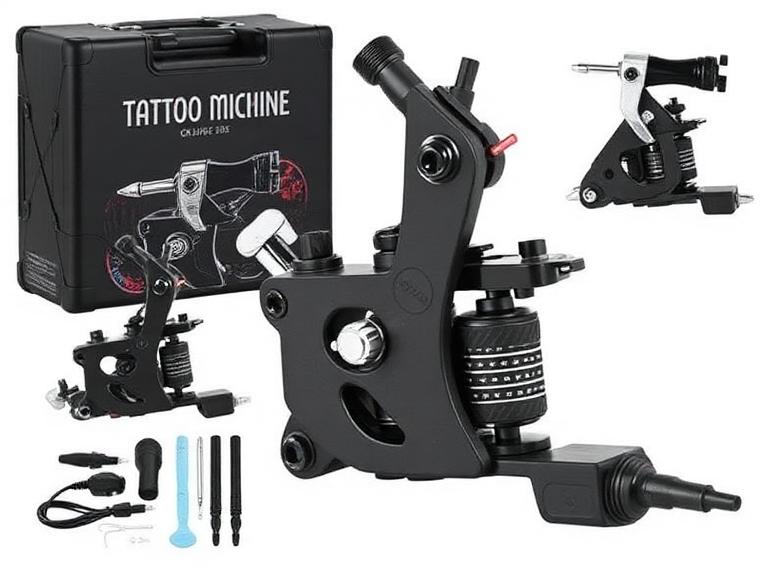
beginner tattoo machine
2026年初心者向けタトゥーマシンスターターキット10選
2026年に初心者向けベストのタトゥーマシンを選ぶことは、数年前に比べて簡単になりました。しかしその一方で、お金を無駄にしてしまう可能性も高くなっています。市場には安価なワイヤレス・タトゥーペンがあふれ、ネット上ではプロ仕様に見えますが、実際に皮膚に彫り始めると、一貫性、バッテリー持続時間、ニードルの安定性に欠けるものが多くあります。
タトゥーアーティスト、見習い、スタジオオーナーと仕事をしてきた私たちの経験から言えば、初心者は学習効率よりも価格に注目しがちです。適切なスターターマシンは、正しいテクニック、ラインコントロール、そして自信を築く助けになるはずです。間違ったマシンを選ぶと、上達が遅れ、後で修正が難しい悪い癖がついてしまう可能性があります。
初心者向けベストのタトゥーマシンをお探しの方へ。このガイドは、マーケティングの謳い文句ではなく実際の性能に基づいた、現実的な購入判断のお役に立ちます。
クイックアンサー
2026年の初心者向けベストなタトゥーマシンスターターは、安定した電圧出力、快適なエルゴノミクス、調整可能なストロークオプション、そして練習セッションに十分なバッテリー持続時間を備えた、信頼性の高いワイヤレス・タトゥーペンです。
総合ベスト・スターターマシン:INKSOUL® HV6 PRO
ストローク調整ベストマシン:Dragonhawk Fold Pro
ベスト予算オプション:Dragonhawk Mast Tour
見習いに最適:FK Irons EXO
将来のプロフェッショナルに最適:Bishop Power Wand
ほとんどの初心者には、従来のコイルマシンではなく、質の高いワイヤレスペンから始めることをおすすめします。習得が早く、メンテナンスも簡単で、マシンのコントロール性が格段に優れています。
目次
クイックサマリーテーブル
タトゥーマシンスターターとは?
仕組み
初心者向けベスト10選
メリット・デメリット
比較表
購入ガイド
初心者がよく犯すミス
専門家のおすすめ
まとめ
よくある質問
参考文献
クイックサマリーテーブル
順位
マシン
おすすめ
コスパスコア
1
INKSOUL® HV6 PRO
初心者向け総合評価
9.8/10
2
Dragonhawk Fold Pro
ストロークの汎用性
9.6/10
3
Bishop Power Wand
プロへの成長
9.4/10
4
FK Irons EXO
見習い
9.3/10
5
Dragonhawk Mast Tour
予算重視の学習
9.1/10
6
Cheyenne Sol Nova
プレミアムユーザー
9.0/10
7
Mast Archer
ワイヤレス練習
8.9/10
8
Ambition Soldier
予算重視ワイヤレス
8.8/10
9
Stigma Force
スムーズなシェーディング
8.7/10
10
CNC Q2
エントリーレベルのアーティスト
8.6/10
タトゥーマシンスターターとは?
タトゥーマシンスターターとは、高度なセットアップ知識を必要とせずに、新しいアーティストがラインワーク、シェーディング、パッキング、マシンの取り扱いを学べるように設計された、初心者向けのタトゥーマシンのことです。
2026年現在、ほとんどのタトゥーマシンスターターはロータリー式ワイヤレス・タトゥーペンです。これらのマシンは、従来のコイルマシンと比べて、よりスムーズな動作、振動の低減、メンテナンスの簡素化を実現しています。
初心者にとって、スターターマシンはパワーよりも一貫性を優先すべきです。目標はスピードを最大化することではなく、正しいタトゥーの基礎を学ぶことです。
最新タトゥーマシンの仕組み
最新のタトゥーペンは、回転運動を直線的なニードルの動きに変換するモーター駆動のロータリーシステムを採用しています。
この動きにより、タトゥーカートリッジが制御された速度と深さで皮膚に押し込まれます。高品質なマシンは、セッション全体を通して安定したパワーを維持し、クリーンなラインと予測可能なヒーリング(回復)をもたらします。
マシンの性能を理解することは方程式の一部に過ぎません。初心者は、実際の皮膚に彫る前に、質の高い初心者向けタトゥーインクを使った適切な色素の選び方も学ぶべきです。
2026年・初心者向けタトゥーマシンおすすめ10選
1. INKSOUL® HV6 PRO – 総合ベスト・タトゥーマシンスターター
INKSOUL® HV6 PRO ワイヤレス・タトゥーペン
4.2mmストローク、デュアルグリップ、デュアルバッテリー、2つの動作モードを搭載し、初心者に優しいプラットフォームでプロレベルの性能を発揮します。
商品を見る
私たちの経験から言えば、HV6 PROは現在入手可能な中で、価格対性能比が最も優れた製品の一つです。付属の予備バッテリーとデュアルグリップのセットにより、長時間の練習セッションにも、将来的なプロの仕事にも対応できます。
2. Dragonhawk Fold Pro – ストローク調整ベストマシン
Dragonhawk Fold Pro
7段階の調整可能なストローク長により、入手可能なスターターマシンの中でも最も汎用性の高い一台です。
商品を見る
1台のマシンでラインワーク、シェーディング、カラーパッキングを試してみたい初心者にとって、Fold Proは素晴らしい選択肢です。
3. Bishop Power Wand
抜群のバランスと精度を誇るプレミアムマシン。高価ですが、本格的なプロのキャリアを支える性能を持っています。
4. FK Irons EXO
信頼性の高いモーターシステムとプロとしての評判から、見習いの間で人気があります。
5. Dragonhawk Mast Tour
初心者が満足できる結果を出せる性能を持ちながら、最も手頃な価格帯のマシンの一つです。
6. Cheyenne Sol Nova
ドイツのエンジニアリングと卓越した信頼性により、経験豊富なアーティストに愛されています。
7. Mast Archer
練習用スキンから実際のお客様への移行期にあるアーティストのための、実用的なワイヤレスソリューションです。
8. Ambition Soldier
競争力のある価格帯で強力なバッテリー性能を発揮します。
9. Stigma Force
スムーズな動作と、長時間セッションに快適なエルゴノミクスを備えています。
10. CNC Q2
必須機能を犠牲にしない、エントリーレベルの手頃さです。
タトゥーマシンスターターが向いている方
これから始めるタトゥーアーティスト
タトゥーの見習い
人工皮膚で練習中のアーティスト
アートメイク(PMU)の研修生
コイルマシンからの移行を考えているアーティスト
スターターマシンが不要な方
実績のあるプロのタトゥーアーティスト
プレミアム機材にアップグレードするスタジオオーナー
複数のストローク設定にすでに慣れているアーティスト
初心者向けタトゥーマシンのメリット・デメリット
メリット
デメリット
習得が簡単
高度な機能は限定的
手頃な投資額
一部の予算モデルはパワー不足
メンテナンスが少ない
バッテリー品質にばらつきあり
軽量設計
将来的なアップグレードが必要になる場合あり
ワイヤレスの利便性
プレミアムモデルは高価
比較表
マシン
ワイヤレス
ストロークオプション
おすすめユーザー
HV6 PRO
はい
4.2mm
ほとんどの初心者
Fold Pro
はい
7段階
複数スタイルを学びたい方
Bishop Power Wand
はい
複数バージョン
プロフェッショナル
FK EXO
はい
複数バージョン
見習い
Mast Tour
いいえ
固定
予算重視ユーザー
購入時の検討ポイント
要素
推奨
重要度
バッテリー持続時間
6時間以上
高
重量
220g未満
高
ストローク長
3.5mm-4.2mm
高
電圧の安定性
安定した出力
最重要
グリップの快適性
エルゴノミクス設計
高
ほとんどのプロの現場では、マシンの性能だけが結果を決めるわけではありません。サポート機材も重要です。適切なタトゥー用照明機材は、視認性とラインの精度を劇的に向上させます。
また、アーティストは専用のタトゥーインク・ディスプレイラックで色素を効率的に整理し、プロのタトゥーミキサー用品で適切な色の一貫性を保つべきです。
初心者がよく犯すミス
一番安いマシンを買ってしまう
安いマシンは、ニードルの深さのばらつきや不安定な電圧出力を生むことがよくあります。
衛生用品を軽視する
多くの初心者は予算のすべてをマシンに使い切り、タトゥーニードル洗浄用品のような必須の衛生用品を忘れてしまいます。
早すぎる段階で実際の皮膚に彫り始める
練習用スキンには理由があります。まずは筋肉の記憶(マッスルメモリー)を築きましょう。
マシンのスペックだけに注目する
最新マシンを持つことよりも、テクニックの方が重要です。
専門家のおすすめ
初心者には、少なくとも1〜2年は現実的に使い続けられるマシンを選ぶことをおすすめします。機材を頻繁に買い替えると、技術の習得が遅れてしまいます。
私たちの経験から言えば、INKSOUL® HV6 PROは、新しいアーティストにとって信頼性、コストパフォーマンス、快適性、長期的な使いやすさの最強の組み合わせを提供します。
最大の柔軟性を求めるユーザーには、Dragonhawk Fold Proが引き続きベストなタトゥーマシンスターターの選択肢の一つです。調整可能なストロークシステムにより、複数のタトゥースタイルを試すことができます。
基礎の習得は最優先事項であり続けなければなりません。タトゥーのヒーリング(回復)段階を理解し、適切な顧客相談を行い、プロのタトゥー料金ガイドで現実的な期待値を設定することは、機材のトレンドを追いかけるよりも、長期的な成功に大きく貢献します。
まだ本格的なタトゥーに踏み切れない志望アーティストには、タトゥーシール(テンポラリータトゥー)のアイデアを試したり、タトゥーシール用ペンのレビューを読んだり、タトゥーシールの作り方を学んだり、グリッタータトゥーガイドを探求したりすることで、貴重なアートの練習ができます。
まとめ
2026年のベストなタトゥーマシンスターターは、必ずしも最も高価なマシンではありません。効率的に学び、一貫して練習し、すぐに買い替えることなくプロの仕事へ成長できるマシンこそがベストなのです。
ほとんどの初心者にとって、INKSOUL® HV6 PROが私たちのトップのおすすめです。プロレベルの性能、初心者の使いやすさ、バッテリーの利便性、長期的な価値のバランスに優れているからです。
汎用性を優先するなら、Dragonhawk Fold Proが僅差で2位です。調整可能なストロークシステムと幅広い用途が魅力です。
質の高い機材に一度投資し、テクニックに集中しましょう。そして、新しい機材を追いかけ続けるという初心者が陥りがちな罠を避けてください。
よくある質問
初心者に最適なタトゥーマシンスターターは?
信頼性、ワイヤレス設計、プロレベルの性能から、INKSOUL® HV6 PROが私たちのトップのおすすめです。
初心者はコイルマシンとロータリーマシンのどちらを使うべき?
ほとんどの初心者はロータリー式タトゥーペンから始めるべきです。コントロールがしやすく、メンテナンスも少ないからです。
ワイヤレス・タトゥーマシンに価値はある?
はい。最新のワイヤレス機は優れた性能と、より大きな動作の自由度を提供します。
初心者はタトゥーマシンにいくらかけるべき?
質の高い初心者向けマシンの多くは、機能とブランドの評判によって100〜400ドル程度の範囲です。
スターターマシンでプロとして彫れる?
適切なテクニックと組み合わせれば、多くの最新のスターターマシンはプロの仕事に十分対応できます。
質の高いタトゥーマシンはどれくらい長持ちする?
適切なメンテナンスとバッテリーのケアを行えば、よく作られたマシンは数年間信頼して使い続けられます。
これから始める方へ。 謎のキットは避けましょう — タトゥーペンキットコレクションには、必要なものがすべて1つのボックスに入った、本物の完全なスターターセットが揃っています。
参考文献
FK Irons Technical Resources
Allied Health Schools Tattoo Artist Education Guide
Occupational Safety and Health Administration (OSHA)