
Nouvelles
paper feed
My Tattoo Stencil Printer Doesn't Recognize the Transfer Paper — What Do I Do?
Your printer isn't broken — in most cases it simply can't see the paper. A blinking red light that refuses to print is, nine times out of ten, a loading or paper problem: the sheet went in crooked, the wrong side up, the sensor window is dusty, or the sheet has warped in humidity. Reload it dead straight, wipe the sensor window with a dry swab, power-cycle the printer, and the error usually clears in under five minutes.
How Paper Detection Actually Works (and Why It Fails)
Thermal stencil printers watch for the leading edge of the sheet with a small optical sensor near the feed slot. When the edge arrives skewed, upside down, or the sheet sits at a strange angle because humidity has curled it, the sensor reports "no paper" and the printer refuses to start. On models without a screen, all of that nuance gets compressed into one message: a blinking red light.
Here's the insider part most guides skip: our after-sales team handles this ticket constantly, and the verdict is almost always the same — the red light that makes artists think their printer died is a paper-recognition issue, not a hardware failure. The machine is fine. It just doesn't trust what it sees, and the safe thing for it to do is stop rather than chew up your transfer paper.
The 5-Minute Fix Sequence (Do It in This Order)
Work through these in order — each step eliminates the next most likely cause, so don't skip ahead to "my printer is dead" before step five.
Power off, pull the sheet, and reload it dead straight. The number-one cause of false "no paper" errors is a sheet fed in at a slight angle. Don't just push it in and hope — square it against the paper guides, keep it centered, and feed it in level. On this whole generation of thermal stencil printers, a sheet that enters even slightly skewed is the classic trigger for both misdetection and jams.
Check the side and direction. Thermal stencil paper has a coated side that the print head needs to face, and it only works loaded the way your printer's loading diagram shows. Flipped paper is the classic "it worked yesterday, it won't work today" mistake — nothing changed except which side went in first.
Clean the sensor window with a dry cotton swab. No alcohol, no compressed air, and don't blow on it with your mouth (moisture makes it worse). Paper dust builds up there fast, especially if you trim your own sheets from a roll. One gentle pass is usually enough.
Swap in a fresh, flat sheet. A sheet that's been sitting open in a humid studio for weeks will curl, and a curled leading edge arrives at the sensor at the wrong angle. If the failure only happens with certain sheets from the pack, the paper is your culprit, not the printer. This is also why storage matters: keep your paper sealed and out of humidity. Our LP100 and SP100 packs ship in sealed, light-proof packaging precisely because an open pack slowly goes bad on you.
Check the app's paper setting, then do a full power-cycle. If the app thinks you're printing A4 but you've loaded 210 mm roll paper (or the reverse), the printer and the software are having two different conversations. Match the setting to what's actually loaded, then turn the printer fully off for 30 seconds and back on. Some models also include a paper-sensor calibration in their settings menu — check your manual for it before you assume a hardware fault.
What That Red Light Is Really Telling You
On screenless printers, blink patterns are the machine's entire vocabulary, which is why a simple sensor miss feels like a dead printer. Decoding blinks from a manual is nobody's idea of a good studio day.
This is exactly where a touchscreen earns its price. On a printer with a real display, you don't decode anything — the screen tells you in plain words what's wrong ("paper not detected"), and you fix it instead of guessing. If you troubleshoot these machines for a living, that one difference pays for itself the first time it saves a client appointment.
If It Keeps Coming Back, Suspect the Paper
When the same printer works fine with one pack and fights you with another, stop blaming the printer. Cheap or inconsistent transfer paper causes exactly these ghost failures: coating that varies across the batch, sheets that aren't cut square (a sheet 1 mm out of square can present its edge wrong to the sensor), or stock that warps the moment it meets studio humidity.
The practical fix is boring but effective: use paper matched to your printer and your job. For our machines that means SP100 for shadow and black-and-grey work, LP100 for clean line work, and the 210 mm × 30 m roll for large pieces — cut square, feed straight, store sealed.
Buying Checklist: Pick a Printer That's Easy to Diagnose
If you're shopping for a new stencil printer, "what happens when something goes wrong" matters as much as print quality. Look for:
Readable status, not blink codes. A touchscreen that says what's wrong beats a red LED you have to decode from a PDF manual.
A straight feed path with real paper guides. Guides you can actually square the sheet against are what prevent cause #1 on the list above.
A4 plus 210 mm roll support. If the printer only takes one width, you'll eventually fight it on a big piece.
Sensor self-check or calibration in the menu. The ability to re-teach the sensor beats sending the machine back.
Matched, sealed-pack paper from the same ecosystem. Paper and printer from the same platform eliminates the "is it the sheet or the machine" guessing game.
After-sales that asks for a 10-second video, not an RMA form. Most detection issues are diagnosed visually in seconds by someone who's seen them a thousand times.
Quick-Reference: Symptom → Cause → Fix
Symptom
Most likely cause
The fix
Blinking red, paper won't feed
Sheet loaded crooked
Reload it squared against the guides
Worked yesterday, fails today
Sheet flipped / wrong side up
Match the printer's loading diagram
Random failures after trimming roll paper
Dusty sensor window
One pass with a dry cotton swab
Only fails with certain sheets
Warped, humid, or off-spec batch
Fresh flat sheet; store paper sealed
App and printer disagree
Paper-size setting mismatch
Match A4 vs 210 mm roll, then power-cycle
Nothing above helps
Sensor genuinely faulty
Contact after-sales with a short video
Our Pick: INKSOUL T08FD
If you're done decoding blink patterns, the INKSOUL T08FD is our flagship for a reason: a smart touch screen that tells you what's wrong in plain words, true shadow and shading printing (what you see on screen is what lands on skin), wireless printing from phone or computer, A4 plus 210 mm roll support, and a failure rate far below the older generation. The T08FS remains the classic workhorse with the same shadow-printing capability if you want the proven model. Browse the full tattoo printer collection and the stencil paper collection.
Related Reading
Thermal Tattoo Transfer Printer vs Transfer Paper: Which Gives Sharper Lines?
Cheap vs Expensive Tattoo Stencil Printer: What Are You Actually Paying For?
What Is the Best Tattoo Stencil Printer for Professional Use?
FAQ
Can I keep using the printer if the sensor keeps failing intermittently?
You can, but don't force-feed the sheet or run print jobs on top of the error — that just wastes paper and risks a jam. Intermittent failures that follow specific sheets point at the paper; failures that happen with every sheet point at a dirty or misaligned sensor. Fix the cause, don't fight the symptom.
Does roll paper cause more detection errors than pre-cut sheets?
Not inherently. Roll paper only causes trouble when the cut edge isn't square or the leading edge curls. Cut it clean with a straight edge, flatten the first few centimeters, and feed it the same way you would a sheet.
Why does my printer fail more in summer?
Humidity. Thermal stencil paper absorbs moisture, curls, and presents a warped edge to the sensor. Store opened packs sealed with a desiccant if your studio runs humid, and don't leave sheets sitting in the feed slot overnight.
My printer feeds the paper but prints faint or blank lines — is that the same problem?
No — that's a density or print-head issue, not a detection issue. If the sheet feeds and the printer runs, the sensor did its job. Check our guide on getting sharper lines from thermal printers vs transfer paper for that one.
buying guide
Cheap vs Expensive Tattoo Stencil Printer: What Are You Actually Paying For?
Here's the short answer: almost every wireless thermal stencil printer between $60 and $200 runs the same 203-dpi print engine, so you're not paying for sharper lines — you're paying for QC, heat control, a usable app, and support when the head eventually dies. A $60 no-name unit can print a fine line on day one. The difference shows up around month six, when one printer jams twice a session and the other still pulls crisp stencils.
Why every spec sheet looks identical
Pull up five thermal stencil printers and the numbers read like a copy-paste job: 203 dpi, 1200mAh battery, 13–15 mm/s print speed, ≤216 mm print width, Bluetooth for phone plus USB for PC. That's not a coincidence — this corner of the industry is built on a handful of shared OEM platforms. INKSOUL's own T08FS and the Phomemo M08F come off the same platform, and most of the $60–$90 Amazon generics are the same guts in cheaper plastic.
So when the engine is shared, what's left to differentiate? Three things that never appear on a spec sheet:
Print-head QC. A thermal head is a row of tiny heated elements. On a good batch, every element fires at the same temperature; on a bad one, you get pale patches on one side of every sheet. The pricier machines come from lines that actually reject weak heads.
The firmware density curve. Better printers let you switch between light, moderate, and thick density modes. That switch is the difference between a stencil that prints hairline dotwork without blowing out and one that prints a 3RL line looking like a 9RL.
Whether anyone answers your email when it breaks. The thermal head is a wear part — every head eventually dies. With a supported brand you can get help, parts, or at minimum an answer about cleaning. With a no-name unit, the answer is "buy another one."
What the price gap actually buys
Here's how the tiers break down in practice, based on what we see come back through our own shop:
Tier
Price range
What you get
Ultra-budget generics
$60–$90
Same 203-dpi engine on paper, but inconsistent heads, thin plastic, spotty Bluetooth, and apps that can change or add paywalls without notice. No service channel.
Proven mid-tier (T08FS, Phomemo M08F)
$160–$170
The same platform with real QC and a large installed base. The T08FS, for example, has racked up roughly 990 reviews in our store — that's a lot of real-world paper fed through it.
Screen-equipped flagship (T08FD)
~$189
Everything above plus an onboard screen (no more fishing for the app to change a setting), an exclusive colorway, and — in our own returns data — a noticeably lower failure rate than the older FS.
Note the math: the step from the proven mid-tier to the T08FD is about $20. The step from a generic to the mid-tier is where the real risk reduction happens.
The hidden costs of a $60 printer
Paper waste. Transfer paper costs real money per sheet. A printer that jams or misaligns twice a session quietly eats your "savings" — and a jammed sheet wastes the stencil and the fifteen minutes you spent sizing it. On roll-paper workflows for back pieces and sleeves (T08FD supports 210mm roll paper), a misfeed wastes even more.
The app paywall. This one surprises people. Some budget printers pair with apps whose useful features — shadow filters, line extraction, large-image splitting — sit behind a paid subscription, while the printer's own marketing quietly omitted that part. Check what the app locks before you buy, not after.
No shadow printing. Printing soft shading gradients is the feature that separates current-generation units from old stock. It needs both head hardware that can modulate heat and app filters that pre-process the image. Many cheap units — and older designs — only do hard black lines. If realism, whip shading, or micro-fine linework is your thing, confirm shadow support explicitly.
The head is the unit. When a thermal head dies on an unsupported printer, there's nothing to replace — the machine is a brick. That $60 price only works once.
Insider checklist: what to verify before you buy any thermal stencil printer
Who services the head? Ask how to clean it (answer: alcohol-dipped cotton swab, never a wet wipe or solvent — water and harsh chemicals kill heads) and whether replacements exist.
Does it print shadows, or lines only? Get it in writing, not implied.
Density control. Light/moderate/thick modes are the sign of a mature firmware — and the fix for overblown lines.
App economics. Download the app first. If premium features are subscription-locked, factor that into the price.
PC connectivity. Most units — including the big brands — only connect phones/tablets over Bluetooth; PCs need USB. If your whole workflow is desktop, that's the cable in the box.
Paper compatibility. It should run standard 4-layer A4 thermal paper without drama, and ideally roll paper for large pieces.
A review base, not a spec sheet. Hundreds of verified reviews mean hundreds of owners who'd be complaining loudly if the heads were bad. Spec sheets can't fake that.
Our pick
The T08FD is our pick. It runs $188.88 in our shop — about twenty dollars more than the proven mid-tier — and it buys the onboard screen, the INKSOUL-exclusive colorway, shadow-printing support, and the lowest failure rate of any stencil printer we've carried (the older FS is reliable, but the FD has measurably fewer returns).
The budget-smart choice: the T08FS at $168.88. It's the classic — same core platform, prints shadows, and its ~990 reviews are the strongest trust signal in this category. If the screen doesn't matter to you, you keep the money.
We're honest about one thing: the Phomemo M08F shares the same OEM platform as the FS/FD — we carry it too, at $168.88. If you've already got one, it's not the engine holding your stencils back; it's your density settings and your paper. Speaking of which: the cheapest real upgrade in most studios isn't a new printer at all — it's better paper. We wrote about that here.
FAQ
Does a more expensive stencil printer print sharper lines?
No — the resolution ceiling is identical. Every machine in this class prints at 203 dpi, about 0.13 mm per dot. What money buys is consistency: every element on the head firing evenly, density modes that keep fine lines fine, and fewer jams.
How long does a thermal print head last?
There's no honest universal number — it depends on print volume and care. Clean the head regularly with an alcohol-dipped cotton swab, keep paper dust out of the feed path, and never wipe the head with a wet cloth or strong solvent. When the same pale streaks keep appearing on every sheet after cleaning, the head is done.
Can cheap printers print shadows?
Usually not. Shadow printing needs both a head that can modulate heat and app filters that convert gradients. Budget generics and older designs are lines-only — check the feature list, because "thermal stencil printer" alone guarantees nothing.
Is the Phomemo printer app free?
Basic printing works without paying, but premium features — AI tools, extra filters, unlimited background removal — sit behind an optional paid subscription. Factor that in when you compare "prices": a $20 cheaper printer with a paid app can be the more expensive one within a year.
I'm on a $60 budget. What's the least-bad option?
Honestly? Save up to the proven mid-tier, or buy the best paper you can afford and keep your current printer. The biggest stencil quality jump per dollar in most studios is paper quality and density settings, not a lateral move to another budget box.
buying guide
What Is the Best Tattoo Stencil Printer for Professional Use?
Five stencil printers compared, from a $78.99 pocket unit to a $699 A3 machine. Our professional pick: the INKSOUL T08FD ($188.88) — touch screen, true shadow printing, lowest failure rate we carry.
buying guide
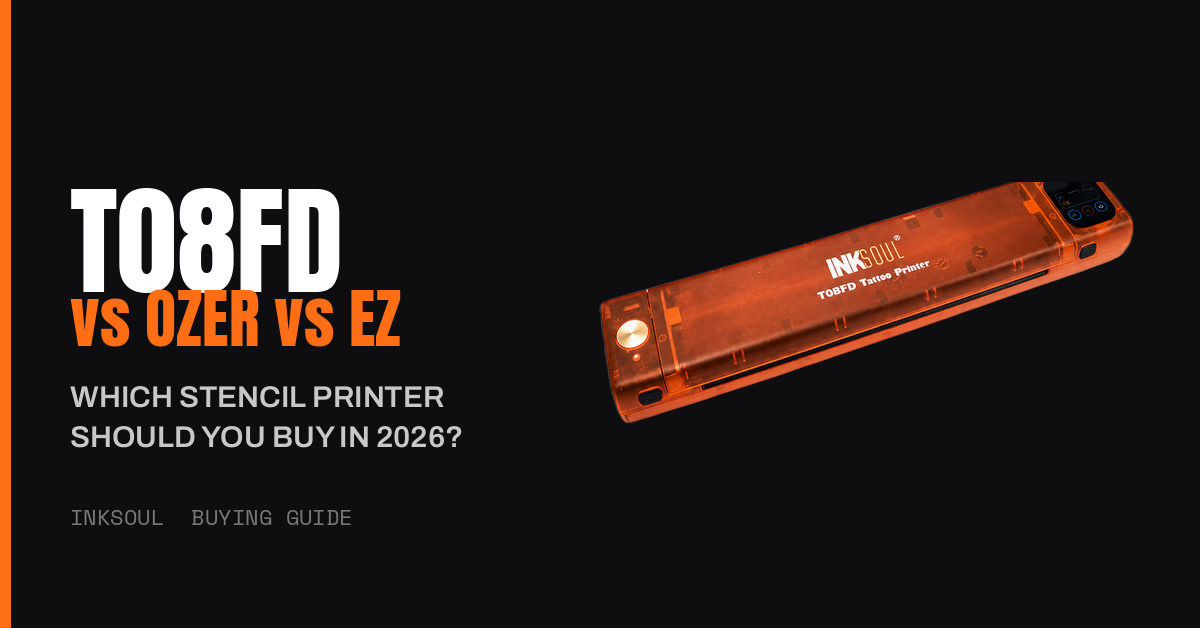
T08FD vs Ozer vs EZ: Which Stencil Printer Actually Prints Shadows?
Shadows are table stakes now — here's what actually separates the INKSOUL T08FD from the Ozer and EZ: touch-screen control, flagship reliability, and a matched transfer workflow. Our pick: the T08FD.