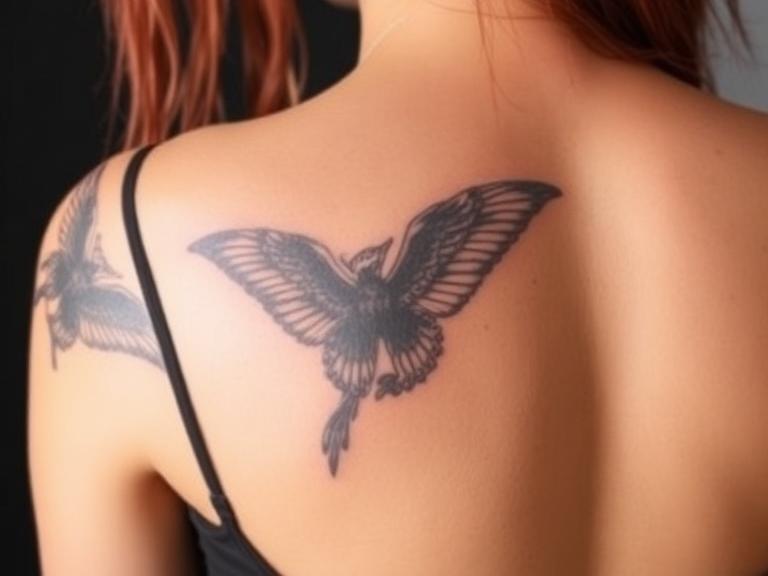
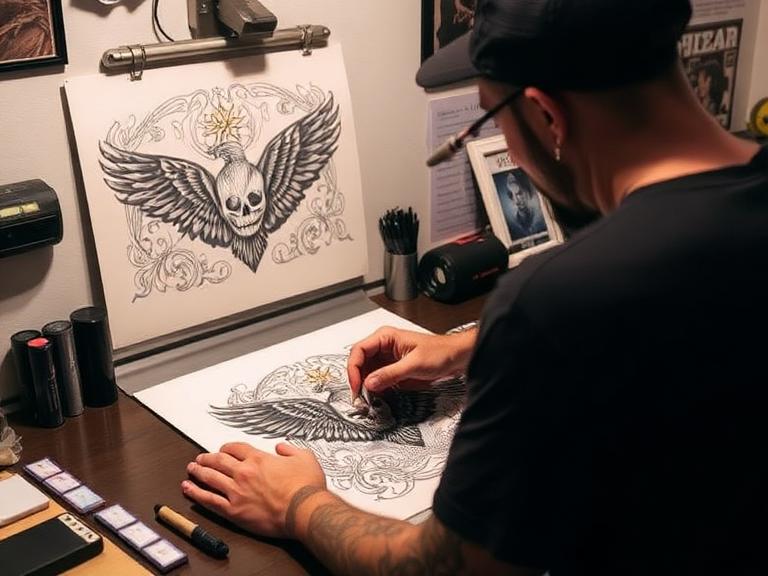
The success of any tattoo is fundamentally anchored in the precision of the stencil. Before a single needle punctures the skin, the roadmap must be flawless. For decades, this process involved tedious hand-tracing over carbon paper, a method prone to human error and shaky lines. Today, the landscape has shifted. The question of how do tattoo artists print their stencils now involves a sophisticated interplay of digital design software, wireless connectivity, and thermal imaging technology.

At INKSOUL, we have witnessed this digital transformation firsthand. We are committed to empowering tattoo artists with reliable, high-performance supplies, and we have seen how the adoption of advanced printing technology has elevated the industry standard. From precision needles to advanced stencil printers, the tools define the artist. In this authoritative guide, we will break down the exact methodologies used by top-tier studios to generate crisp, long-lasting stencils, comparing the dominant thermal technologies against emerging inkjet solutions.
- 1. The Pre-Print Phase: Digital Design
- 2. The Industry Standard: Thermal Printing
- 3. The Realism Alternative: Inkjet Stencils
- 4. Understanding the Paper Chemistry
- 5. The Wireless Revolution in Tattooing
- 6. The Recommended INKSOUL Workflow
- 7. Troubleshooting Common Print Issues
- 8. Summary Comparison Table
- 9. Frequently Asked Questions
- 10. References
1. The Pre-Print Phase: Digital Design
To understand how tattoo artists print their stencils, one must start at the source image. The days of photocopying a flash sheet are fading. From our experience, the vast majority of modern professional artists utilize tablets, primarily the iPad Pro paired with software like Procreate.
This digital workflow allows artists to manipulate photographs, adjust contrast, and create perfect line drawings with layers. Crucially, before printing, the design must be processed for the machine. This typically involves:
- Line Work Extraction: Converting a shaded image into a pure line drawing using filters.
- Mirroring: The image must be flipped horizontally so that when it is applied to the skin, it faces the correct direction.
- Sizing: Adjusting the physical dimensions to fit the client's anatomy perfectly.
Once the digital file is ready, it is sent to the printer. This hand-off is where hardware reliability becomes critical. A poor connection or low-resolution transfer will result in a "muddy" stencil that is difficult to tattoo over.
2. The Industry Standard: Thermal Printing
The most prevalent method for printing stencils is thermal technology. This is the method we recommend for 90% of tattoo styles, including American Traditional, Japanese, Lettering, and Neo-Traditional.
How It Works
Thermal printers do not use ink cartridges. Instead, they use heat. The artist feeds a 4-ply sheet of Tattoo Stencil Paper into the machine. The printer head heats up according to the digital image data. As the paper passes through, the heat activates the carbon/wax layer of the stencil paper, fusing the purple pigment onto the master sheet.
Why It Dominates
Thermal printers are preferred for their speed and robust nature. They are "dry" systems, meaning there is no liquid ink to clog or leak. Models like the INKSOUL T08FS represent the pinnacle of this technology, offering high-resolution thermal heads that can capture fine lines without blurring.
3. The Realism Alternative: Inkjet Stencils
While thermal printers are the workhorses, a secondary method has gained traction among hyper-realism artists: the Inkjet Stencil system. This involves converting a tank-based inkjet printer (like an Epson EcoTank) to run specialized methyl violet stencil ink instead of standard document ink.
The Pros and Cons
This method allows artists to print incredible levels of detail, including smooth gradients and photographic shading, which thermal printers sometimes struggle to interpret. However, it comes with significant drawbacks. The printers are prone to clogging if not used daily, the specialized paper is more expensive, and the ink requires time to dry before the stencil can be applied. We generally recommend this only for specialized studios that focus exclusively on portraiture or realism.
4. Understanding the Paper Chemistry
The hardware is only as good as the consumable it consumes. Regardless of how tattoo artists print their stencils, the quality of the transfer paper determines the longevity of the guide on the skin. Cheap paper leads to stencils that wipe away after the first pass of green soap.
High-quality Tattoo Stencil Paper, like the options we supply at INKSOUL, uses a specific formulation of waxes and dyes (typically Gentian Violet) that are skin-safe and resistant to the petroleum-based ointments used during tattooing. The paper must be compatible with the printer's heat settings. If the paper is too sensitive, the stencil will be dark and blown out (over-heated). If it is not sensitive enough, the lines will be faint and unusable.
5. The Wireless Revolution in Tattooing
The modern tattoo workstation is wireless. Artists demand the ability to print directly from their design tablet without transferring files to a desktop computer. This has driven the popularity of portable, Bluetooth-enabled printers.
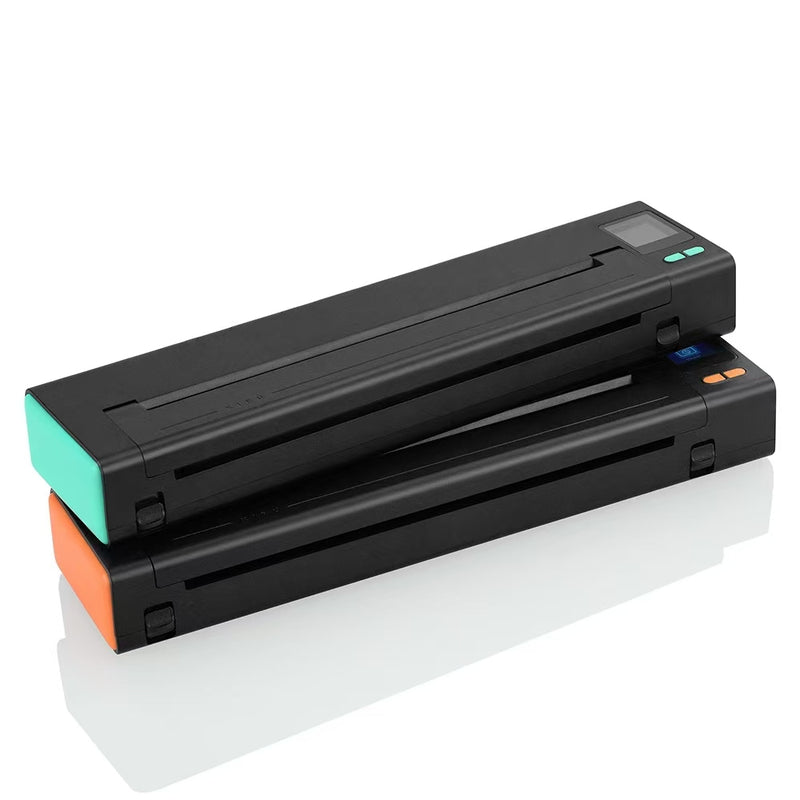
Devices like the Phomemo TP31 and the XIRU XR3 have revolutionized the workflow. These compact units communicate directly with iOS and Android devices. An artist can finish a drawing on their iPad, hit "print" via an app, and have the stencil ready in seconds. This mobility is also essential for traveling artists attending conventions, where lugging a heavy, wired thermal copier is impractical.
6. The Recommended INKSOUL Workflow
Based on our extensive work with professional studios, we recommend the following workflow to ensure the highest quality stencil prints:
- Design: Finalize the high-contrast line drawing on a tablet. Ensure the background is pure white to prevent "static" on the thermal print.
- Hardware Selection: Use a dedicated thermal printer like the INKSOUL T08FS for unparalleled crispness. Ensure the printer drivers or app settings are set to "high density" for bold lines or "photo mode" for complex shading.
- Paper Prep: Remove the protective onion-skin layer from the Tattoo Stencil Paper before feeding it into the machine. This prevents jamming.
- Printing: Feed the paper smoothly. Do not pull it; let the machine dictate the speed to avoid warping the image.
- Skin Prep: This is arguably the most critical step. Clean the skin with alcohol to remove oils, shave the area, and apply a high-quality stencil anchoring gel. Apply the printed stencil and let it dry for at least 10-15 minutes before tattooing.
7. Troubleshooting Common Print Issues
Even with the best gear, issues can arise. Here is how we diagnose common printing failures:
The Stencil is Wrinkled
This often happens when the paper is fed crookedly, or the thermal roller is dirty. We recommend cleaning the printer roller with alcohol wipes regularly to prevent wax buildup.
The Image is Faint
This suggests the thermal head is not getting hot enough or the paper is old. Stencil paper has a shelf life; the wax can dry out. Ensure you are using fresh, high-contrast paper and check if your printer app allows you to increase the "burn density."
The Stencil is Too Dark / Blown Out
If the lines are bleeding together, the heat setting is too high for the paper type. Reduce the print density setting. This is common when printing dense, dark images.
8. Summary Comparison Table
To summarize how tattoo artists print their stencils, we compare the primary technologies available today.
| Feature | Thermal Printing (Recommended) | Inkjet Printing | Hand Tracing |
|---|---|---|---|
| Technology | Heat Transfer | Liquid Ink | Pressure / Carbon |
| Primary Equipment | INKSOUL T08FS, Phomemo TP31 | Converted EcoTank | Pen & Carbon Paper |
| Speed | Fast (Seconds) | Medium | Slow (Hours) |
| Detail | High (Crisp Lines) | Very High (Gradients) | Variable (Human Error) |
| Maintenance | Low (Dry System) | High (Clogs) | None |
| Cost per Stencil | Low | Medium/High | Low (Time is money) |
9. Frequently Asked Questions
Do I need a special computer to use a tattoo printer?
No. Most modern thermal printers, especially the wireless models we carry, are compatible with smartphones (iOS/Android) and tablets via Bluetooth. They also work with standard USB connections to Windows and Mac laptops.
Can I use regular paper in a tattoo printer?
No. Thermal printers require chemically treated thermal paper. Inkjet printers require specific parchment-style paper to absorb the methyl violet ink correctly. Standard copy paper will not transfer a stencil to the skin.
Why do artists still hand-trace stencils?
While printing is faster, some artists—particularly apprentices—are required to hand-trace to build muscle memory and understand line weight. Additionally, for very simple walk-in tattoos, it is sometimes quicker to hand-draw a small design than to set up the digital workflow.
What is the difference between the INKSOUL T08FS and the Phomemo TP31?
Both are excellent choices. The Phomemo TP31 is highly portable and great for traveling artists. The INKSOUL T08FS is designed as a robust studio workhorse, capable of handling higher volume printing with consistent heat distribution for large back-pieces or full sleeves.
10. References
- Dermatology and Ink: The Science of Stencil Transfer.
-
Thermal Printing Mechanisms: Principles and Applications.