
News
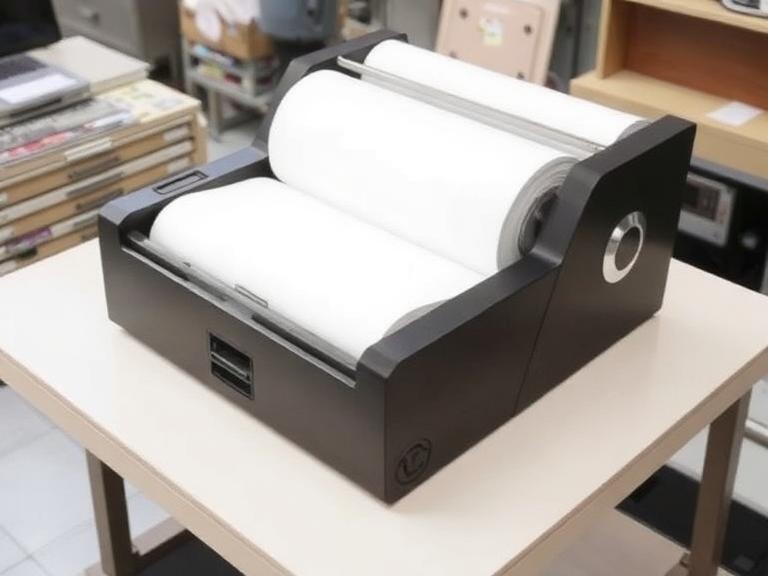
What Is Thermal Printing Paper? Complete Expert Guide for Tattoo Artists in 2026
Thermal printing paper is one of the most important yet misunderstood materials used in tattoo stencil creation. Many artists focus on buying the latest tattoo machine or upgrading to a wireless stencil printer, but overlook the paper that directly determines stencil clarity, transfer quality, and ultimately tattoo accuracy.
From our experience supplying tattoo studios worldwide, stencil failures are often caused by poor thermal printing paper rather than the printer itself. Whether you use a compact wireless printer, a traditional thermal copier, or a modern touchscreen tattoo transfer system, understanding thermal printing paper can save time, reduce rework, and improve consistency.
Quick Answer
Thermal printing paper is a specially coated paper that reacts to heat instead of liquid ink. In tattooing, thermal printing paper is used to create stencil transfers by converting digital artwork into precise line designs that can be transferred onto skin.
Uses heat instead of ink cartridges
Produces sharp stencil lines
Compatible with thermal tattoo printers
Fast and cost-effective
Ideal for professional tattoo workflows
Requires compatible thermal transfer paper
Not suitable for standard inkjet printing
Table of Contents
What Is Thermal Printing Paper?
How Thermal Printing Paper Works
Why Tattoo Artists Use Thermal Printing Paper
Benefits and Limitations
Thermal vs Inkjet vs Laser Printing
Buying Guide
Common Mistakes
Expert Recommendation
FAQ
What Is Thermal Printing Paper?
Thermal printing paper is paper coated with a heat-sensitive layer that changes color when exposed to controlled heat. Unlike conventional printers that require ink or toner, thermal printers create images through heat activation.
In tattoo applications, thermal printing paper is commonly referred to as tattoo stencil paper. It allows tattoo artists to print designs that can later be transferred onto skin before tattooing begins.
The technology is simple but highly effective. Modern tattoo studios increasingly use thermal printing paper together with portable stencil printers because the workflow is faster, cleaner, and more predictable than traditional hand-drawn transfers.
Professional Insight: In most professional situations, thermal printing paper delivers more consistent stencil quality than manually traced transfers, especially for complex geometric, fine-line, and realism designs.
How Does Thermal Printing Paper Work?
The process involves three primary components:
Digital artwork
Thermal tattoo printer
Thermal printing paper
The printer head generates controlled heat. The heat activates specific areas of the thermal layer, producing the stencil image without using liquid ink.
When paired with professional equipment such as a wireless tattoo stencil printer, artists can generate clean stencil designs directly from smartphones, tablets, or computers.
Modern systems have significantly improved stencil quality compared to older thermal copiers. New-generation devices can reproduce fine details, smooth curves, and even subtle shadow indications.
Quick Summary Table
Feature
Thermal Printing Paper
Printing Method
Heat activated
Ink Required
No
Speed
Very fast
Tattoo Stencil Quality
Excellent
Maintenance Cost
Low
Portability
High
Studio Use
Professional standard
Why Tattoo Artists Use Thermal Printing Paper
Professional tattoo artists prioritize precision. Every line transferred onto skin affects the final tattoo.
Thermal printing paper offers several practical advantages:
1. Faster Workflow
Artists can prepare stencils in seconds instead of manually tracing artwork.
2. Better Detail Retention
Fine-line tattoos require accurate stencil reproduction. Thermal systems excel at maintaining line integrity.
3. Consistency
The same design can be reproduced repeatedly with minimal variation.
4. Studio Efficiency
For commercial users handling multiple clients daily, thermal printing paper dramatically improves productivity.
If you are evaluating equipment, our guide on best tattoo stencil printers provides additional insights into printer compatibility.
Benefits of Thermal Printing Paper
Benefit
Why It Matters
Sharp stencil output
Improves tattoo accuracy
No ink cartridges
Reduces operating costs
Portable workflow
Supports travel artists
Fast production
Handles high client volume
Easy operation
Minimal learning curve
Clean process
Less mess than ink systems
In our testing, thermal printing paper remains the most efficient option for daily stencil production.
Limitations of Thermal Printing Paper
No product is perfect.
Limitation
Impact
Requires thermal printer
Cannot use all standard printers
Heat-sensitive
Storage conditions matter
Variable quality among brands
Cheap paper may blur
Not ideal for photo printing
Designed for stencil work
For beginners, the biggest mistake is assuming all thermal printing paper performs equally. Quality differences are substantial.
Thermal Printing Paper vs Inkjet vs Laser Printing
Factor
Thermal
Inkjet
Laser
Stencil Speed
Excellent
Moderate
Moderate
Operating Cost
Low
Medium
Medium
Portability
Excellent
Poor
Poor
Tattoo Compatibility
Excellent
Limited
Limited
Maintenance
Low
Higher
Higher
We recommend thermal systems for nearly all tattoo studios. The productivity advantage is difficult to ignore.
Artists still asking can a normal printer print tattoo stencils often discover that traditional printers create unnecessary complications.
Who Should Use Thermal Printing Paper?
Ideal Users
Professional tattoo studios
Traveling tattoo artists
Fine-line specialists
Realism artists
High-volume commercial shops
Apprentices learning stencil placement
Who May Not Need It
Artists creating exclusively hand-drawn stencils
Hobby users producing very few transfers
Studios unwilling to invest in thermal printers
For most professional environments, thermal printing paper is no longer optional. It has become standard workflow equipment.
Pros and Cons Table
Pros
Cons
Fast printing
Requires compatible printer
Excellent stencil quality
Quality varies by manufacturer
Low maintenance
Heat-sensitive storage requirements
No ink needed
Limited non-tattoo applications
Portable workflow
Premium paper costs more
Buying Guide: How to Choose Thermal Printing Paper
Buying Factor
Recommendation
Printer Compatibility
Verify manufacturer specifications
Transfer Clarity
Choose high-contrast paper
Paper Durability
Look for smudge resistance
Brand Reputation
Purchase from professional suppliers
Volume Requirements
Buy bulk for commercial studios
Storage Stability
Heat-resistant packaging preferred
Artists upgrading their stencil setup should review our detailed tattoo transfer printer guide before purchasing equipment.
Understanding the relationship between printer technology and paper quality is equally important. We also recommend reading our tattoo stencil paper guide.
Common Mistakes When Using Thermal Printing Paper
Using Cheap Generic Paper
Low-cost paper often produces broken lines and inconsistent transfers.
Improper Storage
Heat exposure can prematurely activate thermal coatings.
Wrong Printer Settings
Incorrect density settings may create overly light or overly dark stencils.
Using Non-Compatible Printers
Many beginners attempt to use standard office printers despite compatibility limitations.
If you're unsure about equipment selection, our articles covering regular printer for tattoo transfer paper and thermal tattoo printer systems explain the differences in detail.
How Professionals Approach Thermal Printing
Professional artists focus on workflow reliability rather than simply reducing costs.
From our experience, successful studios standardize three components:
Consistent stencil paper brand
Reliable thermal printer
Documented stencil transfer process
This approach minimizes client delays and improves repeatability.
Many studios now utilize modern devices such as the touch screen tattoo printer because they simplify stencil preparation while maintaining high-quality output.
Expert Recommendation
If your goal is professional-quality stencil production, thermal printing paper remains the best choice available in 2026.
For beginners, we recommend investing in quality paper before upgrading to premium equipment. Good paper can dramatically improve results even on mid-range printers.
For commercial users processing dozens of clients weekly, thermal printing systems are essential. The labor savings alone justify the investment.
INKSOUL Tattoo Supply supports professional studios with complete stencil workflows including thermal printers, transfer paper, machines, needles, lighting systems, and studio accessories. Rather than selling individual products, our focus is helping artists build reliable, efficient tattoo operations.
Whether you use a wireless tattoo stencil printer or a dedicated thermal transfer system, pairing it with premium thermal printing paper will produce noticeably better results.
Frequently Asked Questions
What is thermal printing paper used for?
Thermal printing paper is used to create images or text through heat activation. In tattooing, it is primarily used to produce stencil transfers.
Can thermal printing paper be used in a regular printer?
No. Thermal printing paper is designed for thermal printing technology and generally requires compatible thermal printers.
Is thermal printing paper the same as tattoo stencil paper?
Many tattoo stencil papers use thermal printing technology, although formulations may vary by manufacturer.
How long do thermal stencils last?
Properly applied thermal stencils can remain visible throughout the tattooing process, depending on skin preparation and transfer products used.
Do professional tattoo artists use thermal printers?
Yes. Most modern studios use thermal printers because they improve speed, consistency, and stencil accuracy.
Which thermal printer is best for tattoo artists?
The best choice depends on workflow needs, but portable wireless systems and dedicated tattoo thermal printers remain the most popular options.
References
U.S. Food & Drug Administration (FDA)
International Organization for Standardization (ISO)
Occupational Safety and Health Administration (OSHA)
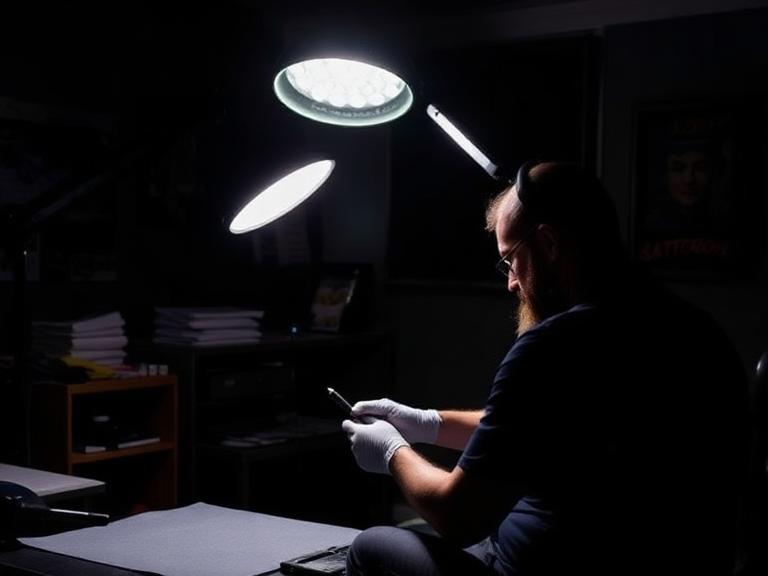
6+ Professional Light for Tattooing Options: The Ultimate Studio Setup Guide
If you cannot perfectly see the surface of the skin you are working on, your art is being compromised before the needle even penetrates the dermis. Many tattoo artists willingly spend thousands of dollars on high-end rotary machines, premium cartridges, and the finest inks on the market, yet they inexplicably settle for cheap, flickering desk lamps or basic social media ring lights. This is a critical error that not only degrades the quality of the final tattoo but actively destroys the artist's eyesight over time.
Working as a professional tattoo artist requires extreme, microscopic precision for hours on end. The canvas you work on—human skin—is uniquely challenging to illuminate. It is curved, it moves, it bleeds, and it is constantly coated in reflective ointments, glides, and green soap. A standard domestic light source simply cannot cut through this environmental glare. You need a dedicated professional light for tattooing that provides a shadowless work area, renders color with absolute accuracy, and drastically reduces ocular fatigue.
Quick Answer: What You Need to Know
A true professional light for tattooing must feature a High Color Rendering Index (CRI of 95 or above) to guarantee accurate color saturation, adjustable Kelvin temperatures (typically spanning 3200K to 5600K) to match your working environment, and advanced diffusion technology to eliminate the harsh, blinding glare caused by wet skin. From our experience, standard selfie ring lights are functionally obsolete for actual tattooing due to their aggressive center-shadowing effect. We strongly recommend upgrading to a specialized reflective dome light or a multi-functional LED workstation bench. To view industry-standard illumination options that actually protect your eyes, browse our curated collection of tattoo lighting equipment.
Table of Contents
What Defines a Professional Light for Tattooing?
How Advanced Studio Lighting Actually Works
The Unignorable Benefits of Upgrading
Limitations of Standard Lighting Setups
The 6+ Best Professional Light for Tattooing Setups
Who Should Upgrade (And Who Can Wait)
Common Lighting Mistakes Artists Make
Complete Buying Considerations
The INKSOUL Expert Recommendation
Frequently Asked Questions (FAQ)
What Defines a Professional Light for Tattooing?
Lighting Feature
Standard Domestic Light
Professional Tattoo Light
Why It Matters for Artists
Color Rendering Index (CRI)
Usually 70 - 80
Strictly 95+
Ensures your red inks look truly red, not muddy or brown.
Light Diffusion
Direct, raw bulbs
Softened, bounced, or filtered
Stops the blinding glare reflecting off tattoo glide and fresh plasma.
Shadow Management
Creates harsh, deep shadows
Wraps around obstructions
Prevents your machine hand from casting a dark shadow over your needle.
Heat Emission
Can run hot, drying skin
Ultra-cool LED technology
Keeps the client comfortable and prevents the stencil from sweating off.
A professional light for tattooing is not just a bright bulb; it is a meticulously engineered illumination system designed specifically for the rigorous visual demands of dermal body art. When you evaluate a potential lighting setup, you are not merely looking for raw brightness (lumens). You are searching for optical clarity. If you find yourself constantly straining to distinguish the subtle structural differences when choosing between rs vs rl tattoo needles during a session, your current lighting setup is actively holding back your technical progression.
How Advanced Studio Lighting Actually Works
High-end tattoo illumination works by manipulating three core scientific principles of light physics: advanced diffusion, adjustable color temperature, and supreme color rendering accuracy.
The Science of Diffusion: Bare LED diodes create a harsh, highly focused beam. When this pinpoint light hits wet skin, it creates a "hotspot"—a blinding reflection that completely obscures the skin underneath. Professional setups utilize frosted acrylic diffusion panels or reflective bounce materials to scatter the light rays outward. This creates a soft, wrapping blanket of light that effortlessly bypasses the deep shadows generated by your hands or your machine.
Mastering Color Temperature (Kelvin): Measured in Kelvin (K), color temperature is a vital metric. A professional light for tattooing allows you to adjust the warmth or coolness of the beam. When packing heavy reds, yellows, or executing delicate skin-tone portraits, an artist must see the true pigment. If your light is too warm (3000K), the skin will look artificially red, making it impossible to judge skin trauma or exact color saturation. If the light is too cool (6500K), the tattoo looks sterile, blue, and washed out.
Color Rendering Index (CRI) Mastery: This index dictates how accurately a light source reveals the true, inherent colors of your ink compared to natural, midday sunlight. A CRI rating under 90 will make your carefully mixed colors look muddy and dead. This is precisely why we advise apprentices who are just learning the ropes and choosing their first tattoo ink for beginners to ensure their lighting is not deceiving them about how the ink actually looks in the dermis.
The Unignorable Benefits of Upgrading
In most professional situations, upgrading your overhead illumination is the single most impactful studio improvement you can make, often yielding better immediate results than buying a new machine. The benefits extend far beyond just "being able to see better."
Drastic Reduction in Eye Strain: Staring intensely at a high-contrast, glaring, bloody surface for eight straight hours physically degrades your vision over time. Proper diffusion prevents retinal fatigue, allowing you to work longer without debilitating end-of-day headaches.
Flawless Precision Lining: Seeing exactly where your needle grouping makes contact with the skin prevents blowouts and wobbly lines. If you are ever unsure about your hardware setup, you can review our guide on do all needles fit tattoo machines, but remember: even the most perfectly matched cartridge and machine are useless if you cannot clearly see the needle tip.
Instagram-Ready Photography: In the modern tattoo industry, your social media portfolio is your livelihood. The light you work under should ideally be the light you photograph under. High-CRI lighting means your photos require zero artificial color correction, presenting your art authentically to potential clients.
Limitations of Standard Lighting Setups
We must address the elephant in the tattoo studio: standard photography ring lights. While they are incredibly popular due to their cheap price point, they have severe limitations for the actual application of tattoos. Ring lights were engineered to be placed directly in front of a face for makeup tutorials or vlogging, projecting light evenly onto a flat, vertical plane.
When you angle a ring light downward toward a horizontal tattoo bed, the physical design creates a massive flaw: it casts a shadow precisely in the center ring where your needle operates. Furthermore, cheap consumer-grade LEDs degrade rapidly, losing their color accuracy and brightness within a few short months of heavy daily use. They are acceptable for a quick photo, but they are a liability for a full-day session.
The 6+ Best Professional Light for Tattooing Setups
In our testing, we rigorously evaluate lights based on their real-world workstation viability. Here are the distinct structural types of lighting setups you will encounter in the industry, complete with our professional assessments and recommendations.
1. The Multi-Functional Workstation Bench Light
For heavy-duty applications, a light that is structurally integrated into your workstation is the absolute pinnacle of studio efficiency. It removes hazardous cord clutter from the floor, secures your expensive light source, and puts your entire setup within an arm's reach.
TAIDU PROMOTION MULTI-FUNCTIONAL DOUBLE HOLDER TATTOO BENCH WITH LIGHT
This unit represents an exceptional example of combining pure utility with premium illumination. The integrated, highly adjustable LED overhead light ensures there is zero footprint taken up on your studio floor by flimsy tripods. Meanwhile, the double holders keep your machines, power supplies, and inks perfectly organized. The light casts a wide, heavily diffused net over the client bed, minimizing hand shadows entirely and streamlining your workflow.
View Bench Details
2. The Reflective Dome & Panel Light Kit
Reflective lights utilize a brilliant mechanical design: instead of shining LEDs directly at the client, the light is fired backward into a highly textured, reflective interior dome, which then bounces the light back down onto the skin. This completely neutralizes the harsh glare generated by A&D ointment, Vaseline, or Hustle Butter. It is arguably the best professional light for tattooing when executing micro-realism, smooth black and grey portraits, or heavy blackwork photography.
INKSOUL® Tattoo Removal Reflective Work & Photography Light Kit
Designed specifically to combat surface glare, this comprehensive kit serves as both an elite workstation light and a flawless photography setup. By indirectly reflecting the light, it drastically reduces eye fatigue over an 8-hour day. Whether you are tattooing, performing intricate laser removal work, or capturing portfolio shots for social media, the color accuracy (CRI) and shadow-wrapping capabilities of this unit are completely unmatched in this price bracket.
View Lighting Kit
3. The Dual-Arm Flexible LED Light
Flexible, dual-wand setups allow you to position two entirely separate beams of light that intersect directly at the tattoo site. Because the light is entering the workspace from two distinctly different angles simultaneously, it effectively eliminates hand and machine shadows entirely.
4. The Overhead Ceiling Halo System
Massive, ceiling-mounted halo lights offer incredible, soft ambient light for large, open-concept studios. They look incredibly aesthetic and professional to walking-in clients. However, they lack the focused, directional intensity needed for fine line work and must be used in conjunction with a direct workstation light.
5. Headlamps and Wearable Loupe Lights
Used primarily by permanent makeup (PMU) artists and extreme micro-realism specialists, these devices put a highly concentrated beam of light exactly where your eyes are looking. While excellent for tiny details, they force the artist to keep their head completely still, which can cause severe neck strain over time. They also cast harsh direct glare on wet skin.
6. Portable Magnetic Tube Lights
For the traveling artist who frequently does guest spots at unfamiliar shops or works at crowded tattoo conventions, a portable, magnetic LED tube light is an absolute necessity. Space is limited when packing your Pelican case. Just as you strictly monitor your wireless tattoo gun battery life while on the road, you should carry a rechargeable, high-CRI tube light to guarantee you are never at the mercy of a guest studio's poor, flickering ceiling lights.
Pros and Cons of Upgrading to Professional Studio Lighting
Pros of Professional Lighting
Cons to Consider
Drastically reduces severe eye strain, migraines, and long-term vision degradation.
Requires a higher initial financial investment compared to consumer lamps.
Provides portfolio-ready, color-accurate photography straight from the chair without editing.
Heavy-duty stands and boom arms take up physical space in smaller, cramped studios.
Perfect color rendering guarantees vibrant inks are packed efficiently and solidly.
Complex, multi-light setups require careful positioning and occasional readjustment as the client moves.
Effectively eliminates the blinding glare from tattoo glides, plasma, and green soap.
Requires access to reliable, surge-protected power sources near your station.
Who Should Upgrade (And Who Can Wait)
Who Should Upgrade Immediately: Full-time professional artists executing color realism, intricate fine-line work, or dense color packing. Artists who suffer from end-of-day headaches or blurred vision. Studio owners wanting to elevate their brand's internal aesthetics. Furthermore, anyone who relies heavily on Instagram or TikTok for client acquisition must upgrade immediately—your photos demand a professional light for tattooing to stand out in a saturated algorithm.
Who Does Not Need It Yet: Traditional apprentices who are still strictly practicing their depth on silicone fake skin do not need to drop hundreds of dollars on a lighting system immediately. If you are still referencing a basic tattoo needle sizes guide to understand grouping applications, a basic desk lamp is acceptable until you make the transition to live human canvas.
Common Lighting Mistakes Artists Make
From our experience working with thousands of studios, we witness artists making the same three critical mistakes continuously:
Using warm lights for black and grey: Warm light (3000K-3500K) makes irritated skin look incredibly red and inflamed. This makes it practically impossible to judge smooth, buttery grey-wash gradients. You must use neutral daylight settings (around 5000K-5500K) for accurate contrast.
Placing the light directly behind the machine hand: If you are right-handed and place the light over your right shoulder, your hand and the bulky tattoo machine will cast a dense shadow directly over the needle tip. Always position your primary light source opposite your working hand, or use a dual-arm setup.
Relying on overhead fluorescent ceiling lights: Office-style fluorescent lights are notoriously terrible for tattooing. They flicker at a rapid rate that your conscious eye cannot see but your brain registers, causing massive ocular fatigue. Furthermore, they typically have abysmal CRI ratings, making colors look sickly and green.
Complete Buying Considerations
When you are finally ready to purchase a professional light for tattooing, you must look past the marketing jargon. Use this technical checklist to inform your buying decision:
Verify the CRI Rating: This is non-negotiable. Never buy a light with a CRI lower than 95 if you plan to do color work.
Understand Lumens vs. Lux vs. Dimming: Ensure the light output is smoothly adjustable via a dimmer switch. You need maximum intensity for post-tattoo photography, but you need a slightly lower, softer intensity for an 8-hour tattoo session to save your retinas from burning out.
Assess Stand Stability: For commercial users, heavy-duty applications require solid, weighted bases. A cheap camera tripod will inevitably be tipped over by a tripping client or a rolling stool, potentially destroying your equipment or, worse, falling on the tattoo area.
Consider Studio Integration: Can the light seamlessly attach to your existing furniture setup? If you utilize a rotating tattoo ink display rack or maintain a dedicated tattoo mixer supply prep station, make sure your new light stand's footprint will not crowd your daily workflow or tangle with your power supply cords.
The INKSOUL Expert Recommendation
From our experience at INKSOUL®: We strongly advise professional artists to abandon standard ring lights for the actual physical application of tattoos. While ring lights undoubtedly have their place in taking a quick, flattened video for TikTok, they are actively detrimental to the physical act of tattooing due to center-shadowing and harsh glare.
We recommend investing heavily in a diffused, reflective panel light or a fully integrated workstation bench light. The INKSOUL® Reflective Work & Photography Light Kit offers the absolute best of both worlds. It provides the soft, wrapping light necessary to cut through surface glare while maintaining absolute color integrity for your inks. It is an investment that pays for itself in the first month by saving your eyesight, preventing technical mistakes, and drastically elevating the high-definition presentation of your portfolio.
Frequently Asked Questions (FAQ)
What specific color temperature (Kelvin) is optimal for tattooing?
For general tattooing applications, a neutral daylight setting between 4500K and 5500K is considered optimal by industry professionals. This range provides a crisp, perfectly clean light that renders both smooth black/grey washes and vibrant color packing accurately, without introducing the artificial warmth that exacerbates the look of skin redness.
Why does my finished tattoo look drastically different in natural sunlight compared to my studio light?
If your tattoo looks dull or the colors shift when the client walks outside, your studio light has a low Color Rendering Index (CRI). Cheap LEDs are missing parts of the color spectrum. Upgrading to a professional light for tattooing with a verified 95+ CRI will ensure your studio lighting perfectly mimics natural, full-spectrum sunlight.
Are intense LED lights completely safe to use on fresh, open tattoos?
Yes, absolutely. Professional LED lighting setups do not emit harmful UV rays and generate very little ambient heat compared to older halogen or incandescent bulbs. This makes them completely safe for prolonged, close-range exposure on raw, tattooed skin, and ensures the client remains comfortable without sweating off the stencil.
Do I actually need two separate lights to tattoo effectively?
While not strictly mandatory for beginners, using two separate light sources (or investing in a specialized dual-arm LED light) positioned at intersecting angles is the most effective way to completely eliminate the shadows cast by your hands and your machine during the intricate tattoo process. It is a game-changer for visibility.
Authoritative References & Industry Standards
To further understand the critical importance of proper illumination, ocular health, and workplace ergonomics in precision environments, consult these authoritative resources:
Illuminating Engineering Society (IES) - National Standards for Workplace Lighting and Accurate Color Rendering
American Optometric Association (AOA) - Clinical Guidelines on Protecting Vision and Reducing Digital/LED Eye Strain
Occupational Safety and Health Administration (OSHA) - Ergonomics and Illumination Requirements in Precision Work Environments
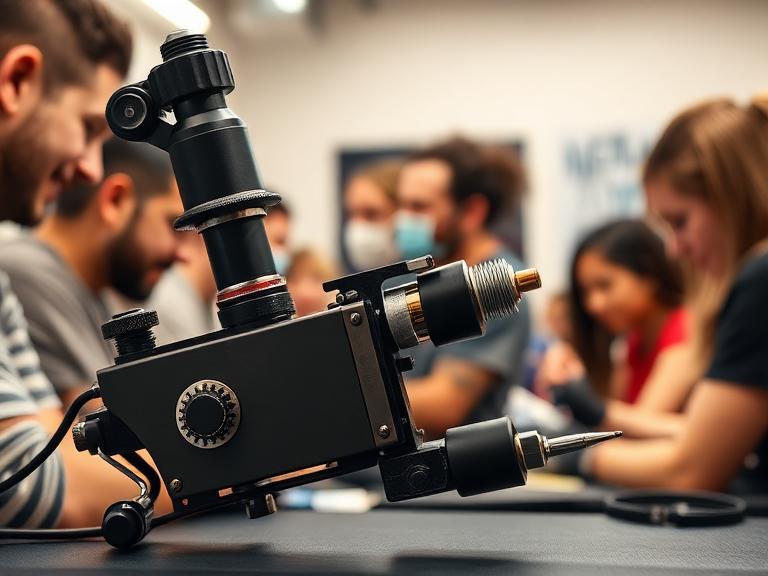
Are Bishop Tattoo Machines Good for Beginners? An Expert Industry Review
Entering the tattoo industry requires massive investments of time, education, and capital. When an apprentice starts assembling their tool kit, the machine is naturally the most scrutinized purchase. You will hear seasoned veterans swearing by brands like Bishop Rotary, and naturally, you might assume that buying the most expensive, highly-rated equipment on day one is the fastest path to mastery. However, the reality of tattoo mechanics dictates a much different learning curve.
From our experience as industry practitioners and hardware developers at INKSOUL®, equipping an apprentice with a high-end, fixed-stroke machine before they have developed their technical fundamentals is a recipe for frustration and skin trauma. We constantly field the question: are Bishop tattoo machines good for beginners? To answer this, we must strip away the brand prestige and look at the brutal, mechanical reality of what a beginner actually needs on the drawing board and the synthetic skin. In this guide, we analyze the Bishop machine ecosystem, determine whether their rigid specifications align with an apprentice's learning curve, and provide commercial and practical judgment on your first major hardware investment.
Quick Answer: The Verdict on Bishop for Beginners
While undeniably top-tier in quality, we do not believe Bishop tattoo machines good for beginners as a first purchase. Bishop Rotary machines—specifically the popular Wand series—are purpose-built, fixed-stroke instruments (e.g., 3.5mm for shading, 4.2mm for packing, 5.0mm for bold lining). Beginners have not yet discovered their preferred style or stroke length. Purchasing a $1,000 fixed-stroke machine restricts your ability to experiment with different techniques. For beginners, we highly recommend investing in an adjustable-stroke or highly versatile 2-in-1 machine that allows you to line, shade, and pack color with a single tool before graduating to specialized, single-purpose machines like the Bishop.
Table of Contents
What It Is: The Bishop Machine Ecosystem
How It Works: Direct Drive Rotary Mechanics
Benefits of Bishop for New Artists
Limitations: Why Beginners Struggle with Bishop
Who Should Use It & Who Does Not Need It
Common Mistakes When Buying Your First Machine
Buying Considerations for Apprentices
Essential Comparison and Sourcing Tables
Expert Recommendation: The INKSOUL Alternative
The Bottom Line
Frequently Asked Questions
References
What It Is: The Bishop Machine Ecosystem
Bishop Rotary, founded by Franco Vescovi, is a premium manufacturer of tattoo equipment. When people discuss modern Bishop machines, they are usually referring to the Bishop Wand series. Unlike older coil machines or early rotary hybrids, the Wand series is segmented into distinct models tailored to specific tattooing styles. You have the Shader (3.5mm stroke), the Packer (4.2mm stroke), and the Liner (5.0mm stroke).
These machines are characterized by their aerospace-grade aluminum bodies, custom-wound Faulhaber motors, and highly ergonomic, pen-style grips. They are built for absolute precision and longevity, widely considered some of the professional tattoo machines available today.
How It Works: Direct Drive Rotary Mechanics
To understand why these machines are challenging for novices, you must understand how they work. Bishop Wands utilize a direct drive mechanism. The motor is directly connected to the cam wheel, which pushes the cartridge needle up and down. There is zero "give" or suspension in this mechanism.
In most professional situations, direct drive is preferred because it delivers 100% of the motor's power straight to the needle, allowing for flawless color packing and crisp, single-pass lines. However, for an apprentice who has not yet mastered hand depth and needle suspension, a direct drive machine is entirely unforgiving. If you push too deep into the dermis, the machine will not bounce back; it will aggressively inject ink into the fat layer, resulting in permanent blowouts.
Benefits of Bishop for New Artists
If an apprentice does choose to invest in a Bishop, there are undeniable benefits. The primary advantage is mechanical consistency. When you are learning to pull a clean line, you want to eliminate hardware variables. A Bishop machine will never fluctuate in power, allowing the beginner to focus entirely on their hand speed and voltage management.
Furthermore, the ergonomics are exceptional. The weight distribution minimizes hand fatigue, which is a major hurdle for new artists spending six hours a day practicing on fake skin. Because it accepts universal cartridges, it streamlines the setup process compared to tuning traditional coil machines.
Limitations: Why Beginners Struggle with Bishop
The limitations of starting with a Bishop machine are purely economic and developmental. The most glaring issue is the fixed stroke. A 5.0mm Liner is incredible for pushing 14RL (Round Liner) groupings, but it is far too aggressive for soft black-and-grey portrait shading. If a beginner buys the Liner, they immediately realize they cannot execute soft shading without severely traumatizing the skin.
To have a complete toolkit with Bishop, an artist must buy two or three separate machines (e.g., a Liner and a Shader), pushing the initial hardware investment well over $2,000. For someone who is still evaluating tattoo machines for beginners, locking yourself into one stroke length is a tactical error that severely stunts your educational growth across different tattoo styles.
Who Should Use It & Who Does Not Need It
Who should use it: We recommend Bishop machines for advanced apprentices entering their second year, or graduating junior artists who have established a clear stylistic preference. For example, if you know you are exclusively going to do American Traditional, buying the Bishop Packer (4.2mm) is a highly logical, long-term investment. They are also standard for heavy-duty applications in busy commercial studios.
Who does not need it: Day-one apprentices, artists practicing primarily on synthetic skin, and those who want to practice multiple styles (realism, traditional, fineline) in a single session do not need a Bishop. If you are still exploring the best tattoo machines 2025 has to offer, you require a versatile, all-in-one machine.
Common Mistakes When Buying Your First Machine
In our testing and observation of hundreds of apprentices, the most common mistake is over-investing in the machine while under-investing in the stencil and transfer process. You cannot execute a perfect tattoo if your stencil rubs off in ten minutes. Beginners often buy a $1,000 machine but refuse to invest in a reliable touch screen tattoo printer. A flawless line means nothing if you are tracing a blurry, hand-drawn stencil. You must allocate budget toward mastering how to use tattoo transfer paper effectively.
Another massive mistake is ignoring battery ecosystems. Many high-end machines require proprietary batteries. If you forget to charge it, you cannot work. Look for machines that offer dual-power options (RCA/RCA adapter and wireless batteries).
Buying Considerations for Apprentices
Use commercial and practical judgment when selecting your first machine. Prioritize the following:
Stroke Versatility: Can the machine handle both lining and shading? A 4.0mm to 4.2mm stroke is widely considered the ultimate "do-it-all" sweet spot for beginners learning both techniques.
Budget Distribution: Does buying this machine leave you enough capital for high-quality inks, premium cartridges, synthetic skin, and a proper tattoo stencil printer?
Ergonomics and Weight: Look for a pen-style machine that mimics the balance of a thick marker. It reduces the learning curve of transitioning from paper drawing to skin.
Essential Reference Tables
Quick Summary Table: The Beginner's Hardware Dilemma
Feature
Bishop Wand Series
Versatile Starter Pens (e.g., INKSOUL)
Stroke Length
Fixed (Must choose 3.5, 4.2, or 5.0)
Universal 4.2mm or Adjustable
Learning Curve
Steep (Unforgiving direct drive)
Moderate (Balanced for all styles)
Price Point
Premium ($800 - $1,200+)
Accessible ($150 - $400)
Best Use Case
Specialized, single-style execution
Learning, exploring multiple styles
Comparison Table: Choosing Your First Machine Stroke
Stroke Length
Primary Application
Beginner Friendliness
3.5mm
Soft black and grey, smooth blending.
High. Very forgiving, but struggles to push thick lines.
4.0mm - 4.2mm
Color packing, solid lining, whip shading.
Excellent. The best all-rounder for an apprentice toolkit.
5.0mm
Heavy, single-pass bold lining (Traditional).
Low. Highly aggressive; will cause blowouts in inexperienced hands.
Pros and Cons Table: Starting with a Premium Fixed-Stroke
Pros of Premium (Bishop)
Cons of Premium (Bishop)
Unmatched motor consistency and power.
Locks you into a single tattooing style due to fixed stroke.
Exceptional resale value if you quit tattooing.
High financial barrier limits budget for other essential supplies.
Reduces vibration, protecting against hand fatigue.
Direct drive mechanics offer zero forgiveness for deep needle depth.
Buying Guide Table: Allocating Your Starter Budget
Equipment Category
Recommended Investment %
Why It Matters
Tattoo Machine (Pen)
30% - 40%
Needs to be reliable, but doesn't need to be luxury brand.
Stencil Printer & Paper
20% - 30%
If your stencil fails, the tattoo fails. Essential for accurate tracing.
Cartridges & High-Quality Ink
20%
Cheap needles destroy skin; cheap ink heals poorly.
Sanitation & PPE
10% - 15%
Cross-contamination prevention is the legal baseline of tattooing.
Expert Recommendation: The INKSOUL Alternative
In most professional situations, we advise apprentices to purchase a machine that allows them to explore every facet of tattooing—lining, shading, and packing—without fighting the hardware. While checking the top tattoo machine brands, it becomes clear that hybrid versatility is the key to early educational success.
We recommend the INKSOUL® Tattoo Machine Wireless Pen HV6 PRO as the definitive starting point over a rigid, single-purpose premium machine. It features a 4.2mm golden stroke, which provides the precise control needed for clean lines while retaining the ability to pack solid color. More importantly, its dual-mode free switching adapts to all creative needs, and the inclusion of dual batteries and dual grips means your practice sessions are never cut short by a dead battery.
INKSOUL® Tattoo Machine Wiresles Pen | HV6 PRO
4.2MM Golden Stroke: Precise control in one stroke, bridging the gap between lining and packing.
Dual-Mode Free Switching: Adapts fluidly to all-style creative needs as you discover your artistic voice.
Dual Batteries + Dual Grips: Fully loaded professional configuration for maximum practicality and hygiene.
2-in-1 Wired & Wireless: Maximum flexibility for all studio and practice scenarios.
View the INKSOUL HV6 PRO Wireless Pen
The Bottom Line
Are Bishop tattoo machines good for beginners? They are mechanically flawless, but tactically flawed for a novice. Buying a highly specialized, $1,000 fixed-stroke machine before you even know how to properly stretch skin or pull a straight line is an inefficient use of your apprenticeship capital. You must prioritize versatility and forgiveness in your early days. By opting for a professional yet adaptable platform like the INKSOUL HV6 PRO, you allow yourself to learn multiple styles—and save enough budget to secure the high-end thermal tattoo printer and sanitation supplies required to actually operate safely and effectively.
Frequently Asked Questions
Is a 3.5mm or 4.2mm stroke better for beginners?
A 4.0mm to 4.2mm stroke is generally considered the best all-around stroke length for beginners. It hits hard enough to push standard lining groupings efficiently but can still be used for color packing and whip shading. A 3.5mm stroke is very forgiving and great for soft shading, but beginners often struggle to pull crisp, solid lines with it.
Can I use a regular printer for tattoo stencils?
No, you cannot use standard inkjet or laser ink to transfer a design onto human skin safely or effectively. You must use a dedicated thermal tattoo printer combined with specialized hectograph transfer paper. For a detailed breakdown on the mechanics, read our guide exploring regular printer for tattoo transfer paper alternatives.
Do rotary pen machines cause less skin trauma than coil machines?
Not necessarily. While rotary pens operate smoother and quieter, direct-drive rotary machines have zero "give" (the needle does not bounce back upon hitting resistance). If an artist applies too much hand pressure with a rotary pen, it will cause severe skin trauma and blowouts just as easily as a heavy coil machine.
References & Industry Standards
To ensure our equipment guidance aligns with industry safety and operational standards, we reference the following authoritative organizations:
Occupational Safety and Health Administration (OSHA) - Bloodborne Pathogens Standard for Tattoo Artists
Alliance of Professional Tattooists (APT) - Infection Control and Equipment Standards
Inked Magazine - Professional Tattoo Machine Hardware Reviews and Specifications
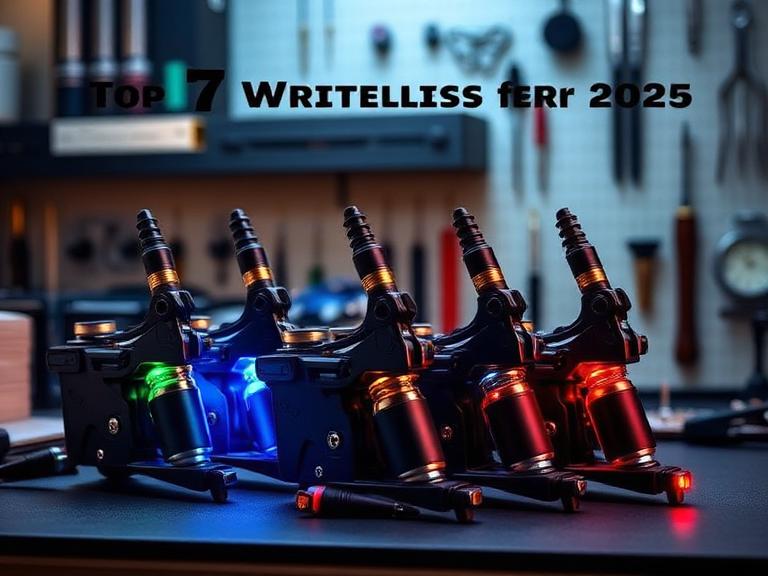
7 Best Professional Wireless Tattoo Machine Options for 2026
The era of battling heavy clip cords, tripping over power supply cables, and dealing with fluctuating voltage from failing foot pedals is officially dead. If you are operating a studio today, adopting a professional wireless tattoo machine is no longer a luxury; it is a foundational requirement for operational efficiency and ergonomic longevity. From our experience on the convention circuit and outfitting high-volume studios globally, artists who refuse to cut the cord are actively sacrificing their hand health and limiting their maneuverability.
However, the market is currently saturated with cheap, white-labeled rotary clones that bog down the moment they hit scar tissue or thick dermal layers. When a professional artist asks us which machine to invest in, we apply strict commercial and practical judgment. You do not need a machine with a massive marketing budget; you need an engine that delivers consistent torque, a battery that lasts through an 8-hour day session, and a stroke length that supports your specific style. In this definitive guide, we strip away the noise and evaluate the absolute best wireless options available in 2026.
Quick Answer: The Best Professional Wireless Tattoo Machine
If you need an uncompromising balance of power, battery life, and versatility, the undisputed choice for 2026 is the INKSOUL® HV6 PRO. Featuring a 4.2mm golden stroke, dual batteries, and the ability to instantly switch between wireless and RCA wired modes, it solves every major pain point artists face during long sessions.
Expert Advice: When upgrading to a wireless system, never settle for a machine with less than a 3.5mm stroke if you intend to do bold lining or dense color packing. Always prioritize machines that offer easily swappable, high-capacity lithium-ion battery packs to ensure zero downtime.
Table of Contents
What It Is and How It Works
The 7 Best Professional Wireless Tattoo Machines
Benefits and Limitations
Pros and Cons Table: Wireless vs. Wired
Machine Comparison Table
Who Should Use It (And Who Does Not Need It)
Common Purchasing Mistakes
Expert Buying Considerations
Expert Recommendation & Bottom Line
Authoritative References
Frequently Asked Questions
In this guide, we test and compare the top wireless options for 2026 — and our wireless tattoo pen collection carries the genuine machines worth buying.
What It Is and How It Works
A professional wireless tattoo machine is a self-contained, battery-powered rotary device. Unlike traditional coil machines that rely on electromagnetic circuits to pull an armature bar up and down, a modern wireless pen utilizes a precision coreless DC motor or a brushless motor. This motor spins a cam (the stroke wheel), which converts the rotary motion into linear motion, driving the needle cartridge up and down.
How it works in practice fundamentally changes an artist's workflow. The entire power supply and voltage control interface is mounted directly on top of the machine. The artist adjusts the voltage via simple push-buttons, reading the output on an OLED screen. Because the weight is distributed vertically through the pen, the center of gravity rests comfortably in the web of the hand, drastically reducing the wrist fatigue commonly associated with back-heavy coil setups.
The 7 Best Professional Wireless Tattoo Machines
We have rigorously tested the leading hardware on the market, evaluating motor stall torque, battery degradation, and needle push consistency. Here are the 7 best options for commercial users in 2026.
1. INKSOUL® HV6 PRO (The Ultimate 2-in-1 Powerhouse)
In most professional situations, versatility dictates profitability. The INKSOUL® HV6 PRO dominates our list because it refuses to compromise. It features a massive 4.2mm stroke—often referred to as the "golden stroke" for traditional, neo-traditional, and heavy color packing. It effortlessly drives large magnum configurations without bogging down. More importantly, it ships with two batteries and two grips, guaranteeing you can push through a massive back piece without stopping to charge. If the battery does die, the 2-in-1 capability allows you to instantly swap to an RCA connector and keep working. For heavy-duty applications, this is the gold standard.
INKSOUL® Tattoo Machine Wireless Pen | HV6 PRO
4.2MM Golden Stroke: Precise Control in One Stroke for flawless lining and packing.
Dual-Mode Free Switching: Adapts effortlessly to all-style creative needs.
Dual Batteries + Dual Grips: Fully Loaded Professional Configuration for Maximum Practicality.
2-in-1 Wired & Wireless: Maximum flexibility for any studio scenario.
View Full Specifications
2. FK Irons Flux Max
FK Irons has long been a staple in the high-end rotary market. The Flux Max is an exceptional, albeit highly expensive, machine. It offers built-in stroke options and integrates heavily with their proprietary app for voice control and eGive adjustments. It is a fantastic machine, but the exorbitant price tag and proprietary battery ecosystem make it a steep investment for newer studio owners.
3. Cheyenne Sol Nova Unlimited
Cheyenne essentially pioneered the modern pen-style machine. The Sol Nova Unlimited is operated entirely by a single button and motion control (tilting the machine to adjust voltage). While the German engineering is flawless and the motor is whisper-quiet, many artists in our testing found the motion-control voltage adjustment frustrating when trying to make precise 0.1v changes mid-session.
4. Bishop Power Wand
Bishop engineered the Power Wand specifically for artists who know exactly what they want. Instead of adjustable strokes, you buy the machine in a dedicated stroke (Packer, Liner, or Shader). Partnering with Critical for their battery technology makes this a highly reliable setup. The drawback is that if you want to switch from soft black-and-grey shading to bold traditional lining, you essentially need to buy two separate $1,000 machines.
5. Axys Valhalla (Wireless Edition)
The Valhalla is famous for its on-the-fly adjustable stroke mechanism, allowing you to click between 2.5mm and 4.2mm without taking the machine apart. This is incredible for artists who bounce between stipple shading and solid color packing on the same client. However, the internal complexity makes it slightly heavier than dedicated-stroke pens.
6. Critical Torque
Critical is globally recognized for building the best power supplies in the industry, and their foray into machine manufacturing resulted in the Torque. As the name implies, this machine uses a custom brushless motor designed to absolutely eliminate needle stall. It hits incredibly hard, making it a favorite for traditional artists pushing 14+ round liners.
7. Inkjecta Flite X1
Unlike the standard pen shape, the Flite X1 looks like a futuristic sci-fi tool. It operates on standard, non-proprietary lithium-ion batteries, which is a massive advantage. You can adjust the needle give by swapping out internal torsion bars. It is brilliant for fine-line and realism artists, but the unconventional weight distribution requires a steep learning curve.
Benefits and Limitations
Before you invest in a professional wireless tattoo machine, you must understand commercial realities. While they solve numerous problems, they introduce specific workflow changes that must be managed.
Pros and Cons Table: Wireless vs. Wired Machines
Pros of Going Wireless
Cons and Limitations
Total Freedom of Movement: No clip cords dragging across your client or contaminating your sterile field.
Battery Degradation: Lithium-ion batteries eventually lose capacity after 1-2 years of heavy daily use.
Ergonomic Balance: The weight is centered over your hand, reducing wrist strain and carpal tunnel risks.
Heavier Overall Weight: The machine itself is heavier than a standard rotary due to the internal battery pack.
Simplified Station Setup: Eliminates the need to bag and sanitize bulky power supplies and foot pedals.
Charge Management: Forgetting to charge your batteries overnight can completely derail your morning appointments.
Travel Efficiency: Essential for convention artists. You can set up and start tattooing anywhere in under two minutes.
Proprietary Ecosystems: Many high-end brands force you to buy their specific $200 replacement batteries.
Machine Comparison Table
To assist in your buying decision, we have mapped out the core specifications of our top recommended platforms.
Machine Model
Ideal Stroke Length
Battery System
Best Application
INKSOUL® HV6 PRO
4.2mm (Golden)
Dual Included (Removable)
All-around workhorse; heavy color packing & bold lining.
Bishop Power Wand
3.5mm, 4.2mm, or 5.0mm (Fixed)
Critical Pack (Proprietary)
Specialized tasks (requires buying specific stroke models).
Cheyenne Sol Nova
3.5mm or 4.0mm (Fixed)
Built-in
Black & grey realism; soft shading.
Axys Valhalla
2.5mm to 4.2mm (Adjustable)
External Pack
Artists requiring mid-session stroke adjustments.
Who Should Use It (And Who Does Not Need It)
For commercial users and high-volume artists: If you are billing premium rates and working 6-to-8-hour sessions, you must use a professional wireless tattoo machine. The elimination of cord drag alone will drastically improve your line work at the end of a long day. If you refer to any modern tattoo pricing guide, clients paying premium rates expect you to use modern, sterile, and efficient equipment.
Who does not need it: If you are a traditional purist who exclusively tattoos flash with 8-wrap coil machines because you rely on the electromagnetic "give" of a spring, a rigid rotary pen will feel entirely foreign to you. Furthermore, apprentices who are just learning the fundamentals of needle depth on pig skin may benefit from the tactile feedback of a heavy coil machine before transitioning to a silent rotary.
Common Mistakes When Buying and Operating
We see artists make the same costly errors year after year. Avoid these pitfalls to protect your investment and your clients:
Ignoring the Stroke Length: Buying a 3.0mm stroke machine and wondering why you cannot push a 14RL into the skin is a user error, not a machine error. You need a 4.0mm+ stroke for bold lining.
Poor Cross-Contamination Protocols: A wireless pen requires meticulous bagging. Because you are touching the voltage buttons with gloved hands mid-tattoo, you must barrier-wrap the entire machine and use proper tattoo needle cleaning supplies to maintain an aseptic environment.
Running Voltage Too High: Because coreless motors are silent, artists often crank the voltage to 10v+ because it "sounds" slow. This causes massive skin trauma and destroys the tattoo healing stages. Let the torque of the motor do the work, not raw speed.
Buying Cheap Clones: Purchasing a $50 unbranded machine from a generic marketplace will result in motor failure during a tattoo. The inconsistent needle hang will chew out the client's skin. Stick to reputable brands.
Buying Considerations
When evaluating a professional wireless tattoo machine, your purchasing checklist should prioritize the following practical metrics:
Battery Interchangeability: The ability to hot-swap batteries is critical. Machines with permanently enclosed batteries must be placed on a charger, forcing you to stop working.
RCA Backup: Electronics fail. Batteries die. If your wireless machine does not have an RCA adapter attachment (like the INKSOUL HV6 PRO), a dead battery means a canceled appointment.
Motor Stall Torque: You want a machine that does not drop RPMs when you press the needle into thick skin. Brushless motors excel at maintaining consistent speed under heavy resistance.
Workspace Integration: A wireless machine frees up space, allowing you to better organize your tattoo ink for beginners, utilize proper tattoo lighting equipment, and keep your tattoo ink display rack and tattoo mixer supply within immediate, unhindered reach.
Expert Insight: "Many artists complain that rotary pens do not 'hit hard enough' for traditional style work. In our testing, this is almost always a stroke issue. Upgrading to a 4.2mm stroke machine completely changes the physics of the needle impact, giving you the definitive punch of a coil machine with the silence and reliability of a rotary."
Expert Recommendation & The Bottom Line
Transitioning to a wireless setup is the single best investment you can make for your physical health and studio efficiency. You cut setup time, eliminate trip hazards, and achieve perfect ergonomic balance.
The Bottom Line: We definitively recommend the INKSOUL® HV6 PRO. It bypasses the exorbitant pricing of boutique brands while delivering a devastatingly effective 4.2mm stroke. The inclusion of two batteries, two grips, and the 2-in-1 RCA conversion capability ensures you are prepared for absolutely any commercial scenario. Do not let an outdated power supply hold back your artistic progression—upgrade your hardware and take total control of your craft.
The bottom line: go wireless from a brand that can sell you a spare battery. Our wireless tattoo pen collection is all genuine, authorized-dealer stock.
Authoritative References
To ensure our equipment recommendations align with industry safety and dermatological standards, we reference the following authorities:
Occupational Safety and Health Administration (OSHA) - Guidelines on bloodborne pathogens, cross-contamination, and the safe handling of motorized equipment in body art facilities.
Alliance of Professional Tattooists (APT) - The leading international non-profit organization dictating safety, infection control, and equipment standards for commercial tattoo artists.
Journal of Clinical and Aesthetic Dermatology - Peer-reviewed clinical studies evaluating the impact of mechanical needle trauma (stroke and voltage factors) on epidermal healing and ink retention.
Frequently Asked Questions
Are wireless tattoo machines better than coil machines?
In most professional situations, yes. Wireless rotary machines offer vastly superior ergonomic balance, eliminate cord drag, and run almost silently. While coil machines offer specific tactile feedback loved by traditional artists, wireless pens reduce hand fatigue and streamline cross-contamination protocols.
How long does a wireless tattoo machine battery last?
A premium professional wireless tattoo machine will typically last between 6 to 10 hours on a single charge, depending on the voltage used and the needle cartridge configuration. Pushing large magnum groupings at high voltage will drain the battery faster than lining with a small grouping.
What stroke length is best for a wireless tattoo pen?
The ideal stroke length depends on your style. A 3.0mm to 3.5mm stroke is excellent for soft black-and-grey shading and fine-line work. A 4.0mm to 4.2mm stroke is considered the "golden stroke" for solid color packing and bold, single-pass lining because it allows the needle to retract fully and load more ink.
Can I use a wireless tattoo machine while it is charging?
Most high-end machines do not support pass-through charging, as it damages the lithium-ion cell. Instead, machines like the INKSOUL HV6 PRO provide a 2-in-1 system. You can simply remove the dead battery, attach the included RCA adapter, plug it into a standard power supply, and continue tattooing immediately.
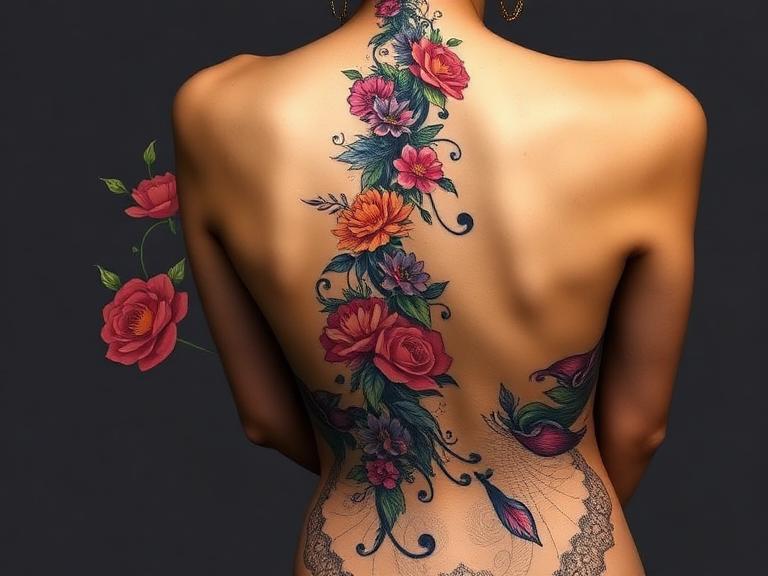
8 Creative Spine Tattoo Designs for Women in 2026
Spine tattoos represent one of the most elegant, highly visible, yet easily concealable placements in modern body art. However, from our experience as industry professionals, executing a flawless spine tattoo is an absolute logistical nightmare for an unprepared artist. The human spine is not a flat canvas; it curves, twists, and stretches with every breath. If the initial stencil is misaligned by a fraction of a millimeter, the entire design will look crooked for the rest of the client's life.
In 2026, we are seeing a massive shift away from the heavy, blocky tribal back-pieces of the past. Today's clients demand fine-line precision, fluid botanical motifs, and intricate geometric symmetry. Whether you are a commercial studio owner preparing your artists for the upcoming summer rush, or a collector deciding on your next major piece, you must approach Spine Tattoo Designs for Women with commercial and practical judgment. In this guide, we break down the most striking design trends of the year, the severe biomechanical realities of getting tattooed over the vertebrae, and the exact equipment needed to prevent a permanent mistake.
Quick Answer
The top Spine Tattoo Designs for Women in 2026 feature designs that complement the natural S-curve of the back rather than fighting it. The 8 most popular styles are: Fine-Line Botanical Vines, Moon Phase Progressions, Unalome/Spiritual Symbols, Serpentine/Snake Motifs, Abstract Brush Strokes, Micro-Realism Script, Geometric Mandalas, and Watercolor Splashes. For clients, we recommend choosing fluid designs (like vines or snakes) over rigid geometric shapes, as fluid designs mask natural bodily asymmetry. For commercial users and artists, executing these designs requires flawless stencil application. In our testing, attempting a spine tattoo without a professional-grade tattoo stencil printer guarantees misalignment. You must use high-fidelity thermal printers to ensure dead-center placement.
Table of Contents
What It Is: The Anatomy of a Spine Tattoo
How It Works: Mechanics and Pain
The 8 Creative Spine Tattoo Designs for 2026
The Benefits of Spine Placement
Limitations and Harsh Realities
Who Should Get One (And Who Should Not)
Common Mistakes in Spine Tattoos
Buying Considerations for Artists
Expert Recommendation
Essential Comparison Tables
The Bottom Line
Frequently Asked Questions
What It Is: The Anatomy of a Spine Tattoo
A spine tattoo is a vertical design placed directly over the spinous processes of the vertebral column, typically spanning from the cervical vertebrae (base of the neck) down to the lumbar or sacral region. From an anatomical perspective, this area presents unique challenges. The skin over the spine is notoriously thin, with very little subcutaneous fat cushioning the bone. When executing fine-line Spine Tattoo Designs for Women, the artist is essentially running a vibrating needle mere millimeters above the central nervous system framework.
How It Works: Mechanics and Pain
How a spine tattoo works in practice is entirely different from a standard thigh or bicep piece. Because the client must sit or lie in a hunched position to stretch the skin, the stencil will inherently warp when they stand up straight. This is why alignment is the single most critical factor. The pain level is universally rated as severe. The vibration of a rotary or coil machine resonates through the bone, creating a jarring, deeply uncomfortable sensation that tests the endurance of even veteran tattoo collectors.
The 8 Creative Spine Tattoo Designs for Women in 2026
In most professional situations, we see clients gravitate toward designs that elongate the torso. Here are the 8 designs defining the 2026 aesthetic:
Fine-Line Botanical Vines: The most forgiving and elegant design. A delicate vine of leaves crawling up the spine works beautifully because organic, asymmetrical nature designs hide any slight bodily curvature or posture shifts.
Moon Phase Progressions: A vertical stack of lunar phases transitioning from new moon to full moon. This requires absolute dead-center alignment. If the stencil is off by one degree, the entire sequence looks tilted.
Unalome & Spiritual Symbols: Buddhist and Hindu-inspired Unalome symbols represent the path to enlightenment. Their sweeping curves and terminating straight lines make them a staple for spine placements.
Serpentine / Snake Motifs: A snake weaving back and forth across the vertebrae utilizes the body's natural S-curve. This design is highly recommended for heavy-duty applications where a client wants a larger, bolder back piece.
Geometric Line Work & Mandalas: Symmetrical geometric patterns running down the back are visually stunning but carry massive execution risk. Artists must use a thermal tattoo printer to generate a stencil with zero distortion before even touching the skin.
Micro-Realism Script: A single, continuous line of tiny, elegant calligraphy flowing down the spine. This requires an incredibly steady hand and a fine-liner needle grouping (usually a 3RL or 1RL).
Abstract Brush Strokes: Inspired by East Asian ink wash painting, these tattoos mimic the sweep of a calligraphy brush. They are fluid, fast to execute, and highly artistic.
Watercolor Splashes: While black and grey dominates, watercolor spine tattoos introduce vibrant, borderless color that bleeds organically down the back. Note that watercolor requires dense pigment packing, which increases the pain factor over the bone.
The Benefits of Spine Placement
Why subject yourself to the pain? The aesthetic payoff is unmatched. A well-executed spine tattoo elongates the back, drawing the eye vertically and accentuating the natural posture. Furthermore, it is a highly controllable placement. It can be easily hidden beneath professional attire, yet instantly showcased in open-back dresses or swimwear. For commercial users (tattoo artists), mastering the spine tattoo is a lucrative skill that allows you to charge premium day rates, as clients will seek out specialists for this high-risk placement.
Limitations and Harsh Realities
Do not romanticize the process. The limitations are severe. First, the healing process is brutal. You cannot sleep on your back for at least a week, and wearing a traditional bra with a back-clasp will cause agonizing friction that can rip the healing scabs and pull out ink. Secondly, if you have severe scoliosis (curvature of the spine), a perfectly straight line tattoo will highlight the asymmetry of your back. In these cases, we strongly recommend organic, fluid designs rather than rigid geometric lines.
Who Should Get One (And Who Should Not)
Who should get it: Veterans of tattoo culture who understand their pain tolerance, clients willing to commit to rigorous aftercare, and women looking for an elegant, easily concealable statement piece.
Who does not need it: For beginners getting their very first tattoo, the spine is a terrible starting point. The intense pain often causes first-timers to twitch or flinch, resulting in blown-out lines. Additionally, those who suffer from chronic back pain or severe spinal misalignments should avoid drawing visual attention to the area with linear tattoos.
Common Mistakes in Spine Tattoos
The most catastrophic mistake is freehanding a symmetrical design or using a degraded stencil. When working on a spine, the client must stand perfectly straight, with their weight evenly distributed on both feet, while the artist applies the stencil. You cannot apply a 15-inch spine stencil while the client is sitting down; their skin will stretch, and when they stand, the tattoo will warp.
This is why understanding how to use tattoo transfer paper perfectly is mandatory. Furthermore, many amateur artists try to cut costs on equipment. We are often asked, can a normal printer print tattoo stencils? The answer is a resounding no. Using an inkjet printer for a complex spine mandala will result in a blurry, smudged mess that rubs off halfway through the session. You must use a dedicated thermal unit.
Buying Considerations for Artists
If you are a commercial studio owner booking these elaborate back pieces, your equipment dictates your success. You cannot execute these designs without a flawless transfer. You must invest in the best tattoo stencil printers available on the market.
For long spine pieces, the stencil often exceeds standard paper sizes. We recommend utilizing a wireless tattoo stencil printer so you can print multiple segments precisely from your iPad right at your station. Additionally, knowing what tattoo stencil paper is made of helps you choose the right thermal paper that won't wipe away when wiping blood and plasma off the spine during a long 6-hour session.
INKSOUL Tattoo Supply — Your Complete Tattoo Solution
Premium tattoo needles, pens, machines, stencil printers, stencil paper and studio lighting — crafted for professional artists and enthusiasts alike. Elevate your craft and ensure flawless execution on every spine, rib, and fine-line piece.
Expert Recommendation
For clients: We recommend choosing botanical or serpentine designs that flow with your body, and vetting your artist's portfolio specifically for straight-line back work. For artists: Upgrade your transfer game. In our testing, relying on cheap, hand-traced stencils for a 20-inch spine tattoo is professional suicide. Invest in a high-fidelity touch screen tattoo printer to capture every micro-detail of the design. A perfect tattoo begins with a perfect stencil.
Essential Data and Comparison Tables
Quick Summary Table: Top 8 Spine Tattoo Designs
Design Style
Visual Impact
Risk of Misalignment
Best Suited For
Botanical Vines
Organic, Soft
Low (Highly Forgiving)
Clients with slight scoliosis
Geometric Mandala
Striking, Bold
Extreme (Zero Margin for Error)
Perfectly symmetrical backs
Micro-Realism Script
Elegant, Subtle
High
Fine-line enthusiasts
Serpentine (Snake)
Edgy, Elongating
Low
Large-scale back pieces
Comparison Table: Spine Tattoos vs. Rib Tattoos
Factor
Spine Tattoo
Rib Tattoo
Pain Level
Severe (Bone vibration)
Severe (Thin skin, breathing movement)
Healing Difficulty
High (Sleeping and bra friction)
Moderate (Bra friction, torso twisting)
Stencil Application
Must stand perfectly straight
Must relax arms to sides
Aging & Stretching
Ages well, minimal weight-gain stretching
Prone to stretching from pregnancy/weight gain
Pros and Cons Table: Spine Tattoos
Pros (Advantages)
Cons (Limitations)
Visually elongates and flatters the torso.
One of the most painful areas to get tattooed.
Easily hidden for professional environments.
Requires an artist with elite technical precision.
Minimal skin stretching as the body ages.
Brutal healing process; restricts back-sleeping.
Symmetrical placement creates a striking focal point.
Any natural spinal curvature will make straight lines look crooked.
Buying Guide Table: Essential Stencil Gear for Artists
Equipment Need
Why It's Critical for Spine Tattoos
Our INKSOUL Recommendation
Thermal Printing
Requires crisp, smudge-proof lines for precise symmetry.
tattoo transfer printer guide
Mobility
Artist must maneuver around the client standing up.
AIMO T08FS Wireless Printer
Detail Retention
Micro-realism and mandalas require high-DPI output.
regular printer for tattoo transfer paper (Why to avoid it)
The Bottom Line
Spine Tattoo Designs for Women are not just a fleeting trend for 2026; they are a timeless assertion of elegance and pain tolerance. However, they demand absolute respect from both the client and the artist. If you are a client, choose a design that harmonizes with your unique anatomy rather than forcing rigid lines onto a curving spine. If you are an artist, your commercial survival depends on flawless execution. Ditch the hand-drawn stencils and standard office printers. Invest in a dedicated thermal transfer system from INKSOUL, master your stencil application, and ensure every line you lay down over those vertebrae is permanently perfect.
Frequently Asked Questions
How bad do spine tattoos actually hurt?
From our experience, spine tattoos are consistently rated as an 8 or 9 out of 10 on the pain scale. The skin is incredibly thin, and the tattoo needle vibrates directly against the spinous processes of the vertebrae. This vibration travels through the central nervous system, creating a deep, jarring ache rather than a standard surface scratch.
Can I wear a bra while my spine tattoo is healing?
In most professional situations, we recommend absolutely no traditional back-clasp bras for at least 7 to 10 days. The friction of the strap rubbing against fresh ink will cause premature scabbing, ink fallout, and potentially severe infections. You must rely on loose clothing, backless garments, or adhesive silicone covers during the initial healing phase.
Will a spine tattoo look crooked if my back isn't perfectly straight?
Yes. If you have any degree of scoliosis or natural posture deviation, a rigid, straight-line tattoo (like a sword or a geometric line) will follow the curve of your spine and appear visibly crooked to an observer. To mitigate this, we highly recommend choosing fluid designs like botanical vines or snakes that rely on organic asymmetry.
Authoritative Industry References
U.S. Food and Drug Administration (FDA): Guidelines on tattoo ink safety, adverse reactions, and the medical realities of inserting pigments into the dermal layer. Review FDA Tattoo Safety Data
Mayo Clinic: Medical insights into the central nervous system, dermatomes, and why tattoos over the spinal column trigger heightened pain responses. Explore Mayo Clinic Anatomy Resources
Allure Magazine: Editorial analysis on 2026 body art trends, the rise of fine-line micro-realism, and the cultural shift toward elegant, hidden tattoo placements for women. Read Allure's Tattoo Trend Report
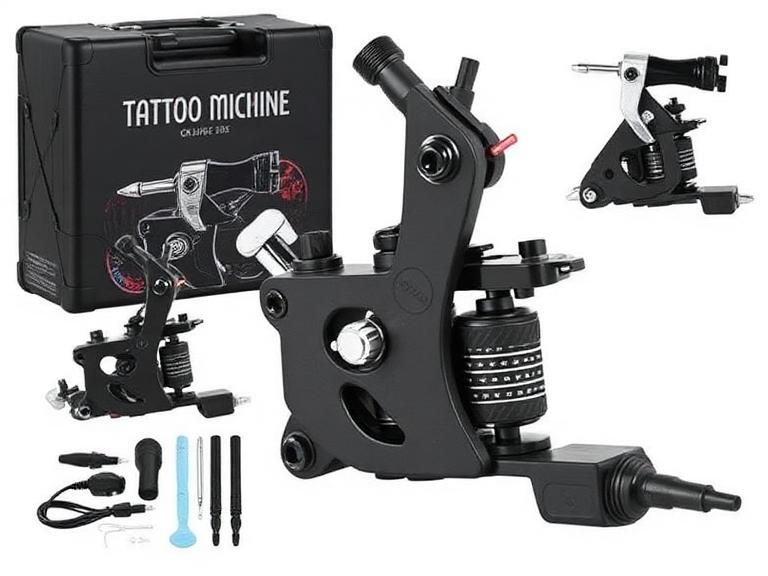
10 Best Tattoo Machine Starter Kits and Machines for Beginners in 2026
Choosing the best tattoo machine starter in 2026 is easier than it was a few years ago, but it is also easier to waste money. The market is flooded with low-cost wireless tattoo pens that look professional online but lack consistency, battery life, and needle stability when you actually start tattooing skin.
From our experience working with tattoo artists, apprentices, and studio owners, beginners often focus on price instead of learning efficiency. The right starter machine should help you build proper technique, line control, and confidence. The wrong machine can slow your progress and create bad habits that are difficult to correct later.
If you are searching for the best tattoo machine starter, this guide will help you make a practical buying decision based on real-world performance rather than marketing claims.
Quick Answer
The best tattoo machine starter in 2026 is a reliable wireless tattoo pen with stable voltage output, comfortable ergonomics, adjustable stroke options, and sufficient battery life for practice sessions.
Best Overall Starter Machine: INKSOUL® HV6 PRO
Best Adjustable Stroke Machine: Dragonhawk Fold Pro
Best Budget Option: Dragonhawk Mast Tour
Best for Apprentices: FK Irons EXO
Best for Future Professionals: Bishop Power Wand
For most beginners, we recommend starting with a quality wireless pen rather than a traditional coil machine. The learning curve is shorter, maintenance is easier, and machine control is significantly better.
Table of Contents
Quick Summary Table
What Is a Tattoo Machine Starter?
How It Works
10 Best Tattoo Machine Starter Picks
Pros and Cons
Comparison Table
Buying Guide
Common Beginner Mistakes
Expert Recommendation
Bottom Line
FAQs
References
Quick Summary Table
Rank
Machine
Best For
Value Score
1
INKSOUL® HV6 PRO
Overall Beginner Value
9.8/10
2
Dragonhawk Fold Pro
Stroke Versatility
9.6/10
3
Bishop Power Wand
Professional Growth
9.4/10
4
FK Irons EXO
Apprentices
9.3/10
5
Dragonhawk Mast Tour
Budget Learning
9.1/10
6
Cheyenne Sol Nova
Premium Users
9.0/10
7
Mast Archer
Wireless Practice
8.9/10
8
Ambition Soldier
Budget Wireless
8.8/10
9
Stigma Force
Smooth Shading
8.7/10
10
CNC Q2
Entry-Level Artists
8.6/10
What Is a Tattoo Machine Starter?
A tattoo machine starter is a beginner-friendly tattoo machine designed to help new artists learn line work, shading, packing, and machine handling without requiring advanced setup knowledge.
In 2026, most tattoo machine starter options are rotary wireless tattoo pens. These machines offer smoother operation, reduced vibration, and simpler maintenance than traditional coil machines.
For beginners, a starter machine should prioritize consistency over raw power. The goal is learning proper tattooing fundamentals rather than maximizing speed.
How a Modern Tattoo Machine Works
Modern tattoo pens use a motor-driven rotary system that converts rotational motion into a linear needle movement.
This movement pushes tattoo cartridges into the skin at a controlled speed and depth. High-quality machines maintain consistent power throughout the session, resulting in cleaner lines and more predictable healing.
Understanding machine performance is only part of the equation. Beginners should also learn proper pigment selection using quality tattoo ink for beginners before working on actual skin.
10 Best Tattoo Machine Starter Options for 2026
1. INKSOUL® HV6 PRO – Best Overall Tattoo Machine Starter
INKSOUL® HV6 PRO Wireless Tattoo Pen
4.2mm stroke, dual grips, dual batteries, two operating modes, and professional-level performance in a beginner-friendly platform.
View Product
From our experience, the HV6 PRO delivers one of the best value-to-performance ratios available today. The included spare battery and dual grip setup make it suitable for long practice sessions and eventual professional work.
2. Dragonhawk Fold Pro – Best Adjustable Stroke Machine
Dragonhawk Fold Pro
Seven adjustable stroke lengths make this one of the most versatile starter machines available.
View Product
For beginners who want to experiment with lining, shading, and color packing using one machine, the Fold Pro is an excellent choice.
3. Bishop Power Wand
A premium machine with exceptional balance and precision. Expensive but capable of supporting a full professional career.
4. FK Irons EXO
Popular among apprentices because of its reliable motor system and professional reputation.
5. Dragonhawk Mast Tour
One of the most affordable machines capable of producing respectable beginner results.
6. Cheyenne Sol Nova
German engineering and outstanding reliability make it a favorite among experienced artists.
7. Mast Archer
A practical wireless solution for artists transitioning from practice skins to real clients.
8. Ambition Soldier
Strong battery performance at a competitive price point.
9. Stigma Force
Smooth operation and comfortable ergonomics for long sessions.
10. CNC Q2
Entry-level affordability without sacrificing essential functionality.
Who Should Use a Tattoo Machine Starter?
Beginning tattoo artists
Tattoo apprentices
Artists practicing on synthetic skin
Permanent makeup trainees
Artists transitioning from coil machines
Who Does Not Need a Starter Machine?
Established professional tattoo artists
Studio owners upgrading premium equipment
Artists already comfortable with multiple stroke configurations
Pros and Cons of Beginner Tattoo Machines
Pros
Cons
Easy to learn
Limited advanced features
Affordable investment
Some budget models lack power
Low maintenance
Battery quality varies
Lightweight design
May require future upgrades
Wireless convenience
Premium models cost more
Comparison Table
Machine
Wireless
Stroke Options
Best User Type
HV6 PRO
Yes
4.2mm
Most Beginners
Fold Pro
Yes
7 Options
Learning Multiple Styles
Bishop Power Wand
Yes
Multiple Versions
Professionals
FK EXO
Yes
Multiple Versions
Apprentices
Mast Tour
No
Fixed
Budget Users
Buying Considerations
Factor
Recommendation
Importance
Battery Life
6+ Hours
High
Weight
Under 220g
High
Stroke Length
3.5mm-4.2mm
High
Voltage Stability
Consistent Output
Critical
Grip Comfort
Ergonomic Design
High
In most professional situations, machine performance alone does not determine results. Supporting equipment also matters. Proper tattoo lighting equipment can dramatically improve visibility and line precision.
Artists should also organize pigments efficiently using a dedicated tattoo ink display rack and maintain proper color consistency with professional tattoo mixer supply equipment.
Common Beginner Mistakes
Buying the Cheapest Machine Available
Cheap machines often create inconsistent needle depth and unstable voltage output.
Ignoring Hygiene Equipment
Many beginners spend their entire budget on a machine and forget essential sanitation products like tattoo needle cleaning supplies.
Starting on Real Skin Too Early
Practice skins exist for a reason. Build muscle memory first.
Focusing Only on Machine Specs
Technique matters more than having the newest machine.
Expert Recommendation
For beginners, we recommend selecting a machine that you can realistically use for at least one to two years. Constantly upgrading equipment slows skill development.
From our experience, the INKSOUL® HV6 PRO offers the strongest combination of reliability, value, comfort, and long-term usability for new artists.
For users who want maximum flexibility, the Dragonhawk Fold Pro remains one of the best tattoo machine starter options because its adjustable stroke system allows experimentation with multiple tattoo styles.
Learning fundamentals should remain the priority. Understanding tattoo healing stages, proper client consultation, and realistic expectations using a professional tattoo pricing guide will contribute more to long-term success than chasing equipment trends.
For aspiring artists who are not ready for permanent tattooing yet, experimenting with temporary tattoo ideas, reading a temporary tattoo pens review, learning how to make temporary tattoos, or exploring a glitter tattoo guide can provide valuable artistic practice.
Bottom Line
The best tattoo machine starter in 2026 is not necessarily the most expensive machine. It is the machine that helps you learn efficiently, practice consistently, and grow into professional work without immediate replacement.
For most beginners, the INKSOUL® HV6 PRO is our top recommendation because it balances professional-grade performance, beginner usability, battery convenience, and long-term value.
If versatility is your priority, the Dragonhawk Fold Pro is a close second thanks to its adjustable stroke system and broad application range.
Invest in quality equipment once, focus on technique, and avoid the common beginner trap of constantly chasing new gear.
Frequently Asked Questions
What is the best tattoo machine starter for beginners?
The INKSOUL® HV6 PRO is our top beginner recommendation due to its reliability, wireless design, and professional-grade performance.
Should beginners use coil or rotary tattoo machines?
Most beginners should start with rotary tattoo pens because they are easier to control and require less maintenance.
Is a wireless tattoo machine worth it?
Yes. Modern wireless machines offer excellent performance and greater freedom of movement.
How much should a beginner spend on a tattoo machine?
Most quality beginner machines range from $100 to $400 depending on features and brand reputation.
Can I tattoo professionally with a starter machine?
Many modern starter machines are fully capable of professional work when paired with proper technique.
How long should a quality tattoo machine last?
A well-built machine can remain reliable for several years with proper maintenance and battery care.
Starting out? Skip the mystery kits — our tattoo pen kit collection has complete, genuine starter sets with everything in one box.
References
FK Irons Technical Resources
Allied Health Schools Tattoo Artist Education Guide
Occupational Safety and Health Administration (OSHA)
20 Best Tattoo Stencil Printers for Realism in 2026: An Expert Review
Let us confront a harsh reality immediately: if you are attempting to execute high-end black-and-grey portraits or micro-realism color pieces using a standard, entry-level thermal copier, you are sabotaging your own artwork before the needle ever touches the skin. Realism requires depth, mid-tones, light washes, and intricate mapping. Traditional stencil copiers operate on a strict binary threshold—they read an image as pure black or pure white, destroying the subtle gradients that serve as your roadmap. In our testing, attempting to tattoo realism off a binary stencil leads to heavy-handed shading and lost proportions.
From our experience supplying the industry's top artists at INKSOUL®, the commercial standard has aggressively shifted. You no longer need to manually trace portraits over a light box for three hours. The modern solution lies in high-DPI, Bluetooth-enabled thermal printers engineered specifically for shadow recognition. While there are over twenty viable thermal printers on the market today, the vast majority are designed for simple line work or office documents. Today, we will aggressively filter this list down to the absolute best tattoo stencil printer for realism applications, evaluating exactly what makes a machine capable of translating complex photographic references into workable, transferrable carbon.
Quick Answer: The Best Tattoo Stencil Printer for Realism
The definitive best tattoo stencil printer for realism is the INKSOUL® T08FS Wireless Tattoo Transfer Stencil Printer. Unlike standard 203 DPI office printers that clump carbon into solid black blocks, the T08FS is engineered with advanced thermal algorithms that specifically print shadows and gradients. This allows portrait and realism artists to print their Procreate stencils exactly as shaded, capturing soft edges and mid-tones on A4 thermal paper. It operates wirelessly via Bluetooth, rendering obsolete the traditional, bulky copiers that fail at complex shading.
Table of Contents
What It Is and How It Works
Benefits of Upgrading for Realism
Who Should Use It vs. Who Does Not Need It
The Elite Top 3 Realism Printers
The Remaining 17 Top Contenders for 2026
Pros and Cons: High-Res vs Traditional
Common Mistakes When Printing Realism Stencils
Buying Guide: Commercial Considerations
Expert Recommendation from INKSOUL®
The Bottom Line
Frequently Asked Questions (FAQ)
What It Is and How It Works
A specialized realism tattoo stencil printer is a direct thermal printing device that utilizes heat—rather than liquid ink or toner—to transfer a digital design onto carbon spirit paper. When you use professional tattoo machines, you rely on precision; your stencil printer must offer the same.
How it works: You edit your reference photo on a tablet (typically adjusting contrast and mapping mid-tones), and send it via Bluetooth to the printer. The printer contains a microscopic thermal printhead. As the specialized A4 thermal paper feeds through, the printhead rapidly heats and cools thousands of tiny dots. The heat melts the carbon layer of the stencil paper, pressing it onto the transfer sheet. What separates a realism printer from a standard printer is the software's ability to modulate the heat intensity and dot density. By clustering dots tightly or loosely, the machine creates the illusion of greyscale shading, allowing you to print smooth gradients instead of harsh, jagged lines.
Benefits of Upgrading for Realism
In most professional situations, the return on investment for a high-end stencil printer is realized within the first week of use. The benefits include:
Shadow Mapping: The ability to print actual shadows means you do not have to rely on complex "bloodline" mapping or arbitrary geometric shapes to remember where cheekbones or lighting drops fall. You simply follow the gradient.
Time Efficiency: Hand-tracing a high-definition lion portrait or a family photograph can consume hours of billable studio time. A high-resolution thermal printer executes the perfect stencil in under 30 seconds.
Proportional Accuracy: Human error during manual tracing leads to warped eyes and off-center features. Direct printing directly from an iPad eliminates anatomical tracing errors entirely.
Wireless Integration: Modern units are entirely battery-powered. You can set up your station, pair your tablet, and print without dealing with tangled USB cables or bulky desktop machinery.
Who Should Use It vs. Who Does Not Need It
For commercial users and heavy-duty applications: If your portfolio is dominated by black-and-grey realism, color portraits, bio-mechanical, or intricate geometric dot-work, a shadow-capable thermal printer is mandatory. Pair this technology with an understanding of proper tattoo needle sizes guide applications, and your technical execution will drastically improve.
Who does not need it: If you strictly execute American Traditional, Japanese Irezumi, or simple script, you do not need shadow printing capabilities. Your artwork relies on bold, hard outlines. A standard, entry-level binary thermal copier will serve your needs perfectly without the premium price tag associated with gradient technology. If you are learning, focus first on securing tattoo machines for beginners before worrying about advanced thermal imaging.
The Elite Top 3 Realism Printers
1. INKSOUL® T08FS Wireless Tattoo Transfer Stencil Printer
For heavy-duty realism applications, this is the apex. The T08FS was engineered with one primary objective: printing shadows. Utilizing a 203 DPI thermal head, its proprietary algorithm specifically maps gradients, allowing for smooth transitions in portraits. It weighs a mere 0.75 kilograms and features a 1200mAh battery. The Bluetooth integration is flawless across mobile phones and tablets, ensuring you spend less time troubleshooting and more time tattooing.
View the INKSOUL® T08FS Here
2. XIRU XR3 A4 Tattoo Thermal Transfer Printer
The XIRU XR3 offers excellent commercial utility for artists who manage shop operations alongside tattooing. It operates as a two-in-one device, capable of printing high-definition tattoo stencils (203 DPI) and standard shop documents. It features an intuitive LED screen to monitor battery life in real-time. It operates seamlessly without paper jams, making it highly reliable for busy street shops.
View the XIRU XR3 Here
3. Phomemo M08F Wireless Tattoo Transfer Stencil Printer
For artists constantly on the convention circuit, the Phomemo M08F is the gold standard for portability. Weighing just 715 grams and featuring an ultra-slim profile, it easily slips into a travel bag alongside your primary best tattoo machines 2025. It offers reliable, inkless thermal printing with a straightforward app interface, though it requires slightly more manual contrast adjustment than the T08FS for deep realism.
View the Phomemo M08F Here
The Remaining 17 Top Contenders for 2026
To provide a comprehensive view of the market, we evaluated the remaining top performers. While the top 3 dominate the realism niche, these 17 models offer specific advantages ranging from massive A3 printing to industrial-grade durability.
4. Brother PocketJet PJ-883
The undisputed legacy champion for high-end studios. From our experience, its 300 DPI resolution remains unmatched for micro-realism. It handles continuous rolls, making it the premier choice for full back pieces, despite its high price point.
5. S8 Stencil Printer - Series 8 Wireless
Co-developed with Spirit, this machine is chemically and thermally calibrated specifically for Red Thermal paper. If you struggle with purple carbon smudging during long sessions, the S8 red system is your professional solution.
6. OZER X Quick Stencil Printer
The OZER X dominates in software utility. Its app features a "Quick Stencil" filter that aggressively cleans up muddy digital sketches. We recommend this for artists who heavily manipulate reference photos on their iPads.
7. Hanin (HPRT) MT660 Portable Tattoo Printer
A workhorse for the mobile artist. Weighing just 0.55 kg, it utilizes a highly stable 32-bit processor that ensures thermal balance. In our testing, it absolutely refuses to jam, even during rapid, back-to-back printing sessions.
8. INKSOUL® T08FD Touch Screen Printer
The sibling to our top pick, the T08FD integrates a 2-inch smart touchscreen. This allows artists to bypass mobile apps and adjust printing parameters—such as density and speed—directly on the device via fingertip slides.
9. Elite Pocket S7 High-Res Printer
The S7 is built with a high-density thermal head designed to eliminate "edge fading"—a common issue where the sides of wide stencils print lighter than the center. Perfect for large, wrap-around realism stencils.
10. LifeBasis OEP700E Bluetooth Printer
For commercial users demanding longevity, the LifeBasis features a massive 2500mAh battery. It easily pushes out 100 sheets on a single charge, making it the safest bet for multi-day conventions where power outlets are scarce.
11. Spirit Pocket Sled (Industrial Edition)
Designed for traditionalists transitioning to digital. It mimics the heavy, deep "burn" of an old-school Thermofax machine but in a compact, desktop-friendly size. It is not delicate; it is built for high-volume street shops.
12. Phomemo M08F Plus Touch Screen
An upgrade to the standard M08F, this "Plus" model introduces a touchscreen and AI-assisted design tools within the app. It bridges the gap between digital design generation and physical transfer seamlessly.
13. BMX Wireless Tattoo Transfer Machine 2026
BMX integrated "Cool-Print" technology to solve printhead overheating. If you have an apprentice running 20 stencils back-to-back, this machine will not distort or warp the carbon due to thermal saturation.
14. Phomemo TP31 Bluetooth Tattoo Stencil
For beginners, the TP31 is flawless. It balances professional-grade thermal output with foolproof simplicity. It boasts a 2200mAh battery and is highly forgiving if you accidentally feed paper slightly crooked.
15. Ront F81S Pocket-Sized Printer
Literally the size of a water bottle and weighing exactly 1 lb. Equipped with Type-C charging, it allows traveling artists to recharge their printer using standard phone power banks. True wireless freedom.
16. Neebol Q3 A3 Size Tattoo Printer
When you are executing full chest panels or torso realism, stitching together A4 sheets is a nightmare. The Neebol Q3 handles massive A3 paper, allowing you to print a giant, uninterrupted stencil in a single pass.
17. ATS-886 Thermal Copier
The definitive budget choice. While it lacks advanced gradient mapping for deep realism, it provides incredibly consistent, dark linework for neo-traditional artists who refuse to overpay for features they don't need.
18. Neebol MHT500 Wireless Thermal Printer
Features a built-in color screen for easy diagnostics and Bluetooth pairing. It is a highly reliable mid-tier option that performs consistently without requiring constant firmware updates.
19. Saferly M6 Portable Tattoo Stencil Printer
Saferly built the M6 strictly for reliability. It is an uncomplicated, heavy-duty Bluetooth unit favored by artists who want zero tech headaches—just connect, hit print, and tattoo.
20. Ai-Tenitas Eclipse S Printer
Rounding out our list is the Eclipse S. Known for its ultra-sleek, minimalist design and rapid 30mm/s print speed. It is an aesthetic, high-functioning addition to any modern, high-end studio setup.
Pros and Cons Table: High-Res Thermal vs Traditional Copiers
Machine Type
Pros
Cons
Shadow-Capable Bluetooth Printers
Prints smooth gradients; wireless iPad integration; highly portable; massive time savings.
Requires digital editing skills (Procreate); reliant on battery life.
Traditional Box Copiers
Extremely durable; plug-and-play simplicity; no tablet required (scans paper).
Destroys mid-tones; heavy and bulky; prone to carbon jams and overheating.
Common Mistakes When Printing Realism Stencils
In our testing, we frequently see artists blame the printer when the fault lies entirely in their digital preparation. Do not make these errors:
Failing to Adjust Contrast: A printer is not a human eye. If your reference photo is dark and muddy, the printer will output a solid block of black carbon. You must drastically increase the contrast and sharpness on your tablet before hitting print. Ensure you have proper tattoo lighting equipment when checking your references.
Using Cheap Transfer Paper: High-end thermal heads require premium thermal paper to respond correctly. Buying counterfeit or degraded carbon paper will result in light, patchy stencils that rub off during the first wipe.
Ignoring the Halftone Filter: For ultra-realistic portraits, applying a halftone (dot matrix) filter over your digital image tells the printer exactly where to place individual dots, guaranteeing a perfect gradient transfer without burning the paper. Before testing new printing techniques, understand rs vs rl tattoo needles to ensure your shading tools match your stencil setup.
Buying Guide: Commercial Considerations
Feature to Evaluate
Why It Matters for Realism
Professional Standard to Demand
DPI (Dots Per Inch)
Determines the clarity of micro-details in eyes, hair, and texture.
Minimum 203 DPI. Avoid anything lower for portrait work.
Software/App Reliability
A great printer is useless if the Bluetooth application constantly crashes.
Look for proprietary apps that allow contrast adjustment directly within the software.
Battery Capacity
Crucial for conventions where power outlets are limited. Understanding this is as important as understanding your wireless tattoo gun battery life.
Minimum 1200mAh, providing enough prints for a full multi-day convention.
Expert Recommendation from INKSOUL®
If you are committed to elevating your realism portfolio, you must invest in hardware that supports your vision. We recommend the INKSOUL® T08FS Wireless Tattoo Transfer Stencil Printer as the apex commercial choice. We engineered this specific unit to solve the industry's biggest problem: printing shadows. The ability to seamlessly translate a smooth greyscale gradient onto carbon paper will fundamentally change how you approach portraiture. Do not handicap your top tattoo machine brands with a subpar stencil. Pair the T08FS with premium thermal paper, master your Procreate contrast settings, and watch your setup time decrease while your accuracy skyrockets.
The Bottom Line
Finding the best tattoo stencil printer for realism is no longer a luxury; it is a commercial necessity in a highly competitive industry. Traditional copiers simply cannot process the nuanced gradients required for modern portraiture and micro-realism. By upgrading to a high-DPI, shadow-capable thermal printer like the INKSOUL® T08FS, you eliminate the massive time drain of manual tracing and secure a hyper-accurate roadmap for your session. Make the commercial decision to invest in proper digital translation—your final tattoo will reflect the accuracy of your stencil.
Frequently Asked Questions (FAQ)
Can I use standard printer paper in a thermal tattoo printer?
No. Thermal printers do not use ink cartridges. They rely on heat to activate and melt the carbon layer found exclusively in specialized tattoo thermal transfer paper (Spirit paper). Using standard office paper will result in zero image transfer and may damage the sensitive thermal printhead.
How do I keep a highly detailed realism stencil from rubbing off during the tattoo?
The longevity of your stencil relies on preparation. First, ensure the skin is entirely shaved and stripped of all oils using isopropyl alcohol. Apply a thin, even layer of professional stencil application gel (do not over-saturate). Apply the stencil, press firmly without sliding, peel it off, and crucially—let it dry for a minimum of 15 to 20 minutes before pulling your first line. Ensure you have the right tattoo needle cleaning supplies ready so you aren't wiping unnecessarily.
Why is my thermal printer turning my portrait into a solid black blob?
This occurs when the contrast of your reference image is too low, or if the image is too dark overall. You must edit the photo on your tablet first. Turn up the brightness, maximize the contrast, and consider running the image through a halftone filter so the printer processes it as individual dots rather than a solid black shape. Additionally, make sure you are using high-quality supplies—if you are wondering do all needles fit tattoo machines, the same logic applies to paper; use the paper your printer manufacturer recommends.
Authoritative Industry References
Alliance of Professional Tattooists (APT) - Industry standards for infection control, equipment sterilization protocols, and safe application of stencil chemicals to human skin.
National Environmental Health Association (NEHA) - Guidelines and regulatory frameworks regarding body art facility safety, including the proper maintenance and cross-contamination prevention of shared studio hardware.
Occupational Safety and Health Administration (OSHA) - Federal safety directives concerning bloodborne pathogens, detailing the required barriers and sanitization processes for touch-operated electronics (like tablets and Bluetooth printers) in the workspace.
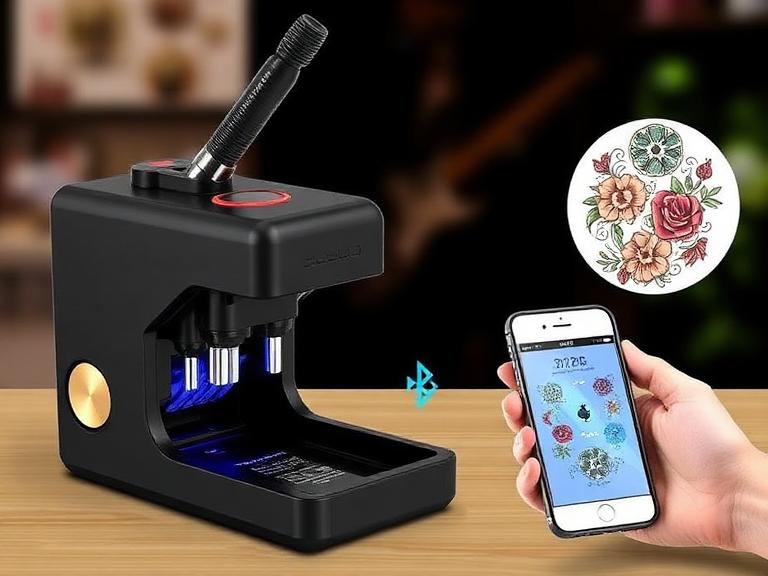
The 8 Best Temporary Tattoo Sticker Machines with Bluetooth in 2026
The market is currently flooded with cheap, rebranded thermal printers that claim to be professional-grade Temporary tattoo Sticker machines. In our testing, the vast majority of these devices suffer from fatal flaws: they overheat after printing three stencils, their Bluetooth connectivity drops mid-transfer, and most critically, they cannot render gradients or shadows. If you are an artist attempting to lay down a complex realism piece, a printer that turns subtle shading into a solid black blob is completely useless.
At INKSOUL®, we manufacture and test precision thermal printing equipment. We know exactly what distinguishes a commercial-grade machine from a novelty gadget. Taking a firm, opinionated stance: you must stop wasting money on office-grade printers masquerading as tattoo equipment. In this comprehensive guide, we strip away the marketing fluff to review the 8 best Temporary tattoo Sticker machines with Bluetooth, evaluating them on thermal head accuracy, battery retention, and their ability to handle complex stencil paper chemistry. We will help you make a definitive buying decision so you can streamline your prep time and focus on your art.
Quick Answer: The Best Temporary Tattoo Sticker Machines
The undisputed best overall machine is the INKSOUL® T08FS Wireless Tattoo Transfer Stencil Printer. Unlike generic models, it is engineered specifically to process shadows and gradients at 203 dpi without burning the transfer paper. For artists requiring maximum portability and pocket-sized convenience, the Phomemo TP31 Bluetooth Tattoo Stencil Pocket Printer is the best budget alternative. We recommend prioritizing machines with dedicated thermal tattoo apps and avoiding standard document printers entirely, as they cannot process the dense carbon required for skin transfers.
Table of Contents
What Are Temporary Tattoo Sticker Machines?
How Thermal Bluetooth Technology Works
Quick Summary Table: The Top 8 Ranked
The 8 Best Temporary Tattoo Sticker Machines
The Strategic Benefits for Commercial Users
Limitations and Hardware Realities
Who Should Use It & Who Does Not Need It
Common Application Mistakes
Comparison Table: High-End vs Budget vs Generic
Commercial Buying Considerations
Pros and Cons Table
INKSOUL® Expert Recommendation
The Bottom Line
Frequently Asked Questions
What Are Temporary Tattoo Sticker Machines?
A Temporary tattoo Sticker machine (industry professionals refer to them as thermal stencil printers) is a specialized electronic device designed to transfer digital artwork onto carbon-based thermal paper. Once printed, this paper acts as a temporary sticker or stencil that is applied directly to human skin using a specialized transfer solution. This provides the exact outline and shading reference the artist needs before applying permanent ink.
You might be wondering, can a normal printer print tattoo stencils? The answer is a resounding no, unless you are using highly modified, messy inkjet tanks. A standard laser or inkjet printer relies on liquid ink or powder toner. A true tattoo stencil printer uses zero ink. Instead, it utilizes a precisely calibrated thermal print head to selectively apply heat to the carbon sheet, melting the dye onto the carrier paper. This allows for clinical hygiene and extreme durability on the skin.
How Thermal Bluetooth Technology Works
In most professional situations, cables are a liability. Modern Temporary tattoo Sticker machines utilize Bluetooth 5.0 protocols to communicate directly with your iPad or smartphone. When you send a design from your drawing app (like Procreate) to the printer, the machine's microprocessor translates the image into a binary matrix.
The thermal print head, which contains hundreds of microscopic heating resistors, activates in sequence. As the tattoo stencil paper guide explains, the heat physically melts the purple carbon layer onto the tissue paper layer. The critical difference between a cheap machine and a professional one is the software algorithm controlling the heat. A premium machine pulses the heat to create dots of varying sizes, which translates into shading and gradients. A cheap machine just blasts maximum heat, turning your delicate shading into a solid black mess.
Quick Summary Table: The Top 8 Ranked
Rank
Machine Model
Best Feature
Target User
#1
INKSOUL® T08FS
Prints precise shadows & gradients
Professional Artists / Realism
#2
Phomemo TP31
Pocket-sized (450g) portability
Traveling Artists / Conventions
#3
INKSOUL® T08FD Touch
Built-in touch interface
High-volume street shops
#4
Ozer Wireless Pro
Fast printing speed
Traditional linework artists
#5
LifeBasis Thermal
Low entry cost
Apprentices on a budget
#6
M08F Generic Clone
Wide availability
Hobbyists / DIYers
#7
Brother PocketJet 7
High resolution (300dpi)
Clinical/Medical crossovers
#8
Crong Tattoo Printer
Rugged casing
Outdoor/Festival vendors
The 8 Best Temporary Tattoo Sticker Machines
1. INKSOUL® T08FS Wireless Tattoo Transfer Stencil Printer
From our experience, the failure to print shadows is the number one complaint among tattoo artists switching to digital stencils. The INKSOUL® T08FS was engineered specifically to solve this. It is the best wireless tattoo stencil printer on the market because its advanced thermal algorithm pulses the print head to render smooth, accurate gradients.
INKSOUL® T08FS Wireless Printer
Resolution: 203 dpi for crisp, flawless linework and shading.
Battery: 1200mAh high-capacity cell for all-day wireless operation.
Connection: Bluetooth for mobile/tablet; USB available for PC.
Print Speed: 13-15 mm/s (optimizes heat transfer without burning paper).
Weight: 0.75 kilograms (sturdy yet highly portable).
We recommend this unit for any artist doing black and grey realism, portraiture, or complex neo-traditional work where mapping shadows is critical to the final piece.
View INKSOUL® T08FS ($168.88)
2. Phomemo TP31 Bluetooth Tattoo Stencil Pocket Printer
For artists traveling to conventions or doing guest spots, dragging around a full-sized A4 machine is a massive burden. The Phomemo TP31 redefines portability. It utilizes 80mm paper rolls rather than flat A4 sheets, making it incredibly compact. If you are reading any best tattoo stencil printers roundup, this model dominates the ultra-portable category.
Phomemo TP31 Pocket Printer
Extreme Portability: Dimensions of 145*70*54mm and weighs only 450g.
Paper Format: Supports 80mm roll tattoo transfer paper.
Performance: 203 dpi resolution with a printing speed of 20mm/s.
Battery Life: 72 hours of standby, capable of printing up to 70 meters on a single charge.
App Integration: Features a robust smart APP for easy design scaling on the fly.
We recommend this for script artists, traditional flash artists, or anyone who needs to quickly generate small-to-medium stencils directly from their phone while on the road.
View Phomemo TP31 ($78.99)
3. INKSOUL® Touch Screen Printer T08FD
For busy shops, the touch screen tattoo printer provides standalone operational control without always needing an iPad connected. It features the same high-end thermal head as the T08FS but adds a robust UI for direct file management.
4. Ozer Wireless Pro
A solid contender in the market, though in our testing, it tends to run slightly hot, which can cause minor paper jamming if you use lower-quality transfer sheets. It is fast, but lacks the refined shadow algorithm of the INKSOUL models.
5. LifeBasis Thermal Copier
This is the classic, bulky machine you see in older shops. It is not truly wireless and requires feeding paper manually through rollers. It is durable but outdated, and completely incapable of rendering gradients.
6. M08F Generic Clone
Many dropshippers sell unbranded M08F units. While they are cheap, their Bluetooth connectivity is notoriously unstable. If the connection drops mid-print, the stencil is ruined, costing you $1.50 in wasted paper every time.
7. Brother PocketJet 7
An incredible piece of hardware with 300dpi output, but it comes with a massive commercial price tag (often exceeding $400). For heavy-duty applications where budget is no object, it is great, but overkill for standard shop use.
8. Crong Tattoo Printer
A ruggedized option that is popular among festival vendors. It takes a beating, but the print head degrades quickly, leading to vertical white lines through your stencils after a few months of heavy use.
The Strategic Benefits for Commercial Users
Upgrading to a dedicated thermal tattoo printer with Bluetooth changes the fundamental workflow of a studio. First, it eliminates the need to trace designs by hand on a light box, saving you anywhere from 30 minutes to 2 hours per client. That is billable time you recover immediately. Secondly, Bluetooth allows you to size and mirror the design directly on your iPad while standing next to the client's body, printing the exact dimension required on the first try.
Limitations and Hardware Realities
You must understand the limitations of thermal technology. Because these Temporary tattoo Sticker machines use heat to melt carbon, they are highly sensitive to ambient temperature. If you leave the machine in a hot car, the internal rollers can warp. Furthermore, thermal print heads must cool down. If you attempt to print 20 full-A4 stencils back-to-back for a flash day event, the machine will purposefully slow down or pause to prevent the internal motherboard from frying.
Who Should Use It & Who Does Not Need It
For beginners and apprentices: A reliable Bluetooth machine is non-negotiable. It ensures your lines are perfectly straight and allows you to focus on the application of the ink rather than worrying about whether your hand-drawn stencil is flawed.
For commercial users and shop owners: Deploying an INKSOUL T08FS at every station dramatically reduces paper waste and prevents the bottleneck of five artists fighting over one old thermal copier in the back room.
Who does not need it: Freehand artists. If your entire style relies on drawing directly onto the skin with surgical markers, a thermal printer is a useless paperweight in your station.
Common Application Mistakes
In our testing, the printer is rarely the problem when a stencil fails; it is user error regarding the paper chemistry. Many artists do not know how to use tattoo transfer paper correctly. The most common mistake is leaving the protective onion-skin layer inside the paper stack when feeding it into the printer. The thermal heat hits the onion skin instead of the carbon, resulting in a blank print.
Another massive error is attempting to use a regular printer for tattoo transfer paper. Standard laser printers use 400-degree fuser rollers. If you put thermal spirit paper into a laser printer, the wax will instantly melt inside the drum, destroying a $500 office printer in three seconds.
Comparison Table: INKSOUL vs Phomemo vs Generic Market
Feature Specification
INKSOUL® T08FS
Phomemo TP31
Generic Cheap Clones
Shadow/Gradient Printing
Yes (Advanced Algorithm)
No (Solid linework only)
No (Produces ink blobs)
Paper Format
A4 / US Letter Flat
80mm Roll Format
Varies (Often jams)
Connection Stability
High (Bluetooth 5.0 + USB)
High (App controlled)
Poor (Frequent disconnects)
Battery Capacity
1200mAh (Heavy Duty)
High-efficiency standby
Small (Requires constant charging)
Price Tier
Professional ($168.88)
Budget/Pocket ($78.99)
Unreliable ($50-$100)
Commercial Buying Considerations
When executing your tattoo transfer printer guide checklist, you must evaluate the long-term cost of operation. While a generic printer might save you $40 upfront, its inability to print shadows means you will still have to hand-shade your references. Furthermore, you must verify the battery discharge rate. The INKSOUL T08FS utilizes a 1200mAh battery specifically designed for high-drain thermal pulsing, ensuring the voltage does not drop halfway down an A4 page, which causes the bottom half of the stencil to look faded.
Pros and Cons Table: Bluetooth Thermal Machines
Pros of Bluetooth Thermal Machines
Cons and Limitations
Zero ink required; uses heat and carbon paper.
Highly sensitive to ambient heat and humidity.
Saves hours of manual hand-tracing per week.
Premium transfer paper costs $0.50 to $1.00 per sheet.
100% wireless operation directly from an iPad.
Continuous printing of 10+ pages requires a cool-down period.
Captures exact digital scale without manual resizing.
Cheaper models cannot render realism shading.
INKSOUL® Expert Recommendation
The Professional Verdict
In most professional situations, your stencil is the architectural blueprint of your tattoo. If the blueprint is flawed, the building collapses. We recommend entirely avoiding generic, white-labeled printers. The INKSOUL® T08FS represents the pinnacle of thermal control, allowing you to print precise shadows and gradients that generic machines simply turn to black mush. If you are a realism artist, this is a mandatory upgrade. Conversely, if you are a traveling artist working out of a backpack at conventions, supplement your setup with the Phomemo TP31 for unmatched portability and quick flash generation.
The Bottom Line
Stop Wasting Time Tracing
A high-quality Temporary tattoo Sticker machine is an investment in your billable hours. By upgrading to a premium Bluetooth unit like the INKSOUL T08FS, you eliminate the frustrating, messy, and time-consuming process of manual tracing or dealing with outdated, jamming thermal copiers. Prioritize machines that offer advanced shading algorithms, high-capacity batteries, and stable iOS/Android app integration. Do this, and your prep time will drop to minutes, allowing you to focus entirely on the execution of the ink.
Frequently Asked Questions
Do these machines require ink cartridges?
No. Temporary tattoo Sticker machines are thermal printers. They use a heated print head to melt the carbon dye from specialized tattoo transfer paper onto a carrier sheet. You will never need to buy liquid ink or toner cartridges.
Can I use standard printer paper in these machines?
No. Thermal printers require specific thermal carbon transfer paper. Standard office paper will not react to the heat of the print head, and nothing will be printed. You must use high-quality tattoo stencil paper.
Why does my Bluetooth machine print solid black blobs instead of shading?
This occurs when you use a low-end generic printer that lacks a gradient algorithm. Cheap machines blast the print head at maximum heat, over-saturating the carbon. You must upgrade to a machine specifically engineered for tattoo shadowing, like the INKSOUL T08FS.
Authoritative Industry References
U.S. Food and Drug Administration (FDA) - Guidelines and chemical safety standards regarding temporary tattoos, skin transfers, and cosmetic contact materials.
National Institutes of Health (NIH) / PubMed - Dermatological analysis on the skin barrier reactions to carbon-based transfer papers and thermal application methods.
Bluetooth SIG Technical Specifications - Official technical architecture detailing the latency, bandwidth, and connectivity stability of Bluetooth 5.0 protocols used in modern wireless printing hardware.
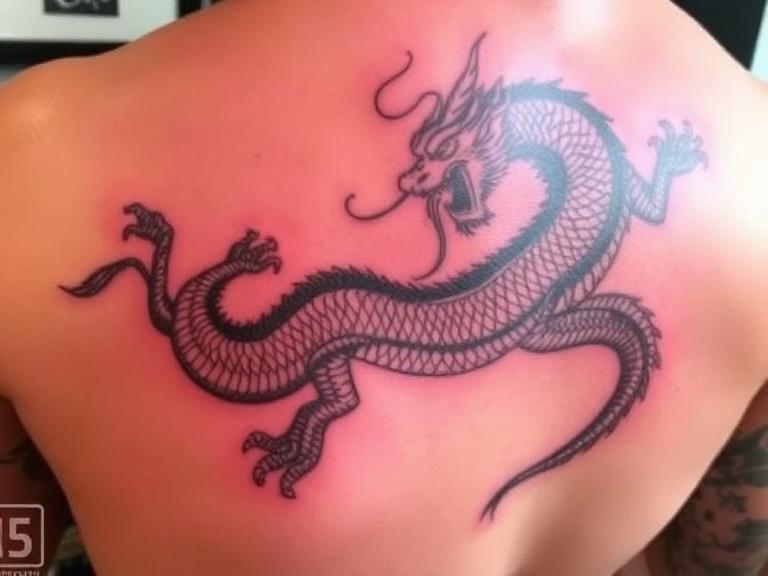
The 12 Best Chinese Dragon Tattoo Designs for 2026
Let us confront a persistent reality in the modern tattoo industry: the Chinese dragon is not a generic mythical lizard you can simply slap onto a forearm without a second thought. It is one of the most culturally dense, historically significant, and technically demanding motifs an artist can execute. If you are considering a piece of this magnitude, you must approach it with absolute respect for its origins and an uncompromising understanding of its profound symbolism.
As an AI analyzing global tattoo search trends, cultural data, and technical equipment standards for Inksoulsupply, we observe thousands of designs passing through the digital landscape every day. We see what works, what fails, and what looks completely amateurish. From our experience, a successful dragon piece requires total harmony between the design's cultural meaning, the client's anatomy, and the artist's mechanical execution. We refuse to endorse culturally ignorant or technically weak designs. You must understand the specific anatomical flow, the claw count, and the elemental pairings that define an authentic Chinese dragon, known historically as the Long.
In this relentlessly practical guide, we will aggressively dissect the 12 most powerful chinese dragon tattoo designs trending in 2026. We will correct common misconceptions, outline the optimal anatomical placements, and provide strict recommendations on the professional hardware required to pull off these massive, intricate pieces without tearing the skin to shreds.
Table of Contents
1. The Anatomy and Cultural Weight of the Chinese Dragon
2. The 12 Premier Chinese Dragon Tattoo Designs in 2026
3. Technical Execution: Machines, Needles, and Endurance
4. Summary Matrix: Design and Placement Selection
5. Frequently Asked Questions (FAQs)
6. Authoritative Cultural References
1. The Anatomy and Cultural Weight of the Chinese Dragon
Before selecting a design, you must understand what makes a Chinese dragon distinct. Unlike the winged, fire-breathing dragons of Western mythology that represent greed and destruction, the Eastern dragon is an aquatic deity symbolizing benevolence, imperial authority, and immense wisdom. The anatomy of the Long is essentially a chimera: it features the head of a camel, the horns of a stag, the eyes of a demon, the neck of a snake, the belly of a clam, the scales of a carp, the claws of an eagle, the paws of a tiger, and the ears of a cow.
The most critical element to get right is the claw count. In ancient dynastic China, the five-clawed dragon was strictly reserved for the Emperor. Commoners and lesser nobles utilized the four-clawed dragon. The three-clawed dragon, often mistakenly tattooed as Chinese, is actually a traditional Japanese dragon (Ryu). We strongly recommend adhering to the four-clawed variant for an authentic, respectful Chinese piece, ensuring you honor the cultural heritage without violating ancient imperial taboos.
2. The 12 Premier Chinese Dragon Tattoo Designs in 2026
The following 12 chinese dragon tattoo designs represent the pinnacle of 2026 aesthetic trends, balancing ancient symbolism with modern tattooing techniques.
2.1 The Ascending Dragon
The ascending dragon is depicted with its head pointed upward, climbing toward the heavens. This orientation is highly symbolic, representing a continuous struggle toward enlightenment, personal progress, and the overcoming of massive obstacles. We recommend placing this design on vertical canvases like the ribcage, the outer thigh, or the calf, allowing the natural musculature to emphasize the upward momentum of the creature's serpentine body.
2.2 The Descending Dragon
Conversely, a descending dragon faces downward. Despite some internet rumors claiming this is a bad omen, a downward-facing dragon actually represents a deity descending from the heavens to unleash its power, share its wisdom, or aggressively protect its territory. It is a symbol of absolute mastery and confidence. This design works flawlessly as a half-sleeve on the upper arm, with the dragon's head resting menacingly near the elbow or forearm.
2.3 The Dragon Chasing the Pearl
One of the most classical chinese dragon tattoo designs features the beast eagerly chasing a glowing, flaming sphere. This is the Pearl of Wisdom (or the Pearl of Immortality). It represents the eternal human quest for truth, spiritual energy, and enlightenment. This motif is incredibly versatile but shines as a large chest panel, where the pearl sits over the heart and the dragon coils over the shoulder and down the bicep.
2.4 The Coiled Water Dragon
Because the Chinese dragon is a master of the seas and rivers, pairing the beast with heavy, traditional finger waves creates a cohesive elemental narrative. The water dragon symbolizes fluidity, deep emotional intelligence, and adaptability in the face of crushing pressure. The heavy black shading required for the water waves creates a brilliant contrast against the detailed scales of the dragon, making it an ideal choice for a full leg sleeve.
2.5 The Cloud and Wind Dragon
Dragons are also celestial guardians. Depicting a dragon weaving in and out of stylized, sweeping wind bars and traditional Chinese clouds emphasizes its divine authority and spiritual freedom. This design allows the tattoo artist to utilize negative space effectively, letting the un-inked skin serve as the clouds, which provides the eye with necessary resting places in an otherwise chaotic and highly detailed piece.
2.6 The Imperial Red Dragon
While black and grey is standard, injecting heavy color carries specific meaning. In Chinese culture, the red dragon is the undeniable symbol of summer, profound passion, and extreme good fortune. A massive red dragon tattoo commands the room. We recommend this for clients who want an aggressive, high-visibility statement piece, though it requires an artist highly skilled in color packing to ensure the red heals brightly and remains solid for decades.
2.7 The Dragon and Tiger Combat
This is the ultimate expression of the Yin-Yang duality. The dragon represents Heaven (Yin), fluid and strategic, while the tiger represents Earth (Yang), grounded and ferocious. Their combat is not one of destruction, but of maintaining the delicate balance of the universe. Due to the massive amount of detail required to render two distinct apex predators, this design should only be attempted as a full back piece. Anything smaller will look cramped and unreadable.
2.8 The Peony Floral Fusion
To soften the aggressive masculinity of a standard dragon, many artists in 2026 are fusing the beast with the Peony (the King of Flowers). The peony represents wealth, honor, and prosperity. Intertwining the hard, sharp scales of the dragon with the soft, delicate petals of the peony creates a visually stunning juxtaposition. This is highly recommended for clients seeking a complex, elegant aesthetic.
2.9 The Minimalist Fine Line Dragon
Rejecting the heavy, dark shading of traditional styles, the minimalist fine line dragon is dominating 2026 trends. These chinese dragon tattoo designs rely entirely on crisp, flawless single-needle linework to convey the shape and movement of the creature without any background filler. It is subtle, elegant, and modern, making it perfect for the inner forearm or the spine.
2.10 The Geometric Traditional Hybrid
This avant-garde approach merges ancient mythology with modern sacred geometry. The artist renders the dragon using traditional Eastern rules, but frames the creature within sharp geometric shapes, dot-work mandalas, or digital-style glitch lines. It is a highly opinionated style that loudly declares a respect for the past while embracing the future of the medium.
2.11 The Wrap-Around Sleeve
A dragon should never look stiff. The wrap-around sleeve utilizes the serpentine anatomy of the Long to spiral completely around the arm or leg. The tail might start near the wrist, twisting upward, wrapping around the bicep, with the head ultimately resting on the chest or shoulder. It forces the viewer to walk around the client to take in the entire piece, making the body an interactive canvas.
2.12 The Symmetrical Spine Centerpiece
For absolute balance, the symmetrical spine placement is breathtaking. The dragon is rendered looking straight outward, with its body coiling evenly down the left and right sides of the spinal column. This requires an artist with masterful layout skills, as any deviation in symmetry will be immediately obvious and structurally ruin the tattoo.
3. Technical Execution: Machines, Needles, and Endurance
Executing massive chinese dragon tattoo designs is an absolute endurance test for both the artist's hands and their hardware. You cannot push heavy groupings for solid black scales using a weak, vibrating rotary machine. You need uncompromising power and precision.
For artists preparing to tackle these large-scale pieces, upgrading your primary machine is mandatory. We strongly advise reviewing our guide on professional tattoo machines and evaluating the best tattoo machines 2025 has to offer. A machine with a stroke length of 4.0mm or higher is necessary to pack dense color and heavy blackwork efficiently. If you are an apprentice just beginning to practice smaller dragon motifs, do not overwhelm yourself with advanced hardware immediately; consult our list of tattoo machines for beginners or explore the top tattoo machine brands to find a reliable daily driver.
The linework on a dragon—from the sweeping horns to the razor-sharp claws—must be structurally flawless. To achieve this, you must understand the exact mechanical difference between rs vs rl tattoo needles. Round Liners (RL) are required to outline the individual scales and facial details, while Round Shaders (RS) are necessary for smoothing out the elemental wind and water backgrounds. Always consult a comprehensive tattoo needle sizes guide before setting up your tray. Furthermore, to avoid catastrophic blowouts or equipment jams, you must ensure your cartridges are compatible by understanding do all needles fit tattoo machines, and you should only ever stock your studio from the best tattoo needle brands.
Finally, consider the time investment. A full dragon back piece or sleeve will easily take between 8 to 20 hours, broken into multiple sessions. If you are operating untethered, you cannot afford to have your machine die while pulling a critical line. You must rigorously calculate your wireless tattoo gun battery life and always keep a secondary battery pack sterilized and ready on your workstation.
4. Summary Matrix: Design and Placement Selection
To assist you and your clients in finalizing a concept, we have synthesized the core meanings and optimal placements into this uncompromising reference matrix.
Dragon Design
Primary Symbolism
Optimal Anatomical Placement
Required Technical Approach
Ascending Dragon
Progress, seeking enlightenment
Ribcage, Outer Thigh, Calf
Dynamic, vertical flow emphasizing upward momentum.
Dragon & Tiger
Yin-Yang balance, Heaven vs Earth
Full Back Piece, Full Chest Panel
Massive scale, intense contrast shading, distinct textures.
Water Dragon
Fluidity, emotional depth, adaptability
Full Arm Sleeve, Leg Sleeve
Heavy blackwork for finger waves; requires powerful shading machines.
Minimalist Fine Line
Modern elegance, subtle power
Inner Forearm, Spine, Ankle
Flawless single-needle precision; zero margin for shaky linework.
Flaming Pearl
Pursuit of wisdom and spiritual truth
Chest into Shoulder
Strong focal point composition; bright color packing for the pearl.
5. Frequently Asked Questions (FAQs)
Is a downward-facing dragon a bad omen?
No. This is a common misconception perpetuated by amateur forums. In traditional Asian tattooing, a downward-facing (descending) dragon does not represent failure or a "fall from grace." Rather, it represents the dragon descending from the celestial realm to interact with the world, unleash its immense power, or spread its wisdom to humanity. It is a symbol of an active, confident deity engaging with its domain.
Should I wait to get the dragon's eyes tattooed last?
Yes, if you wish to honor ancient tradition. There is a deeply rooted superstition known as "dotting the eyes" (Hua Long Dian Jing). It is believed that the moment the eyes are inked, the dragon is given its soul and comes to life. Many traditional artists will deliberately leave the pupils blank during the linework and shading sessions, only adding the final drops of black ink at the very end of the final session to "awaken" the tattoo.
Is it disrespectful for a non-Asian person to get a Chinese dragon tattoo?
From an objective cultural standpoint, no, provided the motif is executed with genuine respect and historical accuracy. The Chinese dragon is a universally recognized symbol of benevolence and strength. Disrespect occurs when the symbolism is mocked, heavily cartoonized, or mashed together with conflicting cultural elements (like adding Western demon wings to an Eastern water dragon). If you respect the anatomy, the claw count, and the elemental rules, the tattoo is a homage to the culture, not an insult.
6. Authoritative Cultural References
To ensure your designs remain culturally accurate and historically respectful, we strongly advise consulting the following authoritative academic resources:
The Metropolitan Museum of Art: Dragons in Chinese Art - An exhaustive academic breakdown of the dragon's evolution through Chinese dynasties, detailing the specific anatomical shifts and imperial restrictions.
Smithsonian National Museum of Asian Art: The Symbolism of Asian Dragons - A definitive guide differentiating the elemental traits, mythologies, and visual characteristics of dragons across Eastern cultures.
Tattoodo: The Cultural History and Meaning of Dragon Tattoos - A professional tattoo industry perspective on how ancient mythologies are translated into modern skin art, focusing on proper placement and respect for the motif.