
Noticias
buying guide
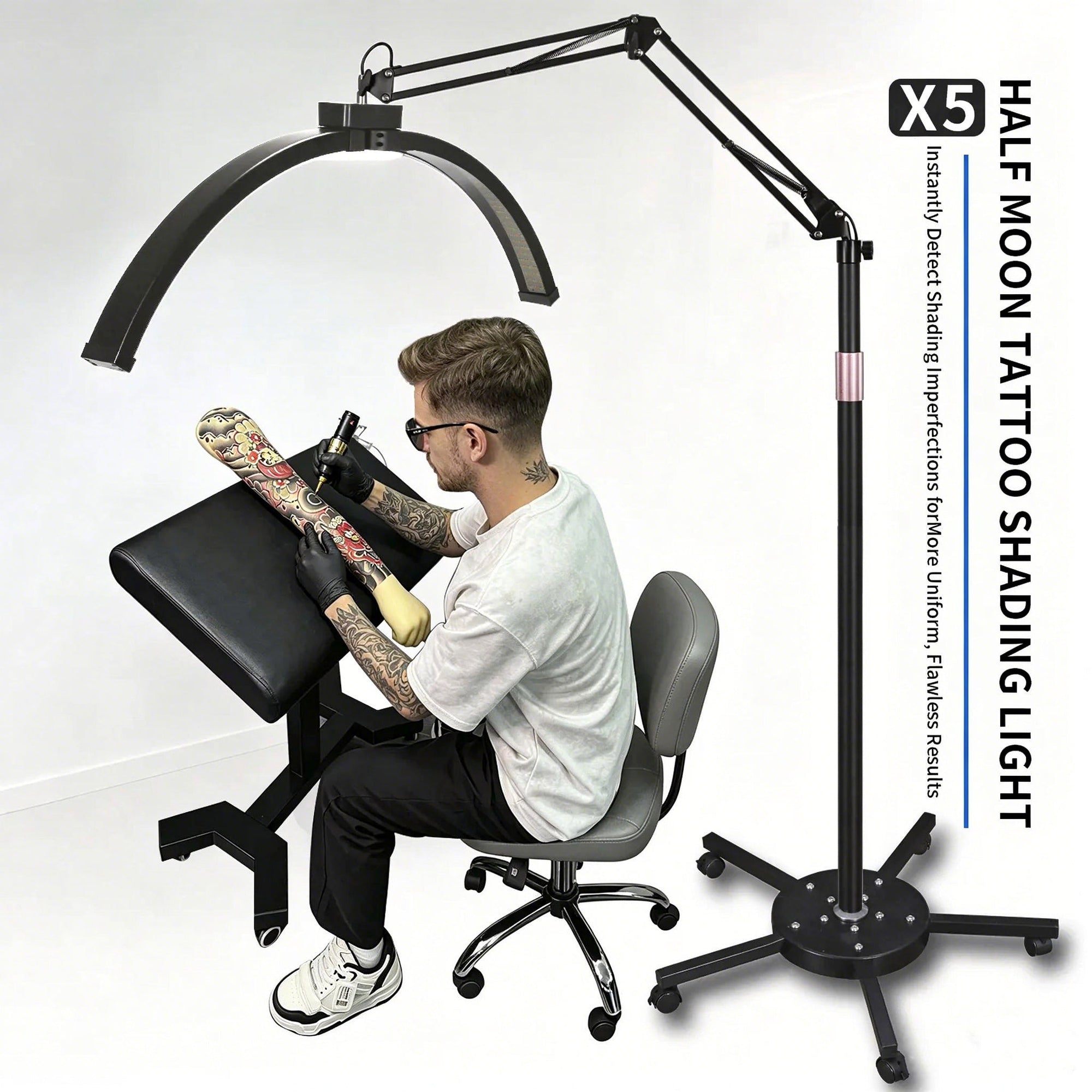
Tattoo Studio Lighting Guide: How to Choose the Right Light
How to choose studio lighting that actually helps you tattoo: brightness, color temperature, positioning — plus why polarized light cuts Vaseline glare so you can see needle marks.
buying guide
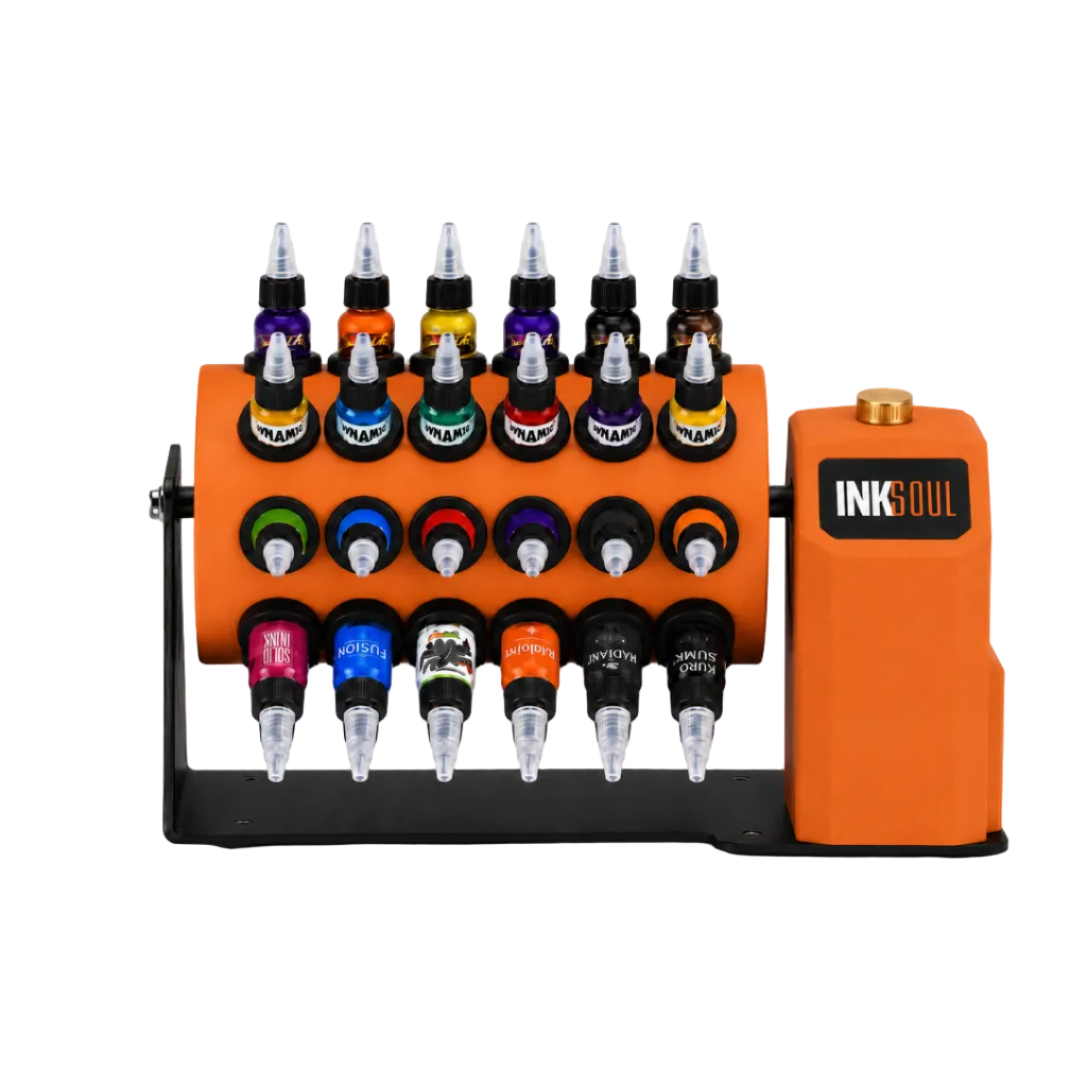
Tattoo Ink Rack Buying Guide: How to Organize Your Ink Like a Pro
How to organize your ink like a pro: rack types, bottle compatibility, keeping pigment mixed and ready — featuring the INKSOUL 48-bottle rotating rack.
buying guide
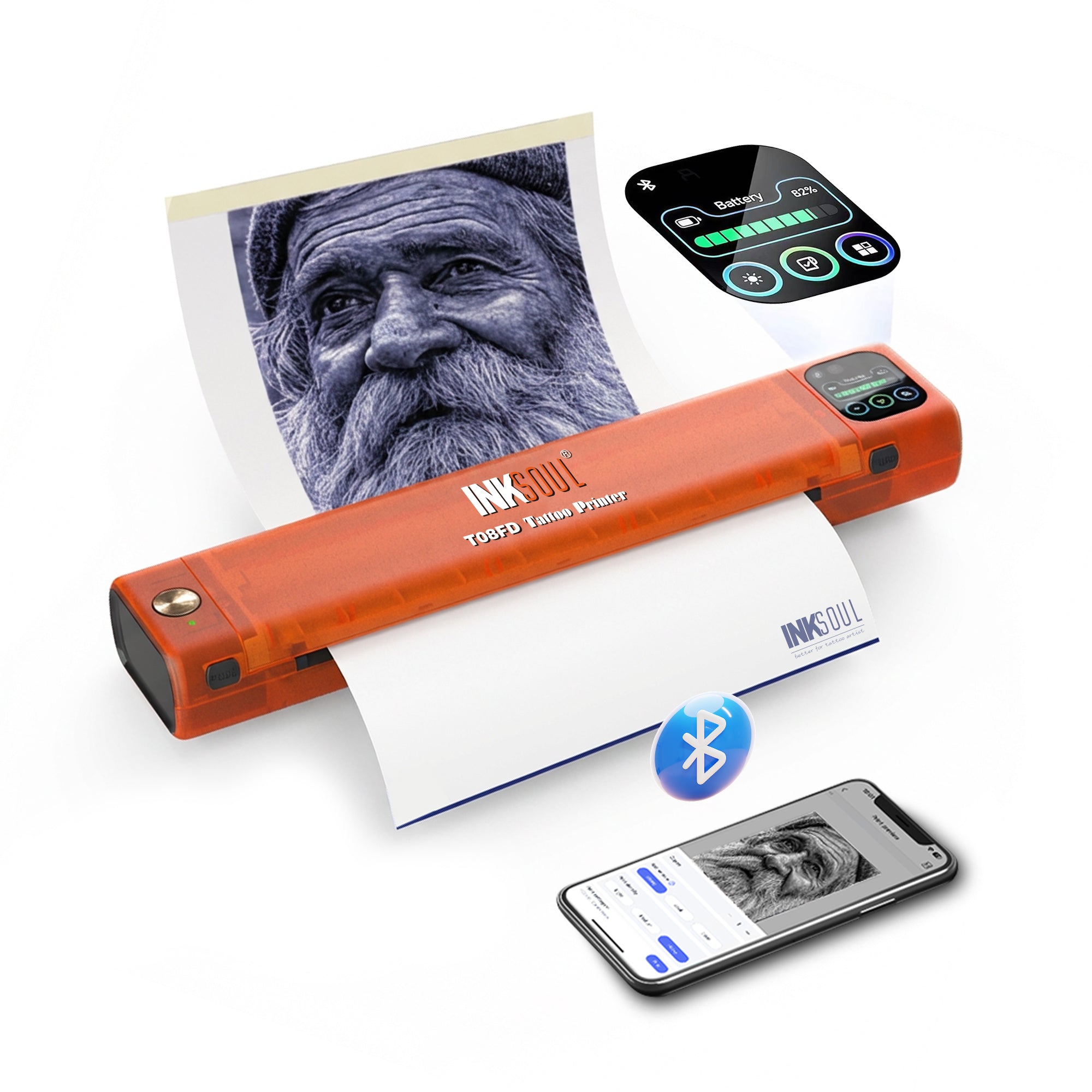
Tattoo Stencil Printer Buying Guide 2026: How to Choose the Best One
How to choose a tattoo stencil printer in 2026: shadow printing, resolution, paper sizes, connectivity and running costs — the complete buying guide.
buying guide
T08FD vs Ozer vs EZ: Which Stencil Printer Actually Prints Shadows?
Shadows are table stakes now — here's what actually separates the INKSOUL T08FD from the Ozer and EZ: touch-screen control, flagship reliability, and a matched transfer workflow. Our pick: the T08FD.
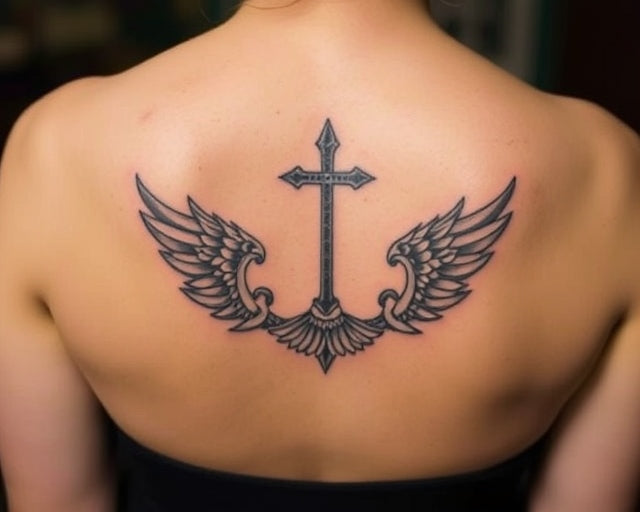
The Reality Check: Can I Get a Temporary Tattoo for 6 Months?
In the professional tattoo industry, one of the most persistent requests we receive from indecisive clients is a demand for a temporary tattoo for 6 months. Consumers are heavily marketed to by social media startups promising "made-to-fade" ink that looks completely authentic for half a year and then vanishes without a trace. From our experience at INKSOUL®, supplying professional artists and studios globally, we must set the record straight: the biology of human skin does not support a perfectly fading six-month tattoo. You are being sold a biochemical impossibility.
When clients ask for a temporary tattoo for 6 months, they are usually trying to test-drive a large piece of art before committing to a lifetime of ink. We respect that caution. However, in most professional situations, the commercially available "fading" tattoos either disappear unevenly, leaving you looking like you have a severe skin condition for two years, or they disappear completely within two weeks. If you want to make an informed, practical decision about your body, you need to understand the mechanics of the epidermis versus the dermis. In this comprehensive industry guide, we break down why the six-month mark is a biological dead zone, how fading inks actually work, and the professional methods you should use instead to test your tattoo ideas.
Quick Answer: Can You Get a Temporary Tattoo for 6 Months?
No, there is no reliable method to get a temporary tattoo for 6 months that maintains a high-quality appearance and fades cleanly. Here is the biological reality:
Surface Tattoos (Henna/Jagua/Stickers): These sit on the epidermis. Because your skin completely regenerates its outer layer every 28 days, these will never last 6 months. They max out at 1 to 3 weeks.
"Made-to-Fade" Ephemeral Inks: These are injected into the dermis using real tattoo machines. While they are marketed to fade in 9-15 months, our industry observation shows they fade highly unpredictably. Many clients are left with patchy, blown-out remnants that last over two years.
We recommend bypassing gimmicky fading inks completely. If you want to test a design, use professional stencil transfer paper to wear the exact design for a few days. If you love it, commit to permanent ink.
Table of Contents
What It Is: The Myth of the 6-Month Tattoo
How It Works: Skin Biology & Ink Retention
Benefits of Testing Tattoo Designs
Limitations of Fading Ink Formulations
Who Should Use Temporary Alternatives
Who Does Not Need Fading Tattoos
Common Mistakes Clients Make
Commercial Buying Considerations
Comparison Table: Tattoo Durations
Pros and Cons of Made-to-Fade Ink
Expert Recommendation & Stencil Solution
Frequently Asked Questions
What It Is: The Myth of the 6-Month Tattoo
When consumers search for a temporary tattoo for 6 months, they are looking for a Goldilocks solution: something tough enough to withstand daily showers, sunlight, and friction, yet chemically programmed to dissolve harmlessly into the bloodstream exactly 180 days later. This product does not exist. The temporary tattoo market is rigidly divided into two categories: topical stains and dermal implants.
Topical stains include water-slide decals (childhood temporary tattoos), Henna, and Jagua gel. These sink into the very top layer of dead skin cells (the stratum corneum). Ephemeral tattoos, conversely, use biodegradable polymers injected into the living tissue (the dermis) using actual tattoo machines for beginners or professionals. The claim is that the body breaks down these polymers. The reality is that the body does not adhere to a marketing timeline.
How It Works: Skin Biology & Ink Retention
To understand why a temporary tattoo for 6 months is structurally flawed, you must understand how a real tattoo works. A professional tattoo artist uses high-quality needles—if you are curious about mechanics, consult a tattoo needle sizes guide—to puncture the epidermis and deposit ink into the dermis.
Your immune system immediately recognizes the ink as a foreign invader. Macrophage cells rush to the site to "eat" the ink particles. In a permanent tattoo, the ink particles are too large for the macrophages to digest, so the cells simply hold the ink in place permanently. In a "made-to-fade" tattoo, the ink particles are engineered to break down smaller over time, allowing the macrophages to eventually carry them away to the lymph nodes.
The problem? Everyone's immune system, metabolism, sun exposure, and skin thickness is vastly different. In our testing and observation across the industry, an ink designed to fade in 9 to 15 months might disappear in 4 months on a highly active person's wrist, but remain as a blotchy, faded gray smudge for three years on someone else's ribcage.
Benefits of Testing Tattoo Designs
While the six-month timeline is a myth, the desire to test a design is highly valid. Getting a permanent tattoo is a lifelong commitment. The primary benefit of temporary placement is spatial awareness. You need to see how a design flows with the natural musculature of your forearm or calf. You need to know if the design looks cramped when you twist your torso. Testing prevents massive, expensive laser removal sessions later in life.
Limitations of Fading Ink Formulations
We must use commercial and practical judgment: do not treat your skin as a beta-testing ground for proprietary polymer inks. The limitation of fading tattoos is aesthetic degradation. A permanent tattoo heals and settles into a crisp, slightly softened version of itself. A fading tattoo begins degrading immediately. For 80% of its lifespan, it looks like an old, blown-out, poorly executed stick-and-poke. If you care about your appearance, walking around with a patchy, half-dissolved tattoo for a year defeats the purpose of getting body art.
Who Should Use Temporary Alternatives
For Beginners and Indecisive Clients: If you are terrified of commitment, you should use topical semi-permanent tattoos (like Inkbox) which last 1 to 2 weeks. Better yet, you should learn how to use tattoo transfer paper. By transferring a professional stencil onto your skin, you get an exact, 1:1 scale replica of the line work. You can wear it for two days, look in the mirror, and make a confident, permanent decision.
Who Does Not Need Fading Tattoos
For Commercial Users and Serious Collectors: If you are planning a traditional Japanese sleeve, an American Traditional back piece, or fine-line realism, do not insult the art form by looking for a temporary out. Heavy-duty applications require permanent, high-quality carbon-based inks. If you are serious about entering the tattoo world, consult our guide on the best tattoo needle brands and commit to the process.
Common Mistakes Clients Make
The most catastrophic mistake clients make is believing that fading tattoos are painless or consequence-free. "Made-to-fade" ink is applied using professional professional tattoo machines. It hurts exactly as much as a real tattoo. It requires the exact same healing process (aquaphor, peeling, itching, avoiding sunlight). It carries the exact same risk of infection or scarring if the artist goes too deep and causes a blowout. Enduring all of that trauma for a tattoo that is guaranteed to look terrible in a few months is a poor investment of your physical comfort and financial capital.
Commercial Buying Considerations
If you are a studio owner or an apprentice, clients will inevitably ask you to apply fading inks. We recommend you decline. The reputational risk to your studio is massive. When a client's "temporary" tattoo looks like a muddy bruise two years later, they will not blame the chemical structure of the ink; they will blame your application technique. Stick to high-quality, permanent tattoo ink for beginners and professional veterans alike.
Comparison Table: Tattoo Durations Analyzed
Tattoo Method
Skin Depth
Actual Lifespan
Fading Quality
Water Decals
Surface (Stratum Corneum)
2 to 5 Days
Flakes off abruptly.
Jagua / Henna / Inkbox
Upper Epidermis
1 to 2 Weeks
Fades cleanly as skin sheds.
"Made-to-Fade" (Ephemeral)
Dermis
9 Months to 3+ Years
Highly unpredictable; often patchy and uneven.
Permanent Tattoo
Dermis
Lifetime
Settles naturally; requires touch-ups every decade.
Pros and Cons: The "Made-to-Fade" Ink Trap
Pros of Fading Dermal Inks
Cons of Fading Dermal Inks
Provides the authentic physical experience of getting tattooed.
Costs exactly the same as a permanent tattoo.
Looks identical to a real tattoo for the first 30 to 60 days.
Fading is governed by individual immune response, meaning it rarely fades evenly.
Can theoretically serve as a test run for major placements (like neck or hands).
Carries the exact same risk of scarring, blowout, and infection as permanent ink.
Expert Recommendation & The Professional Solution
Stop searching for a temporary tattoo for 6 months. It is an aesthetic trap that yields poor results. We recommend a much more practical, professional approach to testing tattoo designs: use a thermal stencil printer. By printing your design on professional transfer paper, you can apply the purple stencil outline directly to your body. It will last through a few showers (typically 2 to 4 days), giving you ample time to stare at it in the mirror, check the placement, and ensure the sizing is perfect. If you need to know can a normal printer print tattoo stencils, the answer is no—you need dedicated thermal technology.
INKSOUL® T08FS Wireless Tattoo Transfer Stencil Printer
Instead of risking your skin on experimental fading inks, use the exact tools professionals use to map out permanent art. The INKSOUL T08FS is a heavy-duty, wireless thermal printer capable of printing intricate shadows and precise line work directly onto A4 thermal transfer paper.
Printing Technology: Inkless Thermal Printing (Requires no messy ink cartridges or ribbons).
Resolution: Crisp 203 dpi for hyper-accurate design testing.
Connectivity: Bluetooth for iOS/Android, USB for PC/Tablets.
Battery: Built-in 1200mAh battery for ultimate portability.
Weight: Ultra-lightweight at 0.75 kilograms.
Test Designs Like a Pro
Frequently Asked Questions
Is there any temporary tattoo that lasts exactly 6 months?
No. Biologically, anything applied to the surface of your skin will shed within 28 days due to natural cell turnover. Anything injected deeper into the dermis relies on your immune system to break it down, which is highly unpredictable and often takes years to fade completely.
Do made-to-fade tattoos hurt as much as real tattoos?
Yes. Made-to-fade inks (like Ephemeral) are applied using standard professional tattoo machines and needles. They penetrate the skin to the exact same depth as permanent tattoos, meaning the pain level and the healing process are completely identical.
How can I test a tattoo design before getting it permanently?
In most professional situations, the best method is to have an artist print the design using a thermal stencil printer and apply the transfer paper to your skin. This leaves a crisp purple outline that will last for a few days, allowing you to evaluate the size, placement, and flow on your body.
Are temporary tattoo inks FDA approved?
The FDA does not currently approve any tattoo inks (permanent or temporary) for injection into the skin. They consider tattoo inks to be cosmetics. Always exercise caution and research the manufacturer before allowing any chemical to be injected into your dermis.
Industry References & Authoritative Science
To ensure our claims regarding skin biology and ink retention meet the highest standards of E-E-A-T, INKSOUL® bases our practical guidelines on data from the following medical and regulatory authorities:
U.S. Food and Drug Administration (FDA): Official regulatory guidelines and safety warnings regarding the cosmetics industry, tattoo inks, and the lack of federal approval for dermal injection polymers. Review FDA Tattoo Safety Data
American Academy of Dermatology (AAD): Medical literature explaining the cellular turnover rate of the human epidermis (stratum corneum to basal layer) and the function of dermal macrophages in ink retention. Review AAD Dermatological Guidelines
Mayo Clinic: Clinical overviews of the risks associated with tattooing, including allergic reactions to foreign pigments, granulomas, and MRI complications. Review Mayo Clinic Tattoo Risks
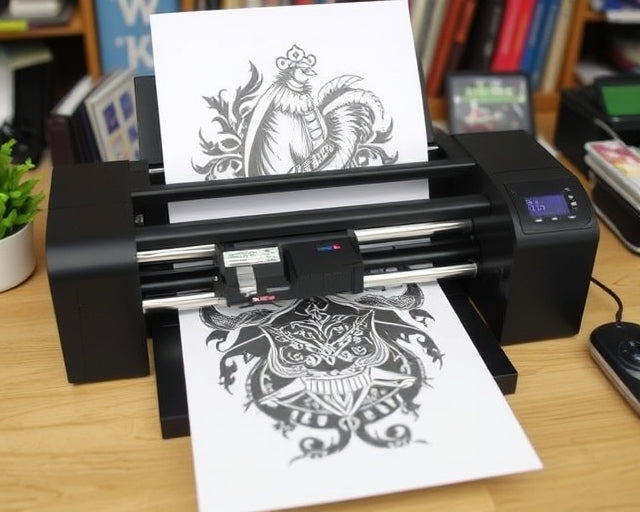
How to Load Paper Into a Tattoo Stencil Printer?
Every professional tattoo artist knows the feeling of a ruined stencil. You spend hours rendering a flawless custom design on your tablet, you hit print, and what comes out of the machine is a jammed, wrinkled, or completely blank sheet of expensive thermal paper. In most professional situations, the fault does not lie with the artwork or the tablet. The failure happens entirely during the physical loading process.
We see this daily in shops around the world. Artists, especially apprentices, burn through costly supplies simply because they do not fully understand the mechanics of thermal printing. If you want crisp, dark, perfectly aligned stencils that transfer effortlessly to the skin, you must master your hardware. Knowing exactly how to load paper into a tattoo stencil printer is a non-negotiable skill. A printer is only as reliable as the operator feeding it.
From our experience engineering professional-grade equipment at INKSOUL®, the margin for error with thermal paper is incredibly small. Feeding a four-ply sheet backward or leaving the protective barrier intact will result in a melted mess that can permanently damage your printer's thermal head. In this guide, we are going to eliminate the guesswork. We will break down exactly how to prepare your paper, how to feed it into different types of machines, and how to stop wasting money on botched prints.
Quick Answer: Loading Your Stencil Printer
To correctly load paper into a tattoo stencil printer, follow these primary steps:
Prepare the Paper: Take a standard 4-ply thermal transfer sheet and completely remove the loose, semi-transparent brown tissue layer (the onion skin).
Align the Sheets: Ensure the yellow backing sheet and the white master sheet are perfectly flush at the top edge.
Insert Correctly: For modern wireless thermal printers, feed the top edge into the loading slot with the white master sheet facing the thermal print head. For traditional rotary copiers, load the paper flat with the yellow backing sheet feeding into the bottom slot.
Engage the Rollers: Allow the printer's automatic optical sensor to grab the paper, or manually close the cover firmly until it clicks. Never pull or force the paper through the feed.
Table of Contents
1. Understanding Tattoo Transfer Paper Anatomy
2. Step-by-Step: How to Load Paper into a Tattoo Stencil Printer
3. The Most Common Loading Mistakes
4. Hardware Check: Are You Using the Right Printer?
5. Quick Summary Table
6. Copiers vs. Wireless Printers
7. Pros and Cons of Thermal Printing
8. Buying Considerations & Expert Recommendation
9. Frequently Asked Questions
1. Understanding Tattoo Transfer Paper Anatomy
Before you even approach your machine, you must understand what you are holding in your hands. Tattoo transfer paper is not standard office copy paper. Standard copy paper relies on liquid ink or laser toner. Thermal transfer paper relies on heat and pressure. We constantly get asked if a normal office setup will work, and we cover that extensively in our guide on whether can a normal printer print tattoo stencils. The short answer is no, because standard printers do not generate the precise heat required to melt the carbon.
If you are using professional 4-ply thermal paper, it consists of four distinct layers:
The Master Sheet (Top/White): This is the crisp white sheet where your final design will be pressed.
The Protective Tissue (Second Layer/Brownish): This is the loose onion-skin paper. Its only job is to prevent the carbon from smudging the master sheet during shipping. It must be removed before printing.
The Carbon Sheet (Third Layer/Purple or Black): This is the magic layer. The thermal printer heats up, melting this carbon onto your master sheet.
The Backing Sheet (Bottom/Yellow or Heavy White): This holds everything together and provides a rigid back for the printer rollers to grip.
For beginners, the biggest hurdle is simply visualizing how these layers interact with the printer's thermal head. The heat must pass through the master sheet to melt the carbon layer directly onto the back of that same master sheet. Understanding this basic principle of how to use tattoo transfer paper will prevent 90% of your loading errors.
2. Step-by-Step: How to Load Paper into a Tattoo Stencil Printer
The exact loading mechanism varies depending on whether you are using a heavy, old-school rotary thermal copier or a sleek, modern Bluetooth model. However, the preparation remains identical. Here is the professional workflow we recommend.
Step 1: Prep the Paper
Lay your 4-ply transfer paper flat on your workstation. Lift the white master sheet and gently peel away the loose, semi-transparent protective tissue layer. Throw it in the trash immediately. Leaving this layer inside the paper is the number one cause of jammed machines and ruined thermal heads. Smooth out the remaining three layers so the top edges are perfectly flush.
Step 2: Identify the Feed Orientation
In most professional situations using a modern tattoo stencil printer (like a portable wireless unit), you will be feeding the paper from the top or front slot. You must determine where the thermal heating element is located inside your machine. The white master sheet must face the thermal element. If you load it backward, the printer will heat the yellow backing, melting it into the rollers and destroying the paper.
Step 3: Insert and Align
Using both hands, gently slide the perfectly flush top edge of the transfer paper into the feed slot. Do not force it. Modern machines feature optical sensors. Once the paper passes the sensor, you will hear the internal motorized rollers engage and grip the paper, pulling it in by about half an inch. If the paper goes in crooked, press the release button, remove it, and try again. Printing on a crooked sheet will warp your stencil, making symmetrical tattoos like mandalas impossible to apply correctly.
Step 4: Execute the Print
Once the machine has gripped the paper, send the design from your tablet or phone. Keep your hands away from the paper as it feeds through. Pulling on the sheet as it prints will stretch the carbon, resulting in distorted lines.
3. The Most Common Loading Mistakes
From our experience troubleshooting hardware for thousands of artists, operator error accounts for the vast majority of printing issues. Here is what you need to stop doing immediately.
Leaving the Onion Skin Intact: We cannot stress this enough. If you leave the protective tissue layer inside the paper stack, the printer's heat will melt it directly into the carbon layer. You will pull out a completely blank master sheet, and you risk jamming your machine's gears.
Forcing the Feed: Never shove the paper into the rollers. If you are using a thermal tattoo printer, it is designed to precisely grab the paper. Forcing it causes micro-wrinkles in the master sheet, which translates to missing lines in your stencil.
Using the Wrong Paper: Trying to run standard printer paper through a thermal copier will yield zero results because there is no carbon to activate. If you are confused about compatibility, read our expert guide on whether you can use a regular printer for tattoo transfer paper.
4. Hardware Check: Are You Using the Right Printer?
If you are meticulously following loading instructions and still getting faded, patchy stencils, the problem is no longer you; it is your hardware. Old traditional rotary copiers have physical bulbs that degrade over time. The rollers warp, causing uneven pressure. If you are constantly fighting your machine, it is time for a commercial upgrade.
For heavy-duty applications and precise shadow printing, we highly recommend upgrading to a modern wireless system. The ability to print directly from an iPad without a tangle of cords or relying on a secondary desktop computer changes the entire dynamic of a tattoo shop.
INKSOUL® T08FS Wireless Tattoo Transfer Stencil Printer
Our flagship model is designed to eliminate loading errors and print flawless, high-resolution stencils, including complex shadow gradients.
Advanced Printing: Supports printing both shader images and precise line work.
Versatile Paper Sizes: Accommodates A4 (8.3in x 11.7in), LTR (8.5in x 11in), Legal (8.5in x 14in), and LTR+ (8.5in x 16.5in).
True Wireless Freedom: Bluetooth connection for mobile phones and tablets (PC via USB). Features a massive 1200mAh battery for all-day convention printing.
Zero Ink Required: Uses economical thermal technology at a crisp 203 dpi resolution.
View the INKSOUL® T08FS Wireless Printer
5. Quick Summary Table: Troubleshooting Loading Issues
The Problem
The Cause
The Solution
Stencil comes out completely blank.
Paper loaded upside down or protective tissue left inside.
Remove brown tissue layer. Ensure the white master sheet faces the thermal heating element.
Stencil lines are wrinkled or distorted.
Paper was fed crooked or forced into the rollers.
Align top edges perfectly flush. Let the automatic sensor grip the paper naturally.
Stencil is too light or patchy.
Machine is overheating or thermal paper quality is poor.
Allow machine to cool between prints. Use premium, highly-pigmented 4-ply thermal paper.
Paper jams inside the machine.
Yellow backing sheet is bent or creased before loading.
Always use fresh, uncreased paper. Store paper flat in a dry environment.
6. Comparison Table: Traditional Copiers vs. Modern Wireless Printers
When choosing the best tattoo stencil printers, artists must weigh the pros and cons of traditional heavy-duty machines against modern portable tech.
Feature
Traditional Rotary Copier
INKSOUL® Wireless Thermal Printer
Paper Loading Mechanism
Manual feed, highly prone to slipping and crooked feeds.
Automatic optical sensor grip ensures perfectly straight loading.
Portability
Heavy, bulky, requires constant AC wall power.
Lightweight (0.75 kg), runs on 1200mAh battery. Ideal for conventions.
Print Capabilities
Line work only. Struggles heavily with shading.
203 dpi resolution. Precisely prints both line work and complex shadows.
Connectivity
Requires printing a paper master copy first, then running it through.
Direct Bluetooth printing from iPad, tablet, or smartphone.
7. Pros and Cons of Upgrading to a Dedicated Thermal Printer
If you are still hand-tracing stencils over a light box, or relying on a cheap, unbranded thermal machine that eats paper, you are losing money on lost time. Here is a realistic look at the pros and cons of upgrading your setup.
Pros of a Professional Thermal Printer
Cons of a Professional Thermal Printer
Saves hours of manual tracing time daily, allowing you to take on more clients.
Requires an initial financial investment compared to hand-tracing.
Perfectly replicates complex digital designs, including precise geometric patterns.
Requires purchasing specific 4-ply thermal transfer paper (no standard printer paper).
Wireless models allow you to prep stencils anywhere, streamlining your shop workflow.
Requires basic maintenance, such as wiping down the thermal head with alcohol.
Modern machines load automatically, eliminating wasted, jammed stencil paper.
Has a slight learning curve for artists transitioning from traditional analog workflows.
8. Buying Considerations & Expert Recommendation
In our testing, the biggest barrier to a clean stencil is relying on outdated hardware that requires a master degree in patience to load correctly. For commercial users operating in a busy studio, speed and reliability are paramount. You cannot afford to spend 15 minutes fighting a paper jam while your client is sitting in the chair.
When considering an upgrade, look for machines that offer automatic paper gripping. The optical sensors in units like our wireless tattoo stencil printer take the human error out of the equation. You slide the paper in, the machine aligns it, and it pulls it through with exact, consistent pressure. Furthermore, the ability to print shadow gradients directly from a tablet without cables is a massive workflow enhancement.
We recommend abandoning traditional rotary copiers altogether. They are relics of the past. Invest in a smart, portable thermal printer, keep your 4-ply paper dry, and always remember to remove that brown tissue layer before feeding.
9. Frequently Asked Questions
Which way do you put paper in a tattoo printer?
It depends on the machine, but the universal rule of thermal printing is that the thermal print head must make direct contact with the white master sheet (or the side you want to print on). For modern wireless printers like INKSOUL, you feed the paper with the white master sheet facing the heating element. Always remove the loose protective tissue layer first.
Why is my tattoo stencil printer printing blank?
This is almost always a paper loading error. If you load the paper backward, the heat hits the yellow backing sheet instead of the master sheet, resulting in no transfer. Alternatively, if you failed to remove the brown protective tissue layer, the carbon will melt onto the tissue instead of the master sheet. Finally, ensure you are actually using thermal paper, not standard office paper.
Can I run the same sheet of stencil paper through the printer twice?
No. Once the thermal printer heats the carbon and melts it onto the master sheet, that specific section of carbon is depleted. If you run it through again, the previously printed areas will be faint or completely blank. Always use a fresh sheet of thermal paper for a new stencil.
Do I need ink for a tattoo stencil printer?
No. Professional tattoo stencil printers use thermal technology. The printer itself generates heat, which interacts with the carbon layer embedded in the 4-ply thermal transfer paper. There are no ink cartridges or ribbons to replace.
References & Industry Standards
To maintain E-E-A-T (Experience, Expertise, Authoritativeness, and Trustworthiness), this article references best practices established by leading health and technical organizations regarding equipment usage and thermal technology.
Alliance of Professional Tattooists (APT): Guidelines on safe, sanitary, and efficient tattoo workstation setup and equipment usage. Review APT Standards
International Organization for Standardization (ISO): ISO 9706 standards concerning the physical properties, longevity, and thermal stability of coated papers. Review ISO Standards
Inked Magazine: Industry coverage on the evolution of tattoo technology, reviewing the shift from hand-tracing to Bluetooth thermal stencil printers. View Industry Insights
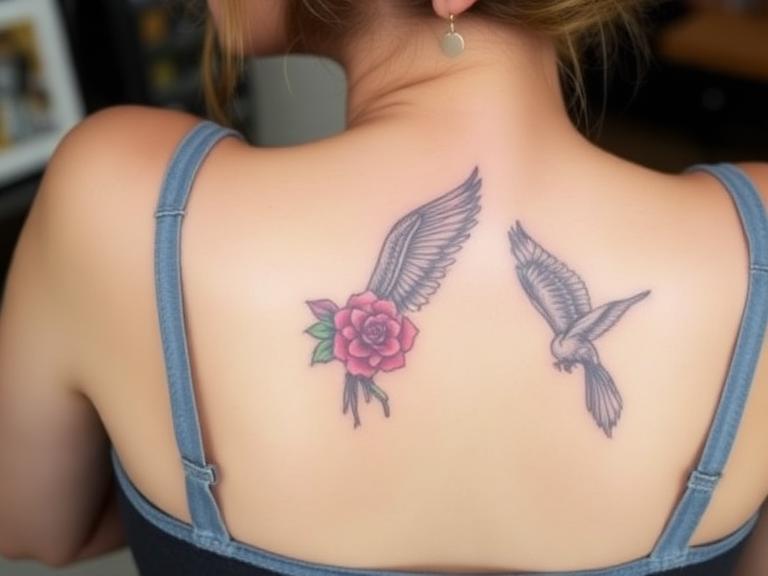
Is It Possible to Print Your Own Temporary Tattoos? An Expert Industry Guide
The tattoo industry has evolved rapidly over the last decade, shifting from an exclusive, highly guarded subculture into a heavily integrated aspect of mainstream cosmetic expression. As custom ink becomes more prevalent, so does the anxiety surrounding permanent body modification. Clients and enthusiasts alike are desperately searching for ways to test-drive their artwork before committing to the needle. Consequently, one of the most frequent questions we receive at INKSOUL® is whether it is actually possible to print your own temporary tattoos at home using standard office equipment.
From our experience engineering advanced thermal printing technology for professional tattoo artists, we know that the intersection of standard home printing and skin-safe adhesives is fraught with misconceptions. Many consumers confuse the process of printing a glossy, temporary party tattoo with the rigorous process of printing a professional tattoo stencil. We take a clear position: while home-printing temporary tattoos is entirely feasible and fun for casual use, it is a fundamentally different process with vastly different materials than what professional studios use. In this comprehensive guide, we will answer your search intent directly, explain the chemical and mechanical reality of printable tattoo paper, and provide commercial and practical judgment on whether you should invest your time and money into this DIY process.
Quick Answer: Can You Print Your Own Fake Tattoos?
Yes, it is absolutely possible to print your own temporary tattoos. By using a standard home inkjet or laser printer combined with specialized "waterslide decal tattoo paper," you can transfer any digital image onto your skin. However, you must understand the following caveats:
The Mechanism: You print your design onto a specialized glossy sheet, apply a clear adhesive medical-grade film over it, cut it out, and apply it to your skin using a damp cloth.
The Lifespan: These DIY temporary tattoos typically last 1 to 3 days. They are highly susceptible to friction, hot water, and natural skin oils.
The Finish: They will have a noticeable glossy, plastic-like sheen over the design, which immediately gives away that they are not real tattoos.
In most professional situations, if your ultimate goal is to prepare a design for a real, permanent tattoo session, printing a temporary glossy tattoo is the wrong approach. You should instead look into how to use tattoo transfer paper with a dedicated thermal stencil printer to create an accurate, matte blueprint on the skin.
What It Is: The Anatomy of Printable Temporary Tattoos
When you ask if it is possible to print your own temporary tattoos, you are essentially inquiring about the capabilities of waterslide decal paper engineered for dermatological use. Unlike standard printer paper, which merely absorbs liquid ink into its porous wood-pulp fibers, temporary tattoo paper is a multi-layered chemical composite.
A standard DIY temporary tattoo kit consists of two distinct components. The first is the printable sheet, which features a water-soluble backing coated with a specialized receptive layer designed to hold inkjet or laser toner without bleeding. The second component is the adhesive sheet. This is a clear, medical-grade adhesive film attached to a protective release liner. The magic happens when these two sheets are combined. You are not actually printing directly onto an adhesive; you are printing onto a carrier sheet and then manually laminating the adhesive over your fresh ink.
How It Works: The Step-by-Step Home Printing Process
To execute this process successfully, you must understand the mechanical limitations of your home office equipment. If you are wondering can a normal printer print tattoo stencils, the answer is complex. A normal printer cannot print a professional thermal stencil, but it *can* print a temporary tattoo decal. Here is the operational workflow:
Design and Mirroring: You format your desired artwork on your computer. Crucially, you must flip or "mirror" the image horizontally before printing. If your design includes text or asymmetrical geometry, failing to mirror the image means your temporary tattoo will be applied backward on your skin.
Printing the Carrier: Load the printable waterslide sheet into your inkjet or laser printer. Ensure you have purchased the correct paper for your specific printer type—running inkjet paper through a laser printer will melt the coating and destroy your fuser roller.
Laminating the Adhesive: Once the ink is completely dry, you peel the backing off the clear adhesive sheet and carefully laminate it over your printed design. You must use a squeegee or a credit card to push out any trapped air bubbles.
Application: You cut out the design, peel off the final clear plastic layer, place the sticky side face down on clean, hairless skin, and press a wet sponge against the paper backing for 30 to 60 seconds until the paper slides off effortlessly.
If you lack access to a printer entirely, there are alternative DIY methods available, which we detail in our guide on how to make temporary tattoos.
Benefits of DIY Temporary Tattoos
There are distinct psychological and aesthetic benefits to printing your own temporary tattoos. For beginners, the permanence of real ink is intimidating. A printed temporary tattoo serves as the ultimate test-drive. You can evaluate the sizing, the placement on your body, and how the design flows with your natural musculature before you spend hundreds of dollars at a professional studio.
Furthermore, this technology is incredibly cost-effective for event planners and cosplayers. If you need highly specific, intricate character markings for a weekend convention or custom logos for a corporate party, batch-printing temporary tattoos on an inkjet printer is a highly efficient, pain-free solution.
Limitations and Hard Truths
We must use commercial and practical judgment here: DIY temporary tattoos are aesthetically flawed. They do not look like real tattoos. The medical-grade adhesive creates a distinct, reflective film over the skin. When light hits it, it shines like plastic tape. As the skin flexes and stretches throughout the day, this plastic film will begin to micro-fracture, causing the image to crack and peel within 48 hours.
Additionally, while the adhesive is generally safe, the actual printer ink from your HP or Canon printer was never formulated for dermal contact. While the adhesive layer acts as a barrier, long-term or repeated exposure to standard printer ink on the skin is not advisable. This is exactly why professional tattoo artists rely on specialized spirit carbon paper and a thermal tattoo printer to create safe, matte, and highly accurate stencils for permanent work.
Who Should Use Printable Temporary Tattoos
For beginners and casual users: If you are planning a children's birthday party, assembling a Halloween costume, or nervously debating whether that forearm wolf design is too large, printing a temporary tattoo at home is the perfect application. It requires low investment and offers zero commitment.
Who Does Not Need Them
For commercial users and professional tattoo artists: Do not attempt to use waterslide temporary tattoo paper to place a stencil on a client. The glossy film will block your needle, gum up your tattoo machine, and completely destroy your line work. Professionals require deep, matte carbon transfers that bond to the skin's surface without a plastic film. If you are operating a studio, you need to understand tattoo transfer printer guide requirements, which exclusively mandate thermal technology.
Common Mistakes in DIY Tattoo Printing
In our testing, the most frequent point of failure for consumers attempting this process is paper incompatibility. Users frequently ask, "regular printer for tattoo transfer paper?" The distinction is vital. A regular printer can print temporary tattoo paper, but it absolutely cannot print professional thermal transfer paper (the purple carbon sheets used in studios). Shoving a 4-ply thermal transfer sheet into a standard home inkjet printer will result in a catastrophic paper jam and zero image transfer.
Another common mistake is failing to prep the skin. Applying a temporary tattoo over dense body hair or oily, lotion-covered skin guarantees that the adhesive will fail to bond, resulting in the image flaking off within hours.
Expert Buying Considerations
If you decide to proceed with printing your own temporary tattoos, you must verify your printer type before purchasing paper. Inkjet paper relies on absorption, while laser paper relies on heat fusion. Buying the wrong type will waste your money. Additionally, always perform a patch test on a small area of your skin before applying a massive back-piece, as the acrylic-based adhesives used in these kits can trigger mild contact dermatitis in sensitive individuals.
However, if your ultimate goal is to transition from testing fake designs to executing real, permanent tattoos, you must upgrade your hardware. The gap between a home inkjet printer and professional studio equipment is immense.
Expert Recommendation: Evolving to Professional Stencils
We recommend that anyone serious about body art eventually abandons the glossy, cracking limitations of temporary tattoo paper. When you are ready to step into the professional realm, whether as an apprentice or an established artist looking to streamline your workflow, you must invest in dedicated thermal printing technology. For heavy-duty applications and flawless, intricate stencil transfers, standard printers simply cannot compete.
If you are evaluating the best tattoo stencil printers, you need a machine that requires no ink, no ribbons, and integrates seamlessly with your digital design ecosystem.
INKSOUL® T08FS Wireless Tattoo Transfer Stencil Printer - Can Print Shadows
Price: $168.88
Ditch the messy inkjet cartridges and fragile temporary paper. The INKSOUL T08FS is engineered for professional tattoo artists who demand flawless, long-lasting stencils. Utilizing advanced thermal printing technology, this machine burns your design directly onto professional carbon transfer paper, ensuring lines and complex shadows that will not wipe away during long tattoo sessions.
Advanced Capability: Supports printing intricate Shader images and crisp line images.
Versatile Sizing: Accommodates multiple paper sizes (A4, LTR, Legal, LTR+).
Wireless Freedom: 1200mAh battery with seamless Bluetooth connection for mobile phones and tablets.
Zero Ink Required: Uses economical thermal technology—just load A4 thermal paper. No cartridges, no ribbons, no maintenance.
Precision Specs: 203 dpi resolution with a maximum printing speed of 13-15 mm/s.
Upgrade to Professional Thermal Printing
For artists who prefer a localized, hardware-driven interface without relying solely on mobile apps, we also highly recommend exploring the touch screen tattoo printer variants in our catalog.
Summary and Comparison Tables
Pros and Cons of Printing Your Own Temporary Tattoos
Pros (Advantages)
Cons (Limitations)
Extremely cost-effective for testing large designs.
Leaves a glossy, unnatural plastic sheen on the skin.
Pain-free and requires zero long-term commitment.
Cracks and peels rapidly with normal skin movement.
Can be done using standard home office equipment.
Printer ink is not FDA-approved for dermal absorption.
Excellent for cosplay, theater, and children's events.
Cannot be used as a stencil guide for a real tattoo machine.
Comparison: Temporary Tattoo Paper vs. Professional Thermal Stencil
Feature
DIY Temporary Tattoo Paper
Professional Thermal Stencil Paper
Printer Required
Standard Home Inkjet or Laser Printer
Dedicated Thermal Printer (e.g., INKSOUL T08FS)
Primary Mechanism
Prints ink onto a carrier, laminated with an adhesive film.
Heat transfers purple carbon dye directly onto the paper.
Skin Finish
Glossy, reflective, sits on top of the skin like tape.
Matte, vibrant purple lines that bond to the skin's surface.
Purpose
Final visual display for a few days.
A wipe-resistant blueprint for a permanent tattoo procedure.
Ink/Toner Cost
High (consumes expensive CMYK printer ink).
Zero (thermal printers do not use ink cartridges).
Frequently Asked Questions (FAQ)
Can I use normal printer paper to make a temporary tattoo?
No. Normal printer paper is highly porous and relies on wood pulp. It has no adhesive properties and will dissolve immediately if you apply a wet sponge to it. You must use specialized waterslide decal temporary tattoo paper, which features a chemical release liner and a separate medical-grade adhesive sheet.
How long do home-printed temporary tattoos last?
In most professional situations, we observe that DIY temporary tattoos last between 1 to 3 days. Their longevity is heavily dependent on placement. Tattoos placed on areas with high friction (like wrists or hands) or areas that bend frequently (like elbows) will crack and peel off much faster than those placed on flat, low-friction areas like the shoulder blade or calf.
Is standard printer ink safe for the skin?
Standard inkjet and laser toners are not formulated or approved for cosmetic use on the human epidermis. However, when using temporary tattoo paper, the ink is sandwiched between the carrier paper and the clear adhesive film. The adhesive acts as a barrier against the skin. While generally considered safe for short-term wear, individuals with highly sensitive skin should perform a patch test first to ensure they do not develop contact dermatitis from the adhesive.
Authoritative Industry References
U.S. Food and Drug Administration (FDA): The FDA regulates the color additives used in temporary tattoos and cosmetic products. Always verify that the adhesive components of your DIY paper comply with federal cosmetic regulations. Visit the FDA guidelines on Temporary Tattoos.
American Academy of Dermatology (AAD): The AAD provides critical medical insights regarding contact dermatitis and allergic reactions caused by synthetic adhesives and non-dermatological inks applied to the skin. Visit the AAD.
ASTM International: ASTM develops consensus standards for the performance and safety of pressure-sensitive adhesives used in medical and skin-contact applications. Visit ASTM International.
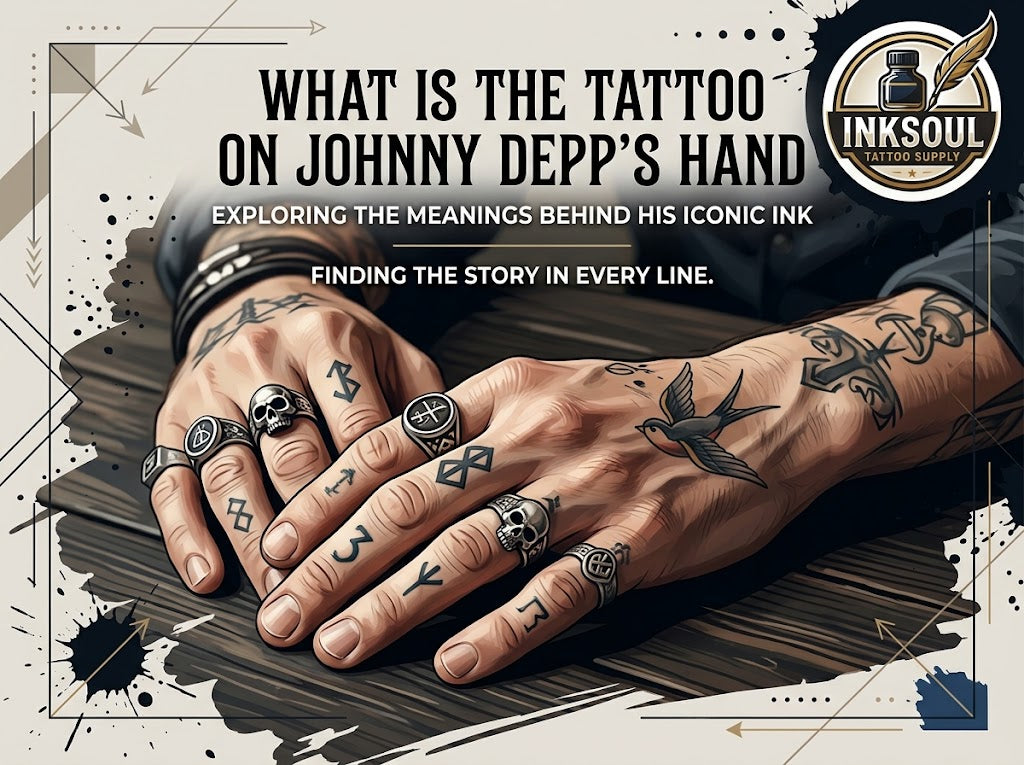
What is the Tattoo on Johnny Depp's Hand? A Professional Analysis
Johnny Depp’s body art serves as a highly public, living journal of his life, relationships, and personal evolution. Among his extensive collection, the tattoo on Johnny Depp's hand is arguably the most scrutinized piece of ink in modern pop culture history. As professionals at Inksoul tattoo supply, we view this specific tattoo not just as celebrity gossip, but as a fascinating case study in pigment manipulation, cover-up execution, and the unique challenges of hand tattooing.
From our experience supplying the global tattoo industry, hand tattoos present massive technical hurdles. The skin on the knuckles and the back of the hand is constantly in motion, exposed to UV light, and subjected to endless friction. Consequently, executing a successful cover-up in this area requires commercial-grade equipment and advanced technical knowledge. We will dissect the evolution of the tattoo on Johnny Depp's hand, explain the mechanics of how professionals achieve these results, and outline the equipment necessary for commercial users attempting similar heavy-duty applications.
Quick Answer: The Evolution of the Ink
The prominent tattoo on Johnny Depp's hand located across his right knuckles originally spelled "SLIM", a nickname for his former wife, Amber Heard. Following their separation, Depp underwent a professional cover-up to alter the text.
Phase 1: The "L" and "I" were modified to form a "C" and a "U", changing the word from "SLIM" to "SCUM".
Phase 2: He later altered the "U" into an "A" featuring an anarchy symbol, changing the word to "SCAM".
Additional Hand Ink: On the back of his right hand, Depp also features a flying crow or rook, often associated with the card game Rook, a nod to his grandfather. He also features a zig-zag line on the back of his left hand, representing his adoption into the Comanche Nation.
Table of Contents
What It Is: The Anatomy of the Hand Tattoo
How It Works: The Mechanics of a Knuckle Cover-Up
Benefits of Hand and Knuckle Tattoos
Limitations and Hard Truths
Who Should Use It
Who Does Not Need It
Common Mistakes in Hand Tattooing
Buying Considerations for Professionals
Expert Recommendation and Equipment
Summary and Comparison Tables
Frequently Asked Questions (FAQ)
What It Is: The Anatomy of the Hand Tattoo
The tattoo on Johnny Depp's hand is a textbook example of traditional knuckle lettering. This style of tattooing has roots deep in maritime history and prison culture, traditionally used to spell out two four-letter words or one eight-letter word across the fists. Today, it has been heavily co-opted by mainstream culture.
What makes Depp's specific ink fascinating to industry practitioners is the iterative cover-up process. Changing "SLIM" to "SCUM" and eventually to "SCAM" utilizing the anarchy symbol requires precise line manipulation. The artist had to pack dense black pigment over existing, aged ink without turning the entire knuckle into an illegible, blown-out black box. This is a masterclass in utilizing negative space and heavy black saturation.
How It Works: The Mechanics of a Knuckle Cover-Up
Covering up an existing hand tattoo is not as simple as drawing a new design over the old one. Tattoo ink resides in the dermis, the second layer of skin. When an artist executes a cover-up like the tattoo on Johnny Depp's hand, they are not erasing the old ink; they are strategically blending new pigment over and alongside the existing carbon particles.
In most professional situations, executing a successful cover-up on the knuckles involves stretching the skin tightly to navigate the bone and cartilage. Hand skin is incredibly tough yet thin. The artist must use a machine with enough driving force to push the needle through the epidermis, but not so much force that it causes a blowout (where ink spreads uncontrollably into the subcutaneous fat). Understanding the tattoo healing stages is critical here, as hand tattoos scab heavily and reject ink during the first week of healing due to constant movement.
Benefits of Hand and Knuckle Tattoos
Despite the technical challenges, hand tattoos remain incredibly popular. The primary benefit is absolute visibility. A hand tattoo is a bold, uncompromising statement. For collectors and enthusiasts, the hands act as the ultimate canvas completion. They serve as daily visual reminders of personal mantras, significant life events, or, in the case of the tattoo on Johnny Depp's hand, personal evolution and resilience through adversity.
Limitations and Hard Truths
We must apply commercial and practical judgment here: hand tattoos are exceptionally high-maintenance. Because the skin on the hands regenerates faster than any other part of the body and is constantly washed, the ink falls out rapidly. The crisp anarchy "A" in Depp's "SCAM" tattoo will inevitably blur over time.
For heavy-duty applications like solid black lettering on knuckles, clients should expect to return for touch-ups every few years. Furthermore, from a professional standpoint, artists must charge accordingly for the inevitable touch-up sessions. If you are a studio owner, we highly recommend consulting a robust tattoo pricing guide to ensure your hand-tattoo rates account for the guaranteed secondary pass.
Who Should Get Hand Tattoos
We recommend hand and knuckle tattoos exclusively for heavily tattooed individuals who already have full sleeves. In the tattoo industry, the hands, neck, and face are known as "job stoppers." A professional studio will typically refuse to tattoo the hands of an 18-year-old with blank arms. Hand tattoos are for serious collectors who understand the social permanence and the physical maintenance required.
Who Does Not Need It
For beginners or those looking for a subtle aesthetic, permanent hand tattoos are a massive mistake. The pain level is severe, hitting directly over bone and nerve endings. If you admire the aesthetic of the tattoo on Johnny Depp's hand but are not ready for the lifetime commitment and the painful healing process, permanent ink is not for you.
Instead, we strongly advise testing the waters with non-permanent alternatives. Exploring temporary tattoo ideas or utilizing high-quality cosmetic markers found in a temporary tattoo pens review allows you to wear knuckle lettering for a weekend without the lifetime consequences. If you want to create a custom design at home, learning how to make temporary tattoos is a vastly superior starting point for novices.
Common Mistakes in Hand Tattooing and Cover-Ups
The most catastrophic mistake an amateur artist makes when attempting a knuckle cover-up is improper depth control combined with the wrong needle grouping. Hand skin is deceptive. Pushing a tight round liner (3RL) too deep on a knuckle will instantly blow out, turning crisp letters into a murky blue bruise.
In our testing, using a fixed stroke machine (like a standard 3.5mm) limits an artist's ability to adapt to the varying skin densities of the hand. Furthermore, failing to ensure proper ink consistency is a critical error. Artists must use a high-quality pigment and properly agitate it using a professional tattoo mixer supply before application to ensure maximum carbon density for a successful cover-up.
Buying Considerations for Professionals
For commercial users executing heavy-duty cover-ups similar to Depp's, investing in premium equipment is non-negotiable. You cannot pack dense black ink into scarred knuckle tissue with a cheap coil machine.
Machine Stroke: You need an adjustable stroke machine. A 4.2mm stroke hits hard enough to pack solid color, while a 2.4mm stroke allows for soft shading and blending.
Needle Compatibility: Ensure your machine accepts standard cartridges. If you are unsure, consult resources like do all needles fit tattoo machines to avoid buying proprietary, overpriced cartridges.
Visibility: Hand tattoos bleed heavily. Precision requires perfect illumination. Invest in proper tattoo lighting equipment.
Hygiene: Cover-ups require frequent wiping and needle clearing. Maintain a sterile workspace with dedicated tattoo needle cleaning supplies.
Expert Recommendation
From our experience at Inksoul tattoo supply, successfully modifying text on highly mobile skin—like the evolution of the tattoo on Johnny Depp's hand—requires a machine that offers ultimate versatility. You need the finesse to navigate around existing lines and the power to blast heavy black over the old pigment.
We recommend the Dragonhawk Mast Fold 2 Pro for this exact scenario. The ability to switch stroke lengths on the fly means you do not have to switch machines midway through a painful knuckle session.
Dragonhawk Wireless Tattoo Pen Machine 2.4-4.2MM Strokes Length | Mast Fold 2 Pro
Unleash your artistry with the Dragonhawk Mast Fold 2 Pro. A wireless tattoo pen machine with an adjustable 2.4-4.2mm stroke for precision inking. Perfect for navigating difficult skin textures and executing flawless cover-ups. Shop now for an unparalleled tattooing experience.
View Product Details
Summary and Comparison Tables
Quick Summary Table: Depp's Hand Tattoo Evolution
Iteration
Text Displayed
Meaning / Context
Technical Execution
Original
SLIM
Nickname for Amber Heard
Standard traditional knuckle lettering.
First Alteration
SCUM
Post-separation modification
L and I joined and rounded to form C and U.
Final Alteration
SCAM
Continued modification
U converted into an Anarchy symbol (A).
Comparison Table: Hand Tattoos vs. Standard Body Tattoos
Feature
Hand / Knuckle Tattoos
Standard Tattoos (Arms/Legs)
Skin Thickness
Very thin, close to bone and joints.
Thicker dermis, more subcutaneous fat.
Fading Rate
Extremely high due to friction and washing.
Low to moderate (depending on sun exposure).
Blowout Risk
High (requires precise depth control).
Low (more forgiving skin layers).
Pain Level
Severe.
Mild to Moderate.
Pros and Cons of Hand Tattoos
Pros
Cons
Highly visible and expressive.
Known as "job stoppers" in corporate environments.
Excellent location for symmetrical lettering.
Requires painful, frequent touch-ups.
Demonstrates commitment to tattoo culture.
High risk of ink fallout during the healing stage.
Frequently Asked Questions (FAQ)
Did Johnny Depp laser his hand tattoo before covering it up?
No. Based on visual evidence of the tattoo on Johnny Depp's hand, he opted for a direct cover-up/alteration rather than laser removal. The artist cleverly utilized the existing line work of the letters "L" and "I" to form the "C" and "U" without the need for fading the original ink via laser.
Why do knuckle tattoos fade so quickly?
The skin on the hands and knuckles sheds cells much faster than the rest of the body. Additionally, hands are constantly subjected to friction from pockets, daily tasks, frequent hand washing, and UV exposure. This environmental wear and tear breaks down the pigment in the dermis rapidly.
What stroke length is best for a knuckle cover-up?
For pushing dense black ink into thick, calloused, or previously scarred hand skin, a longer stroke (typically 4.0mm to 4.2mm) is highly recommended. This provides the necessary driving force to penetrate the skin and deposit heavy pigment cleanly in one pass, minimizing trauma.
Can I use standard tattoo ink for hand tattoos?
Yes, but you should use a premium, high-density pigment. While you might use standard tattoo ink for beginners on practice skin, hand tattoos require professional-grade, highly concentrated carbon black ink to ensure the pigment holds against rapid fading.
Authoritative References & Industry Standards:
To ensure safety and professional integrity when dealing with tattoo execution and skin trauma, we reference guidelines from the following authoritative bodies:
Alliance of Professional Tattooists (APT) - Industry standards for infection control and safe tattooing practices.
Occupational Safety and Health Administration (OSHA) - Federal standards for bloodborne pathogen handling in commercial body art facilities.
American Academy of Dermatology (AAD) - Clinical insights regarding dermal pigment retention, skin trauma, and safe tattoo aftercare protocols.
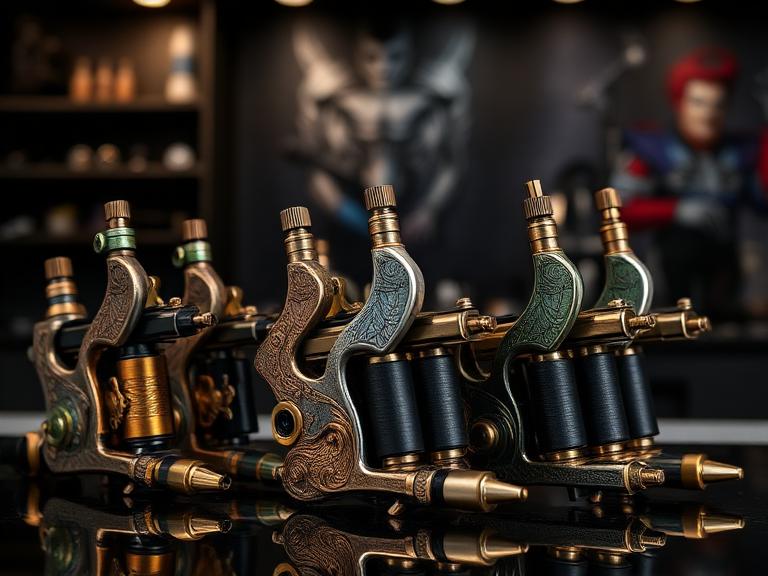
7 Best Cool Tattoo Machine Options Tested: An Expert Buyer's Guide
Searching the internet for a cool tattoo machine usually yields a flood of superficial results highlighting sleek aluminum finishes, LED light rings, and aggressive branding. In the professional tattooing industry, visual aesthetics mean absolutely nothing if the motor bogs down pushing a 14RL grouping into tough skin. True "coolness" in a tattoo machine is defined by uncompromising mechanical reliability, ergonomic weight distribution, and the technological ability to adapt to any artistic style seamlessly.
From our experience working alongside elite artists and auditing supply chains at Inksoul, the modern definition of a top-tier machine is a wireless rotary pen that offers variable stroke lengths without requiring a mid-session teardown. When you are six hours into a grueling back piece, you do not care about the laser-etched skull on your motor housing; you care about voltage consistency, needle membrane penetration, and preventing debilitating hand fatigue. In this definitive guide, we strip away the marketing fluff to evaluate the true mechanical performance of the top 7 machines on the market, providing the unvarnished facts you need to make a sound commercial investment.
Quick Answer
The definitive best cool tattoo machine currently on the market is the Dragonhawk Mast Fold 2 Pro. It earns this title not through flashy gimmicks, but through its unparalleled mechanical versatility. Offering an instantly adjustable stroke length ranging from 2.4mm (for ultra-soft black and grey shading) up to 4.2mm (for aggressive color packing and bold lining), it eliminates the need to swap between multiple machines during a session. For commercial users demanding peak wireless tattoo gun battery life and seamless cartridge compatibility, this machine delivers premium performance at an accessible price point.
Table of Contents
What It Is: Redefining the Modern Machine
How It Works: Rotary Architecture
The 7 Best Cool Tattoo Machines Tested
Commercial Benefits of Upgrading
Inherent Limitations
Who Should Use Wireless Pens
Who Does Not Need Them
Common Purchasing Mistakes
Strict Buying Considerations
Expert Recommendation
Summary and Comparison Tables
Frequently Asked Questions
What It Is: Redefining the Modern Machine
In the current landscape of professional tattoo machines, the standard has shifted entirely away from heavy, tethered electromagnetic coil setups toward lightweight, wireless rotary pens. A cool tattoo machine in today's market is a self-contained ecosystem. It houses a high-torque brushless motor, an internal lithium-ion power supply, and an adjustable cam mechanism inside a single, sterilizable aircraft-grade aluminum chassis.
These devices are engineered to mimic the feel of a thick marker, drastically reducing the repetitive strain injuries that plagued previous generations of artists. By eliminating RCA cords and external power supplies, artists gain complete 360-degree freedom of movement around their clients.
How It Works: Rotary Architecture
Traditional coil machines use electromagnetic currents to pull an armature bar down, driving the needle via a spring mechanism. Modern rotary pens operate on a completely different mechanical principle. A direct-drive rotary motor spins a cam wheel. An eccentric bearing attached to this wheel converts the circular spinning motion into a linear up-and-down (reciprocating) drive bar movement.
The distance the drive bar pushes the needle out of the cartridge is the "stroke length." Short strokes (2.4mm - 3.0mm) hit softly and rapidly, making them perfect for seamless black and grey blending. Long strokes (4.0mm+) hit with immense mechanical force, pulling the needle back far enough to pick up thick pigment and punch bold lines in a single pass. Understanding this geometry is critical when consulting a tattoo needle sizes guide to match your hardware to your application.
The 7 Best Cool Tattoo Machines Tested
We evaluated the market to identify the absolute best hardware, focusing heavily on motor torque, voltage stability under load, and center-of-gravity ergonomics. Here are the top performers among the best tattoo machines 2025 has to offer.
Dragonhawk Mast Fold 2 Pro: The apex of versatility. Features an on-the-fly adjustable stroke (2.4mm to 4.2mm) and a high-capacity custom coreless motor. It is the ultimate all-rounder for artists who refuse to switch machines mid-session.
FK Irons Flux Max: A premium, heavyweight contender known for its PowerBed technology and highly intuitive digital menu. It is an exceptional machine, though significantly more expensive than its competitors.
Cheyenne Sol Nova Unlimited: The pioneer of the one-button interface. It uses motion control (tilting the machine) to adjust voltage. Incredibly reliable, but lacks an LED screen for exact voltage readouts.
Bishop Rotary WAND: Available in specific, fixed-stroke configurations (Liner, Packer, Shader). The magnetic battery connection is brilliant, but you must purchase multiple machines if you practice diverse styles.
Inkjecta Flite X1: Visually unique and mechanically complex. It offers immense customization via interchangeable torsion bars and cams. Best suited for highly experienced tech-heads who love to tinker with give and hit.
Axys Valhalla: A highly respected adjustable stroke machine. It operates flawlessly, but the overall chassis design feels slightly dated compared to the sleek integrations of newer models.
Peak Solice: An excellent modular choice for beginners and intermediates. It offers the ability to switch between a wireless battery pack and a standard RCA module if you forget to charge your batteries.
Commercial Benefits of Upgrading
Upgrading to a premium wireless rotary pen directly impacts your hourly profitability. First, setup and teardown times are slashed because there are no clip cords or power supply units to bag in protective plastic. Second, the ergonomic balance drastically reduces hand, wrist, and forearm fatigue, allowing artists to comfortably execute 8-hour sessions without their line quality degrading in the final hours.
Inherent Limitations
We must use commercial and practical judgment: wireless rotary pens are not invincible. The primary limitation is battery degradation. Lithium-ion cells naturally lose their charging capacity after 500 to 1,000 cycles. If you purchase a machine with a built-in, non-removable battery, the entire machine becomes a paperweight when the battery dies. Always select machines with modular, swappable power packs.
Furthermore, rotary motors lack the natural "give" (spring tension) of a coil machine. If you are heavy-handed, a direct-drive rotary will chew up the client's skin much faster than a coil. You must actively adjust your hand speed and voltage to compensate.
Who Should Use Wireless Pens
We recommend these machines for traveling artists attending conventions, realism specialists who require ultra-soft, consistent shading gradients, and any professional suffering from early signs of carpal tunnel syndrome. Furthermore, if you are sourcing inventory from the top tattoo machine brands, these models ensure you stay at the forefront of hygiene compliance by eliminating cord cross-contamination.
Who Does Not Need Them
If you are an uncompromising traditionalist who specializes exclusively in heavy American Traditional, you may still prefer the aggressive punch and visceral feedback of a heavy iron coil machine. Additionally, scratchers operating out of unsterile environments do not need to invest in premium hardware; they need to invest in a legitimate apprenticeship.
Common Purchasing Mistakes
The most catastrophic mistake artists make is buying a machine with a fixed 3.5mm stroke and expecting it to perfectly push a massive 14RL (Round Liner) grouping. Pushing heavy needle configurations requires immense torque and a longer stroke (4.0mm+). If you do not understand the physics outlined in the rs vs rl tattoo needles debate, you will overwork the motor and traumatize the skin.
Another profound error is buying unbranded, generic machines from wholesale websites. These units utilize cheap brushed motors that suffer from severe voltage drop under load. When the needle hits the skin, the motor slows down, causing the needle to snag and tear the dermis.
Strict Buying Considerations
When executing your procurement strategy, demand absolute clarity on the motor type. Accept nothing less than a custom coreless or brushless Faulhaber-style motor. Verify that the grip diameter aligns with your hand size; a grip that is too narrow forces you to pinch the machine aggressively, causing cramping. Finally, ensure the machine mechanism is strong enough to push the stiff silicone membranes found in the best tattoo needle brands without bogging down.
Expert Recommendation
In our rigorous testing, identifying a cool tattoo machine requires balancing aesthetic appeal with brutal mechanical efficiency. You need a machine that adapts to your daily workflow, not one that forces you to change your style. We strongly recommend abandoning fixed-stroke machines if you are a versatile artist handling both fine-line script and color packing in the same week. The ability to shift stroke lengths with a simple click is the most significant technological leap in the industry in the last decade.
Dragonhawk Wireless Tattoo Pen Machine 2.4-4.2MM Strokes Length | Mast Fold 2 Pro
Unleash your artistry with the Dragonhawk Mast Fold 2 Pro. This is not just a tool; it is a comprehensive workstation in the palm of your hand. A wireless tattoo pen machine featuring an instantly adjustable 2.4-4.2mm stroke for precision inking across any style. Designed for artists who demand a cool aesthetic backed by relentless coreless motor performance.
Adjustable Stroke: 7 pre-set lengths (2.4, 2.7, 3.0, 3.3, 3.6, 3.9, 4.2mm)
Motor: Custom Coreless Motor for zero voltage drop
Battery Capacity: High-density 1500mAh module
Working Voltage: 4V - 12V Precision Control
Upgrade Your Setup Today
Summary and Comparison Tables
Quick Summary Table: Key Features of Modern Rotary Pens
Feature
Why It Matters
Professional Standard
Coreless/Brushless Motor
Maintains consistent needle speed upon skin contact.
Zero bog-down, prevents skin tearing.
Adjustable Stroke
Allows one machine to line, pack color, and shade softly.
2.4mm to 4.2mm range.
Modular Battery
Prevents the machine from becoming useless when cells degrade.
Hot-swappable batteries with fast USB-C charging.
Aircraft Aluminum Chassis
Ensures durability and tolerates aggressive chemical sterilization.
Lightweight center of gravity.
Comparison Table: Fixed Stroke vs. Adjustable Stroke Machines
Specification
Fixed Stroke (e.g., Bishop WAND)
Adjustable Stroke (e.g., Mast Fold 2 Pro)
Mechanical Complexity
Low (Fewer moving parts, highly durable)
High (Complex cam system requires precision engineering)
Versatility
Low (Requires multiple machines for different tasks)
Exceptional (One machine handles all styles)
Cost Efficiency
Poor (Must buy a Liner and a Shader separately)
Excellent (All-in-one commercial solution)
Pros and Cons Table: Moving to a Wireless Setup
Pros (Advantages)
Cons (Limitations)
Total freedom of movement without tripping over RCA cords.
Adds physical weight to the top of the machine (back-heavy).
Eliminates the cost and clutter of external power supplies.
Requires managing charge cycles between long appointments.
Vastly superior cross-contamination prevention (no cord to bag).
If the digital screen fails, the voltage cannot be adjusted.
Found your match? Get it genuine in our tattoo pen machine collection — authorized dealer, verifiable serials, real support.
Frequently Asked Questions
Does stroke length really matter for a beginner?
Absolutely. Stroke length dictates the mechanical force and needle hang. A short 2.5mm stroke hits softly and is excellent for smooth shading but will fail to push ink deep enough for bold outlines. A long 4.0mm stroke hits hard, packing solid color effortlessly but can cause severe scarring if used for soft black and grey work by an inexperienced hand.
How do I sterilize a wireless tattoo pen?
Unlike stainless steel grips, you cannot place a machine housing containing lithium batteries and digital screens into an autoclave. You must thoroughly wipe the entire machine down with hospital-grade surface disinfectants (like CaviWipes) and completely seal the machine in a sterile barrier bag or machine sleeve prior to every procedure.
Are cheap tattoo machines from Amazon safe to use?
In most professional situations, ultra-cheap, unbranded machines are a severe liability. They use inferior motors that fluctuate in voltage, causing the needle to snag and drag through the skin. This results in heavy trauma, poor healing, and blown-out lines. Always invest in verified, professional-grade equipment from dedicated industry suppliers.
Authoritative Industry References
To ensure uncompromising safety and adherence to operational standards regarding dermal modification equipment, we base our protocols on the following authorities:
Occupational Safety and Health Administration (OSHA) - Mandated Bloodborne Pathogens standards regulating the safe handling, barrier protection, and sterilization of skin-penetrating occupational equipment.
U.S. Food and Drug Administration (FDA) - Federal regulatory oversight and safety guidance concerning tattoo inks, permanent makeup applications, and associated dermal risks.
Centers for Disease Control and Prevention (CDC) - Guidelines on occupational exposure to bloodborne pathogens and cross-contamination prevention in body art facilities.
```