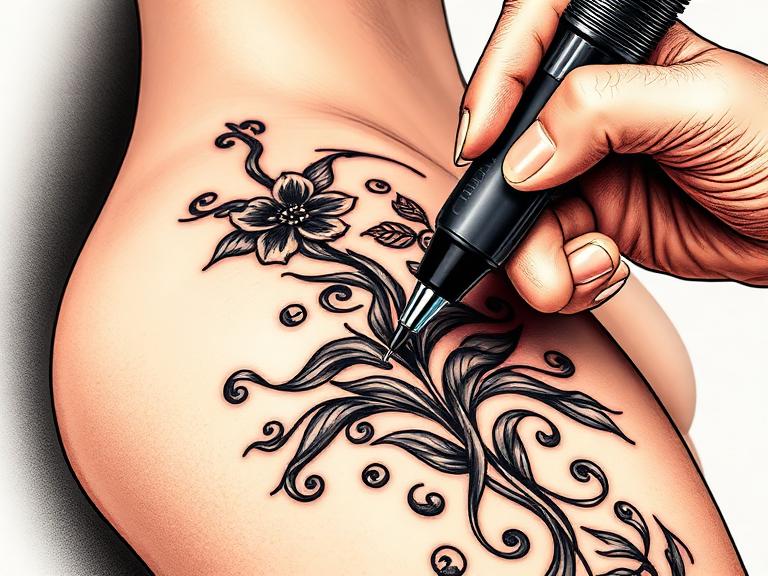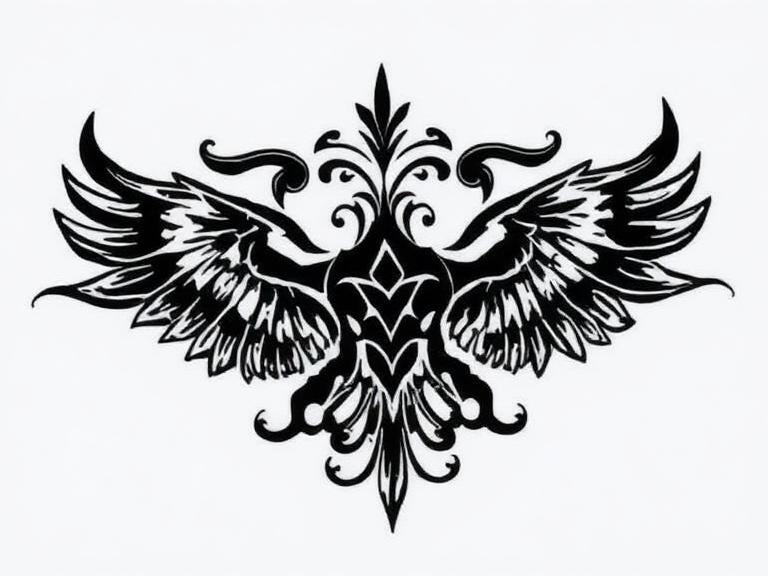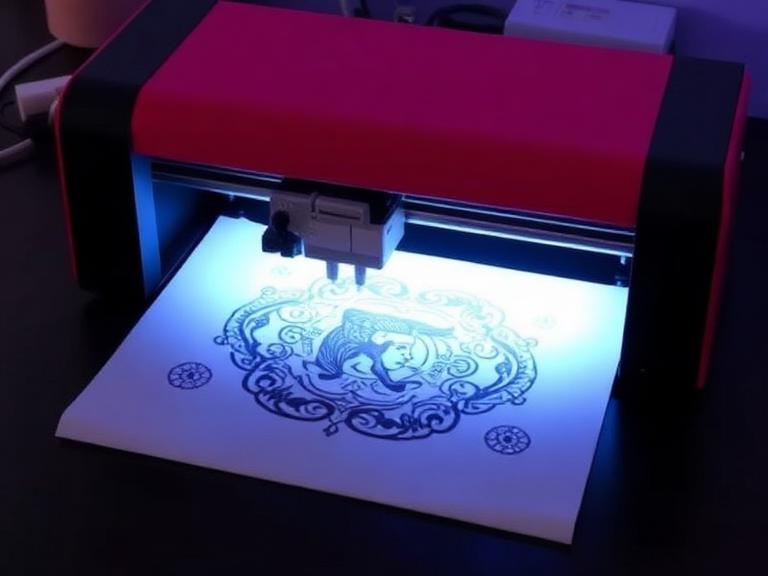

The tattoo industry has evolved rapidly, and the days of hunching over a glowing lightbox to hand-trace a complex geometric sleeve are over. In most professional situations, asking a client to sit in the waiting room for an hour while you manually outline a stencil is a massive commercial failure. It wastes your hourly rate, exhausts your hands before you even pick up a machine, and opens the door for human error during the transfer process.
Many amateur artists attempt to cut corners by wondering can a normal printer print tattoo stencils. The brutal reality is that forcing specialized carbon paper through a standard office inkjet printer will destroy the rollers, jam the feed, and produce a stencil that immediately wipes off the skin. To run a profitable, efficient studio, you must utilize purpose-built hardware. In this uncompromising guide, we dissect the mechanics of Thermal Tattoo Stencil Printers, evaluate whether investing in advanced models is actually worth your capital, and provide a definitive roadmap for upgrading your station.
Quick Answer: The 6 Core Features
- 1. Inkless Operation: Utilizes micro-heating elements. No ink cartridges to dry out, leak, or replace.
- 2. Shadow & Gradient Printing: Modern units (like the INKSOUL T08FS) process varied thermal exposure to print soft shading, not just harsh outlines.
- 3. Wireless Bluetooth Integration: Print directly from Procreate on an iPad or a smartphone without tangled USB cords cluttering your workstation.
- 4. High-Resolution Output (203 dpi): Ensures micro-realism details, fine stippling, and tight script translate perfectly to the skin.
- 5. True Portability: Equipped with internal 1200mAh lithium batteries, allowing you to prep stencils at conventions without hunting for wall outlets.
- 6. Multi-Format Paper Support: Capable of feeding A4, Letter, Legal, and extended lengths for massive back pieces without manual splicing.
Table of Contents
- What is a Thermal Tattoo Stencil Printer?
- How Thermal Technology Actually Works
- The 6 Key Features Explained
- Commercial Benefits for Tattoo Artists
- Limitations and Mechanical Realities
- Who Should Use It
- Who Does Not Need It
- Common Mistakes During Stencil Printing
- Critical Buying Considerations
- Expert Recommendation: INKSOUL® T08FS
- Summary and Comparison Tables
- Frequently Asked Questions
What is a Thermal Tattoo Stencil Printer?
A tattoo stencil printer engineered with thermal technology is a compact, highly specialized output device designed exclusively for the body art industry. Unlike dot-matrix or inkjet printers that deposit liquid pigment onto a page, a thermal printer interacts physically with multi-layered spirit master paper. It takes a digital image from your tablet or computer and reproduces it onto a carbon transfer sheet, creating a stencil that is ready to be applied directly to the human body.
How Thermal Technology Actually Works
Understanding the mechanics separates professional equipment from cheap knock-offs. Inside Thermal Tattoo Stencil Printers sits a precision thermal print head containing thousands of microscopic heating pins. When you send a design to the printer, the microprocessor calculates exactly which pins to heat and to what exact temperature.
As the tattoo transfer paper feeds through the machine, the heated pins press against the protective top sheet. The heat transfers through to the carbon layer beneath it, melting the carbon dye and forcing it to adhere to the final stencil sheet. Because the machine controls the heat at a microscopic level, it can create incredibly sharp, crisp lines. For a deeper dive into the paper mechanics, review our guide on how to use tattoo transfer paper.
The 6 Key Features Explained
1. Inkless Thermal Technology

In most professional situations, overhead costs dictate your profit margin. Standard printers require expensive ink cartridges that inevitably dry out when exposed to the varied temperatures of a tattoo studio. A thermal tattoo printer requires zero ink. You only pay for the machine and the carbon paper. This makes the operational cost highly predictable and incredibly low.
2. Shadow and Gradient Printing
Historically, thermal printers were only capable of reading binary data: pure black or pure white. This meant artists doing black-and-grey realism still had to mentally map their shading. Today, elite Thermal Tattoo Stencil Printers utilize varied heat distribution to melt differing amounts of carbon. This allows the printer to output smooth gradients and soft shadows directly onto the stencil, a game-changer for realism and portrait artists.
3. Wireless Bluetooth Connectivity
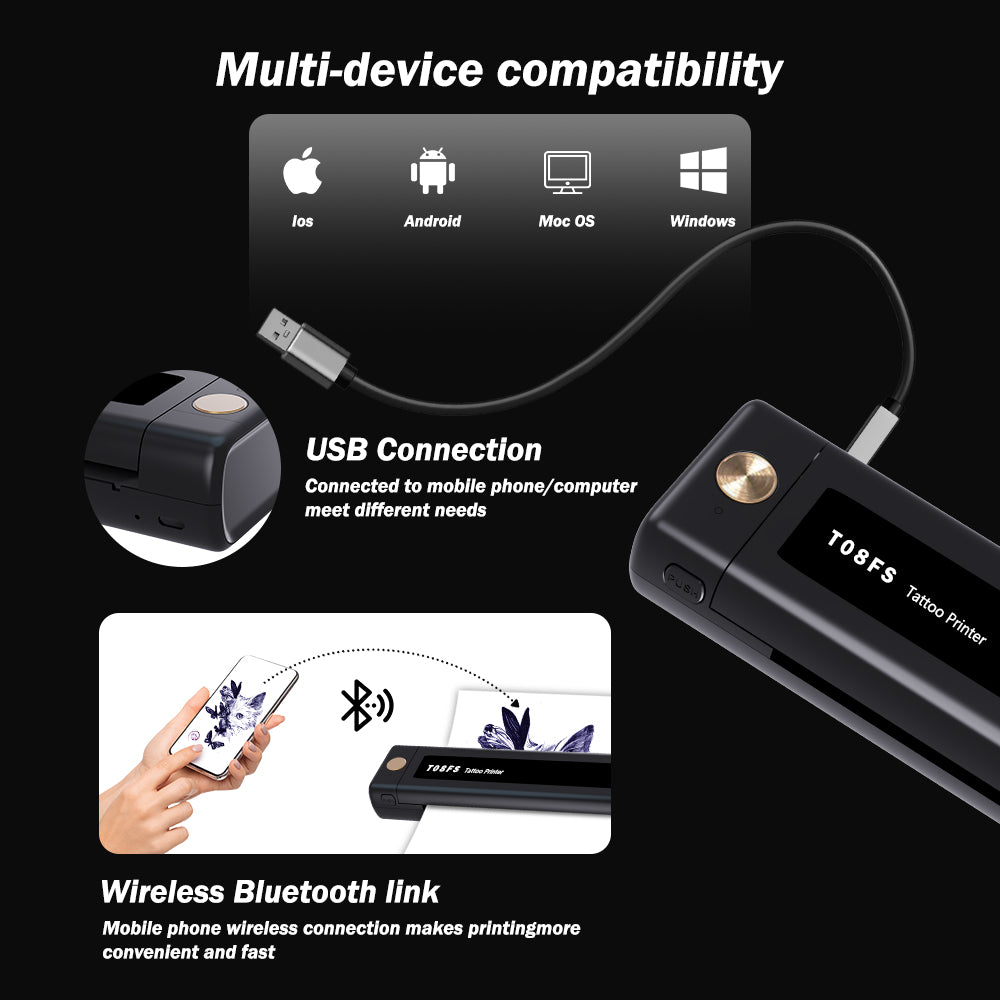
A cluttered workstation is a contamination risk. Modern devices act as a wireless tattoo stencil printer, connecting seamlessly via Bluetooth to iOS, Android, or PC. You can finish a design in Procreate on an iPad, hit print, and have the stencil rolling out of the machine on the other side of the room in seconds.
4. True Portability and Battery Life
For heavy-duty applications like working a busy three-day tattoo convention, fighting for a wall outlet to plug in a bulky printer is a nightmare. The best models feature internal 1200mAh lithium batteries. Weighing under a kilogram, they fit into a standard travel case and can print dozens of stencils on a single charge.
5. High-Resolution Output (203 dpi)
Fine-line and micro-realism tattoos are dominating the 2026 market. If your printer has a low resolution, fine lines will look jagged (pixelated), and tight script will bleed together. A 203 dpi thermal print head ensures that every single eyelash, texture dot, and serif in your digital design translates identically to the stencil paper.
6. Multi-Size Paper Support
Tattoos are not one-size-fits-all. A premium printer must accommodate standard A4 (8.3" x 11.7"), US Letter (8.5" x 11"), Legal (8.5" x 14"), and extended LTR+ sizes for massive back pieces and full-length leg sleeves. The ability to print a 16-inch stencil in one continuous pass eliminates the dreaded task of splicing and taping multiple stencils together on the client's skin.
Commercial Benefits for Tattoo Artists
Is it actually worth upgrading to dedicated Thermal Tattoo Stencil Printers? Yes, unapologetically. The Return on Investment (ROI) is staggering. If a printer saves you 45 minutes of hand-tracing per day, and your hourly rate is $150, the machine pays for itself in less than three days. Furthermore, client perception matters. Pulling out a crisp, digitally perfect stencil printed from an iPad elevates you from an amateur to a high-end professional in the eyes of the consumer.
Limitations and Mechanical Realities
We must exercise commercial judgment: thermal printers have limitations. They are highly sensitive to environmental heat. If you store a thermal printer in a hot car during a summer convention, the internal rollers can warp, and your carbon paper will melt together before you even hit print. Furthermore, you cannot use cheap, generic copy paper. You must feed it specialized, 4-ply thermal master paper.
Who Should Use It
For commercial users and professional studios: Any artist booking more than three clients a week must use a thermal printer. If you specialize in realism, geometric patterns, intricate mandalas, or fine-line script, attempting to work without one is a severe handicap.
Who Does Not Need It
For beginners exploring hobbies: If you are practicing on fake skin once a month or experimenting with how to make temporary tattoos at home, investing in a professional thermal printer is overkill. You can hand-trace for practice until your volume demands speed.
Common Mistakes During Stencil Printing
In our testing, the most common mistake artists make is forgetting to remove the protective brown slip sheet from the center of the 4-ply transfer paper before feeding it into the printer. If you leave it in, the heat cannot reach the carbon, and your stencil will come out entirely blank. Another amateur error is trying to use a regular printer for tattoo transfer paper. Standard laser printers use extreme heat rollers that will instantly melt the carbon sheet, destroying both the paper and the printer drum simultaneously.
Critical Buying Considerations
When evaluating the best tattoo stencil printers, scrutinize the software ecosystem. A printer is only as good as the app that runs it. Ensure the companion app allows you to adjust mirror imaging, contrast density, and shadow thresholds. If you prefer tactile control over mobile apps, look for a touch screen tattoo printer that allows onboard adjustments.
Expert Recommendation: INKSOUL® T08FS
The INKSOUL® Verdict
From our experience engineering equipment for elite artists, the leap from line-art printing to shadow printing is the most significant technological advancement of the decade. We unequivocally recommend upgrading to a unit capable of reading gradients.

INKSOUL® T08FS Wireless Tattoo Transfer Stencil Printer - Can Print Shadows
This unit represents the pinnacle of thermal transfer technology. It utilizes the most economical thermal technology—requiring only A4 thermal paper with absolutely zero ink cartridges or ribbons.
- Advanced Shadow Printing: Supports printing rich Shader images alongside crisp line work.
- Multi-Size Support: Handles A4 (8.3"x11.7"), LTR (8.8"x11"), Legal (8.5"x14"), and LTR+ (8.5"x16.5").
- Battery & Connection: Robust 1200mAh battery. Bluetooth for mobile/tablet; USB for PC.
- Precision Specs: 203 dpi resolution with a printing speed of 13-15 mm/s. Ultra-lightweight at just 0.75 kilograms.
Essential Procurement Tables
| Feature | Why It Matters to Artists | Commercial Impact |
|---|---|---|
| Inkless Thermal Tech | No messy ink spills or dried-out cartridges. | Drastically lowers monthly overhead costs. |
| Shadow/Gradient Print | Transfers soft shading guides directly to skin. | Saves hours of mapping out realism tattoos. |
| Wireless Bluetooth | Print directly from an iPad (Procreate) anywhere. | Streamlines digital workflow and clears desk clutter. |
| High Resolution (203 dpi) | Ensures micro-details do not blur together. | Crucial for fine-line and micro-realism styles. |
| 1200mAh Battery | Operates without being plugged into a wall. | Essential for traveling artists and conventions. |
| Multi-Size Paper | Prints up to 16.5 inches in a single pass. | Eliminates splicing stencils for large back pieces. |
| Specification | Thermal Tattoo Printer | Normal Inkjet / Laser Printer |
|---|---|---|
| Printing Mechanism | Precision micro-heating pins. | Liquid ink spray or extreme heat laser drum. |
| Compatibility with Transfer Paper | Perfect. Melts carbon cleanly. | Catastrophic. Jams paper, smears ink, destroys drum. |
| Consumables Required | Thermal master paper only. | Expensive ink cartridges, toners, and standard paper. |
| Portability | Weighs under 1kg, battery-powered. | Bulky, requires permanent 120V AC wall power. |
| Pros (Why it is worth buying) | Cons (Limitations to mitigate) |
|---|---|
| Converts digital art to a physical stencil in under 30 seconds. | Requires purchasing specialized 4-ply thermal master paper. |
| Eliminates human error, ensuring perfect symmetry for geometric pieces. | High environmental heat can cause paper to jam or pre-melt. |
| Zero ongoing ink or toner replacement costs. | Initial capital investment is higher than a light box. |
| Internal batteries allow for easy travel to guest spots and conventions. | Companion apps require occasional updates for OS compatibility. |
| Artist Profile | Recommended Feature Focus | Why This Fits Best |
|---|---|---|
| Black & Grey Realism | Shadow & Gradient Capabilities | Need soft reference markers for wash layers, not just harsh outlines. |
| Traveling/Convention Artist | 1200mAh Battery & Bluetooth | Requires untethered operation in crowded, low-power environments. |
| Large-Scale Tribal/Japanese | Multi-Size Support (Legal / LTR+) | Must print massive, continuous lines without breaking the stencil flow. |
| Traditional / Flash Day Shop | Speed & Durability | Needs rapid output of small designs for high-turnover walk-in traffic. |
Frequently Asked Questions (FAQ)
Can I use a regular printer to make tattoo stencils?
In most professional situations, absolutely not. An inkjet printer sprays liquid ink, which cannot adhere properly to the skin and is not sterile. A laser printer uses extreme heat rollers that will instantly melt the waxy carbon layer of tattoo transfer paper, permanently ruining the inside of the printer. You must use a dedicated thermal tattoo printer designed specifically to process master transfer sheets.
Do thermal tattoo printers need ink to operate?
No. The primary advantage of thermal tattoo printers is that they are entirely inkless. They operate using a thermal print head equipped with microscopic heating pins. These pins apply targeted heat to specialized thermal transfer paper, melting the carbon dye onto the stencil sheet. You never have to buy or replace ink cartridges.
How do I connect my iPad to a wireless tattoo stencil printer?
Connecting is seamless. First, download the printer's companion application (such as the INKSOUL app) from the App Store. Ensure your iPad's Bluetooth is turned on. Open your design in Procreate, export it as a JPEG or PNG to your photos, open the companion app, select the image, and connect to the printer via the app's Bluetooth pairing menu. From there, you can adjust the contrast and hit print.
Authoritative Industry References
To ensure your studio equipment meets the highest standards of safety, mechanical reliability, and operational compliance, we recommend reviewing guidelines from the following authoritative organizations:
- Occupational Safety and Health Administration (OSHA) - Guidelines on bloodborne pathogens, cross-contamination prevention, and maintaining sterile workflows with digital equipment.
- Alliance of Professional Tattoo Artists (APT) - Industry best practices regarding equipment standardization, stencil hygiene, and professional studio operations.
- ASTM International - The leading authority for standardized testing methodologies, including thermal printing materials, paper safety, and hardware manufacturing tolerances.
For more insights into temporary alternatives, review our guide on how to make temporary tattoos.