Tattoo Stencil Printer Buying Guide 2026: How to Choose the Best Tattoo Stencil Printer
If you've ever spent 40 minutes hand-tracing a stencil — hunched over carbon paper, re-doing the same curve for the third time while your client checks their watch — you already know why tattoo artists buy stencil printers.
A hand-drawn stencil isn't just slow. It's inconsistent. One shaky line and the whole transfer looks off. One smudge and you're starting over. And if you do realism or black-and-grey, hand drawing hits a wall fast: you can't trace a smooth gradient with a pen, so you end up "winging" the shading directly on skin. That works until the day it doesn't.
A good tattoo stencil printer fixes all of that. You finalize the design on your phone or laptop, hit print, and get a clean, accurate stencil in under a minute — shading included. What you see on screen is what ends up on skin. That means less prep time per client, fewer redraws, and more billable hours in your day. For a busy artist seeing four to six clients a day, the printer pays for itself in the first week.
But not all stencil printers are equal. The cheapest ones only print outlines, connect over fiddly cables, and jam the moment you feed them a complex design. This guide walks you through exactly how to choose a tattoo stencil printer — and compares the best tattoo stencil printers of 2026, from our flagship pick to budget pocket printers — so you buy once and buy right.
How to Choose a Tattoo Stencil Printer: 6 Things That Actually Matter
1. Thermal vs. Inkjet — Get Thermal, Full Stop
Almost every stencil printer worth buying uses thermal transfer technology. The printer heats special thermal stencil paper, which activates the ink layer and transfers your design. There are no ink cartridges, no ribbons, no printheads to clog. The only thing you ever buy is paper.
Inkjet-based approaches exist — printing with special ink onto transfer sheets — but they add steps, mess, and ongoing cartridge costs for zero benefit on skin. For tattoo stencils, thermal is the studio standard, and every printer compared below is thermal. If a listing doesn't clearly say "thermal," keep scrolling.
2. Shadow and Shading Capability
This is the single biggest difference between a $20 toy and a pro machine. Cheap stencil printers only reproduce outlines — fine for flash and line work, useless for realism, portraits, and black-and-grey, where the shading is the tattoo.
A printer with true shading support renders gradients the way they appear on your screen: smooth, detailed, no banding. Both the INKSOUL T08FD and the classic T08FS do this, and it's why artists call it "what you see is what you get" printing. If you do any shaded work at all, treat shadow printing as a must-have, not a nice-to-have.
3. Paper Size
Most stencil printers handle A4 (210 × 297 mm) or US Letter paper — enough for the vast majority of tattoos. If you regularly do back pieces, sleeves, or large thigh work, look at A3 models instead; printing a big design across two A4 sheets and taping them together is nobody's idea of fun.
Also check two less obvious specs: maximum print width (the T08FS, for example, prints up to 216 mm wide) and roll-paper support (the T08FD takes 210 mm roll paper — handy for long, continuous designs). Whatever you choose, make sure replacement paper is easy to buy. A printer is useless if its paper is a scavenger hunt.
4. Connectivity: Bluetooth vs. USB
How the printer talks to your devices matters more than you'd think. Bluetooth printing from your phone or tablet — via the manufacturer's app — is the modern workflow: tweak the design in Procreate, hit print, done. No cables, no file transfers.
But check the fine print. On the T08FS, for instance, Bluetooth works with phones and tablets while a PC connection requires a USB cable. The newer T08FD connects wirelessly to both computers and mobile phones. If you're a desktop-first artist working in Photoshop, confirm the printer plays nice with your computer before you buy. And whatever the connection type, skim the companion app's recent reviews — a great printer with a terrible app is a terrible printer.
5. Portability: Studio Workhorse vs. Travel Printer
Where do you actually print? If you work conventions, guest spots, or a home studio with no fixed desk, you want a battery-powered printer light enough to toss in a bag — the T08FS weighs just 0.75 kg, and pocket printers like the Phomemo TP31 go even smaller.
Full-time studio artists can trade portability for reliability and print quality. But honestly, even studio artists end up loving wireless: no cable spaghetti, print from the couch, hand the client a perfect stencil in 60 seconds. Decide based on your real week, not your fantasy week.
6. Running Costs: Do the Paper Math
Here's the math most buyers skip: a thermal printer's only consumable is stencil paper, and over a year you'll spend more on paper than the price difference between any two printers on this list. INKSOUL stencil paper runs about $38.88 per 100-sheet pack (shadow paper for shaded designs, line paper for outlines), and a 210 mm × 30 m roll is about $42.88.
That flips the usual logic: a slightly more expensive printer that prints cleanly on the first try is cheaper than a budget printer that wastes three sheets per design on misprints and jams. Don't save $30 on the printer to spend $300 on wasted paper.
The Best Tattoo Stencil Printers of 2026: Head-to-Head
We compared the stencil printers we actually sell and support — no sponsored placements, no review-unit fluff. Prices below are from our store at the time of writing.
| Printer | Shadow printing | Paper | Connectivity | Price* |
|---|---|---|---|---|
| INKSOUL T08FD — Our Pick | Yes | A4 + 210 mm roll | Wireless (phone + computer) | $188.88 |
| INKSOUL T08FS — The Classic | Yes | A4 / Letter / Legal / LTR+ | Bluetooth (phone/tablet), USB (PC) | $168.88 |
| MAST Upgraded A3 — Large Format | Check listing | A3 | Bluetooth | From $99.00 |
| Phomemo M08F — Portable | Check listing | 216 mm width | Wireless | $168.88 |
| Phomemo TP31 — Pocket | Check listing | Pocket-size | Bluetooth | From $18.99 |
| AIMO MR3 — Pocket + Roll Paper | Check listing | Pocket-size + roll paper | Bluetooth | From $18.88 |
\Prices at time of writing; check the product pages for current pricing.*
Our Pick: INKSOUL T08FD
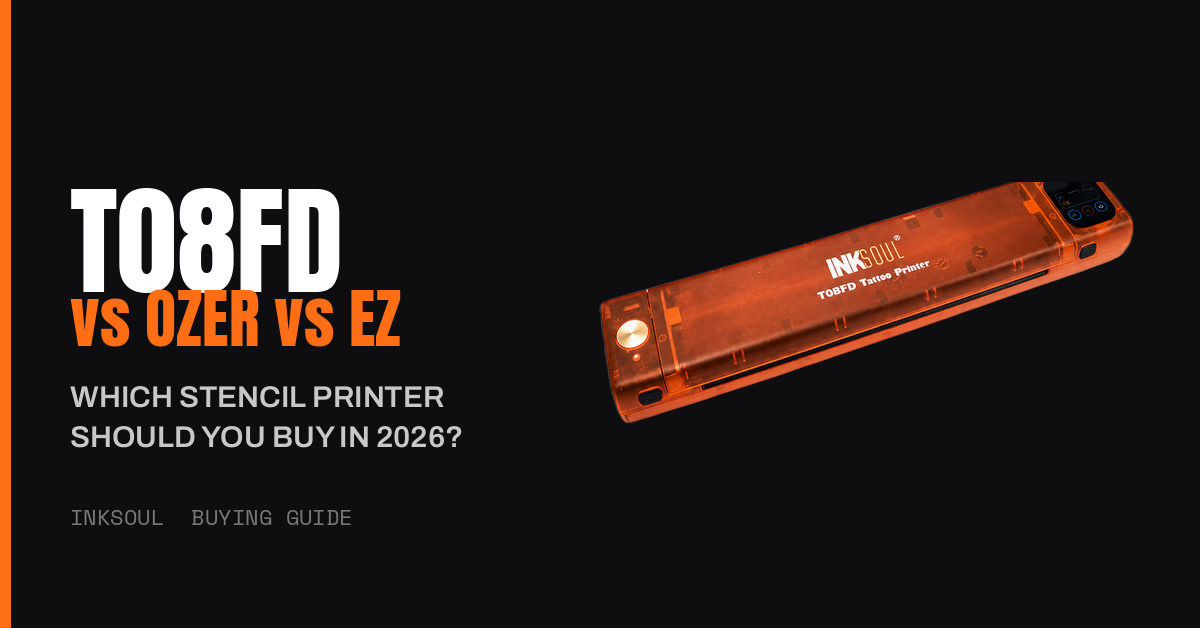
The T08FD is the improved successor to the classic T08FS — and our flagship for a reason. It adds a smart touch screen, so you adjust print settings with a fingertip slide right on the printer instead of digging through app menus. It prints true shading and shadow gradients — what you see is what you get — comes in INKSOUL-exclusive custom colors, and has a much lower failure rate than the older model. It connects wirelessly to both computers and phones, handles A4 paper plus 210 mm roll paper, and runs on a built-in rechargeable battery in a compact, lightweight body.
Best for: realism and black-and-grey artists, and busy studios that print all day and can't afford downtime.
The Classic: INKSOUL T08FS
The T08FS is the stencil printer a generation of artists learned on — backed by nearly 1,000 customer reviews, it's the most community-trusted printer we sell. It prints the same true shadow-and-shading output as the flagship, supports four paper sizes (A4, Letter, Legal, and LTR+), and runs on a 1200 mAh battery at just 0.75 kg. Bluetooth handles phones and tablets; PCs connect over USB cable.
One honest note, straight from its product page: on very complex shaded designs, let the machine cool between prints to avoid paper jams — if shaded work is your entire day, the T08FD is the upgrade built for that workload.
Best for: artists who want the proven, community-vetted workhorse at a lower price.
Best for Large-Scale Work: MAST Upgraded A3
When your canvas is a full back or a sleeve, A4 isn't enough. This Bluetooth A3 printer is built for large-scale tattoo stencils, in a portable form factor you can still carry to the shop.
Best for: artists who regularly tattoo large pieces and are tired of taping A4 sheets together.
Portable Pick: Phomemo M08F
A wireless portable printer with a 216 mm print width — slightly wider than standard A4 — in a compact body that's easy to carry between studio and guest spots.
Best for: artists who want a portable wireless printer for everyday studio and travel use.
Best Budget Pocket Printer: Phomemo TP31
A Bluetooth pocket printer at an almost impulse-buy price. It won't replace a full-size studio machine, but it's a legitimate backup or travel printer that fits in a jacket pocket.
Best for: apprentices, tight budgets, and anyone who wants a stencil printer for on-the-go touch-ups.
Pocket Printer with Roll Paper: AIMO MR3
Another Bluetooth pocket printer, with the added flexibility of roll-paper support for longer designs — a rare trick at this size and price.
Best for: mobile artists who want pocket portability without giving up longer print lengths.
Frequently Asked Questions
Do I need special paper for a tattoo stencil printer?
Yes. Thermal stencil printers only work with thermal stencil paper — regular printer paper won't transfer. The T08FD uses A4 stencil paper (shadow paper for shaded designs, line paper for outlines) and also accepts 210 mm roll paper. Store your paper at room temperature away from light; heat and sunlight degrade it.
Can I print from my iPhone?
Yes. Most modern stencil printers connect to iPhones and Android phones over Bluetooth via the manufacturer's app. The T08FD connects wirelessly to both mobile phones and computers; the T08FS uses Bluetooth for phones and tablets, and a USB cable for PCs.
What should I do if the paper jams?
First, don't force it. Jams usually come from misloaded paper or overheating — on complex shaded designs the print head works hard and gets hot, so pause between prints and let the machine cool (open the lid and check that the print head is cool to the touch). Reload the paper squarely and keep the companion app updated. If jams are a daily occurrence rather than a rare event, your workload has outgrown the printer — that's exactly the upgrade case for the T08FD.
Can every stencil printer print shadows and shading?
No — and this is the most common buyer's regret. Budget printers typically reproduce outlines only. If you do realism, portraits, or black-and-grey, confirm the printer explicitly supports shadow/shading printing before you buy. Both the T08FD and the T08FS do.
How much does stencil paper cost?
About $38.88 for a 100-sheet pack of INKSOUL stencil paper, or about $42.88 for a 210 mm × 30 m roll. Paper is the only ongoing cost — there are no ink cartridges to replace, ever.
How long does the battery last?
It depends on print volume and design complexity — shaded designs draw more power than line work. The T08FS lists a 1200 mAh battery; the T08FD has a built-in rechargeable battery designed for wireless studio and guest-spot use. For a full convention day, charge overnight and keep the USB cable in your kit as backup.
The Bottom Line
If you do shaded work — realism, portraits, black-and-grey — get a printer that prints shadows properly. Our pick is the INKSOUL T08FD: touch screen, true what-you-see-is-what-you-get shading, wireless everything, and the lowest failure rate we've shipped. If you'd rather spend less on the most community-trusted machine in tattooing, the classic T08FS has nearly 1,000 reviews behind it and prints the same beautiful shadows.
Browse the full lineup — including the A3 large-format printer and pocket printers — in our tattoo printer collection. Want the complete out-of-the-box setup? The Transfer Workflow bundle pairs the T08FD with stencil paper and transfer gel so you're printing minutes after unboxing.